
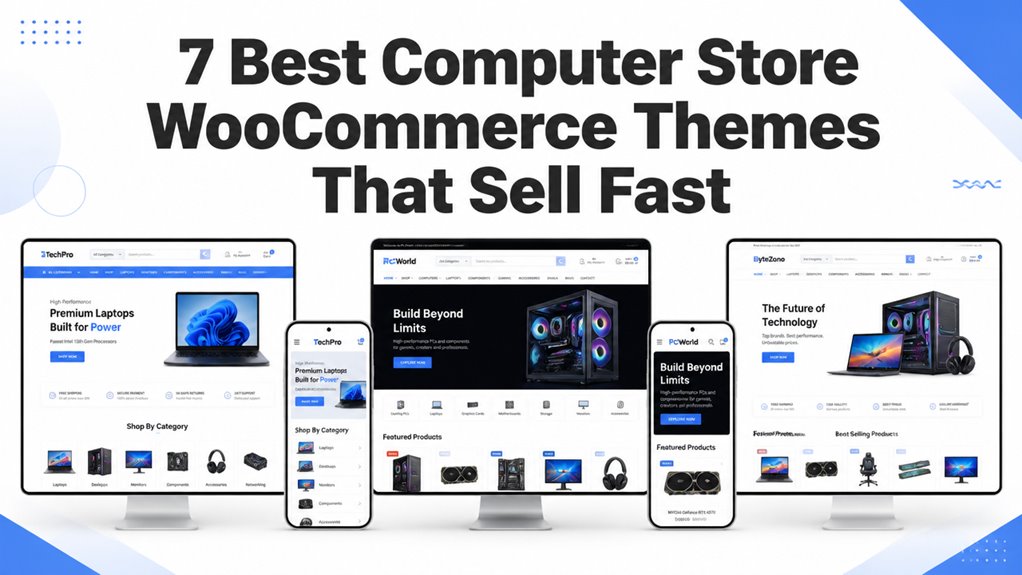
Selling custom desktop PCs, gaming laptops, and high-performance hardware components requires specialized storefront architecture. Modern buyers evaluate technical specifications, processor socket compatibility, GPU clock speeds, and RAM capacities before completing a high-ticket transaction.
Our Top Computer Store WooCommerce Theme Picks
The best computer store WooCommerce themes feature technical specification grids, multi-variant hardware dropdowns, live inventory trackers, and high-performance product filters. Our curated benchmark compares the top templates based on catalog capacity, page speed scores, and custom hardware builder compatibility.
| Theme Name | Best Hardware Niche | Page Builder | Standout Feature | Direct Link |
|---|---|---|---|---|
| TechShop | PC Hardware & Components | Elementor | Technical spec comparison & instant search | View Theme |
| Autospare | Replacement Parts & Accessories | Elementor | SKU finder & high-density mega menus | View Theme |
| ShopByte | Mega Computer Outlets | Elementor | Multi-vendor support & flash deal timers | View Theme |
| Electro | Consumer Tech & Laptops | Elementor | Live AJAX search & brand directory | View Theme |
| Digitazz | Digital Gadgets & Peripherals | Elementor | Interactive banner layouts & quick view modals | View Theme |
| Shopstic | High-Volume Electronics | Elementor | Mobile-first sticky navigation & category tabs | View Theme |
| Intron | Custom Gaming Rigs & Workstations | Elementor | Dark mode aesthetics & product video embeds | View Theme |
Merchants managing complex computer catalogs benefit from pairing structured theme options with rigorous store optimization. Learn more about performance fundamentals in our theme speed optimization guide to ensure fast checkout rendering.
TechShop – Electronics TechStore WooCommerce WordPress Theme
TechShop delivers a high-speed eCommerce template built specifically for computer component retailers, system integrators, and consumer tech shops. It integrates advanced specification tables, faceted attribute filters, and customizable category sidebars that guide buyers directly to matching hardware models.
Review the desktop showcase layout for TechShop featuring high-density component navigation below.
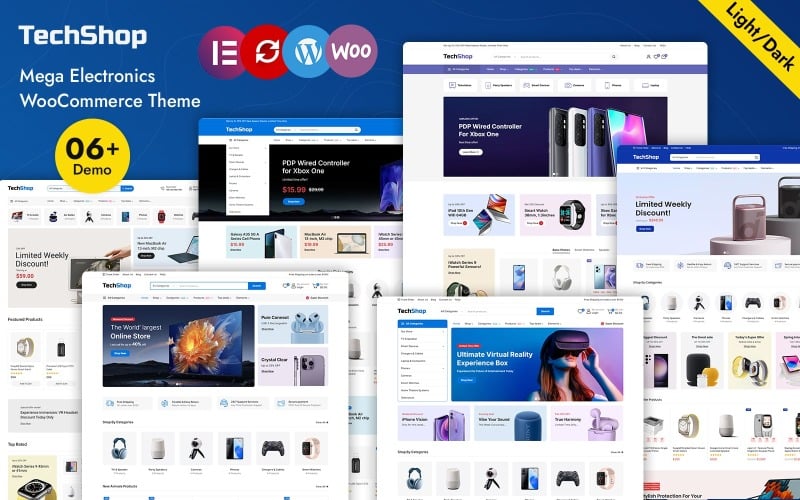
The screenshot above illustrates how TechShop organizes multi-tier hardware categories into intuitive mega menu pathways.
TechShop provides an enterprise-ready catalog structure capable of indexing thousands of individual computer components. Shoppers can isolate motherboards by socket type, filter solid-state drives by interface read speeds, or compare laptop battery ratings side-by-side without page reloads.
Store owners can implement custom promotional banners and highlight seasonal clearance deals on computer peripherals directly from the visual page builder. The theme maintains clean semantic HTML markup to facilitate rapid search engine crawl efficiency across extensive product directories.
Explore the product showcase view for TechShop below demonstrating clear pricing and technical callouts.
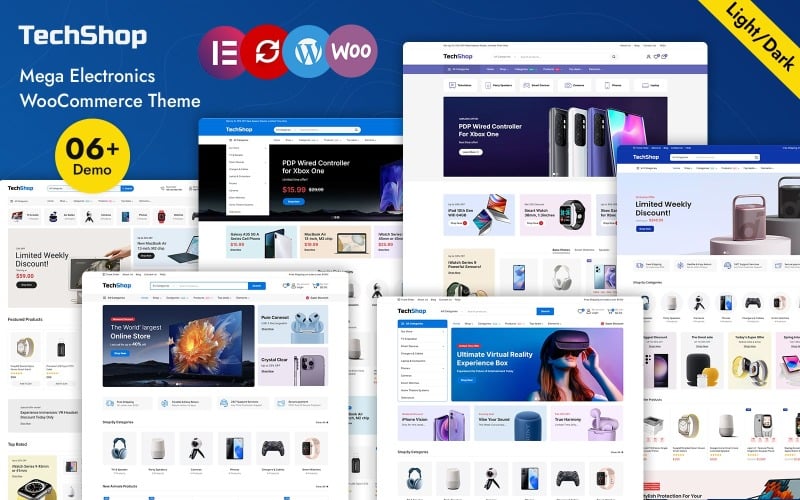
The visual interface highlights distinct attribute badges such as warranty periods, stock levels, and bulk volume discounts.
Mobile responsiveness remains exceptional throughout the checkout pipeline. Checkout buttons and interactive hardware selectors resize intelligently on mobile devices, ensuring frictionless payments for on-the-go tech enthusiasts.
Autospare Auto Parts WooCommerce Responsive Theme
Autospare functions as an adaptable technical store theme engineered for replacement components, peripheral adapters, and specialized hardware parts. It features an advanced year-make-model part locator that computer retailers easily repurpose into a custom PC part compatibility search tool.
Examine the modular navigation interface of Autospare configured for parts search below.
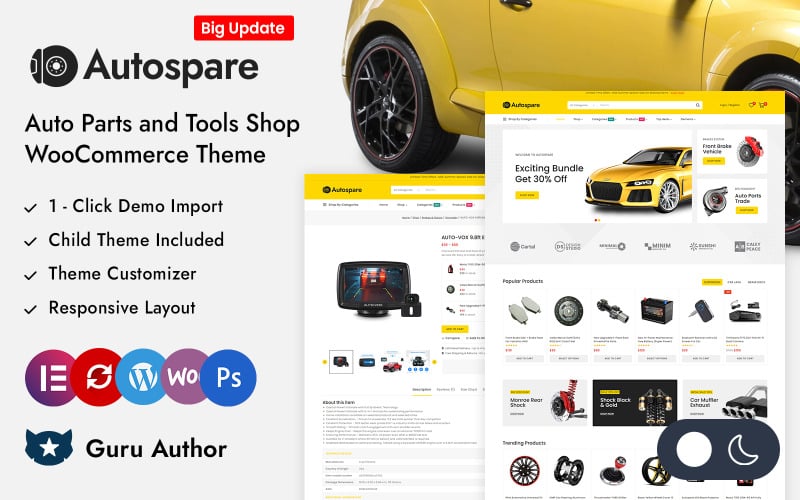
The layout demonstrates how faceted filtering controls allow users to narrow large inventories down to exact replacement model numbers.
While originally tailored for automotive parts, Autospare offers one of the most robust multi-field lookup modules in WooCommerce. Merchants selling power supplies, thermal paste, cooling fans, and custom cabling utilize its search engine to eliminate part return errors.
The theme includes dedicated product quick-view windows and responsive attribute tables that display technical pinouts, form factor dimensions, and voltage ranges clearly. This transparent spec delivery directly reduces pre-sale customer support inquiries.
Review the product grid layout of Autospare displaying component categories below.
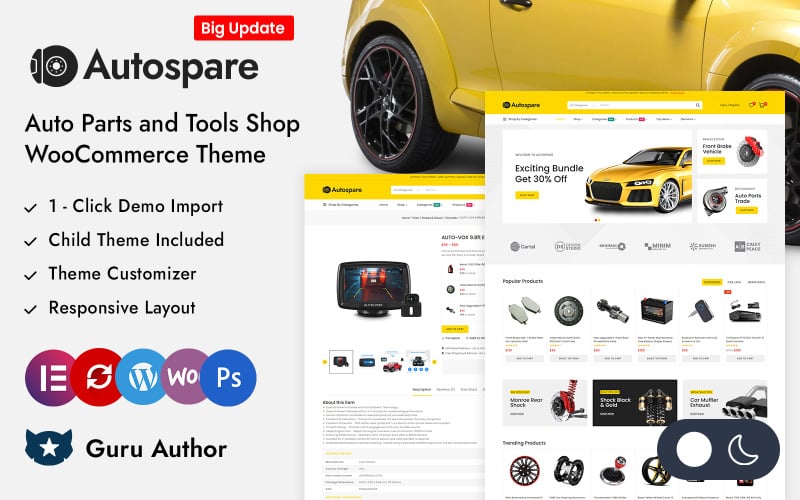
The visual arrangement preserves ample spacing between pricing tags and add-to-cart buttons for smooth touch navigation.
Its lightweight code structure keeps DOM nodes minimal, enabling quick initial server responses even when serving complex product pages. Store owners seeking adjacent hardware designs can also review our roundup of electronics store WooCommerce themes for additional layout ideas.
ShopByte – Mega Store Elementor WooCommerce Responsive Theme
ShopByte offers an enterprise-level mega store layout built for expansive computer catalogs, consumer electronics marketplaces, and multi-category gadget retailers. It includes multi-vendor plugin compatibility, deal countdown timers, and AJAX live search designed to accelerate conversions across extensive inventories.
Inspect the home page arrangement of ShopByte highlighting high-volume computer promotions below.
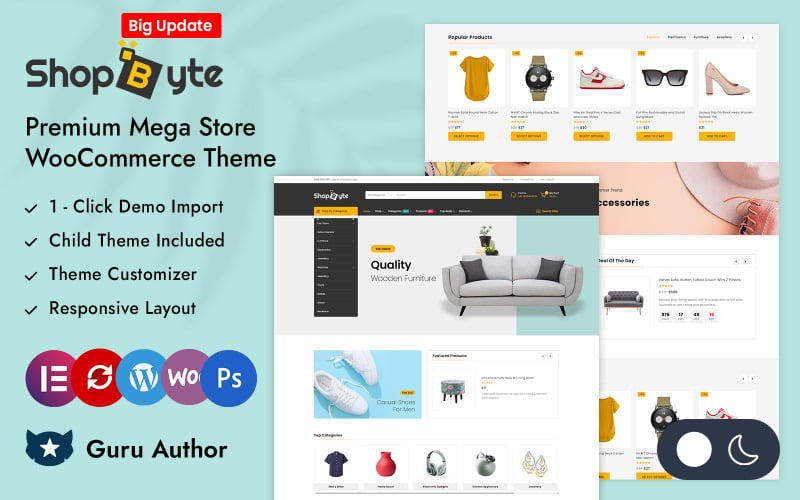
The screenshot captures high-impact promotional carousels designed to drive immediate click-through on gaming laptops and monitor sales.
ShopByte excels at presenting complex hardware inventories without visually overwhelming the prospective customer. Its structured mega menu supports multi-column subcategories, brand logos, and thumbnail previews that streamline product discovery across hundreds of peripheral brands.
Integrated product countdown clocks create urgency around limited-time flash sales on graphics cards and solid-state storage. Retailers can configure custom promotional badges such as best seller, refurbished, or manufacturer certified to establish instant buyer trust.
View the responsive product detail layout of ShopByte with promotional timers below.
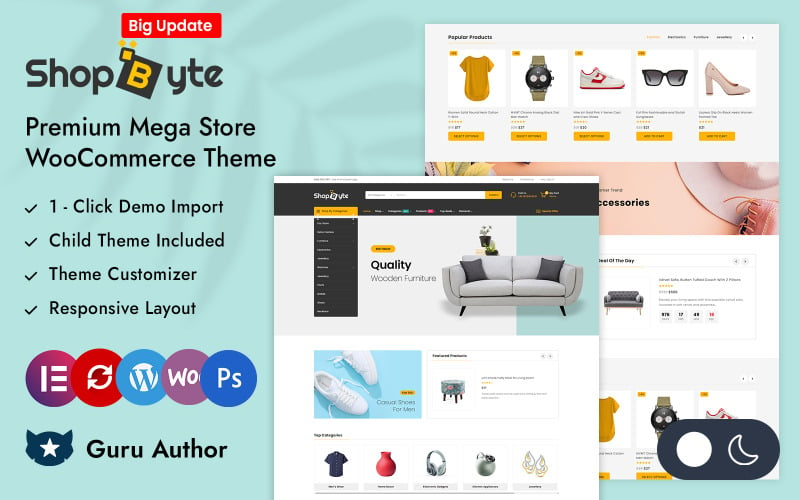
The display showcases organized tabs for hardware specifications, warranty registration, and verified customer benchmark reviews.
The template natively supports popular multi-vendor plugins including Dokan and WCFM Marketplace. This functionality allows entrepreneurs to build thriving computer vendor marketplaces where independent hardware builders list custom desktop configurations easily.
Electro Multipurpose WooCommerce Store
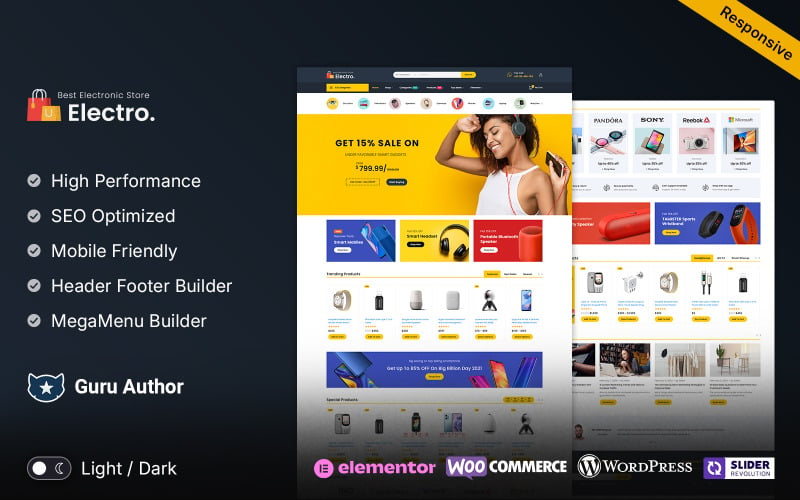
Electro delivers an industry-standard technical eCommerce theme built with deep WooCommerce integration, robust product specification tables, and dedicated brand directories. It empowers computer store owners to build intuitive hardware marketplaces with instant attribute filtering and live keyword suggestions.
Examine the clean layout architecture of Electro tailored for computer retailers below.
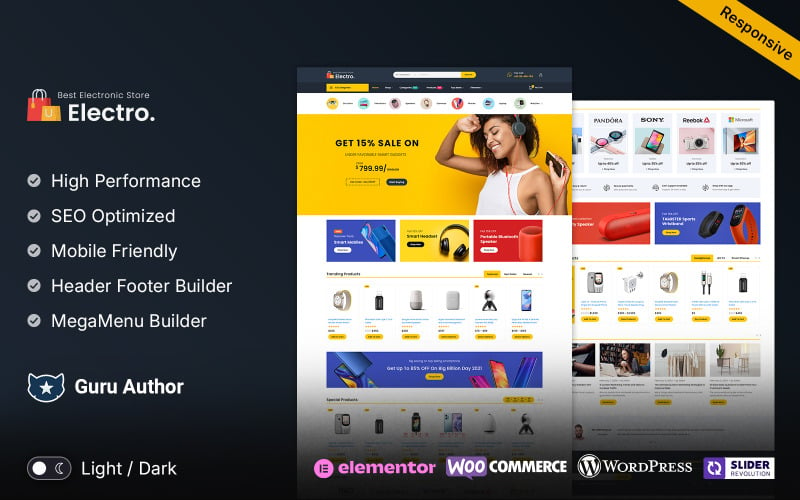
The interface highlights quick access category carousels and top-rated component banners for efficient navigation.
Electro stands out for its native specification table generator that allows merchants to display processor core counts, boost clock frequencies, and memory channel configurations in neat, readable grids. Shoppers appreciate reviewing exact hardware specs before committing capital.
The theme includes an AJAX-powered search bar with instant thumbnail previews and pricing indicators. When customers type complex model numbers like RTX 4080 or Ryzen 7, Electro returns accurate match recommendations in milliseconds.
Inspect the product comparison and filter modal within Electro shown below.
The tool enables customers to compare multiple computer cases or motherboards simultaneously across standard dimension and port criteria.
With full Elementor builder flexibility and clean responsive styles, Electro delivers fluid performance on desktop monitors, tablets, and smartphones alike. Store owners can evaluate its mobile capabilities in our analysis of mobile UX responsiveness.
Digitazz – Digital and Electronics Store Elementor Woocommerce Theme
Digitazz offers a vibrant, modern digital storefront template designed for computer accessories, smart peripherals, audio gear, and gaming peripherals. Built with Elementor, it provides flexible drag-and-drop customization, multi-layout product showcases, and interactive category headers that boost customer engagement.
Check the vibrant homepage storefront layout of Digitazz featuring digital accessories below.
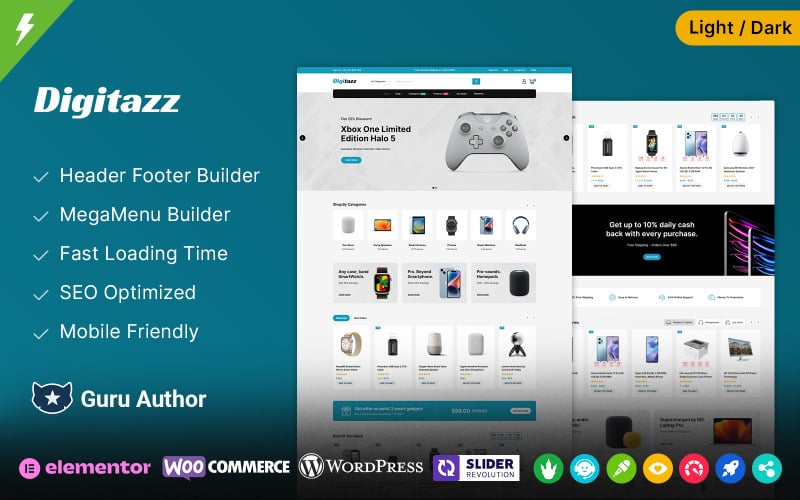
The showcase demonstrates how color-coded category cards and promotional banners highlight mechanical keyboards and gaming mice.
Digitazz specializes in selling consumer peripherals where visual branding and lifestyle imagery matter. Retailers offering ergonomic computer desks, wireless gaming headsets, and curved ultra-wide monitors can utilize its rich media sections to showcase hardware aesthetics effectively.
The theme features built-in product quick view popups that let visitors review technical highlights, switch color options, and add items to their shopping cart without leaving the main archive page. This reduced click path improves checkout conversion rates.
Review the product card options and hover interactions available in Digitazz below.
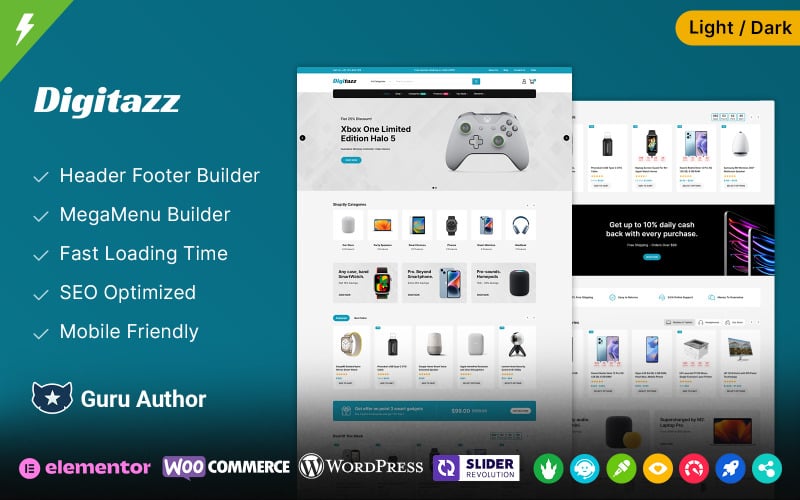
The card system presents clear stock status badges, wishlist icons, and direct purchase triggers optimized for fast browsing.
Digitazz integrates seamlessly with popular WordPress caching and image optimization plugins to maintain fast mobile loading times. Its lightweight scripts ensure smooth animation rendering across all modern mobile browsers.
Shopstic – Premium Mega Store Elementor WooCommerce Responsive Theme
Shopstic is a clean, conversion-focused mega store template designed for high-volume computer component distributors and electronics retailers. It delivers sticky navigation headers, tabbed category carousels, and streamlined one-page checkout compatibility that minimizes cart abandonment rates.
Examine the structured multi-category layout of Shopstic configured for tech hardware below.
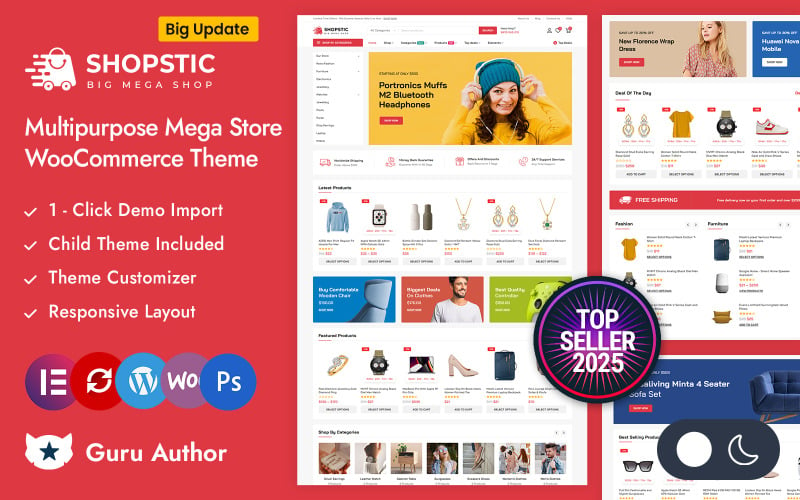
The screenshot shows how tabbed category modules organize motherboards, power supplies, and storage drives cleanly.
Shopstic focuses intensely on frictionless customer buying journeys. Its persistent sticky header keeps the search bar, category navigation, and shopping cart counter accessible as users scroll through long technical product listings.
The theme provides pre-designed landing page sections for daily deals, bundle discounts, and featured computer brands. Store owners can create compelling combo deals such as CPU and motherboard bundles using native WooCommerce grouped product types.
Check the clean product detail page of Shopstic highlighting component specifications below.
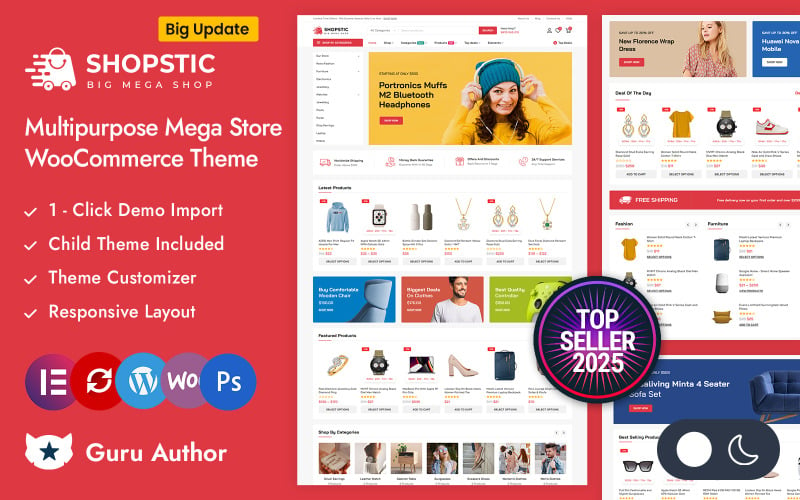
The interface highlights customer review summaries, inventory levels, and estimated delivery dates to build buyer confidence.
Shopstic follows WordPress coding best practices, ensuring solid compatibility with third-party payment gateways and shipping calculators. Discover tactics to improve final purchase completion in our conversion optimization guide.
Intron – Mega Electronics Store Elementor WooCommerce Responsive Theme
Intron delivers a high-impact, dark-accented eCommerce theme crafted for custom gaming PC builders, high-end workstation providers, and boutique tech shops. It combines immersive video backgrounds, interactive spec tables, and Elementor flexibility to showcase custom liquid-cooled rigs in pristine detail.
Inspect the dark gaming storefront presentation of Intron built for custom PCs below.
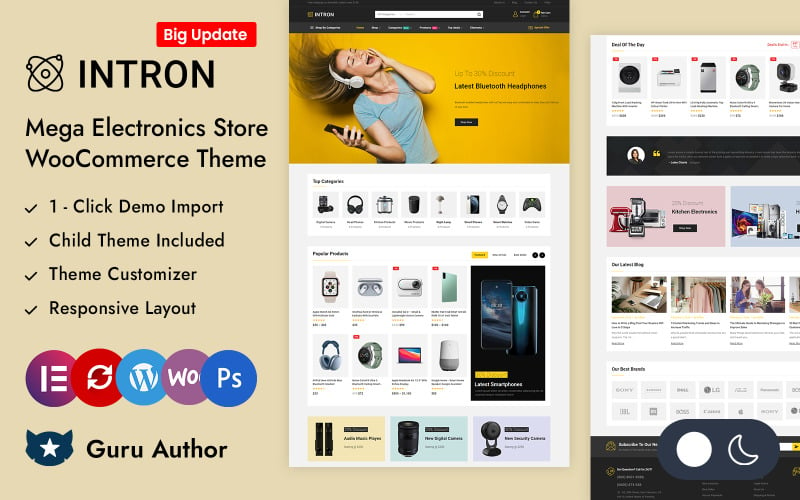
The visual design utilizes high-contrast dark tones that accentuate RGB lighting and premium computer chassis designs.
Gaming PC enthusiasts expect visually striking storefronts that reflect the power of the hardware inside. Intron meets this expectation with slick dark layouts, product showcase sliders, and embedded benchmark gameplay video sections that demonstrate frame rates in modern titles.
The theme provides robust multi-tiered mega menu controls, allowing store managers to segment products by gaming tier such as entry 1080p gaming, competitive 1440p rigs, and extreme 4K workstation systems. This intuitive classification helps gamers select the right build effortlessly.
View the product archive grid within Intron showcasing technical specs and ratings below.
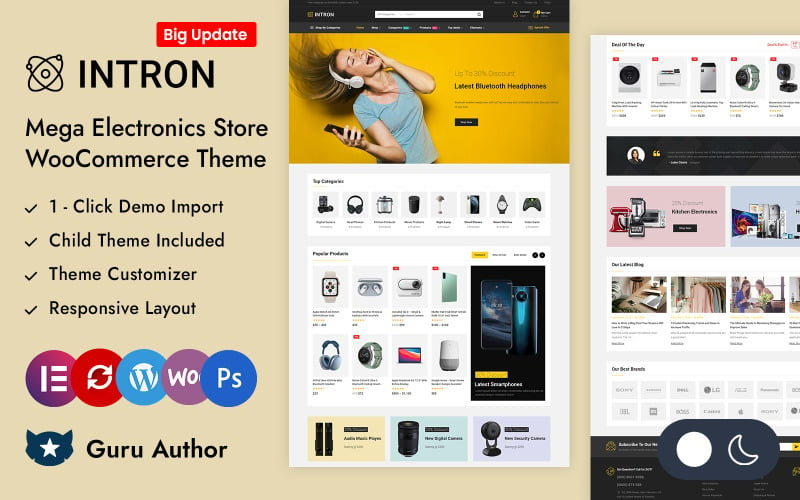
The layout provides instant visual indicators for CPU generations, GPU models, and pre-installed operating systems.
Intron includes extensive theme options panel settings that let administrators tweak accent colors, typography, and header behaviors without touching CSS code. For broader site architecture strategies, explore our guide to the best WooCommerce themes.
Factors to Consider When Choosing Computer Store WooCommerce Themes
Selecting the right computer store WooCommerce theme requires evaluating technical specification table layouts, faceted search performance, mega menu hierarchy, and mobile checkout efficiency. Prioritize templates that display complex component attributes clearly without compromising Core Web Vitals or server execution speeds.
Store Niche Fit
Your chosen template must match your specific hardware product catalog, whether selling custom liquid-cooled gaming rigs, bulk office workstations, or discrete replacement chips. A gaming PC builder benefits from dark mode aesthetics, while general hardware outlets require dense multi-category catalog navigation.
Select themes that offer pre-designed demo templates aligned with your primary audience. Specialized layouts streamline setup and deliver visual branding that tech buyers immediately trust.
Responsive Design
Mobile traffic accounts for over half of all consumer electronics browsing, making responsive design vital for computer store success. A properly responsive computer theme resizes intricate specification grids, simplifies multi-level menus, and preserves accessible touch targets across all mobile screen sizes.
Verify that technical data tables scroll smoothly on smartphone viewports. Complex comparison tables must never break viewport boundaries or force clumsy horizontal scrolling.
WooCommerce Compatibility
Seamless compatibility with modern WooCommerce versions guarantees stable checkout workflows, accurate tax calculations, and reliable payment gateway operations. High-performance computer themes receive frequent core updates, ensuring ongoing security and stability across evolving WordPress environments.
Ensure your theme supports standard WooCommerce hooks and template overrides. Clean template coding prevents conflicts when integrating third-party shipping, warranty, and payment extensions.
Elementor Flexibility
Elementor page builder integration allows computer store owners to customize category layouts, design promotional banners, and adjust product detail structures without editing template code. Visual drag-and-drop editing empowers marketing teams to launch seasonal campaigns and hardware sales rapidly.
Choose templates offering dedicated Elementor widgets for hardware specifications, countdown timers, and brand carousels. These specialized elements simplify building custom landing pages.
Speed Optimization
Fast loading speeds directly influence search engine rankings and shopping cart conversion rates across technical eCommerce stores. Lightweight themes with optimized asset delivery, deferred script loading, and minimal CSS bloat ensure rapid Largest Contentful Paint times even on content-heavy hardware archives.
Test theme demo performance using Google PageSpeed Insights before final selection. Fast baseline templates make passing Core Web Vitals thresholds significantly easier under production workloads.
Mega Menu Support
Mega menus are essential for computer stores featuring extensive product hierarchies spanning processors, graphics cards, memory modules, and accessories. A multi-column mega menu organizes diverse hardware categories into clean visual columns with category thumbnails and direct sub-filter links.
Select themes with built-in mega menu builders that avoid bloated external plugins. Clean menu architecture ensures fast page rendering and frictionless catalog exploration.
Conversion Features
Built-in conversion features including live search autocomplete, stock level alerts, sticky add-to-cart bars, and product comparison drawers drive increased sales. These native capabilities eliminate the need for excessive third-party plugins that can slow down checkout performance.
Look for themes that offer AJAX add-to-cart functionality on archive pages. Fast micro-interactions keep customers engaged while browsing extensive hardware inventories.
Update And Support
Regular theme updates ensure continuous protection against security vulnerabilities and compatibility with future WordPress releases. Reliable developer documentation, active support forums, and direct ticketing guarantee prompt assistance when configuring complex store architectures.
Review customer feedback and developer changelogs on theme marketplaces before committing. Consistent update cadences signal dedicated long-term developer support for your store.
Frequently Asked Questions
Common questions regarding computer store WooCommerce themes address multilingual plugin support, real-time inventory management synchronization, advanced faceted filtering tools, and mobile checkout optimization. Review our expert answers to resolve technical setup decisions before launching your digital storefront.
Which Theme Supports Multilingual Computer Store Websites Best?
Themes like TechShop, Electro, and ShopByte provide complete WPML and Polylang compatibility out of the box. They feature translation-ready PO/MO language files and RTL language support, allowing merchants to serve regional international markets with localized currency selectors and localized product specification tables.
Can These Themes Integrate With Inventory Management Plugins?
Yes, all featured computer store themes strictly follow WooCommerce templating standards, enabling smooth integration with ATUM, TradeGecko, and Katana ERP systems. Real-time stock level synchronization ensures accurate inventory tracking across multiple physical warehouses and online storefront channels simultaneously.
Do Any Themes Include Advanced Product Filtering Options?
Electro and TechShop feature native AJAX-powered faceted filtering systems that allow customers to sort computer components by socket type, chipset, clock speed, and form factor. These dynamic filters update catalog grids instantly without requiring full browser page reloads.
Which Theme Offers the Fastest Checkout Experience?
Shopstic and Electro deliver the fastest checkout experiences by supporting streamlined distraction-free checkout pages, sticky order review sidebars, and direct digital wallet payments. These optimized checkout pathways reduce cart friction and improve overall completed transaction rates.
Are These Themes Compatible With Popular Page Builders?
Yes, every theme in our benchmark features deep Elementor page builder compatibility, alongside support for the native WordPress Gutenberg block editor. Merchants can customize headers, footers, single product templates, and archive layouts using intuitive visual drag-and-drop controls.
Conclusion
Building a high-converting computer hardware storefront requires selecting a WooCommerce theme that balances detailed specification tables with rapid loading speeds. TechShop and Electro represent premier choices for component retailers, while ShopByte and Intron deliver specialized strengths for large marketplaces and gaming PC builders.
Evaluate your target product catalog, required attribute filtering capabilities, and brand aesthetics before making your final investment. Equipping your store with the right template establishes the technical foundation needed to scale sales throughout 2026.

Abdullah Prem is the founder of EcommerceThemes.org and BloggersNeed.com. He specializes in reviewing Shopify themes, WooCommerce themes, WordPress themes, hosting, plugins, and SaaS tools. Through EcommerceThemes.org, he publishes in-depth theme reviews, product comparisons, buying guides, and performance analyses to help ecommerce businesses choose the right theme based on speed, SEO, customization, user experience, and overall value. His goal is to provide research-driven recommendations that help store owners make informed decisions when selecting an ecommerce theme.