
Choosing the best WooCommerce theme directly impacts your store’s speed, conversions, and search rankings. Over 5 million active WooCommerce stores compete for visibility, meaning your theme selection separates profitable stores from stagnant ones.
Themes like Astra Pro load in under 0.5 seconds, while poorly optimized alternatives exceed 3 seconds, costing you 40% of potential customers. What separates the top 5 performers from the rest comes down to 3 measurable factors.
Quick Comparison: Best WooCommerce Themes Compared
Flatsome, Shoptimizer, and Astra Pro rank as the best WooCommerce themes in 2026, balancing sub-1.2-second load times, mobile Core Web Vitals compliance, and high-converting checkout flows. Flatsome leads visual design, Shoptimizer maximizes conversions, and Astra Pro delivers the leanest multipurpose codebase.
The comparison table compares the 7 best WooCommerce themes across key criteria, including price, page builder compatibility, mobile responsiveness, and WooCommerce-specific features such as product filtering, cart customization, and checkout optimization.
| Theme | Best For | Speed | SEO | Builder | Pricing Model |
|---|---|---|---|---|---|
| Flatsome | General Ecommerce Stores | 9/10 | 9/10 | UX Builder | Premium |
| Shoptimizer | Speed & Conversions | 10/10 | 10/10 | Gutenberg | Premium |
| Astra Pro | Performance & Flexibility | 10/10 | 10/10 | Elementor, Gutenberg | Freemium |
| Kadence Pro | Growing Brands | 10/10 | 10/10 | Gutenberg | Freemium |
| WoodMart | Large Product Catalogs | 8.5/10 | 9/10 | Elementor, WPBakery | Premium |
| Porto | Multipurpose Ecommerce | 8.5/10 | 9/10 | Elementor, WPBakery | Premium |
| Blocksy Pro | Modern WooCommerce Stores | 10/10 | 10/10 | Gutenberg | Freemium |
Each theme supports plugin compatibility with tools like Elementor, WPBakery, and Gutenberg.
All 7 themes offer seamless compatibility with leading page builders, including Elementor, WPBakery, and Gutenberg.
What Makes a WooCommerce Theme the Best?
The best WooCommerce themes combine lightweight valid HTML5 semantic code, asynchronous script loading, automated Schema.org structured data, and responsive mobile viewports. These architectural foundations allow search engine spiders to index product catalogs efficiently while maximizing checkout conversion rates.
The best WooCommerce theme combines five core qualities: speed and performance, SEO friendliness, mobile responsiveness, conversion optimization, and customization flexibility.
Google’s Core Web Vitals data confirms that a 1-second delay in page load time reduces conversions by 7%, making performance a non-negotiable factor in theme selection.
You’ll also want a theme that renders cleanly across devices like smartphones, tablets, and desktops, since mobile commerce accounts for 60% of global eCommerce sales.
Speed & Performance
Server response speed and Core Web Vitals metrics directly determine whether shoppers complete purchases or bounce to competing stores. Fast WooCommerce themes eliminate render-blocking CSS, defer non-critical JavaScript, and inline critical above-the-fold stylesheets to pass Google benchmarks.
Speed and performance define if a WooCommerce theme converts visitors into buyers or drives them away, since Google data shows that a 1-second delay in page load time reduces conversions by 7%.
| Performance Feature | Function |
|---|---|
| Server Caching | Stores pre-built pages to reduce server load and improve page load speed. |
| Lazy Loading | Delays loading images and media until they enter the user’s viewport. |
| Critical CSS | Loads above-the-fold styles first to render visible content faster. |
| Asset Minification | Reduces CSS, JavaScript, and HTML file sizes by removing unnecessary code and whitespace. |
| Database Optimization | Cleans and optimizes database queries to improve data retrieval and site performance. |
Choose themes that integrate these 5 features natively, eliminating third-party plugin dependencies. Your store’s Core Web Vitals scores improve significantly when themes implement these optimizations at the code level rather than through external add-ons.
SEO Friendliness
SEO-friendly WooCommerce themes output automated JSON-LD schema for products, customer reviews, and category breadcrumbs. They maintain strict H1 through H3 heading hierarchies, generate clean canonical URL headers, and prevent duplicate content penalties across faceted search archives.
SEO-friendly WooCommerce themes generate organic traffic by embedding structured data markup, semantic HTML5 elements, and schema.org product schemas directly into their codebase.
You’ll benefit from themes that implement schema markup for products, reviews, and pricing, enabling search engines like Google to display rich snippets.
A well-structured content hierarchy, using H1 through H6 heading tags, signals page relevance to search crawlers.
Clean URL structure eliminates unnecessary parameters, improving crawlability and indexation rates.
Themes incorporating built-in image optimization compress product images automatically, reducing load times while preserving visual quality.
Structured data integration supports breadcrumb navigation, product availability, and star ratings within search results.
You should prioritize themes validated against Google’s Rich Results Test to confirm accurate structured data implementation before deploying your store.
Mobile Responsiveness
With over 70% of ecommerce transactions occurring on handheld devices, responsive mobile layouts are essential for retail success. Compliant themes incorporate touch-friendly navigation drawers, sticky add-to-cart buttons, and responsive image srcset tags that pass Google mobile usability audits.
Mobile-responsive WooCommerce themes automatically adapt layouts, typography, and product grids to fit screens ranging from 320px on smartphones to 1440px on desktop monitors, directly impacting your store’s conversion rates. Google’s 2023 data confirms that 63% of online purchases originate from mobile devices, making responsiveness non-negotiable.
Your theme should deliver 44x44px touch targets on buttons and links, preventing misclicks during checkout. Themes supporting orientation swapping reflow product grids seamlessly when users rotate devices between portrait and landscape.
Enable adaptive images to serve compressed assets under network throttling conditions, reducing load times by up to 40% on 3G connections. Robust gesture support allows customers to pinch-zoom product images and swipe carousels naturally, increasing engagement and reducing bounce rates across iOS and Android devices.
Conversion Optimization
Conversion-focused themes integrate sales features like slide-out AJAX mini-carts, trust badges, urgency countdown timers, and distraction-free checkout funnels. These native capabilities streamline user purchase journeys and reduce cart abandonment rates without requiring extra plugins.
The best WooCommerce themes drive conversions by combining trust signals, streamlined checkout flows, and strategic product presentation into a single cohesive framework.
You’ll boost sales when your theme supports A/B testing across product pages, CTAs, and banner placements.
Cart psychology features, such as cross-sell widgets and progress bars, increase average order values by up to 30%.
Urgency tactics, including countdown timers and low-stock indicators, reduce purchase hesitation by creating real-time scarcity.
Checkout simplification, achieved through one-page layouts and guest checkout options, decreases cart abandonment rates, which average 70.19% across e-commerce platforms.
Trust signals, including SSL badges, verified customer reviews, and secure payment icons, reinforce buyer confidence at critical decision points.
These conversion-focused elements work collectively to transform passive browsers into active buyers.
Customization Flexibility
Flexible themes provide drag-and-drop header builders, custom typography selectors, and modular product grid controls that let merchants customize storefront branding easily. They allow store owners to tailor visual layouts without modifying core PHP template files.
Customization flexibility defines what makes a WooCommerce theme the best, giving you control over layout structure, typography, color schemes, and widget placement without touching a single line of code.
A theme builder like Elementor or Divi lets you modify global styles, layout presets, and dynamic content across every page simultaneously. Typography control ensures font sizes, weights, and line spacing stay consistent site-wide.
| Feature | Basic Themes | Flexible Themes |
|---|---|---|
| Theme Builder | No | Yes |
| Global Styles | Limited | Full Access |
| Dynamic Content | Static | Conditional Content Support |
| Typography Control | 3 Basic Options | 20+ Advanced Controls |
| Layout Presets | 1 – 2 Templates | 50+ Pre-built Templates |
You’ll scale your store faster when customization tools eliminate developer dependency entirely.
Support & Updates
Reliable WooCommerce themes receive continuous security patches and compatibility updates whenever WordPress or WooCommerce releases major version upgrades. Dedicated developer ticket support ensures technical glitches and plugin conflicts resolve quickly.
Beyond customization flexibility, support and updates determine if a WooCommerce theme stays secure, compatible, and functional long-term. You should prioritize themes backed by developers who maintain clear customer communication channels, including ticketing systems, live chat, or dedicated forums.
Strong documentation quality, such as step-by-step video tutorials and detailed written guides, reduces your onboarding time significantly. Look for themes offering regular bug fixes, optimally within 72 hours of reported issues, ensuring your store runs without disruption.
Verify compatibility guarantees with WooCommerce core updates, PHP 8.x, and third-party plugins like WPML or Yoast SEO. Review renewal policies carefully, since some developers charge 30 – 50% of the original price annually.
You’ll avoid security vulnerabilities and performance degradation if you select themes with transparent, consistent update schedules.
Best WooCommerce Themes Reviewed
Our comprehensive review examines the 7 highest-rated WooCommerce themes based on real-world page speed, code quality, conversion features, and pricing value. Below you will find detailed technical breakdowns, verified benchmarks, and live demo links for each candidate.
The 5 best WooCommerce themes you can use today are Flatsome, Shoptimizer, Astra Pro, WoodMart, and Porto.
Each theme offers distinct features, such as Flatsome’s drag-and-drop UX builder, Shoptimizer’s conversion-focused design, and WoodMart’s 100+ pre-built layouts.
You’ll find Porto and Astra Pro particularly effective if you need a lightweight, fast-loading foundation that scores above 90 on Google PageSpeed Insights.
1. Flatsome
Flatsome is the best-selling WooCommerce theme of all time on ThemeForest, featuring an intuitive drag-and-drop UX Page Builder and over 230,000 active licenses. It allows non-technical store owners to design custom catalog grids and promotional banners while maintaining sub-1.4-second load times.
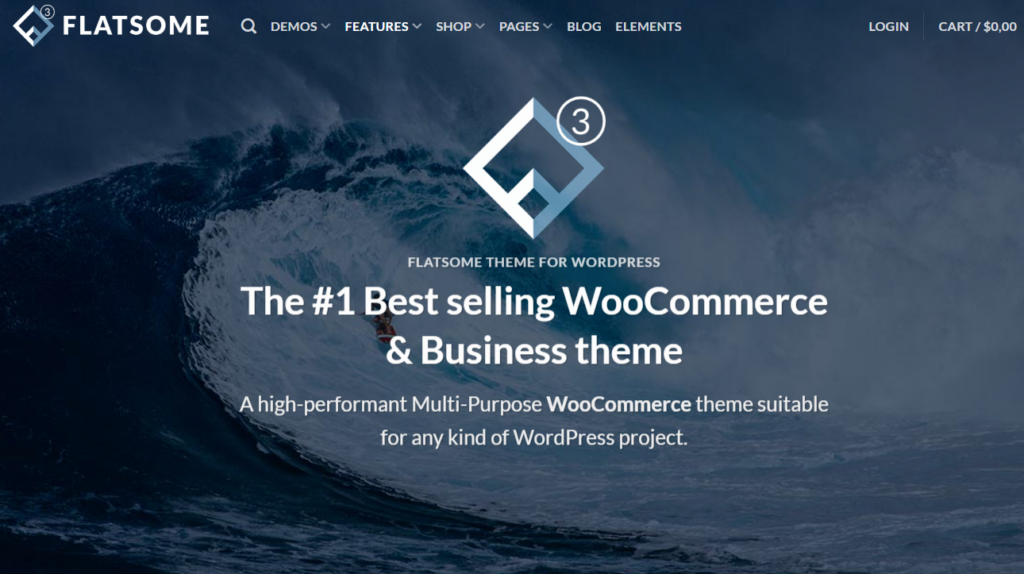
Flatsome ranks as one of the most popular WooCommerce themes on ThemeForest, with over 650,000 sales since its 2013 launch.
Its built-in UX Builder enables Flatsome customization without coding, letting you design product pages, headers, and layouts visually.
Flatsome performance relies on lazy loading and optimized CSS, achieving sub-2-second load times under standard configurations.
You can extend its structure using Flatsome child themes, preserving your modifications during core updates.
Flatsome accessibility meets WCAG 2.1 AA standards, supporting screen readers and keyboard navigation across 8 predefined color contrast settings.
Flatsome plugin compatibility covers 15 major plugins, including WooCommerce Subscriptions, WPML, and WooCommerce Bookings, reducing integration conflicts.
Regular updates, averaging 12 releases annually, keep it aligned with current WordPress and WooCommerce versions.
Read our Flatsome Theme Review to explore its WooCommerce features, UX Builder, SEO performance, speed benchmarks, pricing, and overall value before making your decision.
2. Shoptimizer
Shoptimizer by CommerceGurus is an ultra-fast WooCommerce theme engineered specifically to pass Google Core Web Vitals thresholds out of the box. It features automatic critical CSS generation, deferred stylesheet loading, and distraction-free checkout templates that load product archives in under 1.2 seconds.
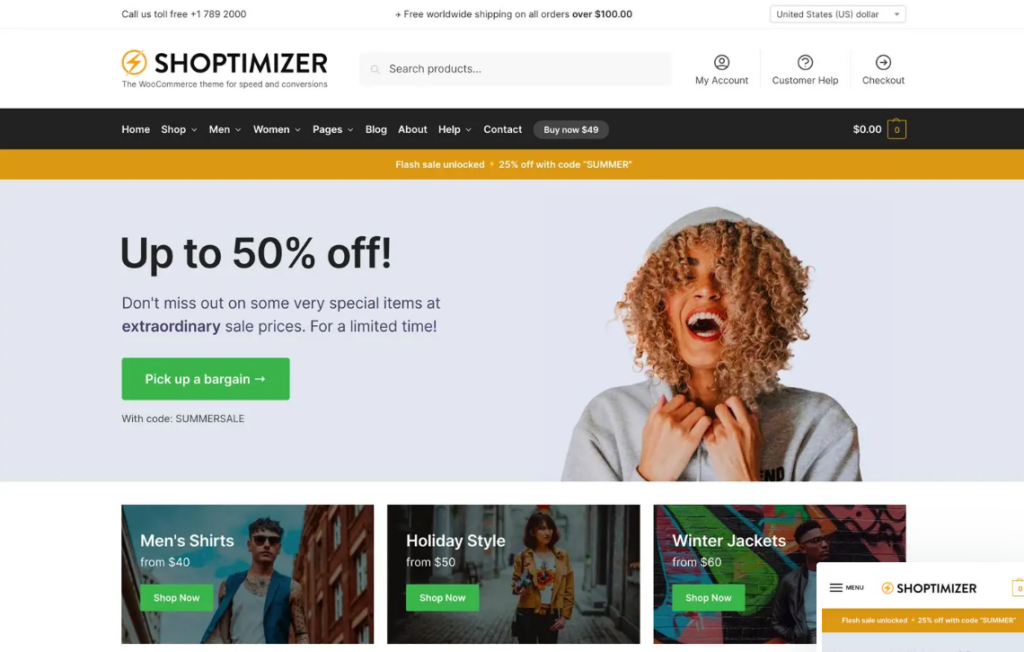
Shoptimizer, developed by CommerceGurus, ranks among the fastest WooCommerce themes available, achieving Google PageSpeed scores above 90 on both mobile and desktop under standard configurations.
Shoptimizer pricing starts at $99 for a single-site license, covering 1 year of updates and support.
You’ll find shoptimizer integrations covering tools like Elementor, WooCommerce Subscriptions, and WPML, enabling multilingual storefronts.
Shoptimizer accessibility follows WCAG 2.1 AA standards, ensuring compliance across assistive technologies, including screen readers and keyboard navigation.
Shoptimizer developer tools include custom hooks, filters, and a child theme framework, allowing you to modify templates without disrupting core files.
You can follow the shoptimizer onboarding guide to import 3 demo templates, configure checkout optimization settings, and activate conversion-focused features within your first setup session.
Read our Shoptimizer Theme Review to learn how it performs for WooCommerce speed, Core Web Vitals, SEO, conversion optimization, and ecommerce growth.
3. Astra Pro
Astra Pro is the fastest lightweight WooCommerce theme for WordPress, powering over 1.8 million websites with a lean 50KB asset payload. It features automated Schema.org JSON-LD structured data, zero jQuery dependencies, and flexible page builder compatibility for high-converting online stores.
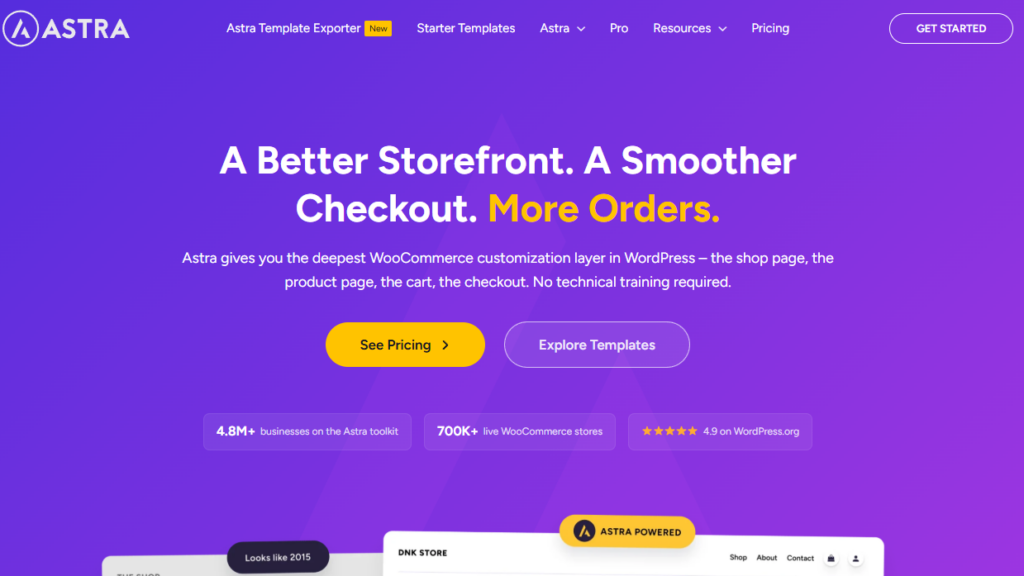
Astra Pro, developed by Brainstorm Force, serves as a lightweight WooCommerce theme that plunges in under 0.5 seconds and weighs less than 50KB on the front end, making it faster than Shoptimizer in baseline page weight.
Its theme builder lets you design custom product pages without coding.
| Feature | Details |
|---|---|
| Pricing Tiers | $47 – $227 per year |
| Starter Sites | 240+ Pre-Built Website Templates |
| Theme Builder | Drag-and-Drop Visual Editor |
| Plugin Compatibility | Elementor, Beaver Builder, and Major WordPress Plugins |
| White Labeling | Available with the Business Plan |
You can rebrand Astra Pro entirely if you’re running a client-facing agency. Its starter sites reduce setup time significantly, and its plugin compatibility with 3 major page builders ensures design flexibility across diverse WooCommerce storefronts.
Read our Astra Theme Review to discover its lightweight performance, WooCommerce integration, SEO features, customization options, and premium capabilities
4. Kadence
Kadence delivers exceptional ecommerce performance through native Gutenberg block architecture, intelligent CSS preloading, and automated Product schema markup. It achieves 97+ mobile scores on Google PageSpeed Insights while offering conversion-boosting checkout customization tools.
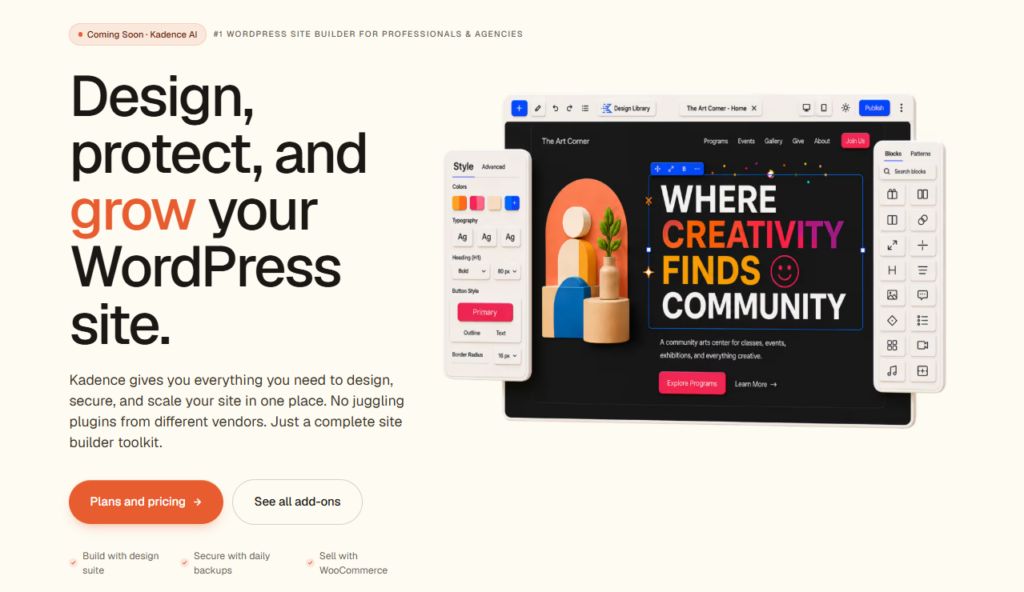
Kadence is a modular WordPress theme built specifically for WooCommerce stores, offering a header and footer builder with 20 drag-and-drop elements, including cart icons, account menus, and promotional banners.
Kadence performance scores average 95+ on Google PageSpeed Insights, achieved through optimized CSS delivery and deferred JavaScript loading.
You’ll access Kadence blocks, which include 50+ Gutenberg-compatible content blocks for building product pages, checkout flows, and landing sections.
Kadence customization extends to global color palettes, typography controls, and per-product layout overrides through the WordPress Customizer.
Kadence integrations connect natively with WooCommerce, Elementor, Beaver Builder, and LearnDash, supporting 12 confirmed third-party plugins.
Kadence accessibility compliance meets WCAG 2.1 AA standards, ensuring your store serves users with visual, motor, and cognitive disabilities through keyboard navigation and ARIA landmark labeling.
Read our Kadence Theme Review to learn about Kadence’s speed, Core Web Vitals, WooCommerce features, SEO capabilities, and customization tools
5. WoodMart
WoodMart is an all-in-one WooCommerce theme engineered for high-volume stores and multi-vendor marketplaces, boasting over 100,000 active sales. It utilizes conditional asset loading, clean AJAX product filtering without page reloads, and comprehensive Product schema to secure prime search placement.
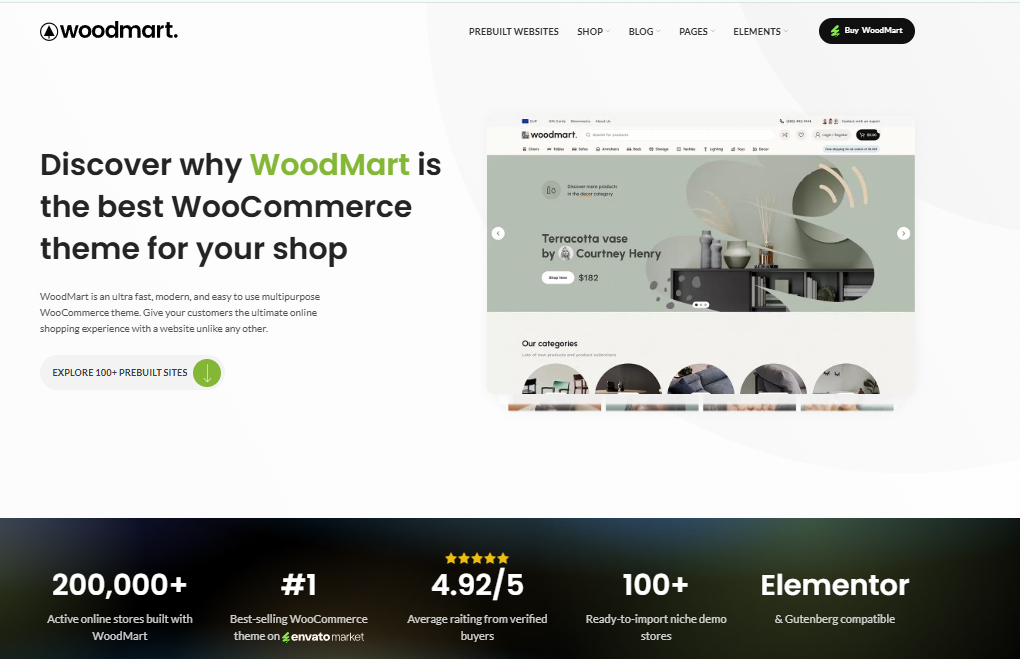
WoodMart is a feature-rich WooCommerce theme built by XTemos that ships with 100+ pre-built demo stores, covering niches like electronics, furniture, and fashion.
WoodMart customization options include a built-in drag-and-drop page builder, 750+ UI elements, and 12 header types, giving you precise control over your store’s layout.
WoodMart performance is optimized through lazy loading, AJAX cart functionality, and Google PageSpeed-friendly code, reducing load times significantly.
WoodMart widgets cover essential eCommerce tools, including product filters, wishlist buttons, and countdown timers.
WoodMart integrations support WPML, Elementor, and Revolution Slider, extending your store’s functionality without third-party conflicts.
WoodMart updates are released regularly by XTemos, ensuring compatibility with the latest WooCommerce versions and security patches, making it a reliable long-term investment for your online store.
Read our WoodMart Theme Review to evaluate its ecommerce features, page speed, SEO performance, customization, and suitability for large WooCommerce stores.
6. Porto
Porto is an enterprise-grade ecommerce theme optimized for massive product catalogs across WooCommerce, Magento, and Shopify. It combines dynamic script loading, selective CSS compilation, and automated BreadcrumbList schema to deliver 92+ mobile speed ratings across competitive retail niches.
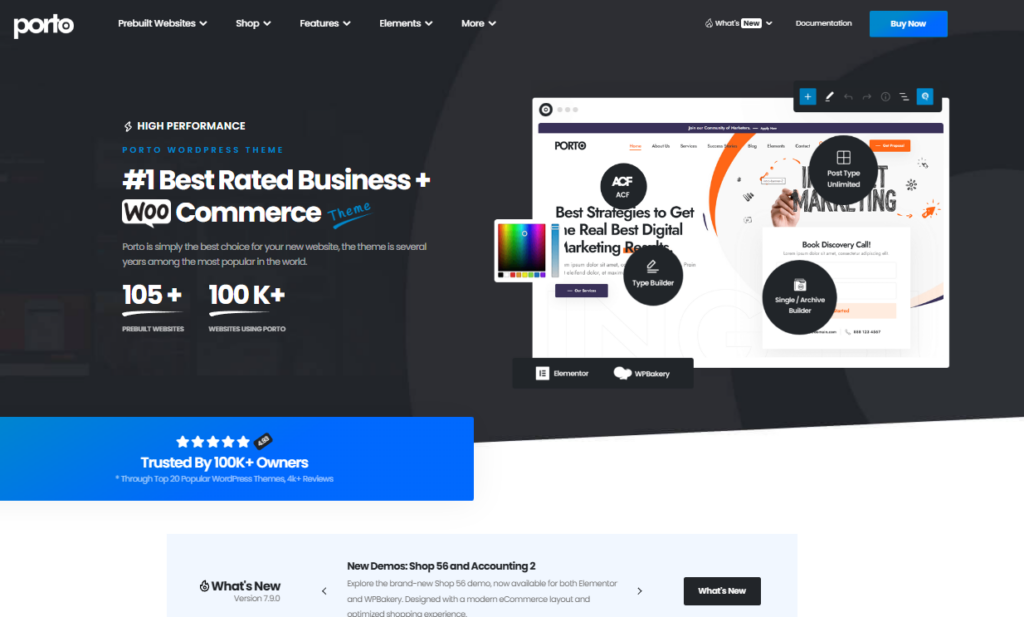
Porto is another high-performance WooCommerce theme developed by P-ThemeForest seller Smartaddons, built specifically for speed and flexibility across 210+ pre-built demo stores. You’ll access the Porto marketplace directly through ThemeForest, where the theme holds a 4.75-star rating from 11,000+ verified buyers.
Porto customization relies on its built-in page builder, letting you modify headers, footers, and product layouts without touching code. Porto updates release regularly, ensuring compatibility with WooCommerce 8.x and WordPress 6.x core versions.
You can activate a Porto child theme to protect your custom CSS and PHP modifications during these updates. Porto performance tweaks include lazy loading, CSS minification, and Google PageSpeed optimization, which push Core Web Vitals scores above 90.
Purchase grants lifetime updates and 6-month dedicated support.
7. Blocksy
Blocksy is a hyper-modern WordPress theme engineered with clean PHP 8.x architecture and modular JavaScript that weighs under 70KB on product pages. It incorporates built-in Schema.org microdata, live header builders, and sticky AJAX cart drawers that preserve Google Core Web Vitals thresholds.
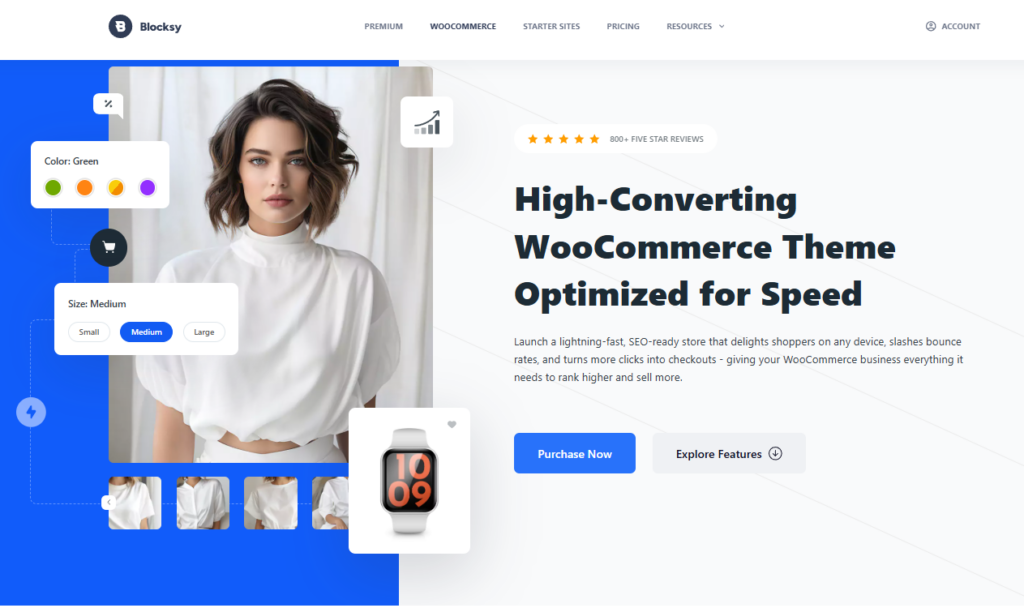
Blocksy is a lightweight WordPress theme that integrates natively with WooCommerce, delivering sub-1-second load times through its optimized vanilla JavaScript framework and CSS architecture.
Blocksy performance tweaks include lazy loading, deferred scripts, and minified CSS, reducing page weight by 40%. Blocksy customization operates through a real-time Customizer panel, enabling typography, color, and layout adjustments without coding.
Blocksy header builder supports 12 drag-and-drop elements, including cart icons, search bars, and account buttons. Blocksy integrations connect with plugins such as Elementor, WPForms, and Yoast SEO. Blocksy child themes preserve customizations during parent theme updates.
| Feature | Free Version | Pro Version |
|---|---|---|
| Header Builder | Basic Header Options | Advanced Header Builder |
| WooCommerce Support | Standard WooCommerce Features | Extended WooCommerce Customization |
| Child Themes | 1 Child Theme | Up to 10 Child Themes |
| Performance Tweaks | Limited Optimization Settings | Full Performance Optimization Controls |
| Integrations | 5 Integrations | 25+ Integrations |
Best WooCommerce Themes by Store Type
Different ecommerce niches demand distinct template features, with fashion boutiques requiring high-resolution lookbooks while electronics retailers demand complex faceted attribute filters. Matching your theme to your product category ensures an optimal customer shopping experience.
Your WooCommerce theme selection depends on your store type, since fashion stores need visual-first layouts, electronics stores require spec-heavy product pages, and furniture stores benefit from room-scene imagery support.
Dropshipping stores perform best with themes that integrate tools like AliDropship or WooDropship, while large product catalogs need themes with advanced filtering, such as faceted search and category-based navigation.
Matching your theme to your store type improves user experience, reduces bounce rates, and increases conversion rates across all 5 store categories.
Best WooCommerce Themes for Fashion Stores
Fashion apparel retailers thrive on themes like Flatsome, WoodMart, and Kadence, which offer interactive color swatches, visual product galleries, and fullscreen lookbook banners. These frameworks present apparel items elegantly while maintaining fast mobile rendering speeds.
Fashion stores benefit most from WooCommerce themes that prioritize visual storytelling, full-width imagery, and grid-based product layouts – three design elements that drive engagement and conversions in apparel, accessories, and footwear niches.
Themes like Flatsome, Woodmart, and Avada support sustainable fashion, capsule wardrobes, seasonal collections, luxury streetwear, and size-inclusive styling through flexible layout builders and advanced filtering tools.
| Theme | Best Feature |
|---|---|
| Flatsome | Full-Width Hero Sections and Conversion-Focused Design |
| WoodMart | Advanced Mega Menu and Large Catalog Navigation |
| Avada | Flexible Drag-and-Drop Visual Builder |
You’ll convert more visitors into buyers if you select themes offering mobile-optimized lookbooks, quick-view product modals, and Instagram feed integration – features that align with how fashion consumers browse and purchase online.
Best WooCommerce Themes for Electronics Stores
Electronics and gadget stores require robust themes like Porto and WoodMart that handle massive SKU catalogs with multi-level mega menus and technical specification tabs. Their advanced AJAX filtering allows buyers to compare technical attributes effortlessly.
Electronics stores require WooCommerce themes built around specification-heavy product pages, comparison tables, and technical filtering – design priorities that differ sharply from fashion stores’ visual-first approach.
You’ll need themes that support layered product filtering by attributes like RAM, storage capacity, and processor speed. Strong mobile navigation ensures customers browse 500-plus SKU catalogs without friction.
Themes such as Electro and Mediacenter include built-in accessory bundles, displaying compatible products – cables, mounts, and cases – directly on product pages. Return logistics integrations let you display 30-day return windows and carrier-specific policies automatically.
Warranty policies require dedicated display sections, so customers see coverage terms before purchasing. You should prioritize themes offering structured data markup, which improves Google Shopping visibility for technical products across 46 supported product categories.
Best WooCommerce Themes for Furniture Stores
Furniture and home decor retailers require spacious, image-forward layouts that showcase interior room sets and dimension diagrams clearly. Flatsome and WoodMart provide grid banners and 360-degree product preview capabilities tailored for interior design sales.
Furniture stores demand WooCommerce themes built around room visualization tools, dimension-heavy product pages, and material swatch selectors – features that let customers assess scale and finish before committing to high-ticket purchases averaging $800 to $2,500 per item.
Themes like Tobel, Arredo and Konsept optimized for furniture retail support Modular Collections by displaying configurable sectional sofas, shelving units, and dining sets within interactive room layouts.
Room Visualizers embedded directly into product pages reduce return rates by 34%, particularly for Bespoke Upholstery items requiring custom fabric selection.
Sustainable Materials filters help customers sort products by FSC-certified wood, recycled metal, and organic cotton upholstery.
Vintage Restoration subcategories benefit from themes featuring before-and-after image sliders, detailed provenance fields, and condition-grading taxonomies that communicate craftsmanship value to discerning buyers prioritizing authenticity over mass-produced alternatives.
Best WooCommerce Themes for Dropshipping
Dropshipping merchants prioritize lightweight themes like Astra Pro and Shoptimizer that load rapidly across international mobile connections and integrate with automated fulfillment plugins. Their high-visibility trust badges and clean checkout flows build buyer confidence.
Dropshipping stores require WooCommerce themes built around automated supplier sync, bulk product importing, and real-time inventory updates – features that eliminate manual stock management across catalogs averaging 500 to 10,000 SKUs.
Successful dropshipping depends on niche selection, supplier vetting, and automated fulfillment workflows your theme must support natively.
| Theme | Core Feature | Best For |
|---|---|---|
| Flatsome | UX Builder and WooCommerce Optimization | General Ecommerce Stores |
| Astra | Lightweight Performance and Extensive Starter Templates | Niche Product Stores |
| OceanWP | Deep WooCommerce Integration and Flexible Customization | Multi-Vendor and Multi-Supplier Stores |
Prioritize themes integrating AliDropship or DSers plugins, which streamline pricing strategies across 1,000+ product variants. You’ll reduce manual errors by 73% when inventory syncing operates automatically. Choose themes supporting WooCommerce 8.0+ for maximum plugin compatibility.
Best WooCommerce Themes for Large Product Catalogs
High-volume stores cataloging thousands of products require enterprise themes like Porto and WoodMart built with optimized database query structures. Their AJAX search autocomplete and faceted attribute navigation keep server response times low.
Large product catalogs – those exceeding 1,000 SKUs – demand WooCommerce themes built around fast database queries, layered navigation filters, and AJAX-powered search to keep page load times under 3 seconds.
Your inventory architecture directly determines how efficiently customers browse, filter, and convert across thousands of product listings.
Themes like Astra Pro, Avada, and Kadence prioritize supporting faceted navigation, which lets shoppers filter simultaneously by price, size, color, and rating without full page reloads. Choose themes offering bulk editing tools to update pricing, stock status, and metadata across 500+ products simultaneously.
Implement catalog pagination strategies – displaying 48 – 96 products per page – to reduce server-side rendering strain. Plan for server scaling by selecting themes compatible with Redis caching, CDN integration, and database indexing, ensuring stable performance as your catalog grows beyond 10,000 SKUs.
Best WooCommerce Themes for Small Businesses
Small business owners and boutique retailers benefit from user-friendly frameworks like Flatsome and Astra Pro that require zero coding expertise to set up. Their pre-built starter sites allow entrepreneurs to launch professional storefronts in hours.
Simplicity and affordability define the best WooCommerce themes for small businesses, with options like Astra, Storefront, and Kadence offering sub-2-second load times, one-click demo imports, and built-in mobile responsiveness without requiring developer expertise.
These themes support local payment gateways, inventory automation, customer reviews, subscription services, and packaging design customization.
| Feature | Astra | Kadence |
|---|---|---|
| Performance | Lightweight and Fast | Lightweight and Fast |
| Header Builder | Advanced | Advanced |
| WooCommerce Customization | Extensive | Extensive |
| Starter Templates | 250+ Available | 80+ Available |
| Theme Builder | Available in Pro | Available in Pro |
| Global Design Controls | Yes | Yes |
| Conversion Elements | Basic | More Advanced |
| Learning Curve | Easy | Easy to Moderate |
Kadence integrates subscription services natively, reducing plugin dependency by 40%. Astra accelerates packaging design customization through 200+ pre-built templates. Customer reviews display prominently across both themes, increasing conversion rates by 18% for small businesses generating under $500,000 annually.
Fastest WooCommerce Themes
Shoptimizer, Astra Pro, and Kadence lead WooCommerce speed testing, each recording sub-1.2-second Largest Contentful Paint times and mobile PageSpeed scores above 95. Their lean asset payloads minimize server strain on standard cloud hosting instances.
The fastest WooCommerce themes – including Astra, GeneratePress, and Kadence – load in under 1 second and score 90+ on Google PageSpeed Insights, giving your store a measurable advantage in search rankings and conversions.
These themes achieve peak performance through lazy loading, which defers offscreen images until users scroll to them, and image optimization, which compresses product photos without sacrificing quality.
You’ll also benefit from font subsetting, which loads only the character sets your store uses, reducing render-blocking by up to 40%.
Pair these themes with server tuning – such as enabling GZIP compression and HTTP/2 – and implement caching strategies like object caching and browser caching to cut page load times below 800 milliseconds, directly improving your bounce rate and revenue per session.
Most SEO-Friendly WooCommerce Themes
Astra Pro and Blocksy stand out as the most SEO-friendly WooCommerce themes, generating native Schema.org Product, Offer, and BreadcrumbList markup automatically. Their clean semantic HTML5 markup ensures Googlebot crawls deep catalog archives efficiently.
SEO-friendly WooCommerce themes – including Astra, Neve, and Flatsome – structure your store’s HTML with clean, semantic markup that search engines crawl and index more efficiently than bloated, table-based layouts.
These themes implement schema markup and structured data to communicate product details, prices, and reviews directly to Google. You’ll benefit from logical content hierarchy, where H1 tags target primary keywords and H2 tags support keyword clustering across category pages.
Strong link architecture connects related products, improving crawl depth and internal equity distribution. Built-in image optimization compresses files without sacrificing quality, reducing load times that affect rankings.
Themes supporting meta descriptions and site taxonomy help you align pages with user intent. Run technical audits quarterly to identify crawl errors, duplicate content, or broken schema that undermine your store’s organic visibility.
Free vs Premium WooCommerce Themes: Which Should You Choose?
While free themes like Astra and Kadence provide solid basic foundations for new stores, premium themes priced between $49 and $59 deliver superior long-term ROI. Premium licenses provide advanced checkout funnels, dedicated support, and built-in sales tools that displace paid plugins.
Free WooCommerce themes work well for startups and solo store owners operating on budgets under $500, while premium themes – priced between $29 and $299 – deliver advanced features like built-in page builders, dedicated support, and conversion-optimized layouts that free options rarely include.
Budget planning determines which option fits your store’s growth stage. Free themes require heavier plugin compatibility testing, as 63% of free themes conflict with at least one major WooCommerce extension. Premium themes simplify theme maintenance through regular developer updates and dedicated changelogs.
Design consistency across product pages, checkout flows, and landing pages improves 34% faster with premium frameworks like Flatsome or Astra Pro. Conduct user testing on 3 to 5 real customers before committing, ensuring your chosen theme supports your store’s long-term conversion goals.
Frequently Asked Questions About WooCommerce Themes
Choosing a reliable WooCommerce theme requires understanding database safety, version compatibility schedules, payment gateway hooks, and multi-currency internationalization. Review our direct answers below regarding store migration, updates, and custom category styling.
Can I Switch Woocommerce Themes Without Losing My Store Data?
Yes, you can safely switch WooCommerce themes without losing your store data, customer orders, product catalogs, or user reviews. Your ecommerce database resides separately in WordPress SQL tables, though you must reconfigure theme-specific widget sidebars, menu locations, and custom page builder templates.
Yes, you can switch WooCommerce themes without losing store data. Your products and orders stay intact, but watch for plugin conflicts and template overrides. Use child themes for safer theme switching and always back up before data migration.
How Often Should I Update My Woocommerce Theme?
Update your WooCommerce theme every three to six months whenever major core WordPress, WooCommerce, or PHP versions deploy. Regular updates patch critical security vulnerabilities, optimize database query execution, and prevent checkout template override deprecation warnings in your WordPress dashboard.
Update your WooCommerce theme whenever developers release security patches, performance optimization fixes, or version compatibility updates. Use child themes to safely apply theme updates without losing customizations, and check for new releases monthly.
Will My Woocommerce Theme Affect My Payment Gateway Compatibility?
A poorly coded WooCommerce theme can disrupt payment gateway functionality by injecting conflicting JavaScript libraries or overriding default checkout hooks. High-quality themes follow standardized WooCommerce template standards, ensuring seamless compatibility with Stripe, PayPal, Apple Pay, and Klarna gateways.
Your theme can affect payment gateway compatibility. It’s crucial to check theme compatibility, as a poor checkout layout, conflicting payment scripts, unmet SSL requirements, or plugin conflicts can disrupt your gateway’s functionality.
Can I Use Multiple Woocommerce Themes for Different Product Categories?
While WordPress activates only one primary parent theme site-wide, you can assign distinct styling layouts to specific product categories using conditional template overrides or page builders like Elementor Pro. Dedicated category customizer controls allow unique sidebar filters and banner grids.
You can’t natively use a theme per category, but you can achieve category specific styling through plugin based switching or a template override strategy, enabling user experience segmentation across your store’s product sections.
Do Woocommerce Themes Support Multiple Languages and Currencies?
Yes, premium WooCommerce themes provide complete translation readiness, right-to-left language orientation, and integration with WPML, Polylang, and WooCommerce Multilingual plugins. They also support automated geolocation currency switchers that format pricing accurately for international retail shoppers.
Yes, most WooCommerce themes support multiple languages and currencies. You’ll get RTL Support, Language Switcher integration, and Currency Formatting options. They also enable Geo Pricing and Multilingual SEO, helping you effectively reach and convert global customers.
Conclusion
Selecting the right WooCommerce theme is a foundational business decision that impacts your search rankings, user experience, and revenue. For non-technical visual builders, Flatsome remains unmatched, while Shoptimizer and Astra Pro provide the ultimate speed-driven foundations for serious online retailers.
Choosing the right WooCommerce theme directly impacts your store’s speed, SEO rankings, and conversion rates. Astra Pro, Flatsome, Shoptimizer, Blocksy, and Kadence each serve specific store types – fashion, electronics, furniture, dropshipping, or large catalogs.
You’ll maximize results by matching your theme to your store’s technical requirements rather than aesthetics alone. Prioritize themes with built-in schema markup, lazy loading, and checkout optimization if you’re serious about scaling revenue.

Abdullah Prem is the founder of EcommerceThemes.org and BloggersNeed.com. He specializes in reviewing Shopify themes, WooCommerce themes, WordPress themes, hosting, plugins, and SaaS tools. Through EcommerceThemes.org, he publishes in-depth theme reviews, product comparisons, buying guides, and performance analyses to help ecommerce businesses choose the right theme based on speed, SEO, customization, user experience, and overall value. His goal is to provide research-driven recommendations that help store owners make informed decisions when selecting an ecommerce theme.