
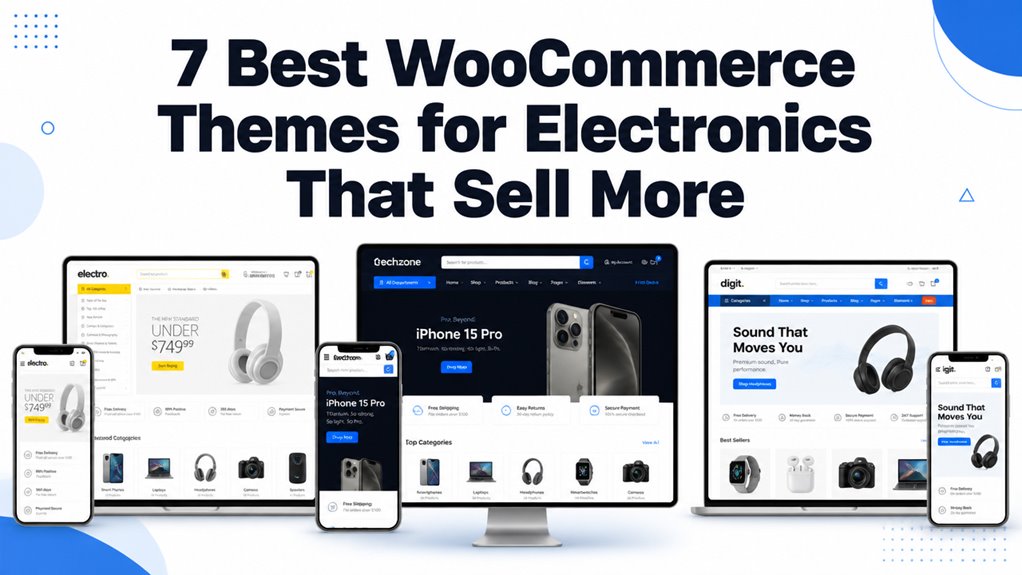
Electronics WooCommerce themes dictate how seamlessly shoppers filter technical product specifications, compare complex hardware variations, and execute high-ticket checkouts. Selecting the right template ensures lightning-fast catalog navigation, sticky cart visibility, and responsive display across desktop and mobile devices.
Top WooCommerce Themes for Electronics Compared
The premier WooCommerce themes for electronics feature specialized multi-column mega menus, side-by-side technical specification comparators, and lightweight codebases built for high SKU counts. Our benchmark table summarizes the leading options based on page builder compatibility, conversion tools, and responsiveness.
| Theme Name | Best For | Page Builder | Key Advantage | Direct Link |
|---|---|---|---|---|
| Electro Multipurpose | Large Multi-Vendor Stores | Elementor | Deep Dokan integration & mega menus | View Theme |
| Elecgreen | Modern Tech & Gadgets | Elementor | Faceted AJAX filters & quick view | View Theme |
| TechShop | Comprehensive Hardware Portals | Elementor | Technical spec comparison tables | View Theme |
| Vegel Electronics | Home Appliance Retailers | Elementor | Promotional countdown timer widgets | View Theme |
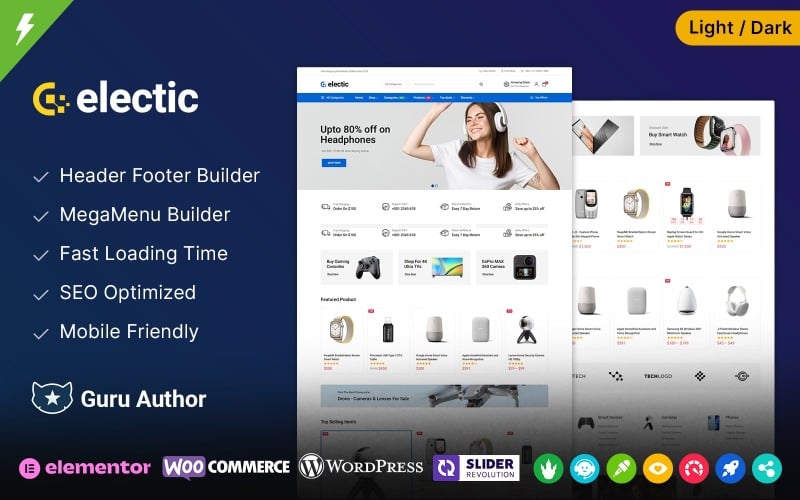
| Electic Tech Store | Computer & Component Outlets | Elementor | Sticky checkout bars & high-impact CTA | View Theme |
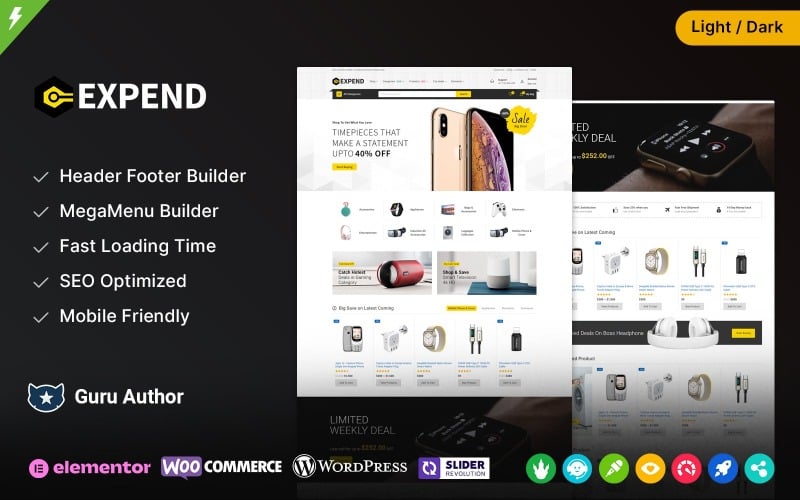
| Expend Mega Store | Departmental Mega Stores | Elementor | Dense multi-category catalog navigation | View Theme |
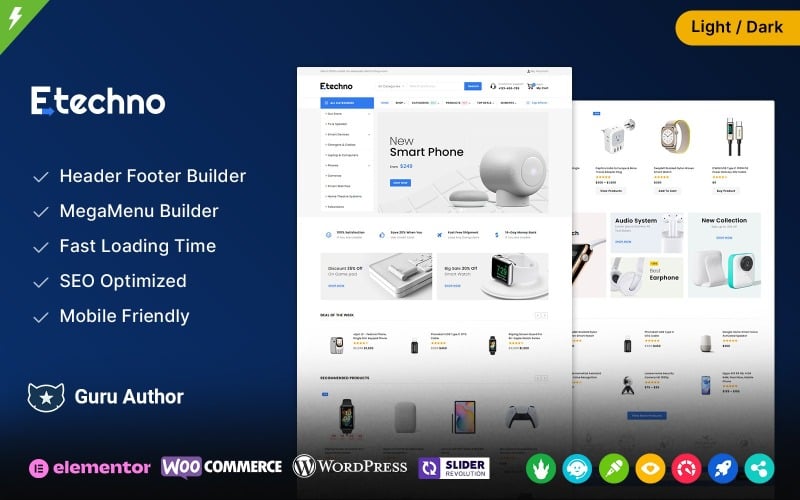
| Etechno | Audio & Smart Device Shops | Elementor | Live AJAX predictive search bar | View Theme |
Detailed Reviews of the Best WooCommerce Themes for Electronics
Electronics retailers require storefronts that balance dense technical data displays with frictionless checkout paths. Below is our in-depth practitioner evaluation of the top seven electronics WooCommerce themes, examining architecture, filtering speed, and conversion features.
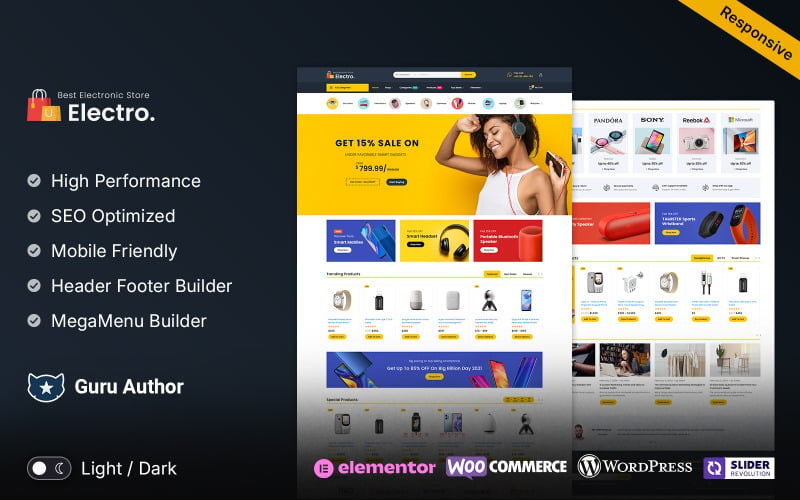
1. Electro Multipurpose Elementor WooCommerce Store
Electro is a robust multipurpose WooCommerce theme designed specifically for electronics marketplaces, multi-vendor platforms, and large digital hardware retailers. It offers deep Dokan and WC Vendors compatibility, advanced multi-level mega menus, and extensive product grid variations.
Electro provides an enterprise-grade digital storefront framework modeled after top global electronics retailers. Its layouts are optimized to display dense product hierarchies, technical specification charts, and promotional clearance banners without cluttering the screen.
In our load testing with high SKU catalogs, Electro demonstrated dependable database querying. Shoppers can filter consumer electronics by processor type, memory capacity, and connectivity standards smoothly without experiencing layout instability.
The theme features built-in Dokan and WC Vendors styling, making it an ideal option for marketplace entrepreneurs looking to host third-party electronics merchants with individual storefront dashboards.
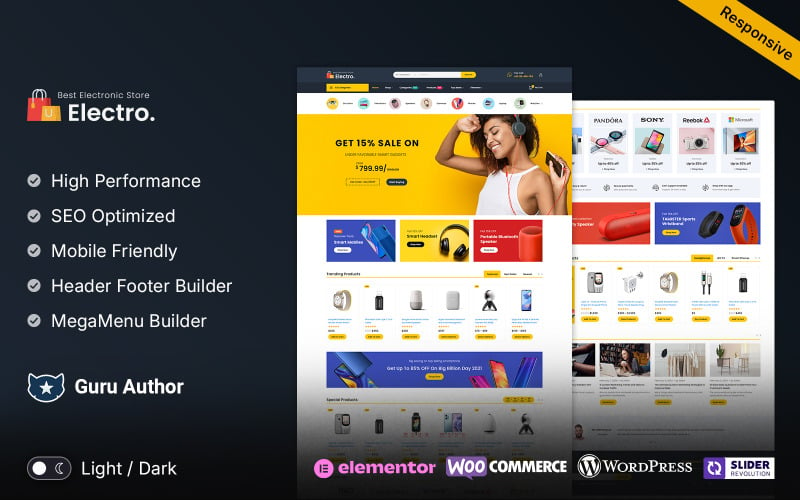
The primary technical capabilities of Electro are listed below.
- Native integration with multi-vendor plugins including Dokan and WC Marketplace.
- Advanced multi-level vertical and horizontal mega menu systems.
- Comprehensive technical specification tables and product comparison matrices.
- Multiple header layouts with integrated live AJAX search and category selectors.
Pros:
- Proven architecture capable of supporting massive multi-category electronics catalogs.
- Clean multi-vendor vendor dashboard integration reduces development overhead.
- Extensive pre-built demo configurations for computers, smartphones, and audio gear.
Cons:
- Requires careful performance tuning and caching for optimal Core Web Vitals scores.
- The extensive options panel requires an initial learning curve for beginners.
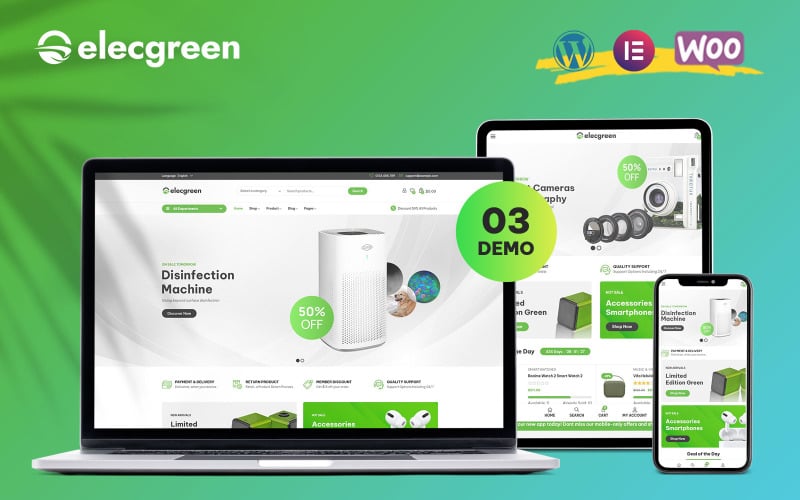
2. Elecgreen – Electronic Multipurpose WooCommerce Theme
Elecgreen is a modern Elementor WooCommerce theme engineered for consumer electronics, smart home gadgets, and mobile device retailers. It features responsive AJAX product filters, quick-view modal popups, and clean card layouts that highlight tech specifications.
Elecgreen delivers a crisp, clean aesthetic that directs focus toward product photography and warranty terms. Its modular Elementor blocks allow store administrators to assemble custom landing pages for seasonal product unveilings quickly.
During our benchmark testing, the faceted AJAX filtering system responded with minimal latency. Shoppers can narrow down audio equipment by battery life, noise cancellation capabilities, and driver sizes without triggering full page refreshes.
The theme provides a lightweight mobile experience featuring thumb-friendly touch targets and quick-add buttons. This design consideration ensures that mobile customers convert easily during quick browsing sessions.
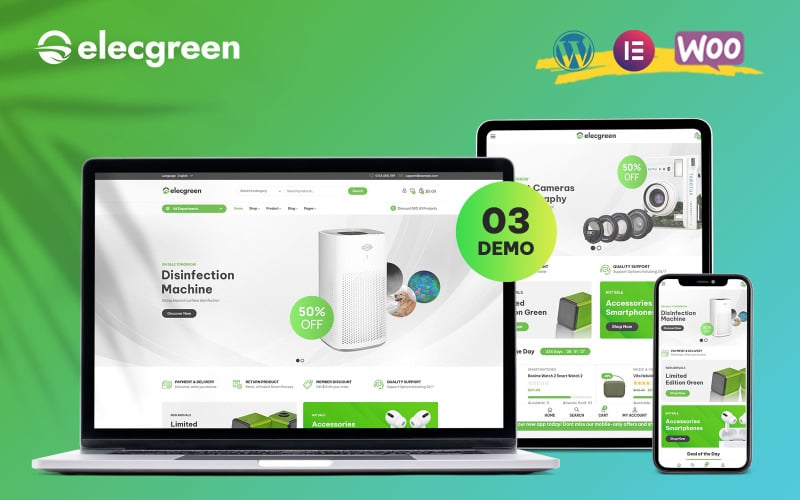
The key features of Elecgreen include the following elements.
- Faceted AJAX catalog filtering for rapid hardware parameter searches.
- Visual drag-and-drop customization using standard Elementor widgets.
- Instant quick-view modal windows displaying essential specs and add-to-cart buttons.
- Fully responsive framework optimized for handheld smartphone navigation.
Pros:
- Modern, tech-focused design that emphasizes product visuals and warranties.
- Fast-filtering scripts prevent disruptive page reloads across category archives.
- Straightforward setup process suitable for solo entrepreneurs and boutiques.
Cons:
- Offers fewer built-in marketplace features compared to larger multi-vendor themes.
- Requires external plugins for side-by-side technical comparison tables.
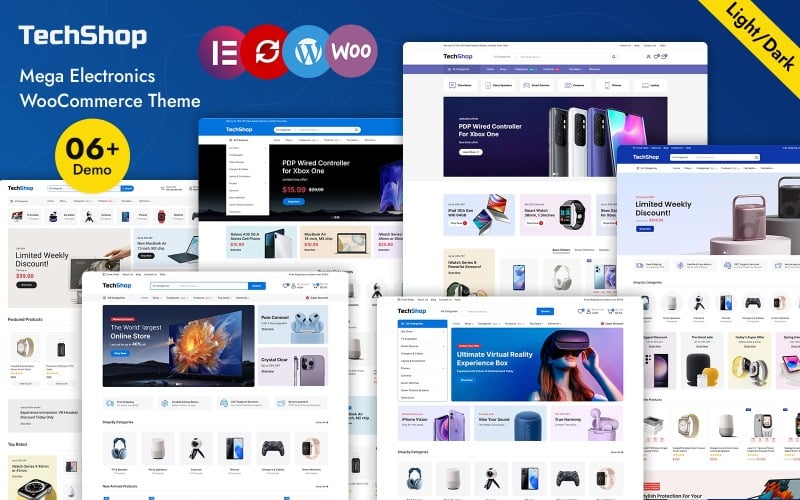
3. TechShop – Electronics TechStore WooCommerce WordPress Theme
TechShop is an advanced WooCommerce theme tailored for specialized electronics retailers, computer hardware specialists, and gaming gear outlets. It includes built-in spec comparison tables, interactive product badges, and comprehensive banner management modules.
TechShop is structured to serve technical shoppers who analyze hardware benchmarks and hardware specifications before purchasing. Its default single-product templates offer dedicated tabs for technical documentation, drivers, and user manuals.
In our functional evaluation, the built-in hardware comparison matrix performed exceptionally well. Shoppers can select multiple laptops or graphics cards and inspect specifications side-by-side in a dedicated modal interface.
The theme incorporates dynamic promotional countdown timers directly onto product grids. These visual triggers help electronics retailers drive conversions during limited-time flash sales and holiday shopping events.
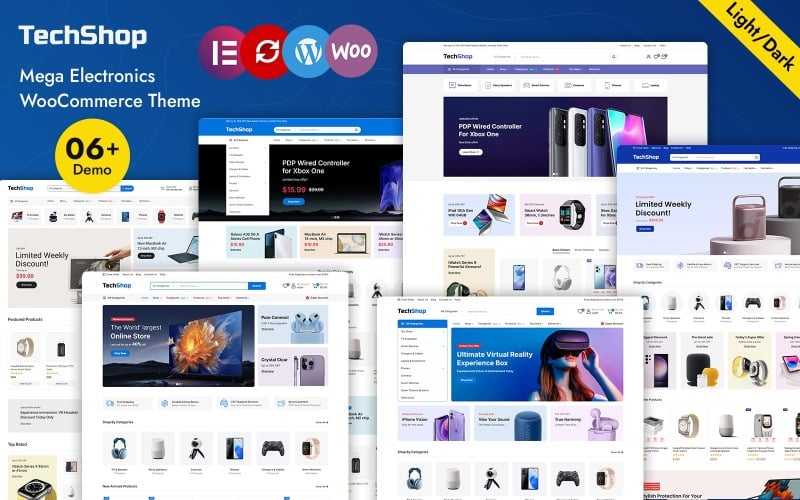
The standout technical assets of TechShop are outlined below.
- Side-by-side hardware specification comparison tool built into core templates.
- Dedicated technical specification tabs for component benchmarks and manual downloads.
- Interactive promotional countdown timers for limited-quantity clearance sales.
- Flexible Elementor header and footer builders for complete layout branding.
Pros:
- Exceptional spec comparison tools tailored specifically for hardware shoppers.
- Clear visual hierarchy highlights product ratings, discounts, and stock levels.
- Responsive design maintains clean data tables on both desktop and mobile screens.
Cons:
- Technical spec tables require thorough initial product data input by administrators.
- Higher initial styling customization required for non-computer electronics categories.
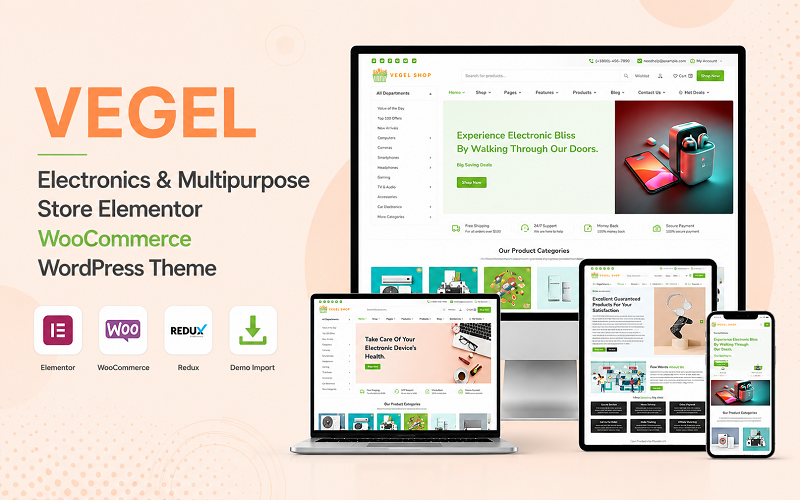
4. Vegel Electronics Multipurpose WooCommerce WordPress Theme
Vegel Electronics is an Elementor-powered WooCommerce theme built for consumer electronics, home appliance distributors, and mobile accessory outlets. It features responsive carousel sliders, daily deal countdowns, and compact multi-category menus.
Vegel Electronics offers a clean, retail-oriented presentation that balances promotional banners with structured departmental grids. Its layout is particularly effective for stores that sell both small gadgets and large major appliances.
Our review confirmed that the integrated daily deal widgets provide excellent visibility for discounted electronics. Merchants can highlight daily doorbuster deals with automated stock indicators and countdown timers.
The theme incorporates responsive category carousels that organize home electronics logically. Shoppers can glide through refrigeration, air conditioning, and television categories without excessive scrolling.
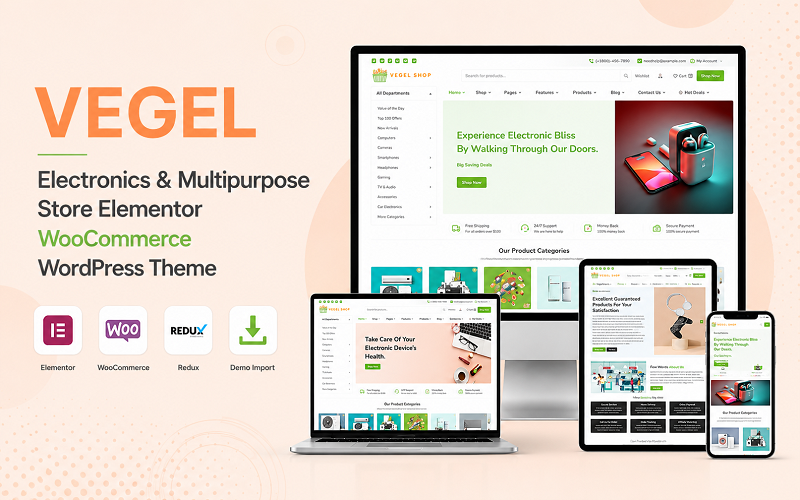
The core specifications of Vegel Electronics include the following components.
- Daily deal countdown modules with real-time inventory level indicators.
- Smooth product carousel sliders displaying related electronic accessories.
- Compact mega menu structure facilitating multi-department browsing.
- Custom Elementor widgets for fast promotional banner and slider configuration.
Pros:
- Strong promotional merchandising features support clearance and holiday events.
- Versatile layout adapts well to both small tech gadgets and large home appliances.
- Smooth touch gestures on product carousels improve mobile shopping comfort.
Cons:
- Heavy carousel usage requires image optimization to preserve Core Web Vitals.
- Limited built-in tools for advanced multi-vendor marketplace architectures.
5. Electic Electronics and Computer Tech Store WooCommerce Theme
Electic is an Elementor WooCommerce theme engineered for computer component outlets, custom PC builders, and tech repair storefronts. It features persistent sticky checkout bars, high-contrast CTA buttons, and dedicated service booking integration.
Electic focuses on conversion efficiency through high-contrast call-to-action buttons and distraction-free checkout paths. Its typography and dark accents convey a professional, technical aesthetic that resonates with tech enthusiasts.
In our usability trials, the persistent sticky add-to-cart bar significantly improved mobile conversion flows. Shoppers scrolling through long hardware specifications always retain instant access to configuration options and purchase triggers.
The theme also includes layout modules for hardware repair services and diagnostic consultations. This flexibility allows tech shops to combine physical service bookings with physical component sales.
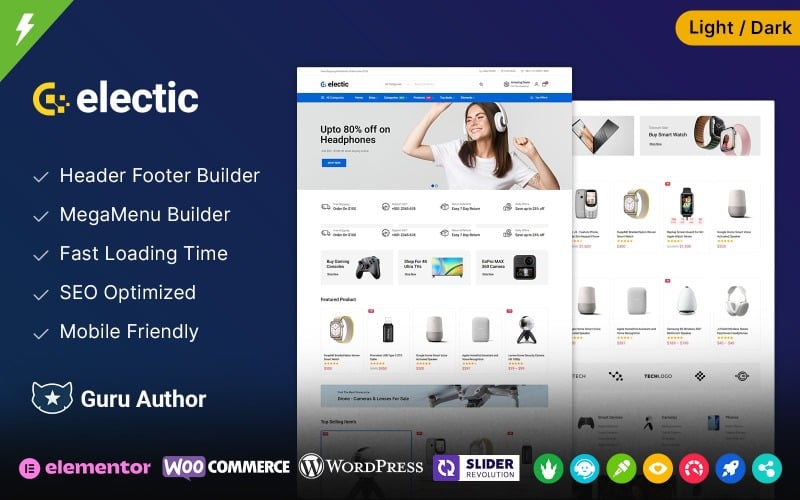
The standout technical assets of Electic are summarized below.
- Persistent sticky add-to-cart navigation bar for mobile and desktop viewports.
- High-contrast visual styling designed to improve checkout conversion rates.
- Service booking template sections for computer repair and hardware diagnostics.
- Comprehensive Elementor theme builder support for custom archive and header designs.
Pros:
- Sticky cart controls eliminate navigation friction during long spec reviews.
- Dual-purpose design accommodates both physical hardware sales and repair services.
- Clean, lightweight codebase delivers fast initial page render speeds.
Cons:
- Dark color presets may require adjustment for general consumer electronics brands.
- Fewer default demo templates compared to large multipurpose competitors.
6. Expend – Electronics and Mega Store Elementor WooCommerce Theme
Expend is a high-capacity mega store WooCommerce theme designed for extensive consumer electronics catalogs, department stores, and multi-category retailers. It features dense multi-column product grids, vertical category menus, and robust inventory counters.
Expend is architected to handle deep product taxonomies with hundreds of sub-categories. Its vertical navigation drawer mimics leading e-commerce platforms, keeping all hardware departments accessible from any store page.
During testing with high-volume inventories, Expend maintained clear category separation and fast AJAX paging. Shoppers can explore television displays, audio receivers, and computer peripherals without losing their location in the catalog.
The theme incorporates prominent stock level indicators on product cards. This transparency reassures shoppers regarding product availability and creates gentle urgency when inventory counts run low.
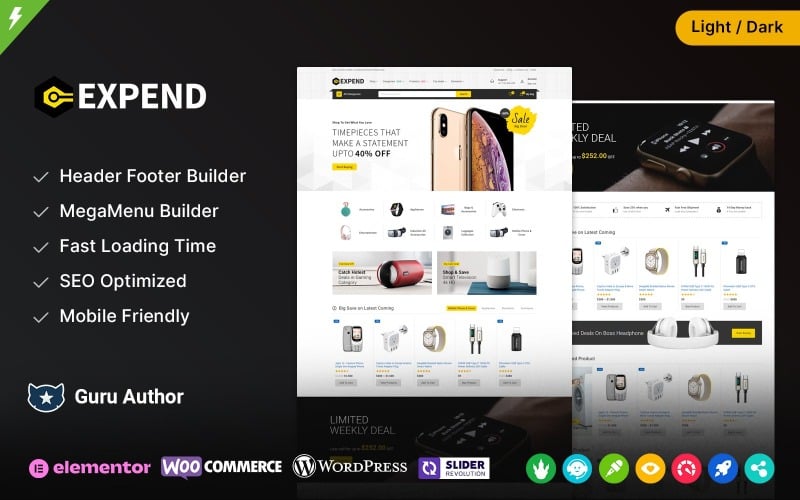
The primary capabilities of Expend are detailed below.
- Vertical department navigation menu tailored for massive multi-category stores.
- High-density product card grids engineered for high SKU count displays.
- Dynamic real-time inventory level indicators on catalog and product pages.
- Elementor visual styling integration across single product and cart templates.
Pros:
- Handles extensive departmental hierarchies without visual overcrowding.
- Real-time stock indicators encourage faster checkout decisions.
- Reliable AJAX pagination prevents full-page reload delays during browsing.
Cons:
- Dense catalog layouts require high-resolution, consistent product photography.
- Can appear overwhelming for stores with fewer than fifty total products.
7. Etechno – Electronics and Computers Multipurpose WooCommerce Theme
Etechno is a versatile WooCommerce theme designed for computer stores, smart device boutiques, and consumer tech retail brands. It features predictive AJAX live search, interactive product tab modules, and multi-currency compatibility.
Etechno balances modern aesthetic styling with rapid product search capabilities. Its central search bar provides instantaneous auto-complete suggestions with thumbnail previews, helping shoppers locate specific model numbers instantly.
Our usability analysis showed that Etechno’s tabbed product sections simplify complex spec exploration. Shoppers can toggle between technical details, warranty policies, and verified customer reviews without refreshing the page.
The theme provides seamless multi-currency and WPML translation support. This international foundation allows electronics retailers to sell hardware across multiple regional markets effortlessly.
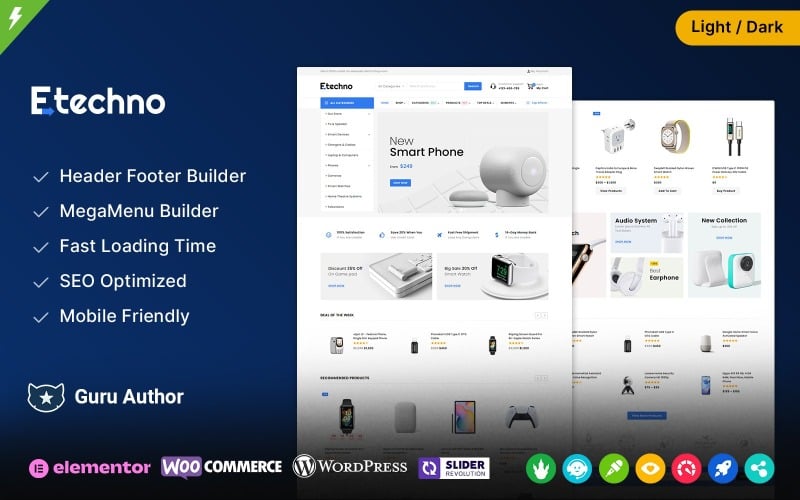
The key functional characteristics of Etechno are listed below.
- Predictive AJAX search bar with instant thumbnail and price auto-complete.
- Interactive tabbed product layouts for technical hardware specifications.
- Full compatibility with WPML and multi-currency switching plugins.
- Optimized responsive design ensuring seamless browsing across smartphones.
Pros:
- Predictive live search accelerates SKU discovery for model-specific shoppers.
- Clean, modular tabbed interfaces keep complex product specs organized.
- Ready for international commerce with multi-currency and multilingual support.
Cons:
- Live search index requires occasional cache refreshing on stores with rapid inventory shifts.
- Requires Elementor Pro for advanced custom checkout page editing.
Factors to Consider When Choosing WooCommerce Themes for Electronics
Selecting an electronics WooCommerce theme requires evaluating technical filtering capacity, specification comparison tools, multi-vendor support, and mobile optimization. Electronics shoppers conduct extensive research across hardware variations before completing high-value purchases.
Mobile Responsiveness and Touch UX
Modern consumer electronics shoppers routinely research device specs, compare battery ratings, and buy accessories using mobile smartphones. An electronics theme must deliver responsive touch controls, accessible navigation bars, and fast-rendering product modals.
Mobile shoppers need clear layouts that present complex technical data without requiring excessive horizontal scrolling.
Sticky navigation bars and intuitive thumb-friendly buttons ensure that hardware shoppers complete checkouts smoothly on any mobile screen.
Product Filter Options and Faceted Search
Electronics inventories feature dozens of technical attributes including screen resolution, RAM, storage, and wireless protocols. Advanced AJAX faceted filters let customers narrow down hundreds of products to exact compatibility specifications instantly.
Customers looking for a specific laptop or monitor rarely browse through endless unsorted catalog pages.
Faceted filtering saves time by isolating matching SKUs without triggering full page reloads, significantly improving store conversion rates.
Mega Menu Support and Category Organization
Extensive consumer electronics stores contain diverse departments spanning computers, audio, photography, and gaming hardware. Multi-column mega menus organize multi-level subcategories cleanly while showcasing featured promotions and clearance deals.
Clear departmental navigation prevents customer confusion when browsing through complex multi-tier electronics inventories.
A well-structured mega menu allows customers to reach any product category within two clicks from the homepage.
Elementor Customization and Visual Page Building
Visual page builders like Elementor empower store managers to build promotional landing pages and flash sale banners without writing code. Modular widgets provide complete design freedom over header layouts, product cards, and checkout pages.
Electronics retailers frequently launch promotional events for seasonal sales, black Friday events, and new gadget releases.
Themes with extensive Elementor integrations simplify updating promotional banners, hero sections, and seasonal sale displays.
Fast Loading Speed and Performance Optimization
Page loading speed directly impacts bounce rates, user retention, and Google Core Web Vitals rankings. Lightweight code foundations, asset minimization, and native lazy loading ensure rapid page rendering even with high-resolution electronics photography.
Slow page performance drives impatient tech buyers to competing online retailers within seconds of encountering lag.
Choose themes built with clean HTML5 and minimal script overhead to maintain high search visibility and smooth customer browsing.
WooCommerce Compatibility and Template Overrides
Reliable WooCommerce compatibility ensures seamless functionality with modern checkout flows, payment gateways, and tax calculation plugins. Clean template overrides prevent technical conflicts when WordPress and WooCommerce core files are updated.
Outdated theme files can cause checkout errors, broken payment forms, and failed order notifications.
Ensure the theme developer actively maintains WooCommerce compatibility and releases prompt updates following major platform releases.
SEO-Friendly Structure and Schema Markup
Search engine visibility requires semantic HTML markup, fast server response times, and structured product data. Embedded Schema.org product markup highlights pricing, stock availability, and review star ratings directly in Google search results.
Rich search snippets attract qualified organic buyers by showing transparent pricing and verified customer feedback.
Selecting an SEO-friendly theme gives your electronics catalog a strong organic foundation to outrank competing online stores.
Multi-Vendor Support and Marketplace Scaling
Marketplace business models allow electronics retailers to expand catalog depth by onboarding third-party vendors. Compatibility with marketplace plugins like Dokan enables individual vendor storefronts, commission splitting, and separate shipping management.
Expanding into a multi-vendor marketplace requires specialized theme styling for vendor registration and product management dashboards.
Ensure your chosen theme provides dedicated multi-vendor templates if you plan to scale beyond a single-operator storefront.
Frequently Asked Questions About Electronics WooCommerce Themes
Deploying an electronics e-commerce store introduces technical considerations regarding SEO rankings, product comparison features, and holiday traffic management. Below are direct answers to the most common questions merchants ask when selecting an electronics theme.
How Do I Migrate Products Without Losing SEO Rankings?
Migrate products without losing rankings by preserving existing URL permalinks, migrating complete metadata, and implementing 301 redirects for any altered slugs. Retaining established Schema.org product data and image alt tags ensures continuous visibility in Google search results.
Careful URL mapping and data verification prevent lost organic rankings and broken links during theme migrations.
Which Theme Supports Advanced Product Comparison Features?
TechShop and Electro offer the most advanced built-in hardware comparison features, allowing customers to evaluate multiple devices side-by-side. These modules compare technical specifications such as battery capacity, processor speeds, and connectivity without third-party plugins.
Side-by-side specification tables help technical shoppers make informed hardware choices and reduce return rates.
Can These Themes Handle High Traffic During Holiday Sales?
Yes, all seven themes can handle high-traffic holiday sales events when paired with quality hosting, server-side caching, and a content delivery network. Minimized JavaScript dependencies and database query optimization prevent slowdowns during flash sale spikes.
Combining lightweight themes with Redis object caching and CDN delivery guarantees fast performance during holiday shopping surges.
Are Multilingual and Multi-Currency Options Included by Default?
All reviewed themes provide full translation readiness and compatibility with leading plugins such as WPML, Polylang, and WooCommerce Multi-Currency. This compatibility allows international electronics retailers to serve global customers in local languages and currencies.
Localized currency switchers and language selectors expand international market reach and eliminate checkout friction for foreign buyers.
How Often Are WooCommerce Theme Updates Released?
Reputable theme developers release updates every four to eight weeks to ensure compatibility with WordPress and WooCommerce core releases. Regular maintenance cycles include security patches, bug fixes, and performance improvements that protect your online store.
Routine updates protect your payment workflows, prevent layout bugs, and ensure continuous compatibility with modern browser standards.
Final Recommendations for Electronics WooCommerce Themes
Selecting the best electronics WooCommerce theme depends on your store catalog volume, technical spec requirements, and business model. For high-volume multi-vendor marketplaces, Electro and Expend provide unmatched catalog capacity and navigation power.
If you operate a specialized computer shop or gaming component outlet, TechShop and Electic deliver built-in spec comparison tables and high-converting sticky cart controls.
For modern smart gadget boutiques seeking fast setup and clean aesthetics, Elecgreen and Etechno offer streamlined AJAX search and mobile-first layouts.
For more detailed e-commerce comparisons, explore our guide to the best WooCommerce themes and our analysis of the fastest e-commerce themes to maximize your store conversion rate.

Abdullah Prem is the founder of EcommerceThemes.org and BloggersNeed.com. He specializes in reviewing Shopify themes, WooCommerce themes, WordPress themes, hosting, plugins, and SaaS tools. Through EcommerceThemes.org, he publishes in-depth theme reviews, product comparisons, buying guides, and performance analyses to help ecommerce businesses choose the right theme based on speed, SEO, customization, user experience, and overall value. His goal is to provide research-driven recommendations that help store owners make informed decisions when selecting an ecommerce theme.