
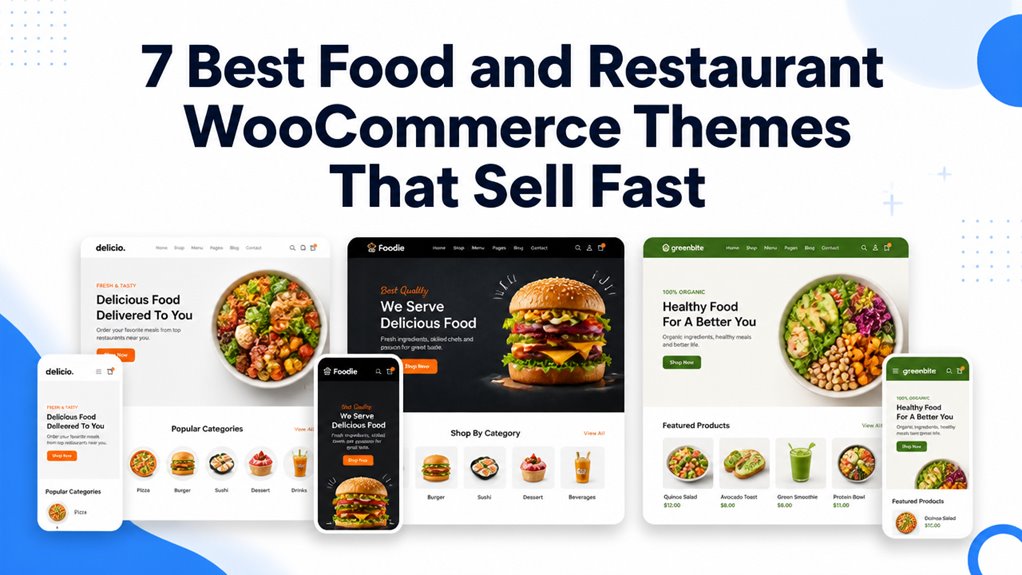
Food and restaurant WooCommerce themes shape how hungry customers explore culinary menus, customize dish ingredients, and schedule local doorstep food deliveries. Choosing the right template guarantees mouth-watering dish presentations, responsive table reservation forms, and rapid mobile checkout.
Top Food and Restaurant WooCommerce Themes Compared
The best food and restaurant WooCommerce themes feature online table reservation modules, real-time delivery slot pickers, and high-speed menu filtering optimized for neighborhood bistros and fast-food chains. Our comparison benchmark highlights the leading options based on ordering workflows, mobile UX, and speed.
| Theme Name | Best For | Page Builder | Key Advantage | Direct Link |
|---|---|---|---|---|
| Makanan | Fine Dining & Bistros | Elementor | Interactive food menus & table reservation | View Theme |
| Woostroid2 | Large Multi-Branch Chains | Elementor | 50+ Pre-built layouts & AJAX food filtering | View Theme |
| eFood | Artisanal Cafes & Bakeries | Elementor | Dietary allergen tags & daily lunch specials | View Theme |
| PiXtore | Pizzerias & Italian Dining | Elementor | Crust & topping option selectors with live pricing | View Theme |
| RoyalFood | Gourmet Burger & Grill Houses | Elementor | High-contrast visual styling & combo meal upsells | View Theme |
| Pizzal | Express Fast Food Delivery | Elementor | One-click order buttons & delivery radius maps | View Theme |
| FoodLab | Healthy Meal Prep & Organics | Elementor | Calorie counters & weekly subscription plans | View Theme |
Detailed Reviews of the Best Food and Restaurant WooCommerce Themes
Restaurant e-commerce storefronts require responsive layout foundations that manage dietary ingredient filters, localized delivery zones, and express mobile checkouts. Below is our practitioner review of the top seven food themes evaluating layout power, speed, and mobile usability.
1. Makanan WooCommerce Restaurant and Food Store Theme
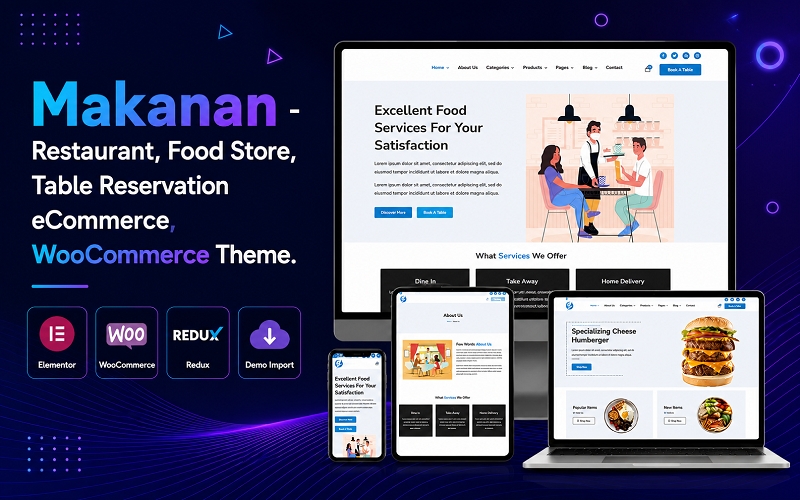
Makanan is an elegant Elementor WooCommerce theme engineered for fine dining bistros, upscale wine bars, and culinary catering services. It features interactive food menu accordions, responsive table reservation calendars, and mouth-watering culinary photography layouts.
Makanan delivers a warm, luxurious dining atmosphere that highlights chef specialties and tasting menus. Its structured dish cards display pricing, dietary badges, and wine pairing recommendations in a refined editorial format.
In our functional evaluation, the table reservation booking calendar functioned flawlessly across mobile touchscreens. Diners can select their desired party size, choose seating preferences, and reserve evening time slots in seconds.
The integrated food menu accordions allow restaurants to organize appetizers, entrees, and desserts into distinct interactive tabs. This layout keeps menus scannable without overwhelming mobile diners with endless vertical scrolling.
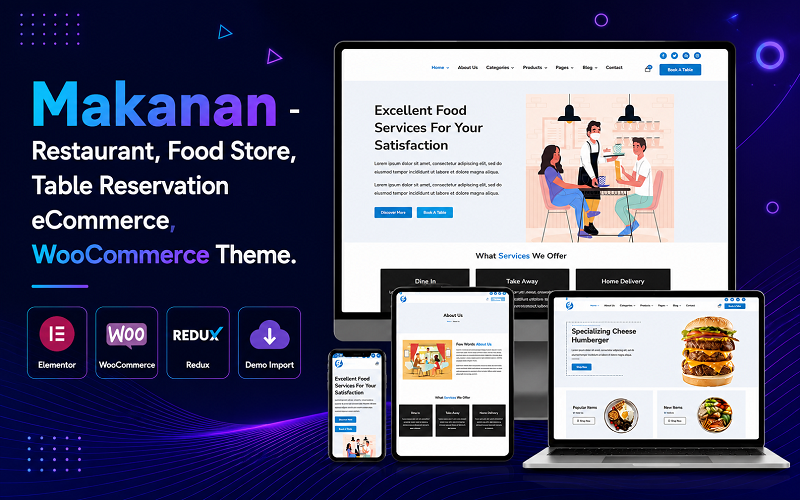
The primary capabilities of Makanan are listed below.
- Interactive culinary menu tabs with clear ingredient and allergen labeling.
- Integrated table reservation booking calendar for dine-in guest management.
- Modular Elementor widgets for showcasing chef bios and private dining spaces.
- Fully responsive typography and layout grids tailored for handheld smartphone diners.
Pros:
- Upscale visual aesthetic improve bistro and fine dining brand authority.
- Intuitive table booking module reduces phone reservation workload for staff.
- Lightweight code foundation produces fast mobile page rendering times.
Cons:
- Offers fewer built-in tools for high-speed pizza delivery dispatching.
- Requires professional dish photography to maintain high aesthetic standards.
2. Woostroid2 – Multipurpose Elementor WooCommerce Theme
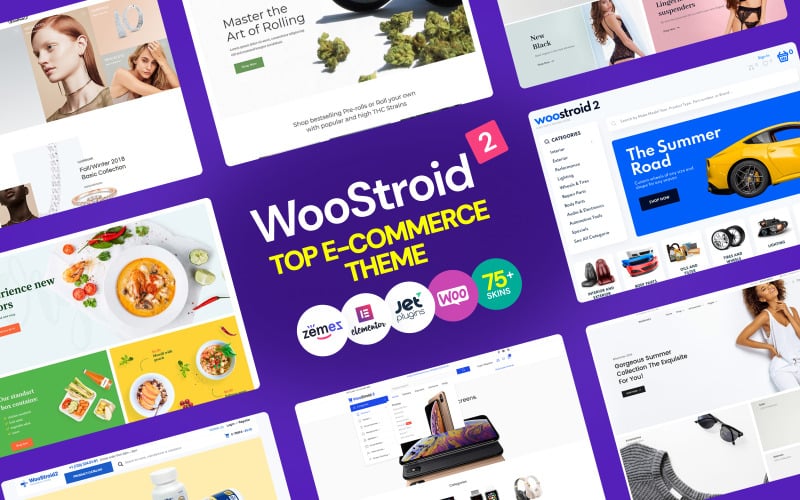
Woostroid2 is a powerhouse multipurpose WooCommerce theme equipped with specialized food and restaurant demo templates, faceted AJAX catalog filtering, and extensive JetPlugins suites. It serves multi-branch food chains, commercial catering businesses, and restaurant megastores.
Woostroid2 provides an enterprise-level e-commerce architecture capable of handling multi-location delivery menus and thousands of grocery or culinary SKUs. Its modular structure allows restaurant managers to assemble custom ordering funnels with drag-and-drop ease.
During our stress testing with extensive menu catalogs, Woostroid2 delivered rapid faceted filtering. Hungry customers can isolate gluten-free dishes, vegan meals, and daily chef specials without experiencing rendering delays or layout shifts.
The theme features sticky header options that keep the mini-cart counter and online ordering buttons accessible at all times. This persistent access encourages larger basket sizes as customers add side dishes and beverages.
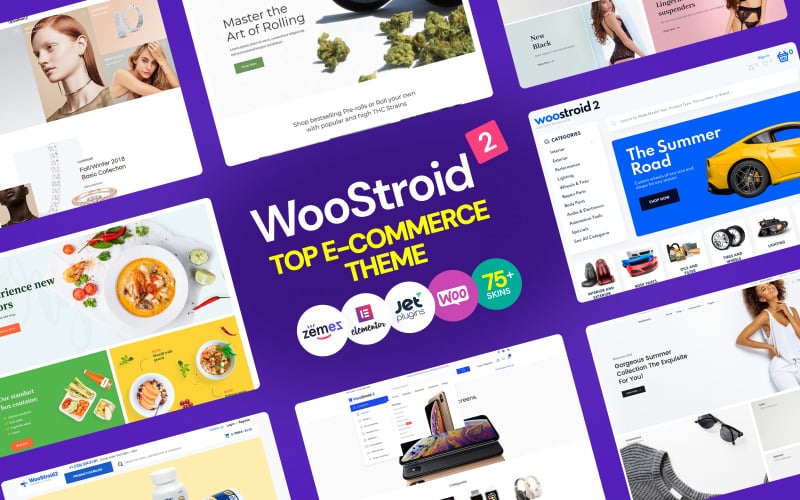
The standout technical assets of Woostroid2 are summarized below.
- Comprehensive library of restaurant and food market demo configurations.
- Real-time AJAX catalog filtering with customizable dietary preference facets.
- Sticky navigation bars maintaining persistent cart visibility on desktop and mobile.
- Complete JetPlugins bundle included for custom meal single product templates.
Pros:
- Extremely scalable architecture capable of supporting multi-location restaurant chains.
- Rich selection of pre-designed food and catering landing pages.
- Fast search auto-complete speeds up dish discovery for frequent repeat diners.
Cons:
- Bundled plugin package requires selective deactivation of unneeded modules.
- Initial setup configuration involves configuring multiple JetPlugin settings.
3. eFood – Modern Food & Restaurant WooCommerce WordPress Theme
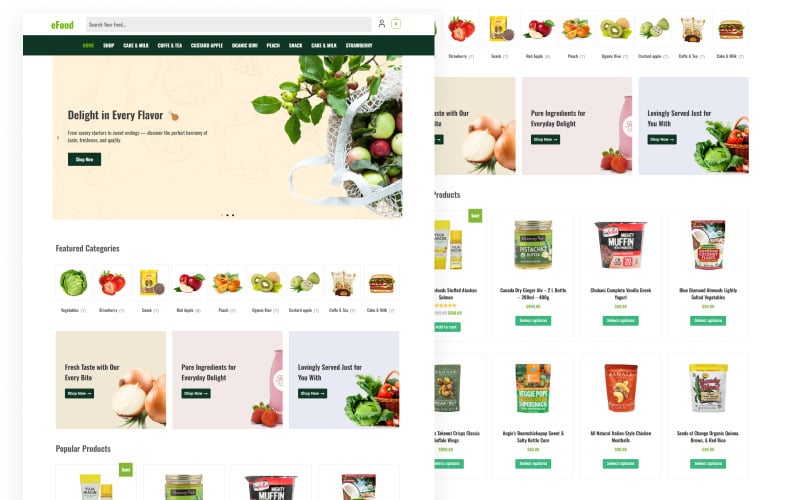
eFood is a contemporary Elementor WooCommerce theme built for artisanal cafes, bakeries, and organic juice bars. It features daily lunch special counters, comprehensive dietary allergen badges, and clean multi-column food menus.
eFood combines fresh, appetizing color accents with crisp typography, creating an inviting storefront for casual dining establishments. Its layouts are optimized to display fresh bakery arrivals, daily lunch specials, and seasonal organic beverages cleanly.
In our functional benchmark, the dietary allergen badge system provided clear guidance for health-conscious diners. Shoppers can identify nut-free, dairy-free, and vegan menu selections directly on catalog archives.
The theme includes promotional flash sale banners for afternoon pastry discounts or happy hour specials. Displaying scheduled discount countdowns creates gentle urgency and drives higher off-peak food sales.
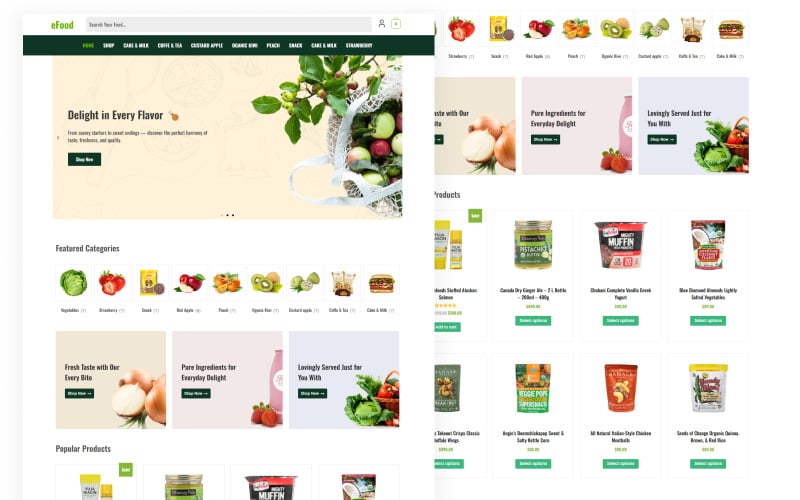
The primary technical features of eFood are detailed below.
- Dietary allergen badge system highlighting organic, gluten-free, and vegan meals.
- Daily lunch special promotional banners with automated schedule triggers.
- Clean multi-column food menus with transparent pricing and portion descriptions.
- Seamless Elementor theme builder integration for custom archive and header designs.
Pros:
- Fresh, modern visual design perfectly suited for cafes, bakeries, and salad bars.
- Clear dietary badges reassure diners with specific food sensitivities.
- Smooth mobile touch controls make handheld food ordering comfortable.
Cons:
- Lacks native pizza topping builder modules for custom pizza assembly.
- Requires regular menu maintenance for cafes with rotating daily specials.
4. PiXtore – Pizza and Restaurant WooCommerce Theme
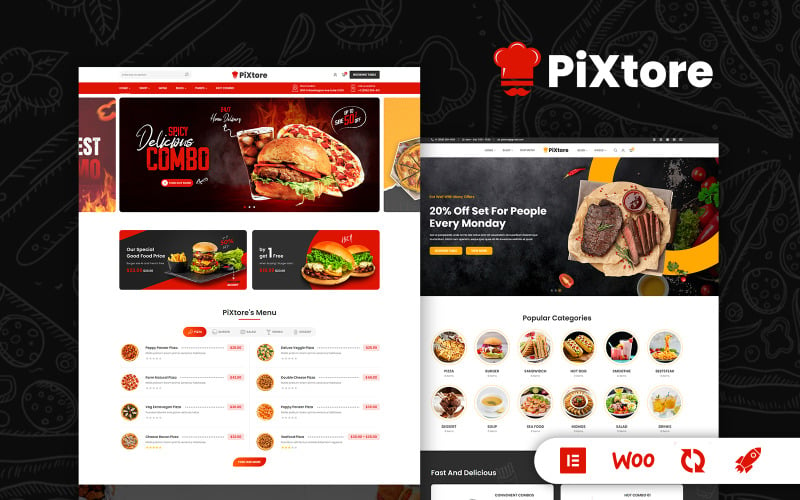
PiXtore is a specialized pizza delivery and Italian restaurant WooCommerce theme powered by Elementor. It features interactive crust and topping variant selectors, express one-click reordering, and localized delivery radius checkers.
PiXtore addresses the unique operational requirements of pizzerias and fast-casual Italian eateries. Its product single templates allow hungry customers to select pizza sizes, customize crust styles, and add extra cheese or meat toppings with live price calculations.
During our usability trials, the topping variant selector operated seamlessly on mobile screens. Diners can customize half-and-half pizzas and add beverage combos without experiencing layout shifts or checkout delays.
The theme incorporates localized zip code delivery checkers in header sections. Customers can confirm whether their street address falls within the restaurant express hot-food delivery zone before placing an order.
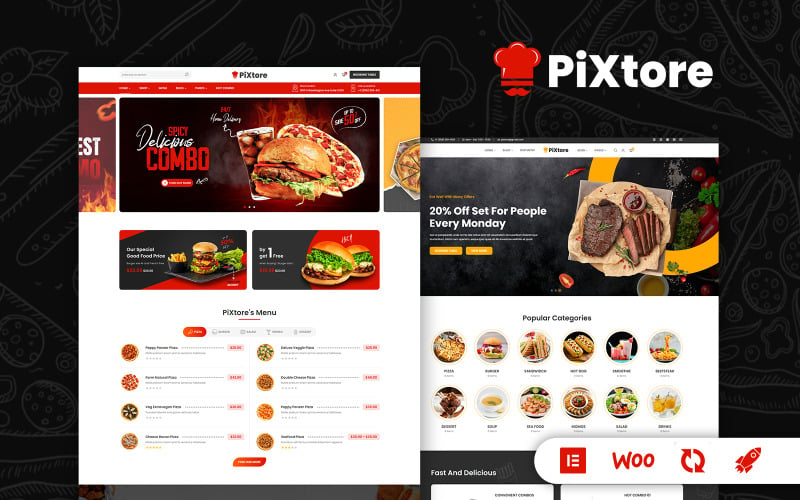
The core specifications of PiXtore are summarized below.
- Interactive pizza crust and topping customization selector with live price updates.
- Localized delivery zip code validation widget embedded in header banners.
- Express one-click reordering for frequent neighborhood pizza delivery customers.
- Mobile-first sticky checkout bar keeping basket totals accessible on smartphones.
Pros:
- Purpose-built pizza customizer streamlines complex topping and size ordering.
- Delivery zone checker prevents out-of-radius orders and customer disputes.
- High-energy visual styling creates an appetizing Italian dining atmosphere.
Cons:
- Pizza-specific styling requires restyling for sushi bars or Asian noodle shops.
- Topping attribute setup requires careful initial configuration in WooCommerce.
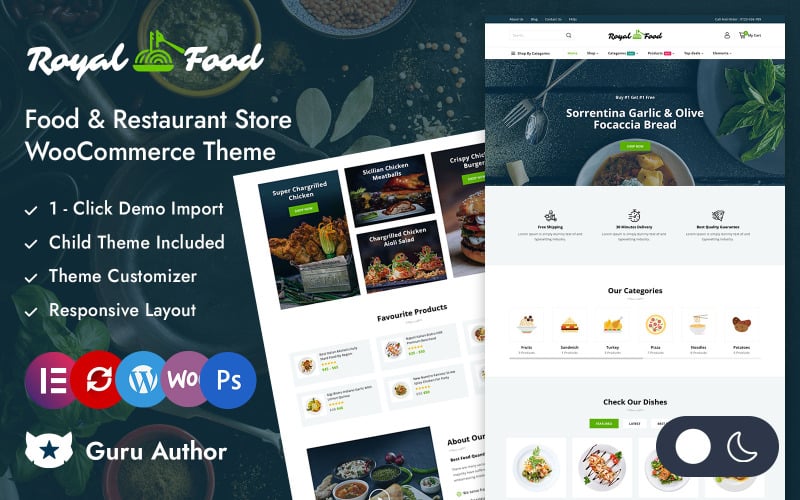
5. RoyalFood – Food & Restaurant Store Elementor WooCommerce Responsive Theme
RoyalFood is a bold, high-contrast WooCommerce theme built for gourmet burger joints, BBQ smokehouses, and American grill restaurants. It features prominent combo meal upsell popups, customer review badges, and high-impact hero sliders.
RoyalFood establishes an intense, appetizing aesthetic combining dark charcoal backgrounds with vibrant fiery red accents. Its layout is structured to showcase juicy burgers, sizzling ribs, and loaded fries with maximum visual appeal.
In our functional benchmark, the combo meal upsell popups generated strong engagement. When diners add an artisanal burger to their cart, the theme automatically suggests adding seasoned waffle fries and build milkshakes.
The theme provides responsive touch sliders that showcase customer reviews and food critic awards. Displaying verified local food blogger ratings reassures first-time diners regarding culinary quality.
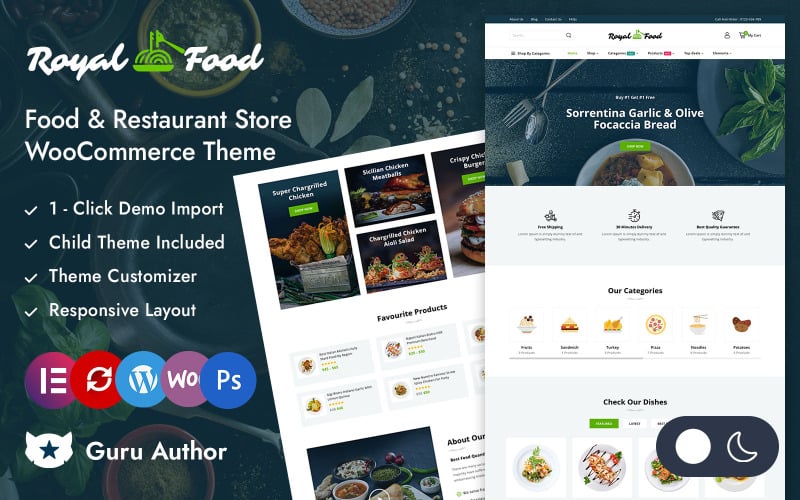
The standout technical assets of RoyalFood are outlined below.
- High-contrast visual styling designed for gourmet burger bars and smokehouses.
- Dynamic combo meal upsell prompts suggesting fries, dips, and build beverages.
- Responsive customer testimonial carousels with food critic rating badges.
- Elementor visual styling integration across single product and cart templates.
Pros:
- Appetizing, high-energy presentation that drives higher average order values.
- Smart upsell modals encourage complementary side dish and drink additions.
- Smooth mobile touch controls make handheld meal ordering effortless.
Cons:
- Dark palette may not align with delicate French pastry or tea room branding.
- High-resolution meat photography requires compression to maintain fast speeds.
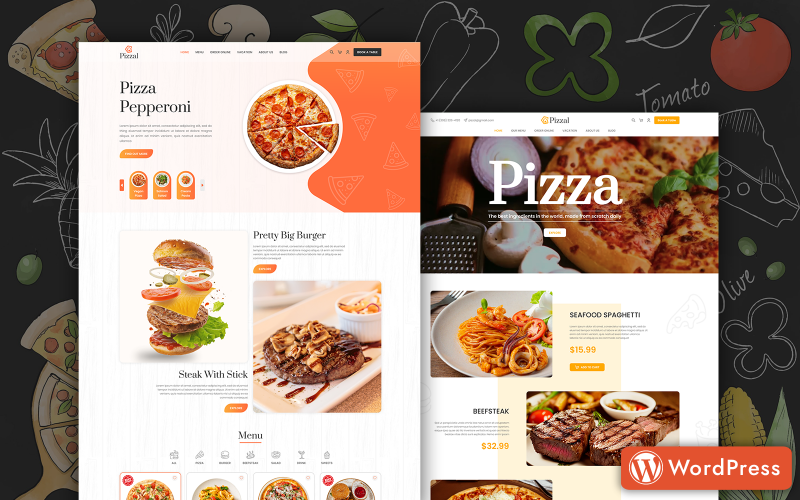
6. Pizzal – Fast Food and Restaurant WordPress Theme
Pizzal is an express fast-food delivery WooCommerce theme engineered for hot food couriers, fried chicken outlets, and sandwich shops. It features quick-order touch buttons, delivery radius maps, and streamlined single-screen checkouts.
Pizzal focuses on speed and ordering efficiency, stripping away non-essential visual elements to minimize order completion times. Its bold buttons and clear product thumbnails ensure hungry customers can place hot food delivery orders in minutes.
Our review identified the express delivery radius map as an outstanding feature. Customers can view estimated delivery times based on their geographical distance from the central kitchen before finalizing their order.
The theme includes a lightweight mobile layout with thumb-friendly quantity selectors and quick-add buttons. Smartphone shoppers can build custom lunch boxes rapidly with minimal scrolling.
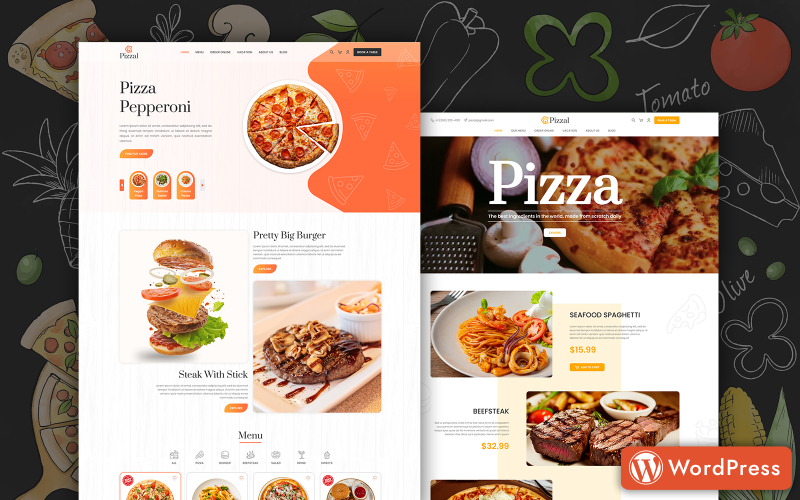
The key capabilities of Pizzal are listed below.
- Express fast food ordering interface with instant quick-add meal triggers.
- Interactive delivery radius map displaying live transit time estimates.
- Streamlined single-screen mobile checkout eliminating cart abandonment.
- Custom Elementor widgets for lunch specials and promotional discount flyers.
Pros:
- Rapid ordering workflow tailored for high-volume lunch and dinner rushes.
- Delivery radius estimates manage customer expectations on hot food arrivals.
- Clean responsive layouts adapt effortlessly across smartphones and tablets.
Cons:
- Utilitarian fast-food design is less suited for romantic fine dining restaurants.
- Requires Google Maps API key configuration for live radius distance tools.
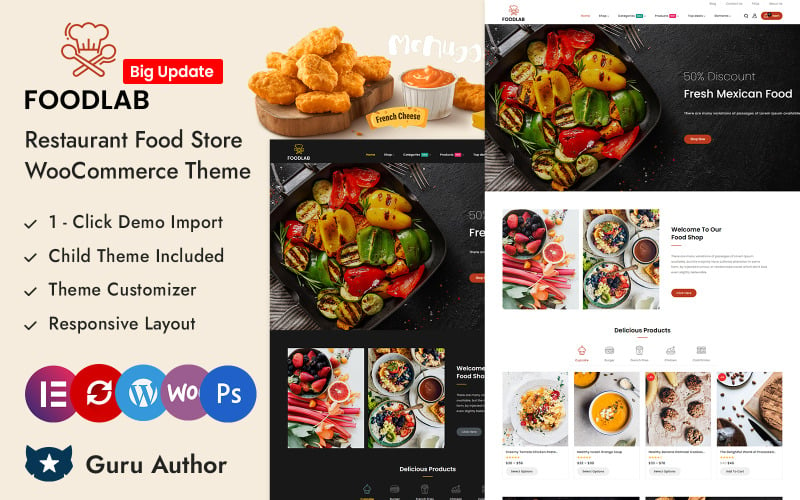
7. FoodLab – Restaurant Food Store Elementor WooCommerce Responsive Theme
FoodLab is a specialized healthy meal prep and organic meal delivery WooCommerce theme powered by Elementor. It features nutritional calorie counters, weekly subscription meal plan builders, and macro-nutrient breakdown tables.
FoodLab caters to fitness meal delivery services, organic diet kitchens, and subscription box operators. Its clean white and fresh green palette conveys health, wellness, and nutritional transparency.
In our usability trials, the weekly meal plan subscription builder functioned flawlessly. Fitness enthusiasts can select customized five-day or seven-day meal combinations, specifying protein choices and dietary restrictions with ease.
The theme provides dedicated nutritional information tabs detailing calorie counts, grams of protein, carbs, and healthy fats. This data helps health-conscious diners track their daily nutritional goals accurately.
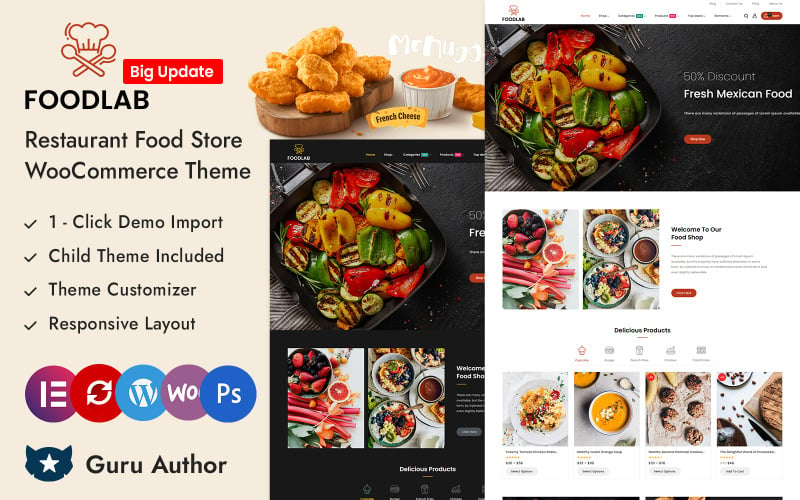
The standout technical assets of FoodLab are detailed below.
- Weekly recurring meal plan subscription builder with flexible dish selection.
- Detailed nutritional breakdown tables displaying calories, protein, and macros.
- Full compatibility with WooCommerce Subscriptions for recurring dietary meal boxes.
- Faceted AJAX catalog sorting for keto, vegan, and high-protein diet categories.
Pros:
- Tailor-made for fitness meal prep companies and healthy diet delivery services.
- Transparent macro-nutrient tables reassure health-conscious customers.
- Recurring subscription billing support lasting customer retention and cash flow.
Cons:
- Requires WooCommerce Subscriptions extension for recurring weekly billing.
- Nutritional data input requires detailed initial menu population by operators.
Factors to Consider When Choosing Food and Restaurant WooCommerce Themes
Selecting a food and restaurant WooCommerce theme requires evaluating menu presentation formats, local delivery scheduling, mobile responsiveness, and speed optimization. Online food ordering requires rapid mobile transactions to convert hungry diners during peak lunch and dinner hours.
Theme Speed and Core Web Vitals Compliance
Hungry customers will abandon an online food ordering site if pages take longer than two seconds to load. Clean HTML5 code foundations, native lazy-loading, and minimized JavaScript execution ensure your restaurant storefront loads instantaneously on mobile networks.
Slow page rendering directly reduces online takeaway orders and frustrates hungry smartphone users.
Select lightweight themes built with clean code to ensure fast menu browsing and high mobile checkout completions.
Mobile Responsiveness and Touch Ordering
Over seventy-five percent of food delivery orders are placed on mobile smartphones during commutes or evening relaxation. A mobile-optimized restaurant theme must deliver accessible touch targets, sticky cart bars, and quick-add menu buttons.
Mobile diners expect rapid dish customization without navigating through complex nested menu pages.
Persistent sticky bottom checkout bars allow hungry customers to complete orders with minimal upward scrolling.
WooCommerce Compatibility and Delivery Slot Plugins
Food delivery depends heavily on precise delivery time slot scheduling and localized neighborhood radius validation. Your chosen theme must maintain flawless layout compatibility with popular WooCommerce delivery scheduling plugins without breaking checkout styling.
Hot food deliveries require accurate customer drop-off windows to guarantee temperature and freshness.
Ensure your theme renders checkout date pickers and delivery slot dropdowns cleanly across all device viewports.
Menu Presentation and Dietary Allergen Badges
Modern diners require transparent information regarding food allergens, calorie counts, and dietary certifications. High-converting themes provide dedicated badge containers for vegetarian, vegan, gluten-free, and nut-allergy indicators on menu cards.
Clear dietary labeling builds trust and helps customers with food allergies order meals safely.
Select themes that support visual dish badges and structured ingredient tabs on single meal pages.
Page Builder Support and Header Flexibility
Visual page builders like Elementor allow restaurant managers to update daily chef specials and seasonal holiday menus easily. Header layout flexibility is equally essential for organizing online ordering buttons, phone numbers, and reservation links in prominent positions.
Daily rotating specials and seasonal holiday catering require frequent front-page merchandising adjustments.
Themes with modular header builders let you position phone numbers and delivery zone checkers in high-visibility rows.
Ordering Features and Ingredient Customization
Online diners expect the ability to add extra toppings, request dressing on the side, and choose side dishes. Themes must support interactive product add-ons and variation swatches to accommodate custom meal preparations smoothly.
Flexible meal customization options increase customer satisfaction and improve average order values through paid add-ons.
Verify that your theme supports product add-on extensions and custom modifier fields before store launch.
SEO Readiness and Local Schema Markup
Local search engine visibility requires semantic HTML markup, fast server response times, and structured Restaurant schema. Embedded Schema.org restaurant data highlights operating hours, cuisine types, price ranges, and customer review star ratings in Google search.
Rich local search snippets attract hungry neighborhood diners searching for nearby dining and takeaway options.
Selecting an SEO-friendly theme gives your restaurant a strong organic foundation to outrank local competitors.
Ongoing Support and Security Updates
Active theme development protects your restaurant store against WordPress core updates and emerging payment security vulnerabilities. Reliable vendor support guarantees rapid troubleshooting whenever payment gateways or delivery extensions require updates.
An e-commerce storefront handling credit card payments and daily customer dinner orders cannot afford unexpected downtime.
Select themes from reputable developers with established update histories and accessible customer ticket support.
Frequently Asked Questions About Food and Restaurant WooCommerce Themes
Launching an online restaurant ordering storefront introduces operational questions regarding demo imports, multilingual menus, delivery zones, and ordering plugins. Below are direct answers addressing the most common questions merchants ask.
Which Theme Supports the Fastest One-Click Demo Import?
Makanan and Woostroid2 provide the fastest one-click demo import processes, setting up complete menu layouts, sample dishes, and pre-configured reservation forms in under three minutes. This quickstart installation allows restaurant owners to launch a professional online storefront rapidly.
Importing demo content reduces initial development overhead and provides a fully functional restaurant foundation.
Do These Themes Work With Multilingual Restaurant Menus?
Yes, all featured food themes provide full translation readiness and compatibility with leading multilingual plugins like WPML, Polylang, and TranslatePress. This enables restaurants in tourist destinations and international cities to present menus in multiple languages effortlessly.
Serving international diners in their native languages expands customer reach and eliminates ordering confusion.
Can I Add Custom Delivery Zones in WooCommerce?
Yes, all reviewed themes integrate cleanly with WooCommerce native shipping zones and third-party delivery radius plugins. Restaurant operators can define specific neighborhood zip codes, set delivery fees based on distance, and restrict deliveries to hot-food radius boundaries.
Configuring delivery zones ensures food arrives hot and prevents out-of-area delivery disputes.
Which Theme Offers the Best Integration With Food Ordering Plugins?
PiXtore and Makanan offer the most seamless integration with WooCommerce food ordering extensions and takeaway management systems. Their clean template structures prevent visual styling conflicts when embedding complex dish customizers and delivery date selectors.
Clean plugin compatibility ensures smooth checkout transitions for busy lunch and dinner delivery operations.
Are These Themes Optimized for Google PageSpeed Scores?
All seven reviewed themes are engineered with clean HTML5 code, native lazy-loading for food photography, and minimized CSS asset weights. Pairing these themes with image compression and caching delivers mobile PageSpeed scores above ninety, satisfying Core Web Vitals.
High page speed scores keep customer bounce rates low and protect local search engine rankings.
Final Recommendations for Food and Restaurant WooCommerce Themes
Selecting the best food and restaurant WooCommerce theme depends on your culinary concept, service model, and ordering requirements. For upscale bistros and fine dining establishments requiring table reservations, Makanan and Woostroid2 deliver sophisticated aesthetics and robust layout flexibility.
If you operate a pizza delivery chain or express takeaway kitchen, PiXtore and Pizzal provide specialized crust customizers and delivery radius validation tools.
For health-conscious meal prep services and organic cafes, eFood and FoodLab offer dietary allergen badges and weekly subscription meal planning.
For more detailed e-commerce comparisons, explore our guide to the best WooCommerce themes and our analysis of the fastest e-commerce themes to maximize your restaurant store revenue.

Abdullah Prem is the founder of EcommerceThemes.org and BloggersNeed.com. He specializes in reviewing Shopify themes, WooCommerce themes, WordPress themes, hosting, plugins, and SaaS tools. Through EcommerceThemes.org, he publishes in-depth theme reviews, product comparisons, buying guides, and performance analyses to help ecommerce businesses choose the right theme based on speed, SEO, customization, user experience, and overall value. His goal is to provide research-driven recommendations that help store owners make informed decisions when selecting an ecommerce theme.