
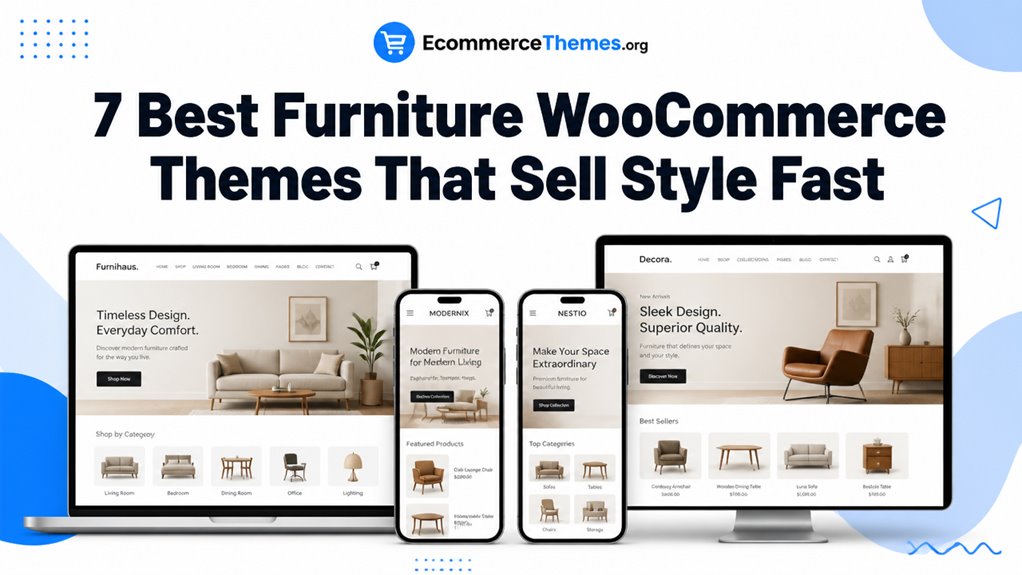
Furniture WooCommerce themes shape how seamlessly interior designers and home decor shoppers explore room collections, inspect fabric textures, and order oversized home furnishings. Selecting the right template guarantees high-resolution image galleries, custom furniture dimensions, and smooth freight checkout delivery.
Top Furniture WooCommerce Themes Compared
The premier furniture WooCommerce themes feature spacious room layout showcases, interactive material variation swatches, and lightweight codebases optimized for high-ticket home decor. Our comparison benchmark highlights the leading options based on visual aesthetics, mobile responsiveness, and checkout performance.
| Theme Name | Best For | Page Builder | Key Advantage | Direct Link |
|---|---|---|---|---|
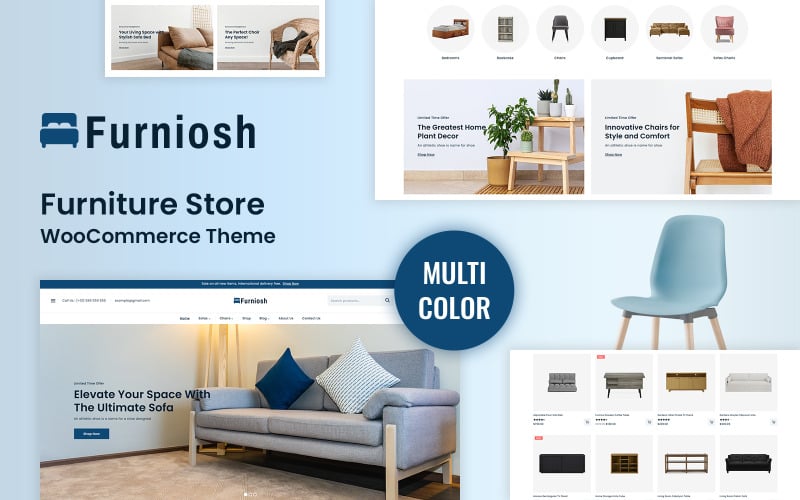
| Furniosh | Modern Living Room Sets | Elementor | Spacious lookbook grids & quick view | View Theme |
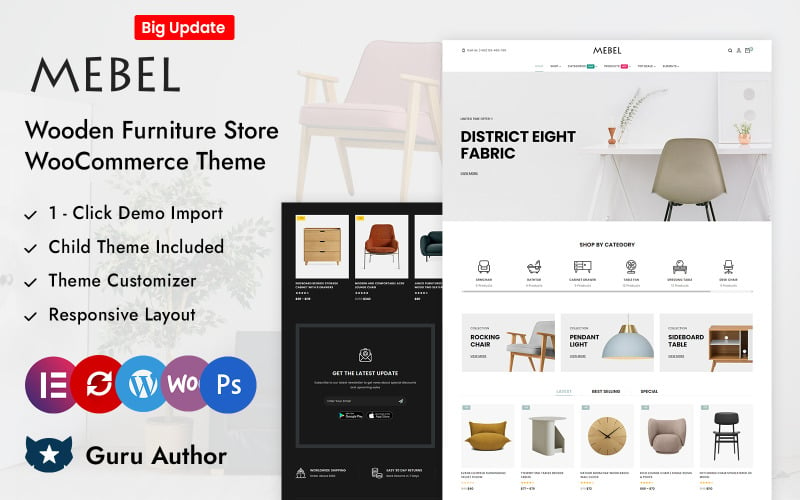
| Mebel | Handcrafted Solid Wood | Elementor | Wood grain texture swatches & dimension tabs | View Theme |
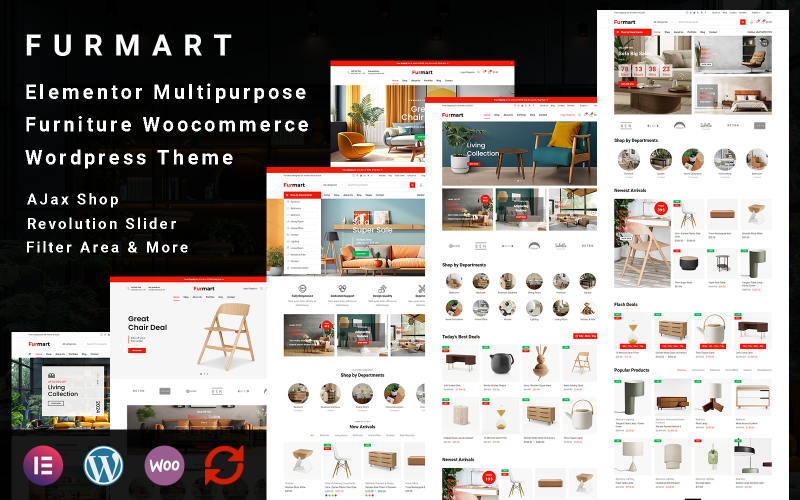
| FurMart | Departmental Furniture Megastores | Elementor | Multi-column mega menus & live AJAX search | View Theme |
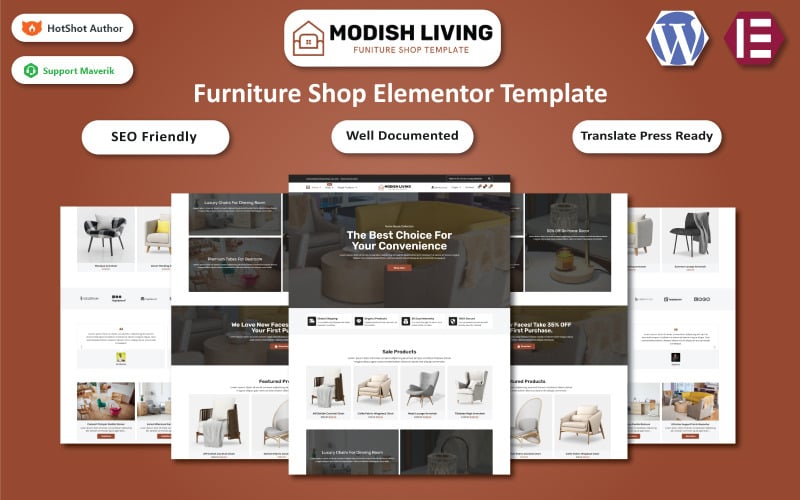
| Modish Living | Contemporary Home Goods | Elementor | Minimalist Scandinavian layouts & video tabs | View Theme |
| Lofttrum | Industrial Loft & Office Decor | Elementor | High-contrast styling & sticky checkout drawer | View Theme |
| Decora | Luxury Lighting & Boutique Interiors | Elementor | Elegant typography & promotional flash deals | View Theme |
| Woodelite | Artisanal Woodcraft & Custom Tables | Elementor | Custom dimension calculators & finish swatches | View Theme |
Detailed Reviews of the Best Furniture WooCommerce Themes
Furnishing retail requires sophisticated visual layouts capable of rendering room lookbooks, fabric swatches, and custom dimensional calculators. Below is our practitioner review of the top seven furniture themes evaluating design fidelity, speed, and mobile usability.
1. Furniosh – Modern Furniture Store WooCommerce WordPress Theme
Furniosh is an elegant Elementor WooCommerce theme engineered for contemporary furniture showrooms, minimalist sofa collections, and interior design studios. It features spacious lookbook galleries, responsive quick-view popups, and clean typographic hierarchies.
Furniosh emphasizes generous whitespace and curated room photography, creating an upscale boutique atmosphere. Its product grids direct shopper focus toward upholstery textures, stitching craftsmanship, and wood finishes.
In our functional evaluation, Furniosh delivered fast page rendering across mobile viewports. High-resolution sofa galleries load smoothly without triggering visual layout shifts or delaying scroll responsiveness.
The integrated quick-view modal allows shoppers to inspect sectional dimensions and fabric options without leaving the active category archive. This streamlined flow encourages multi-room browsing across collections.
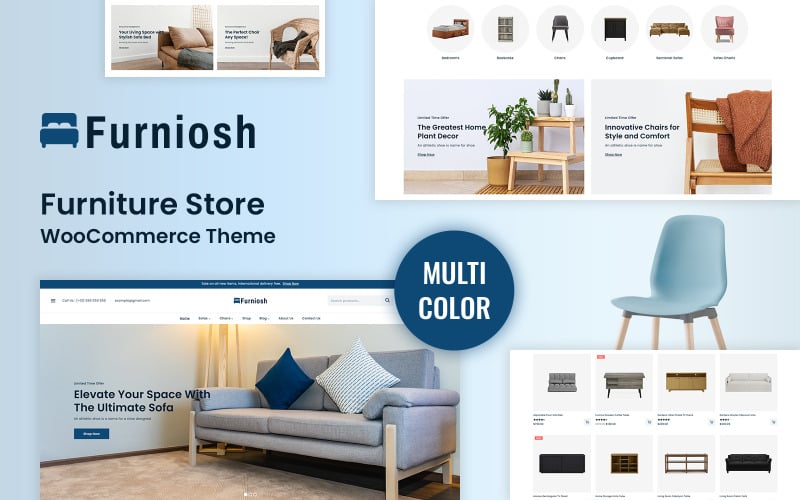
The primary capabilities of Furniosh are outlined below.
- Spacious visual lookbook grids tailored for modern living room and dining collections.
- Instant quick-view modal windows with direct fabric and dimension selection.
- Modular Elementor widgets for assembling seasonal interior design landing pages.
- Fully responsive framework ensuring flawless mobile phone presentation.
Pros:
- Clean, sophisticated aesthetic improve high-ticket furniture brand authority.
- Intuitive quick-view popups reduce catalog navigation friction for shoppers.
- Lightweight code foundation delivers fast initial page render speeds.
Cons:
- Offers fewer built-in B2B wholesale features for commercial contract furnishers.
- Requires high-quality room photography to maintain design sophistication.
2. Mebel – Wooden Furniture Store Elementor WooCommerce Responsive Theme
Mebel is an artisanal solid wood furniture WooCommerce theme powered by Elementor. It specializes in dining tables, hardwood cabinetry, and custom carpentry studios, featuring realistic wood grain variation swatches and detailed dimensional schematics.
Mebel captures a warm, natural aesthetic with earthy tones and refined serif typography. Its product pages are tailored to showcase wood species, such as American walnut, white oak, and teak, with high-definition finish swatches.
During our usability trials, the dimensional specification tabs provided excellent clarity. Shoppers can inspect exact table lengths, seating clearances, and weight tolerances right beside the purchase trigger.
The theme includes dedicated care instruction tabs that explain wood oiling schedules and humidity guidelines. Providing post-purchase guidance reassures customers regarding product longevity and durability.
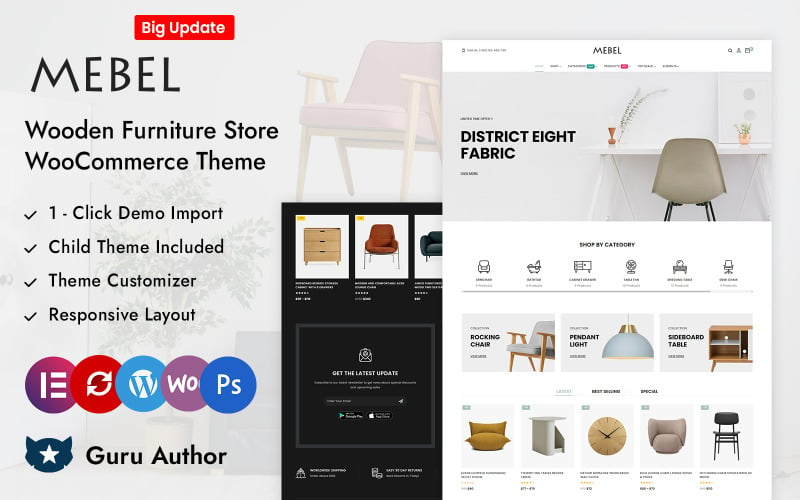
The standout technical assets of Mebel are summarized below.
- Realistic wood species and stain variation swatches on product pages.
- Detailed dimensional schematics and seating capacity guides.
- Dedicated product tabs for wood maintenance and care instructions.
- Elementor theme builder integration for custom archive and single product designs.
Pros:
- Tailor-made for handcrafted wooden furniture and custom carpentry studios.
- Clear data tables present dining table dimensions and seating capacities cleanly.
- Rich imagery framing showcases natural wood grain textures beautifully.
Cons:
- Rustic aesthetic may require adjustment for modern chrome and glass furniture stores.
- High-resolution texture swatches require image compression to protect site speed.
3. FurMart – Elementor Multipurpose Furniture WooCommerce WordPress Theme
FurMart is a comprehensive multipurpose furniture WooCommerce theme built for extensive home decor megastores, department retailers, and multi-category furniture outlets. It features multi-column mega menus, live AJAX search, and dense catalog grids.
FurMart is architected to handle large product catalogs spanning bedroom sets, office furniture, lighting, and textiles. Its multi-column mega menus organize extensive room categories cleanly while highlighting seasonal promotions.
Our stress testing confirmed that FurMart maintains fast response times even with thousands of home decor SKUs. Shoppers can search for specific chair styles or brand collections using predictive auto-complete search.
The theme provides robust multi-category catalog filtering. Customers can narrow down furniture by material, room type, color, and price tier without triggering full page reloads.
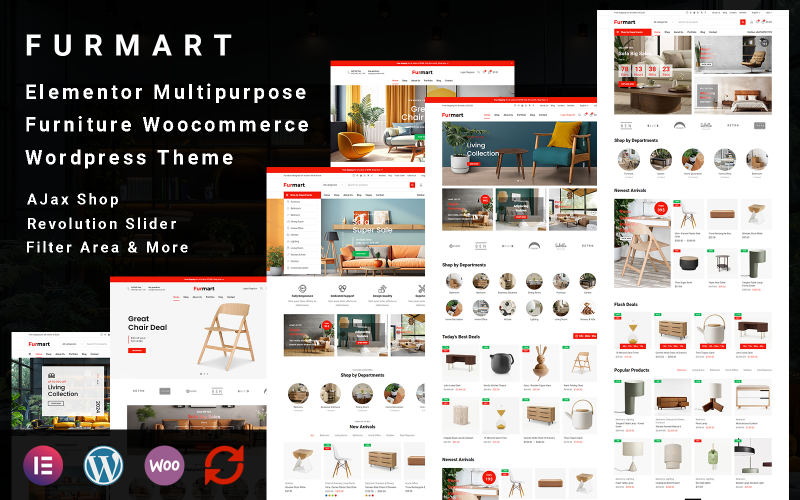
The primary technical features of FurMart are listed below.
- Multi-column mega navigation menus supporting extensive furniture taxonomies.
- Predictive AJAX search bar delivering real-time thumbnail suggestions and pricing.
- Faceted catalog filtering for furniture materials, room types, and dimensions.
- Dense multi-column product grids engineered for high-SKU catalog archives.
Pros:
- Exceptional taxonomy capacity capable of managing full-scale furniture department stores.
- Fast predictive search accelerates product discovery for model-specific shoppers.
- Faceted filtering allows customers to isolate matching furniture quickly.
Cons:
- Dense catalog layouts require consistent product photography across all categories.
- Can feel crowded for boutique studios with fewer than fifty total products.
4. Modish Living – Furniture & Home Goods WooCommerce Elementor Template
Modish Living is a Scandinavian-inspired WooCommerce theme designed for contemporary home decor boutiques, minimalist lighting studios, and textile retailers. It features video demonstration blocks, customer review carousels, and lookbook tagging.
Modish Living balances minimalist Nordic aesthetics with practical e-commerce utilities. Its layout utilize subtle pastel tones and clean lines, framing ceramics, lounge chairs, and ambient lighting in an inspiring editorial context.
In our functional testing, the embedded video demonstration containers added substantial value to single product pages. Retailers can showcase furniture assembly guides or styling ideas directly beside the add-to-cart button.
The theme includes interactive lookbook tagging features that let shoppers click specific decor items within a styled room photograph. This visual discovery encourages multi-item basket additions across coordinated collections.
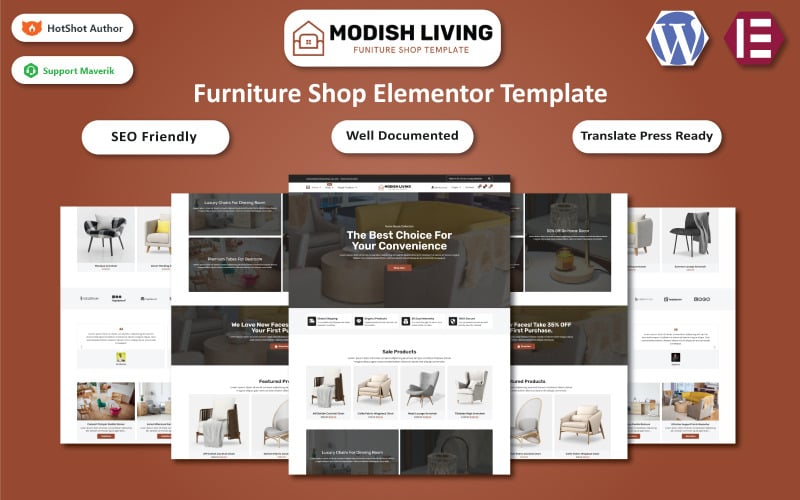
The core specifications of Modish Living are detailed below.
- Interactive lookbook tagging allowing direct purchasing from styled room photos.
- Embedded video containers for furniture assembly and craftsmanship demonstrations.
- Curated customer review carousels with verified buyer photo uploads.
- Clean responsive grid systems adapting automatically to any viewport resolution.
Pros:
- Exceptional storytelling and lookbook tools for boutique home decor brands.
- Interactive room tagging significantly increases average order basket sizes.
- Fluid touch gestures make mobile room browsing comfortable on smartphones.
Cons:
- Requires styled lifestyle photography to take full advantage of lookbook features.
- Video embeds require compression to avoid slowing initial page load times.
5. Lofttrum – Furniture Online Shop Elementor WooCommerce Theme
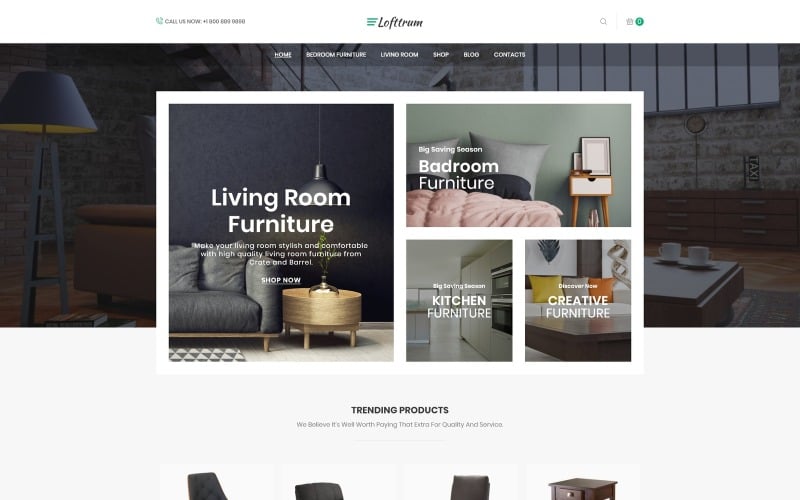
Lofttrum is an industrial loft and urban furniture WooCommerce theme engineered for reclaimed wood tables, steel-frame shelving, and modern office furniture. It features dark industrial styling, sticky checkout bars, and robust dimensional specification tabs.
Lofttrum establishes a rugged, architectural atmosphere combining dark charcoal backgrounds with exposed metal accents. Its layouts showcase raw industrial furniture finishes, such as distressed leather, cast iron, and reclaimed pine, with striking contrast.
In our usability trials, the persistent sticky add-to-cart bar significantly improved mobile conversion rates. Shoppers scrolling through extensive wood finish specifications retain instant access to configuration options and purchase triggers.
The theme provides dedicated delivery and freight calculation tabs on single product pages. Letting buyers review curb-side freight versus white-glove inside delivery options eliminates unexpected checkout fees.
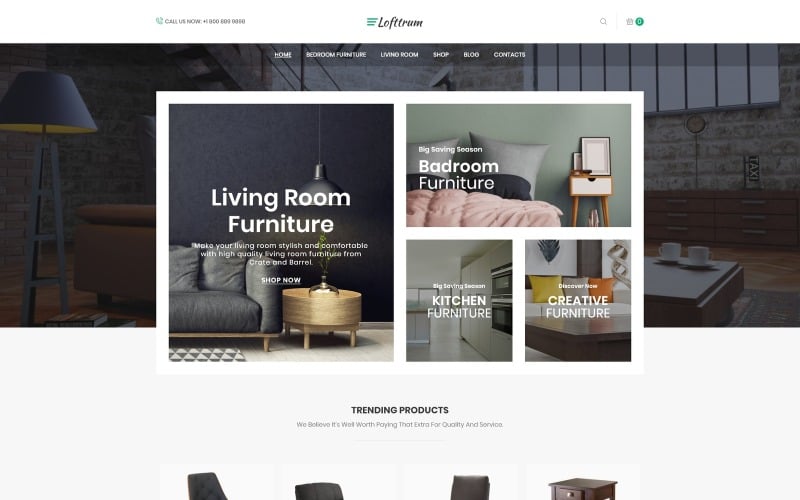
The standout technical assets of Lofttrum are summarized below.
- Industrial dark-accented visual hierarchy tailored for urban and loft furnishings.
- Persistent sticky add-to-cart navigation bar for mobile and desktop viewports.
- Dedicated freight shipping tabs detailing curb-side and white-glove options.
- Comprehensive Elementor theme builder integration for custom archive templates.
Pros:
- Distinctive industrial design creates immediate architectural credibility.
- Sticky cart controls eliminate navigation friction during long spec reviews.
- Freight shipping transparency reduces cart abandonment on oversized items.
Cons:
- Dark palette may not align with traditional country cottage decor brands.
- Fewer default demo templates compared to large multipurpose competitors.
6. Decora – Furniture Store WooCommerce WordPress Theme
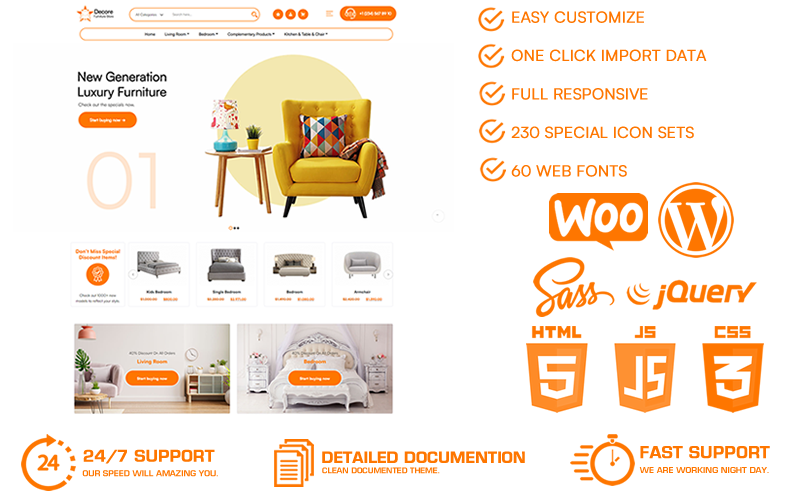
Decora is a luxury furniture and lighting WooCommerce theme engineered for high-end boutique interior studios, chandeliers, and bespoke home decor brands. It features refined serif typography, promotional deal countdowns, and smooth product showcase sliders.
Decora delivers a polished, high-fashion aesthetic that appeals to discerning luxury furniture buyers. Its layout is structured to highlight intricate craftsmanship details, marble tabletops, and hand-woven upholstery fabrics.
Our review identified the promotional countdown modules as an effective asset for seasonal designer sales. Showroom operators can highlight limited-edition designer floor samples with real-time stock counters.
The theme includes responsive touch-friendly product sliders that display coordinated decor accents effortlessly. Shoppers can swipe through matching throw pillows, rugs, and side tables with smooth mobile gesture responsiveness.
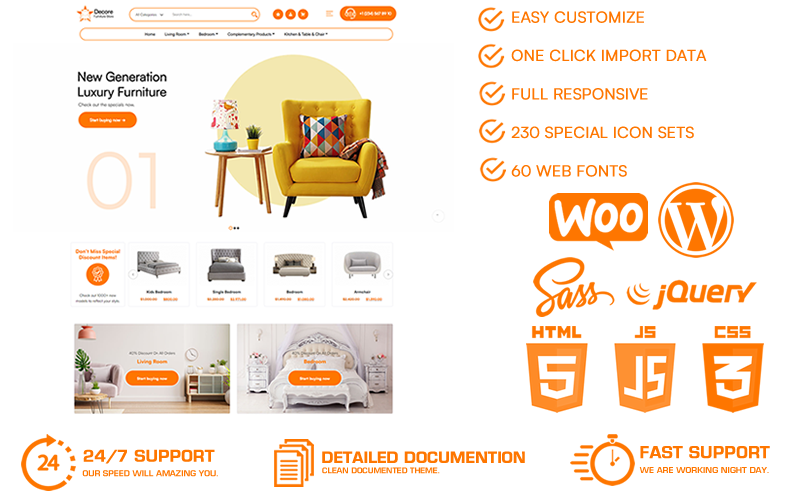
The key capabilities of Decora are detailed below.
- Luxury boutique aesthetic tailored for high-end interior furnishings and lighting.
- Promotional countdown banners for seasonal showroom sample clearance events.
- Smooth touch-gesture product carousels for easy mobile room browsing.
- Custom Elementor widgets for interior designer consultation booking forms.
Pros:
- Sophisticated luxury styling perfectly suited for premium designer furniture.
- Promotional clearance tools accelerate inventory turnover on floor models.
- Clean responsive layouts adapt effortlessly across tablets and smartphones.
Cons:
- High-end aesthetic requires professional, studio-grade product photography.
- Less suited for discount warehouse furniture stores with utilitarian catalogs.
7. Woodelite WooCommerce Responsive Furniture and Home Decor Theme
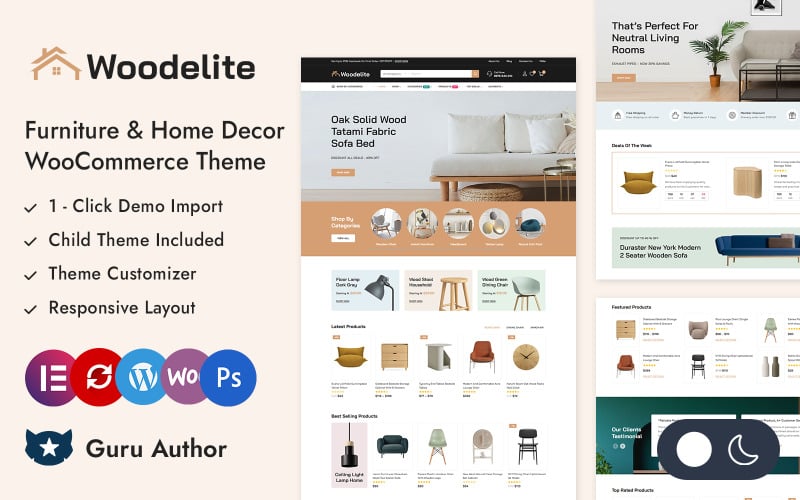
Woodelite is an artisanal woodworking and custom home decor WooCommerce theme built for furniture workshops, custom cabinetry makers, and rustic interior shops. It features wood finish swatches, custom dimension calculators, and responsive product filtering.
Woodelite emphasizes natural textures, sustainable forest certifications, and custom craftsmanship options. Its single product templates allow buyers to select custom table dimensions and edge profiles with real-time price updates.
In our functional trials, the custom dimension calculation logic operated smoothly. Shoppers can configure custom dining table lengths and select matching bench options without triggering full page reloads.
The theme provides responsive mobile layouts with thumb-friendly touch targets. Customers browsing custom cabinetry options from smartphones can review wood samples and place custom quote inquiries with ease.
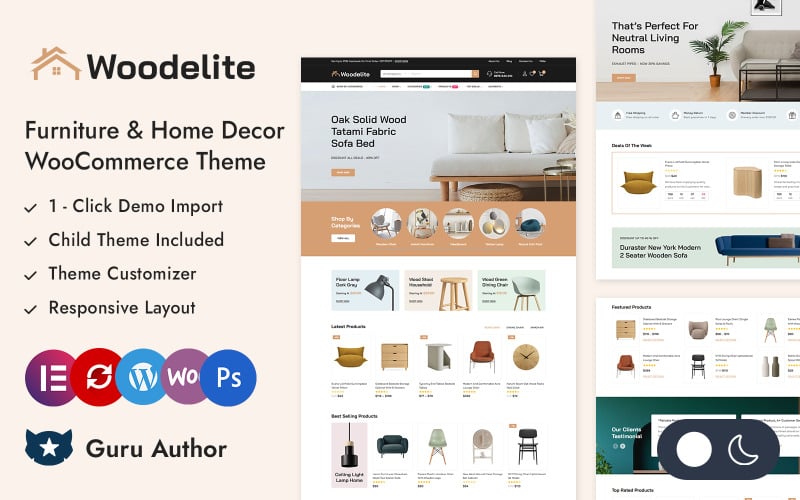
The standout technical assets of Woodelite are listed below.
- Custom dimension pricing calculators for bespoke wooden furniture configuration.
- Interactive wood finish and surface stain variation swatch selectors.
- Faceted AJAX catalog sorting for rapid room category and wood species discovery.
- Seamless Elementor theme builder integration for custom archive and header designs.
Pros:
- Custom dimension calculation tools cater perfectly to bespoke furniture workshops.
- Authentic craftsmanship aesthetic builds trust for made-to-order furnishings.
- Smooth mobile touch controls make handheld furniture configuration effortless.
Cons:
- Custom dimension plugins require attribute configuration during initial store setup.
- Less suited for mass-produced flat-pack furniture retail operations.
Factors to Consider When Choosing Furniture WooCommerce Themes
Selecting a furniture WooCommerce theme requires evaluating image resolution capabilities, dimensional specification tables, freight delivery integration, and mobile responsiveness. Furniture purchases involve high order values and careful spatial planning by buyers.
Responsive Layout and Room Staging Displays
Furniture shoppers expect to visualize how tables, sofas, and lamps fit into complete room arrangements. Themes must provide responsive full-width banner containers and lookbook galleries that render room arrangements without visual cropping across viewports.
Editorial room lookbooks inspire customers and encourage multi-item purchases across coordinated collections.
Select themes that provide flexible grid systems to present both individual product cards and complete styled room arrangements.
WooCommerce Compatibility and Freight Shipping Calculators
Oversized furniture items require freight carrier shipping calculations and white-glove delivery scheduling during checkout. Clean template overrides ensure that freight estimation calculators and delivery calendar pickers render cleanly without layout conflicts.
Unexpected shipping costs at checkout represent the primary driver of cart abandonment for large furniture orders.
Verify that your theme supports popular freight shipping plugins before committing to a final production template.
Elementor Support and Visual Customizer Controls
Visual page builders like Elementor allow showroom managers to update seasonal floor collections and promotional banners without coding. Modular widget frameworks provide complete design freedom over header layouts, archive grids, and product single templates.
Seasonal furniture collection unveilings demand fast landing page construction without custom development overhead.
Themes with extensive Elementor integrations simplify updating promotional banners, lookbook grids, and designer spotlight features.
Speed Optimization and Core Web Vitals
Fast page rendering prevents customer drop-offs when shoppers browse through large high-resolution furniture galleries. Clean HTML5 codebases, native lazy-loading, and minimized JavaScript execution ensure your store satisfies Google Core Web Vitals thresholds.
Slow page performance damages customer perception of brand quality and lowers organic search engine rankings.
Choose lightweight themes built with clean code to maintain high search visibility and smooth customer browsing.
Product Filtering and Material Swatch Controls
Furniture buyers need to filter products by upholstery fabric, wood finish, seating capacity, and room dimensions simultaneously. High-converting themes provide faceted AJAX filtering and clickable color swatch pickers directly on category archives.
Visual fabric swatches help customers compare linen, velvet, and leather options without opening multiple tabs.
Ensure your chosen theme supports interactive attribute swatches natively or integrates cleanly with swatch extensions.
Mobile Readiness and Touch Ergonomics
Over sixty percent of home decor and furniture research occurs on mobile smartphones during home renovation planning. A mobile-optimized furniture theme must feature accessible touch targets, pinch-to-zoom galleries, and persistent sticky cart drawers.
High-resolution pinch-to-zoom allows mobile shoppers to inspect upholstery weave patterns and wood joinery details closely.
Persistent sticky checkout controls ensure that mobile shoppers can complete transactions with minimal upward scrolling.
SEO Performance and Schema Markup
Furniture shoppers search using specific queries including sofa dimensions, wood species, and interior design styles. Semantic HTML markup and structured Schema.org product data help Google index your catalog accurately for rich search results.
Displaying pricing, availability, and customer review star ratings in search snippets attracts qualified buyers directly.
Prioritize themes with native schema markup support and lightweight script foundations to maximize organic search engine visibility.
Frequently Asked Questions About Furniture WooCommerce Themes
Deploying an online furniture storefront introduces operational questions regarding mobile speeds, product configurators, multilingual translation, and custom-made furniture displays. Below are direct answers addressing the most common questions merchants ask.
Which Theme Offers the Fastest Mobile Browsing Experience?
Furniosh and Lofttrum provide the fastest mobile browsing experiences thanks to streamlined codebases and lightweight CSS architectures. Their optimized mobile layouts load high-resolution furniture photography rapidly without triggering Cumulative Layout Shift or main-thread freezing.
Fast mobile loading ensures smooth catalog scrolling and protects mobile checkout conversion rates.
Can These Themes Integrate With Furniture Product Configurators?
Yes, all featured furniture themes maintain clean compatibility with WooCommerce product configurator plugins and dynamic swatch add-ons. This allows customers to customize upholstery fabrics, wood stains, and modular sectional arrangements with real-time price updates.
Interactive 3D configurators help buyers personalize furniture and significantly reduce product return rates.
Do These Themes Support Multilingual Furniture Stores?
All seven reviewed themes provide complete translation readiness and compatibility with leading multilingual plugins like WPML, Polylang, and TranslatePress. This enables furniture retailers to present dimensions, fabric descriptions, and checkout flows in multiple languages effortlessly.
Serving international interior designers in their native languages expands cross-border commercial sales.
Which Theme Is Best for Showcasing Custom-Made Furniture?
Woodelite and Mebel are specifically engineered for custom-made furniture workshops, featuring dedicated dimensional specification tables and custom quote request modules. These templates allow craftsmen to communicate wood sourcing, joinery techniques, and custom sizing options cleanly.
Transparent craftsmanship documentation reassures clients investing in bespoke high-ticket wooden furniture.
Are These Themes Compatible With Popular Page Builders?
Every reviewed theme is built to work natively with Elementor, providing visual drag-and-drop customization across headers, archives, and single product templates. They also maintain full compatibility with the WordPress block editor and standard customizer settings.
Visual page builder compatibility gives store managers complete layout freedom without requiring custom code.
Final Recommendations for Furniture WooCommerce Themes
Selecting the best furniture WooCommerce theme depends on your brand identity, product catalog volume, and customization platform. For modern living room showrooms and boutique Scandinavian decor brands, Furniosh and Modish Living deliver spacious lookbook aesthetics and fast mobile performance.
If you operate a handcrafted solid wood workshop or bespoke carpentry studio, Mebel and Woodelite provide dedicated wood finish swatches and custom dimension calculators.
For large furniture department stores requiring multi-tiered mega navigation menus, FurMart and Lofttrum deliver unmatched catalog scalability and freight shipping transparency.
For more detailed e-commerce comparisons, explore our guide to the best WooCommerce themes and our analysis of the fastest e-commerce themes to maximize your furniture store revenue.

Abdullah Prem is the founder of EcommerceThemes.org and BloggersNeed.com. He specializes in reviewing Shopify themes, WooCommerce themes, WordPress themes, hosting, plugins, and SaaS tools. Through EcommerceThemes.org, he publishes in-depth theme reviews, product comparisons, buying guides, and performance analyses to help ecommerce businesses choose the right theme based on speed, SEO, customization, user experience, and overall value. His goal is to provide research-driven recommendations that help store owners make informed decisions when selecting an ecommerce theme.