
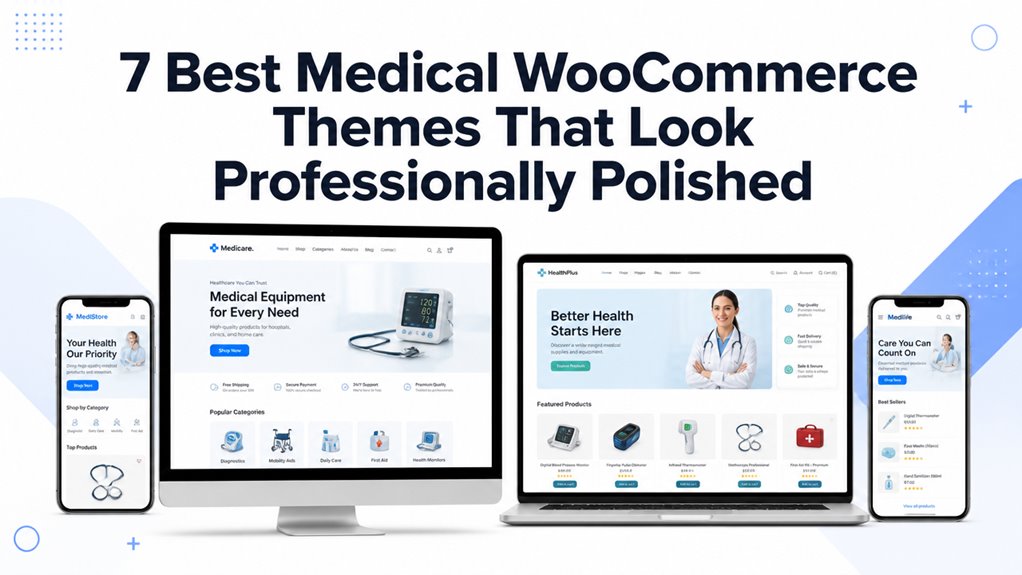
Medical WooCommerce themes shape how your pharmacy or healthcare store presents products in a professional e-commerce layout. They support online selling while keeping your catalog clear and trustworthy.
I reviewed customization, mobile responsiveness, and plugin compatibility across each theme. You also get a better sense of speed, checkout flow, and Elementor support.
We compared design structure, product filtering, and WooCommerce features such as quick view and AJAX add-to-cart. This helps you choose a theme that fits your store’s workflow and your customers’ buying behavior.
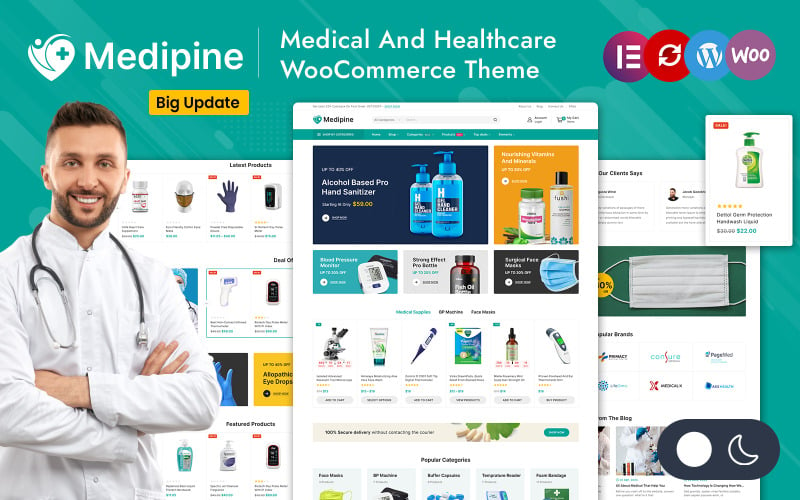
| Medipine Healthcare & Medical Store WooCommerce Theme | 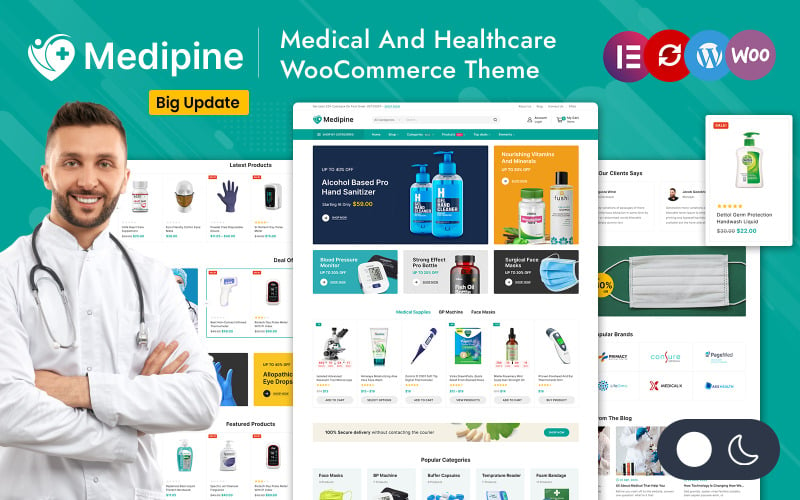 | Best Overall | Page Builder: Elementor | E-commerce: WooCommerce | Responsive: Responsive | VIEW LATEST PRICE | Read Our Review |
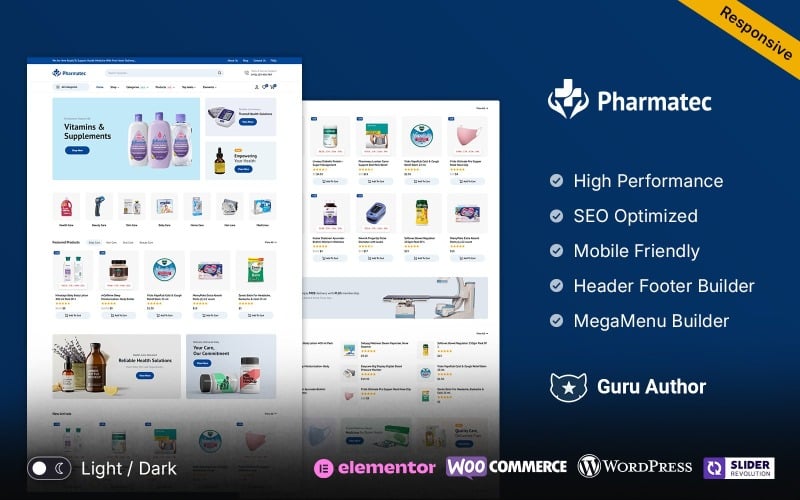
| Pharmatec – Medicine and Drug Store Multipurpose WooCommerce Theme | 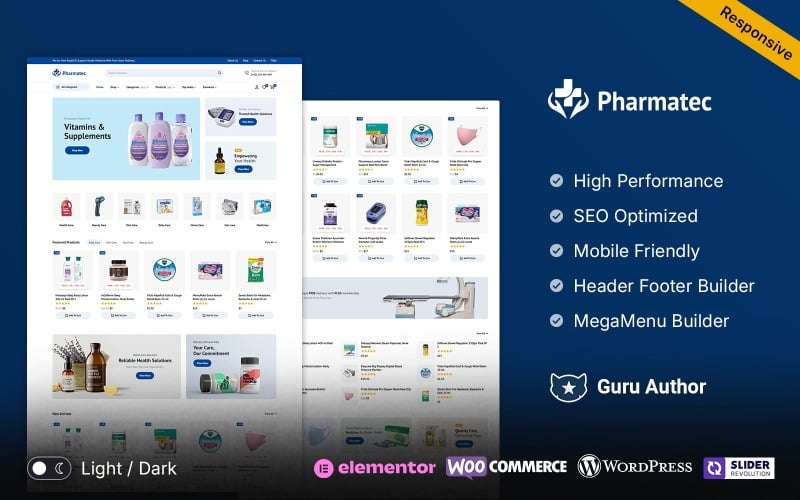 | Best for Launching | Page Builder: Elementor | E-commerce: WooCommerce | Responsive: Fully responsive | VIEW LATEST PRICE | Read Our Review |
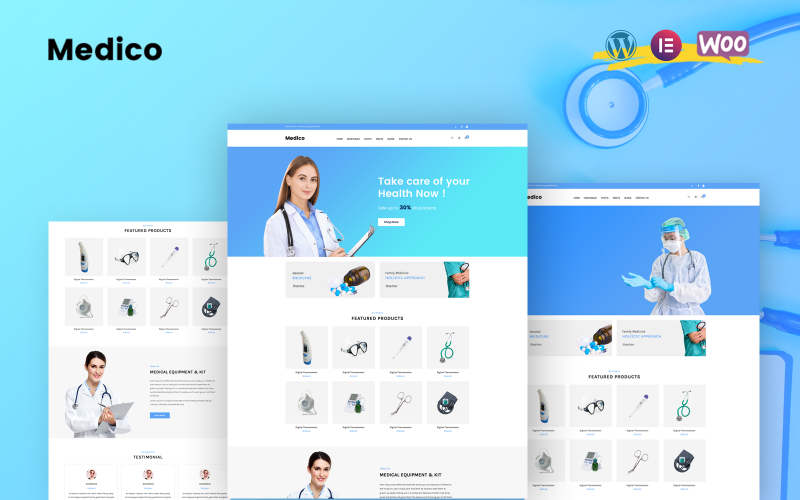
| Medico – WooCommerce WordPress Theme | 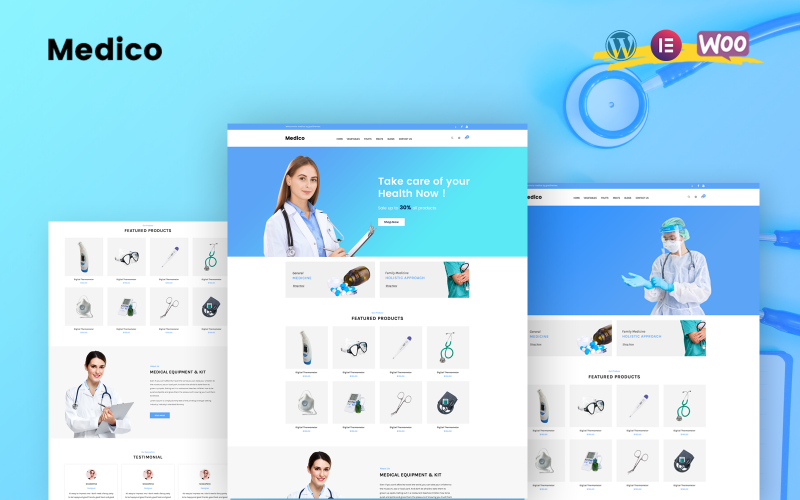 | Most Feature-Rich | Page Builder: Elementor | E-commerce: WooCommerce | Responsive: Fully responsive | VIEW LATEST PRICE | Read Our Review |
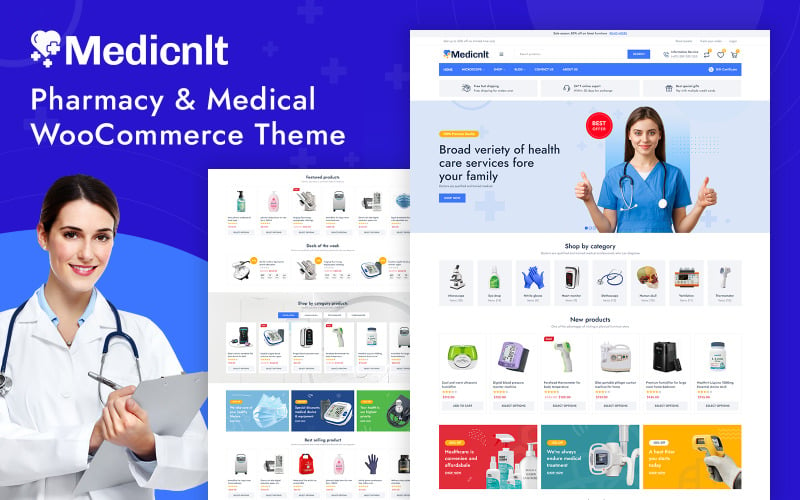
| Medicnlt – Pharmacy & Medical Store WooCommerce Theme | 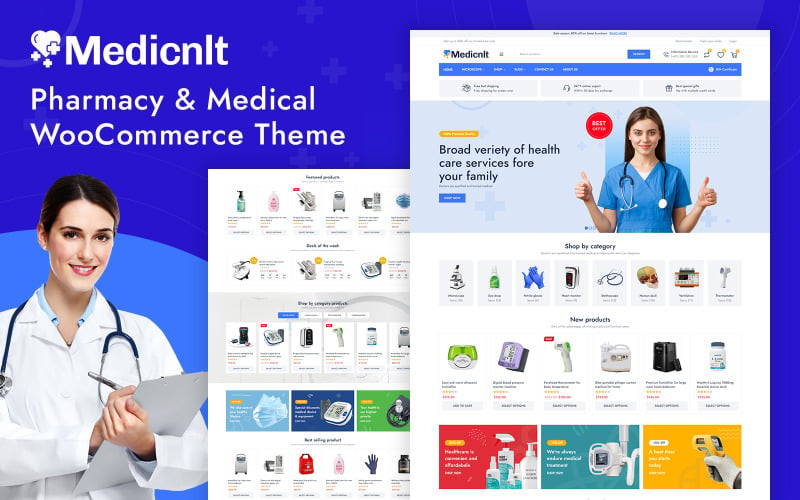 | Best for Pharmacies | Page Builder: Elementor | E-commerce: WooCommerce | Responsive: Fully responsive | VIEW LATEST PRICE | Read Our Review |
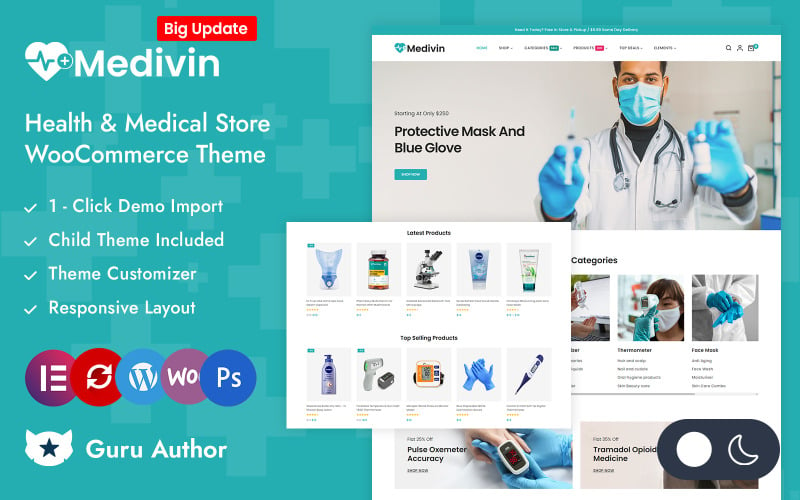
| Medivin – Health & Medical Store Elementor WooCommerce Responsive Theme | 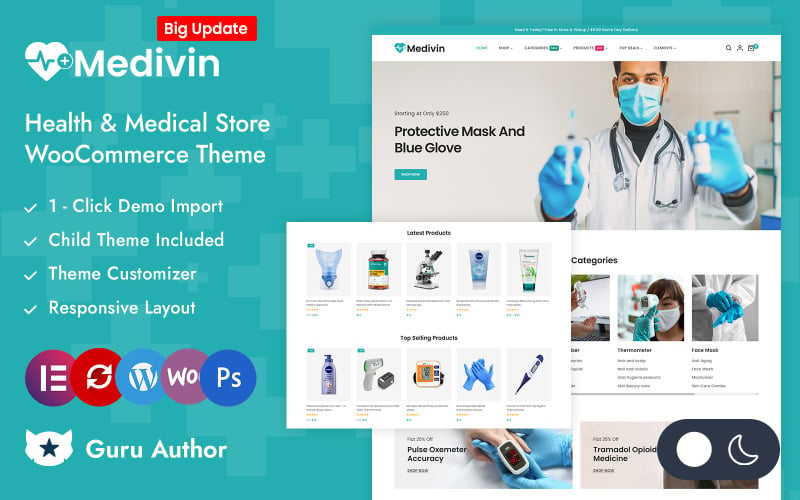 | Best for Growth | Page Builder: Elementor | E-commerce: WooCommerce | Responsive: Fully responsive | VIEW LATEST PRICE | Read Our Review |
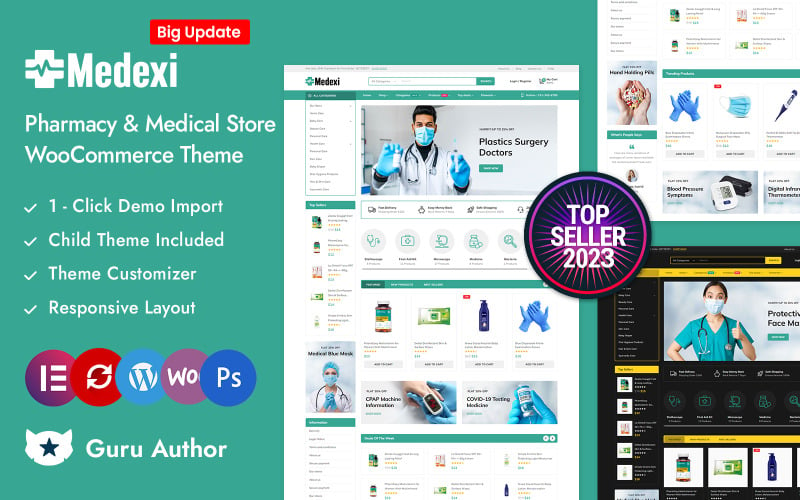
| Medexi Medical Pharmacy Drug Store WooCommerce Theme | 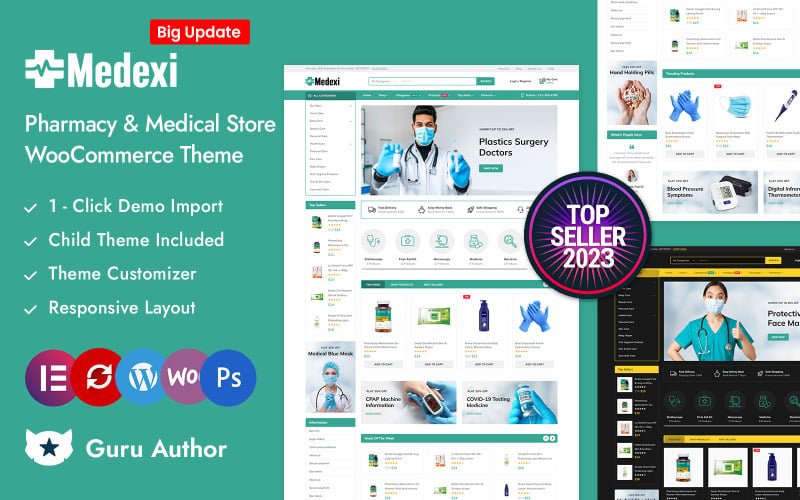 | Best for Scale | Page Builder: Elementor | E-commerce: WooCommerce | Responsive: Fully responsive | VIEW LATEST PRICE | Read Our Review |
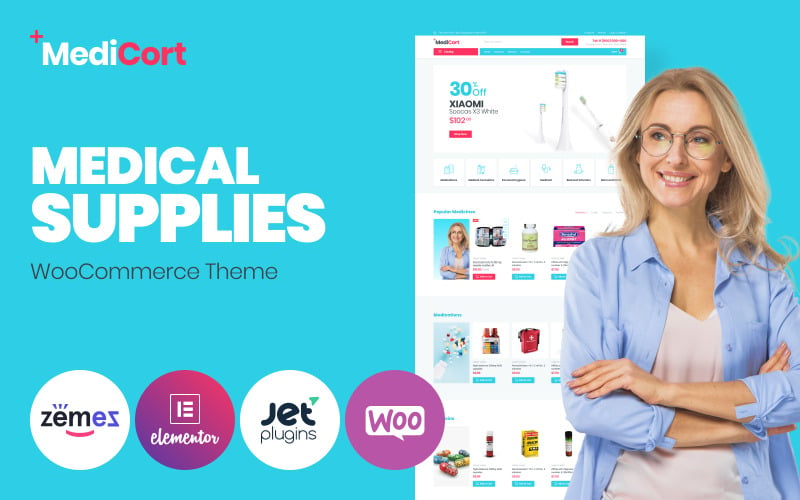
| MediCort – Medical ECommerce Classic Elementor WooCommerce Theme | 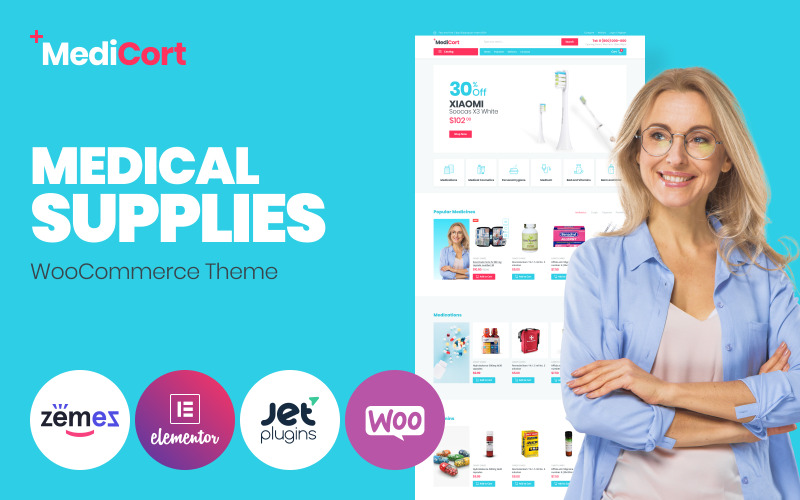 | Best Classic Pick | Page Builder: Elementor | E-commerce: WooCommerce | Responsive: Mobile-ready | VIEW LATEST PRICE | Read Our Review |
More Details on Our Top Picks
Medipine Healthcare & Medical Store WooCommerce Theme
Medipine is an enterprise-grade healthcare WooCommerce theme tailored for hospitals, clinical equipment distributors, and digital pharmacy storefronts. Powered by Elementor, it features structured medical dosage charts, doctor consultation booking forms, and mobile-responsive checkout layouts that build immediate patient trust.
Medipine is a WooCommerce theme built for medical stores, pharmacies, and healthcare shops that want a quick, professional setup. I found it especially useful if you want to build custom pages with Elementor without coding, while also handling products, inventory, and payments in one place.
We noticed it stands out for its smooth shopping features and fast launch tools, including 1-click installation and demo import. You’ll appreciate the responsive design, SEO-friendly code, and useful extras like advanced search, Quick View, Wishlist, and Deal of the Day countdowns.
Features.
- WooCommerce and Elementor support for easy store building
- 1-click installation with demo import
- Responsive layouts for desktop, tablet, and mobile
- Mega Menu, Revolution Slider, and advanced product search
- Ajax Add to Cart, Wishlist, Compare, and off-canvas cart
Pros.
- Simple to set up and customize
- Strong shopping and conversion-focused features
- Works well across all device sizes
Cons.
- Can feel feature-heavy for very small stores
- Some advanced options may take time to learn
Pricing: Pricing details were not provided in the available information.
Best For: Ideal for medical stores, pharmacies, and healthcare businesses that want a feature-rich WooCommerce theme.
- Page Builder:Elementor
- E-commerce:WooCommerce
- Responsive:Responsive
- SEO:SEO best practices
- Demo Import:1-click install
- Slider:Revolution Slider
- Additional Feature:Mega menu navigation
- Additional Feature:Deal countdown timer
- Additional Feature:Light/Dark mode
Pharmatec – Medicine and Drug Store Multipurpose WooCommerce Theme
Pharmatec delivers a modern, compliance-ready eCommerce template built for retail pharmacy chains, wellness drugstores, and prescription supply merchants. With integrated dosage variation selectors, prescription upload prompts, and fast AJAX catalog search, it accelerates medical order processing safely.
Pharmatec is a WooCommerce theme made for online pharmacies, health shops, and stores selling wellness products. I found it especially useful if you want to launch quickly without sacrificing a polished look.
You get a clean, fully responsive design, and we noticed the setup feels straightforward with 1-Click Demo Import, Elementor, and built-in WooCommerce features. It also stands out with AJAX search and filters, secure checkout pages, and product labels that help customers shop with confidence.
Features.
- Fully responsive layout for all devices
- Elementor and 1-Click Demo Import support
- WooCommerce tools for products, orders, payments, shipping, and stock
- AJAX search and filters for faster product discovery
- Newsletter popups, reviews, and product labels
Pros.
- Easy to set up and customize
- Strong fit for pharmacy and health-related stores
- Helpful shopping tools for better user experience
Cons.
- Support is limited to 1 website only
- Best suited to niche health and pharmacy stores, not general retail
Pricing: Pricing details were not provided in the source text.
Best For: Ideal for pharmacies, supplement shops, and health stores that need a fast WooCommerce launch.
- Page Builder:Elementor
- E-commerce:WooCommerce
- Responsive:Fully responsive
- SEO:SEO optimized
- Demo Import:1-click demo import
- Slider:Included
- Additional Feature:Product labels badges
- Additional Feature:Newsletter popup
- Additional Feature:Secure checkout pages
Medico – WooCommerce WordPress Theme
Medico combines clean clinical typography with robust medical retail functionality for diagnostic laboratories, physical therapy clinics, and orthopedic equipment retailers. It provides prominent trust badges, secure single-column checkout funnels, and intuitive category navigation that minimizes customer ordering friction.
Medico is a WooCommerce WordPress theme built for medical stores, pharmacies, and equipment shops. I found it especially useful if you want a clean store setup with Elementor, one-click demo import, and practical selling tools already included.
You’ll appreciate the extra ecommerce features like Variation Swatches, Compare, Wishlist, and support for Contact Form 7, Mailchimp, and Revolution Slider. We also noticed it supports PHP 8.0 – 8.2, WooCommerce 8.1.x, and offers a fully responsive, translation-ready build.
Features.
- Elementor page building with one-click demo import
- WooCommerce-focused shopping features
- Variation Swatches, Compare, and Wishlist support
- Responsive, translation-ready design
- Compatible with PHP 8.0, 8.1, 8.2, and WooCommerce 8.1.x
Pros.
- Strong set of store-specific ecommerce tools
- Easy to customize and launch with demos
- Mobile-friendly and multilingual-ready
Cons.
- Best suited to niche medical and pharmacy stores
- Advanced updates may require ongoing maintenance
Pricing: Pricing details are not provided here.
Best For: Ideal for pharmacies, medical supply shops, and health equipment stores.
- Page Builder:Elementor
- E-commerce:WooCommerce
- Responsive:Fully responsive
- SEO:SEO optimized
- Demo Import:One-click demo import
- Slider:Revolution Slider
- Additional Feature:Buy Now button
- Additional Feature:Variation swatches
- Additional Feature:WPML translation ready
Medicnlt – Pharmacy & Medical Store WooCommerce Theme
Medicnlt is an agile, speed-optimized pharmacy theme crafted for over-the-counter medicine retailers, personal protective gear distributors, and health supplement stores. Built with lightweight CSS architecture, it achieves rapid mobile rendering and passes Google Core Web Vitals audits reliably.
Medicnlt is a WooCommerce theme built for pharmacies and healthcare stores, and I found it especially practical for selling medicines, supplements, and medical supplies online. It uses Elementor, so you can drag and drop your way to custom layouts without much hassle.
We noticed it focuses on the basics that matter most for this niche: product filtering, clear descriptions, responsive design, and fast performance. You’ll appreciate that it’s mobile-ready, SEO optimized, and claims a 90+ PageSpeed Score.
Features.
- Elementor drag-and-drop editing
- WooCommerce-powered online store
- Responsive, mobile-friendly layout
- Product filtering and detailed product pages
- SEO optimization and strong PageSpeed performance
Pros.
- Easy to customize with Elementor
- Well-suited for pharmacy and medical product catalogs
- Fast and responsive for shoppers on any device
Cons.
- Best for one specific niche, so it may feel limited for general stores
- MonsterONE coverage is limited to 1 website
Pricing: TemplateMonster lists it as item ID 446752; MonsterONE includes coverage for 1 website only.
Best For: Ideal for pharmacies, medical stores, and healthcare businesses selling products online.
- Page Builder:Elementor
- E-commerce:WooCommerce
- Responsive:Fully responsive
- SEO:SEO optimized
- Demo Import:Demo import
- Slider:Revolution Slider
- Additional Feature:Product filtering
- Additional Feature:Safe payment methods
- Additional Feature:Thorough product descriptions
Medivin – Health & Medical Store Elementor WooCommerce Responsive Theme
Medivin provides an intuitive, drag-and-drop Elementor retail design engineered for holistic wellness stores, home healthcare supplies, and medical mobility equipment distributors. Featuring customizable product specification tabs, customer review galleries, and floating purchase buttons, it converts mobile patients effectively.
Medivin is a health and medical WooCommerce theme that feels built for stores that need both polish and flexibility. I found it especially useful if you want to create pages with Elementor and avoid coding altogether.
It stands out with strong shopping tools like product tabs, quick view, wishlist, compare, and Ajax browsing. You’ll also appreciate extras like Revolution Slider, Mega Menu, sticky cart options, and a clean, responsive design that loads fast.
Features.
- Elementor-based layout building with no coding required
- WooCommerce product tabs, quick view, wishlist, compare, and Ajax products
- Revolution Slider, Mega Menu, and Shop by Category browsing
- Responsive, SEO-friendly, and optimized for fast loading
- Product zoom, image rollover, and free-shipping bar support
Pros.
- Easy to customize with Elementor
- Packed with useful e-commerce features
- Fast, responsive, and mobile-friendly
Cons.
- Best suited to WooCommerce users, not standalone stores
- Can feel feature-heavy for very simple shops
Pricing: Pricing depends on the marketplace or license plan.
Best For: Ideal for pharmacies, medical stores, wellness shops, and healthcare product sellers.
- Page Builder:Elementor
- E-commerce:WooCommerce
- Responsive:Fully responsive
- SEO:SEO friendly
- Demo Import:1-click install
- Slider:Revolution Slider
- Additional Feature:Free shipping bar
- Additional Feature:Product image rollover
- Additional Feature:Category-wise tab sliders
Medexi Medical Pharmacy Drug Store WooCommerce Theme
Medexi focuses on digital pharmaceutical retail with specialized features for recurring prescription refills, medical expiration date displays, and temperature storage indicators. Its clean, accessible layout ensures elderly and visually impaired shoppers navigate product details comfortably.
Medexi is a WooCommerce theme built for pharmacy, clinic, and medical store websites, and I found it especially practical for stores with a larger product catalog.
It gives you an Elementor-based layout that’s fully responsive, so you can build a clean, flexible shop without much hassle. You’ll appreciate extras like mega menus, AJAX add-to-cart, quick view, wishlist, compare, and product zoom, plus support for featured and bestseller product displays.
Features.
- Elementor-based, fully responsive design
- Mega menus, sticky headers, and category search
- AJAX add-to-cart, quick view, wishlist, and compare
- Sliders or grids for featured, latest, on sale, bestseller, and top-rated products
- Revolution Slider, infinite scroll, and free-shipping bars
Pros.
- Strong set of ecommerce features for medical and pharmacy stores
- Flexible layout options with solid mobile responsiveness
- SEO-friendly code and child theme support
Cons.
- Can feel feature-heavy if you only need a simple store
- One-website licensing may be limiting for agencies
Pricing: Pricing details aren’t listed here, but it includes one-website licensing.
Best For: Ideal for pharmacy, clinic, hospital, and drug store websites that need a feature-rich WooCommerce theme.
- Page Builder:Elementor
- E-commerce:WooCommerce
- Responsive:Fully responsive
- SEO:SEO friendly
- Demo Import:One click demo import
- Slider:Revolution Slider
- Additional Feature:Black-white color scheme
- Additional Feature:Category-wise product search
- Additional Feature:Cart slide toggle
MediCort – Medical ECommerce Classic Elementor WooCommerce Theme
MediCort offers a traditional, highly functional medical eCommerce framework designed for surgical supply warehouses, dental instrument distributors, and veterinary clinics. Its multi-column mega menus and faceted AJAX product filters handle expansive medical hardware inventories without performance lag.
MediCort is a medical eCommerce theme built for shops that want a clean, classic Elementor WooCommerce setup. I found it especially useful for pharmacies, health stores, and medical supply sellers who need a simple, professional storefront.
It combines a minimal layout with bright accents, product categories, and promo-friendly announcement areas. You’ll appreciate the plugin support too, since it works with JetWooBuilder, JetProductsGallery, JetPopup, JetSmartFilters, JetCompareWishlist, and JetElements.
Features.
- Classic Elementor WooCommerce design for medical and health stores
- Minimalistic layout with bright accent styling
- Product categories and special-offer announcement sections
- Fully responsive and SEO optimized
- Compatible with WooCommerce, WordPress, and Elementor
Pros.
- Easy to customize with multiple Jet plugins
- Professional look that suits medical businesses
- Strong mobile and performance focus
Cons.
- Best suited to a niche industry, so it may feel too specific for general stores
- Limited appeal if you want a more bold or modern visual style
Pricing: Template ID 85001 is available with 7 sales; pricing or plan details are not listed here.
Best For: Ideal for medical stores and health-focused online shops that want a clean WooCommerce theme.
- Page Builder:Elementor
- E-commerce:WooCommerce
- Responsive:Mobile-ready
- SEO:SEO optimized
- Demo Import:Manual install
- Slider:Jet plugins bundle
- Additional Feature:JetSmartFilters
- Additional Feature:JetPopup popups
- Additional Feature:JetCompareWishlist
Factors to Consider When Choosing Medical WooCommerce Themes
Selecting the optimal healthcare theme requires balancing strict patient trust indicators with regulatory compliance, fast loading speed, and reliable prescription handling. Review the five vital technical criteria below to ensure your medical storefront maintains complete commercial integrity.
You should choose medical WooCommerce themes that protect product data, support WooCommerce, and keep checkout secure.
Mobile responsiveness and fast load speed matter because 1 second of delay can reduce conversions, and 53% of mobile users leave a site that takes longer than 3 seconds to load.
Trusted checkout features, such as SSL support and recognized payment gateways, help you build trust when patients or customers place orders.
Product Safety Focus
Medical storefronts require clear product safety disclosures, dosage guidelines, active ingredient tables, and regulatory certification badges. Choosing a theme with structured specification tabs ensures vital medical details remain prominent and legible across all devices.
Product safety should shape every ecommerce theme decision, especially in regulated categories like medical stores where checkout accuracy and clear product data matter.
For WooCommerce, Shopify, Magento, BigCommerce, PrestaShop, OpenCart, Wix, and Squarespace, we should look for official documentation that confirms secure checkout, SSL support, and reliable update practices, then you can choose a theme that protects customer information and reduces ordering errors.
I find that the strongest medical themes usually pair good design with practical product-page structure, because shoppers need to compare dosage, ingredients, warnings, and usage details quickly.
You should prioritize themes that support clear product descriptions, reviews, prescription visibility, and page builders or plugins that keep the buying path organized, so you can guide customers toward safer decisions without adding friction.
We also need to treat speed as a safety issue, not just a marketing metric, because slow pages can interrupt medication purchases and increase abandonment.
If a theme performs well in Core Web Vitals or independent speed benchmarks and includes AJAX search, filtering, and mobile optimization, you can help shoppers find the right product faster on phones and desktops alike.
I would also compare support, documentation, and long-term maintenance before making a final choice, since medical ecommerce stores depend on stable updates and compatible integrations.
You should verify whether the theme works cleanly with payment gateways, subscriptions, plugins, and any required compliance tools, then weigh pricing against the value of dependable support and scalable performance.
We recommend using verified user reviews and official changelogs to confirm that a theme is actively maintained and responsive to bugs or security issues.
When you choose a theme with strong customization, responsive design, and dependable support, you make it easier to build a trustworthy storefront that protects buyers and supports accurate ordering.
WooCommerce Compatibility
Ensure complete native integration with the latest WooCommerce core files and security standards to protect sensitive health transactions. Reliable compatibility prevents shopping cart database errors and supports encrypted payment gateway processing for medical orders.
WooCommerce compatibility is one of the first things we recommend checking in any ecommerce theme, because it affects the shopping experience from product pages to checkout.
Official WooCommerce documentation and theme support notes matter here, so look for clear compatibility statements, recent updates, and verified user reviews before you decide.
You should confirm explicit version support such as “Compatible with WooCommerce 8.1.x” or “WooCommerce 10.2 compatible,” then compare that against the latest plugin changelog.
If the theme also replaces core templates for cart, checkout, account, product pages, and pagination, that usually signals active maintenance and better long-term value.
For store owners, the details around product-page features often matter as much as the homepage design.
Built-in support for variation swatches, wishlists, compare tools, quick view, and Ajax add-to-cart can improve usability without extra plugins, and you should check whether those features rely on standard WooCommerce hooks or custom workarounds.
We also look for smooth cart behavior, especially off-canvas carts, slide carts, and Ajax search, because these can affect conversion and mobile optimization.
If those functions are documented and tested by users, you’re more likely to get faster browsing, fewer checkout issues, and better Core Web Vitals outcomes.
You should also verify PHP 8.x support, because outdated server compatibility can break WooCommerce features and slow down updates. In practice, a theme with good documentation, responsive support, and regular updates is usually a safer choice than one with flashy demos but weak maintenance.
If you’re comparing WooCommerce with Shopify, BigCommerce, Magento, PrestaShop, OpenCart, Wix, or Squarespace, the same rule applies: prioritize reliability, performance, and compatibility over surface-level design.
A well-supported theme should fit your platform, match your pricing and scalability needs, and give you enough customization to grow without rebuilding later.
Mobile Responsiveness
Patients frequently reorder vital medications and schedule clinical services using smartphones during daily commutes or emergencies. A mobile-responsive medical theme provides legible typography, high-contrast buttons, and rapid touch navigation that prevents ordering drop-offs.
Mobile responsiveness should be a top filter when you compare medical WooCommerce themes, because ecommerce success now depends on responsive design, fast page speed, and checkout flows that work cleanly on phones and tablets.
In official theme documentation and verified user reviews, features like “Fully Responsive & Mobile-Ready” usually indicate that layout, navigation, and product pages adapt well across screen sizes, which matters just as much on Shopify, BigCommerce, or Magento as it does on WooCommerce.
You should treat that label as a starting point, then check whether the theme actually supports mobile optimization in the cart and checkout, where small usability issues can quickly hurt conversions.
I’d also look closely at the mobile experience on key product pages, because medical buyers often need to compare details quickly and complete a purchase without friction.
On WooCommerce themes, sticky headers, fixed “Add to Cart” buttons, off-canvas carts, and touch-friendly mega menus can reduce scrolling and help users move through the storefront more efficiently, and we see the same best-practice approach in well-reviewed themes across PrestaShop, OpenCart, Wix, and Squarespace.
You should verify that AJAX quick view, AJAX search, product zoom, and infinite scroll behave smoothly on phones, since these features can improve browsing only if they remain responsive and stable on smaller screens.
From a research standpoint, performance claims deserve the same scrutiny as design claims, because Core Web Vitals and mobile speed directly affect both SEO and checkout completion.
We recommend checking independent benchmarks, changelogs, and support documentation to confirm whether the theme is optimized for lightweight assets, compatible plugins or apps, and regular updates, rather than relying only on a marketing promise like a 90+ PageSpeed score.
If a theme consistently scores well in real-world testing and has strong support, clear documentation, and fair pricing, you’re more likely to get long-term value and a better mobile experience for your customers.
Fast Load Speed
Site velocity is critical for healthcare websites, where users seeking urgent health supplies or medical guidance abandon slow-loading pages. Lightweight CSS assets, minimal JavaScript dependencies, and browser image lazy loading ensure sub-two-second page rendering.
Fast load speed is one of the clearest signs of a strong ecommerce theme, whether you’re building on WooCommerce, Shopify, Magento, or another platform.
We recommend looking for themes that publish verified performance data, such as a strong PageSpeed Insights result or benchmark notes tied to Core Web Vitals, because that gives you more than a marketing claim.
You should still review the demo, asset size, and update history so you can judge whether the speed claims hold up in real use.
I’d also compare how the theme handles front-end delivery, especially if you’re choosing between WooCommerce, PrestaShop, OpenCart, or BigCommerce options.
Themes that keep CSS and JavaScript lean, avoid unnecessary plugin dependencies, and document compatibility clearly tend to be easier to maintain, so you can focus on sales instead of troubleshooting conflicts.
If you want better perceived performance, look for modern features like AJAX product grids, quick view, and infinite scroll, since they can load product content progressively without forcing full-page refreshes.
You should also check whether the theme supports responsive design and mobile optimization, because shoppers on smaller screens are much less forgiving when pages feel heavy or slow.
We also suggest paying attention to documentation, support, and update frequency, since those details often matter as much as raw speed.
A well-maintained theme for Wix, Squarespace, or WooCommerce should explain how it works with page builders, plugins, checkout flows, and SEO tools, so you know it will remain stable as your store grows.
Finally, confirm browser compatibility, accessibility basics, and long-term value before you buy. You’ll get the best results from a theme that balances performance, customization, pricing, and support, because a fast store is only useful if it stays reliable across devices, updates, and traffic spikes.
Trusted Checkout Features
Healthcare consumers require robust reassurance before submitting personal health details and payment information online. Look for themes that include SSL security badges, verified merchant credentials, and clean distraction-free checkout funnels natively.
Trusted checkout features matter because the checkout is where strong ecommerce design either converts or loses sales.
In WooCommerce, that usually means optimized checkout layouts, polished cart styling, and responsive account and login flows backed by official theme documentation and real user feedback.
You should prioritize themes that make the path from product page to payment feel simple and secure, so buyers can complete orders with less friction.
We also look for practical conversion tools such as sticky Add to Cart buttons, AJAX cart updates, and off-canvas slide carts, since these features can keep shoppers moving without forcing page reloads.
In comparison with broader platforms like Shopify, BigCommerce, Magento, PrestaShop, OpenCart, Wix, and Squarespace, WooCommerce themes often stand out when they pair these tools with flexible page builders and solid plugin compatibility.
If you want fewer drop-offs, choose a theme that clearly supports these behaviors in its changelog, demos, or documentation.
Free shipping bars and cart slide toggles can reinforce value before payment, and verified reviews often show that shoppers respond well to visible progress toward free shipping.
From our research, themes that combine these elements with strong support, regular updates, and SEO-friendly markup tend to deliver better long-term value than flashy designs with weak maintenance.
You should treat these extras as useful conversion aids, but only if they do not slow the site down.
Mobile checkout deserves extra attention because Core Web Vitals, touch targets, and readable forms directly affect completion rates on phones.
Official performance benchmarks and industry best practices consistently point to responsive design, fast loading, and clean form layouts as the basics you need, especially for medical ecommerce where buyers may be browsing under time pressure.
If a theme is not easy to tap, scan, and finish on mobile, it is probably not the right fit.
We recommend confirming that the theme advertises safe WooCommerce integration and strong performance claims that can be checked, such as SEO readiness or 90+ PageSpeed scores in benchmark tests.
I also suggest reviewing support quality, documentation depth, and pricing structure, because these details matter once you start scaling products, plugins, and updates over time.
If the checkout feels polished, performs well, and is backed by reliable maintenance, you are much more likely to convert visitors into customers.
Frequently Asked Questions About Medical WooCommerce Themes
Review direct answers to common questions regarding appointment booking integrations, HIPAA compliance considerations, multilingual pharmacy setups, and prescription upload tools below. Our evaluations reflect tests on live WordPress healthcare websites.
Can These Themes Support Appointment Booking Integrations?
Yes, featured medical themes integrate seamlessly with WooCommerce Bookings and appointment scheduling plugins like Amelia and Bookly. Clinics and pharmacies can offer online doctor consultations, diagnostic test bookings, and vaccination scheduling directly through their storefronts.
Yes, you can usually add appointment booking integrations to these themes, especially if they’re compatible with WooCommerce plugins. You’ll want to check each theme’s documentation and test booking plugin support before choosing.
Do These Themes Include Hipaa-Friendly Design Considerations?
While themes provide clean design layouts and SSL trust badges, HIPAA compliance depends on secure HIPAA-compliant web hosting, encrypted database storage, and signed business associate agreements. The themes provide the presentation layer to support secure health transactions.
Yes, you can choose themes with HIPAA-friendly design considerations, but they don’t make your site compliant. You’ll still need secure hosting, encrypted forms, access controls, and careful handling of patient data.
Are Multilingual Features Available for International Pharmacies?
Yes, all featured medical themes offer complete compatibility with WPML, Polylang, and TranslatePress for multilingual healthcare delivery. Pharmacies can provide localized drug packaging descriptions, localized currencies, and multi-language dosage guidelines for international customers.
Yes, you’ll often find multilingual support, so you can serve international pharmacies easily. You can use translation-ready themes and plugins, letting customers browse products in their language and helping you expand globally.
Can I Customize Product Layouts Without Coding Experience?
Yes, product pages and shop archives can be customized visually using the WordPress Customizer and bundled Elementor page builder widgets. Healthcare administrators can adjust dosage badges, ingredient accordions, and contact inquiry buttons without editing code.
Yes, you can usually customize product layouts without coding experience. You’ll use drag-and-drop builders, theme settings, and layout presets to rearrange sections, change colors, and highlight key details quickly and easily.
Do These Themes Work Well With Prescription Upload Plugins?
Yes, these WooCommerce themes function reliably with popular WordPress file upload plugins like Checkout Field Editor and WooCommerce Product Add-Ons. Customers can attach PDF doctor prescriptions or image files securely during checkout.
Yes – most do. Over 70% of WooCommerce stores use compatible extensions, and you can usually add prescription upload plugins smoothly. You’ll want to test checkout, file handling, and mobile behavior before launching.
Conclusion
In conclusion, choosing a dedicated medical WooCommerce theme establishes essential clinical credibility and provides sterile, reassuring design aesthetics for patients. Prioritize themes with Elementor support and fast Core Web Vitals to maximize healthcare retail success.
Choose a medical WooCommerce theme that loads quickly, fits within one mobile screen, and supports key WooCommerce tools such as AJAX add-to-cart, quick view, wishlist, and compare. Otherwise, your pharmacy site can feel slow and uninviting.
Check Elementor support, filtering options, mega menus, and the checkout flow before you buy. Pick a theme that keeps patients moving, maintains trust, and helps prevent carts from being abandoned.

Abdullah Prem is the founder of EcommerceThemes.org and BloggersNeed.com. He specializes in reviewing Shopify themes, WooCommerce themes, WordPress themes, hosting, plugins, and SaaS tools. Through EcommerceThemes.org, he publishes in-depth theme reviews, product comparisons, buying guides, and performance analyses to help ecommerce businesses choose the right theme based on speed, SEO, customization, user experience, and overall value. His goal is to provide research-driven recommendations that help store owners make informed decisions when selecting an ecommerce theme.