
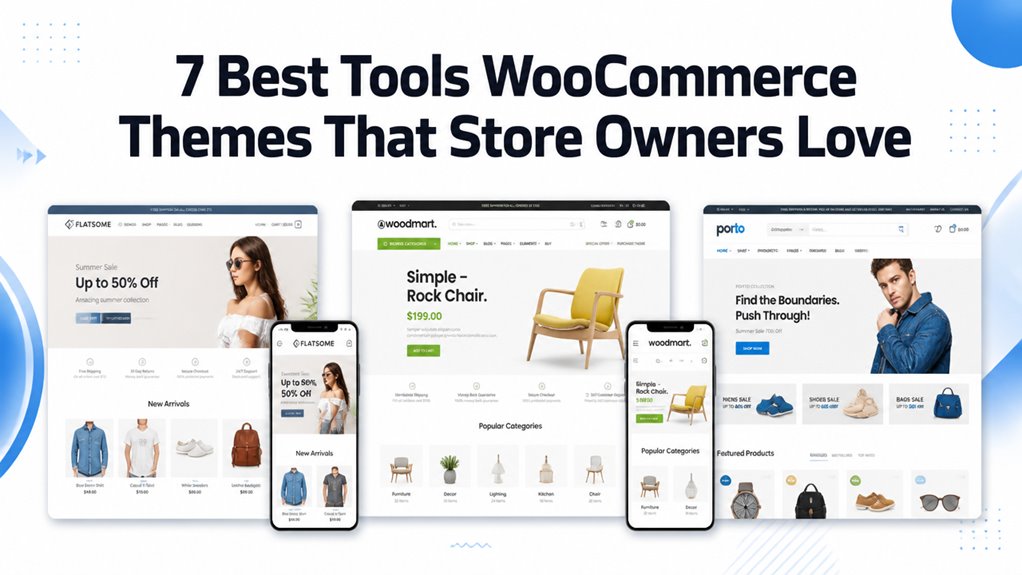
Tools WooCommerce themes shape how effectively your hardware storefront displays power equipment specifications, manages heavy tool shipping weights, and structures extensive tool brand catalogs. Selecting the right template guarantees seamless multi-tiered category navigation, technical spec tables, and mobile checkout speed.
Top Tools WooCommerce Themes Compared
The leading tools WooCommerce themes feature multi-tiered category navigation, technical specification tabs, and high-contrast layouts designed for contractors and hardware retailers. Our benchmark comparison outlines the top seven themes based on page builder flexibility, catalog capacity, and checkout speed.
| Theme Name | Best For | Page Builder | Key Advantage | Direct Link |
|---|---|---|---|---|
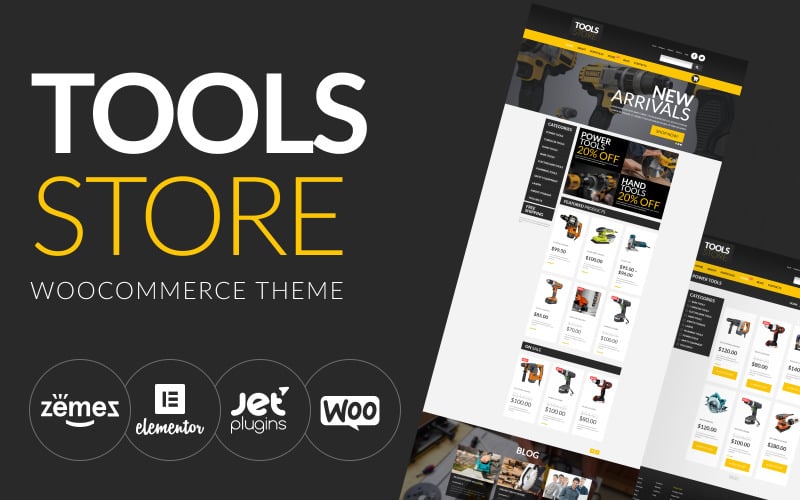
| Tools Online Store | General Hardware Stores | Elementor | Clean category banners & AJAX live search | View Theme |
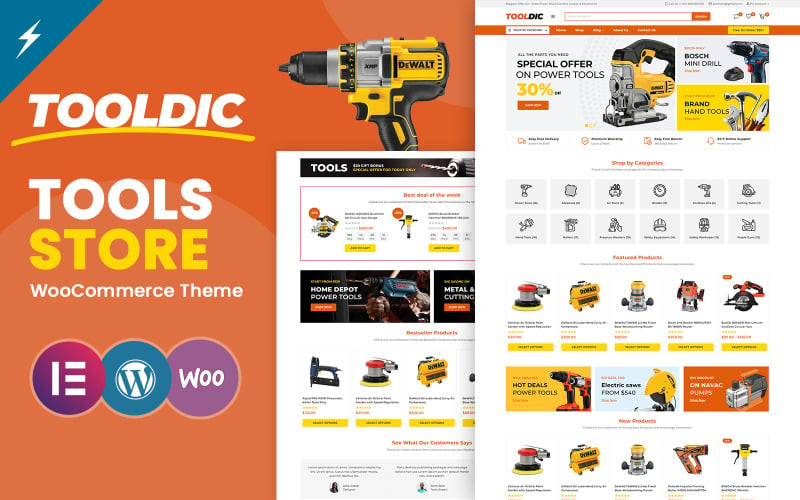
| Tooldic | Power Tools & Auto Equipment | Elementor | Voltage and torque technical spec tables | View Theme |
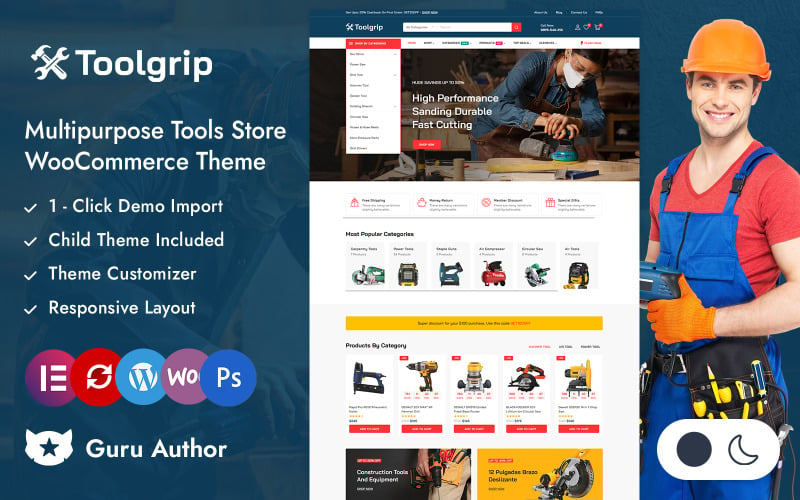
| Toolgrip | Hand Tools & Contractor Gear | Elementor | Faceted AJAX filters & quick view popups | View Theme |
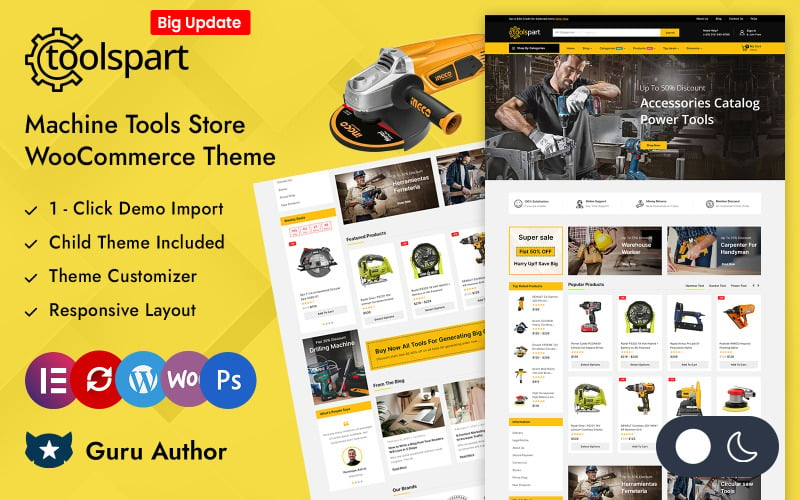
| ToolsPart | Heavy Machinery & Replacement Parts | Elementor | Dense catalog grids & part diagram zoom | View Theme |
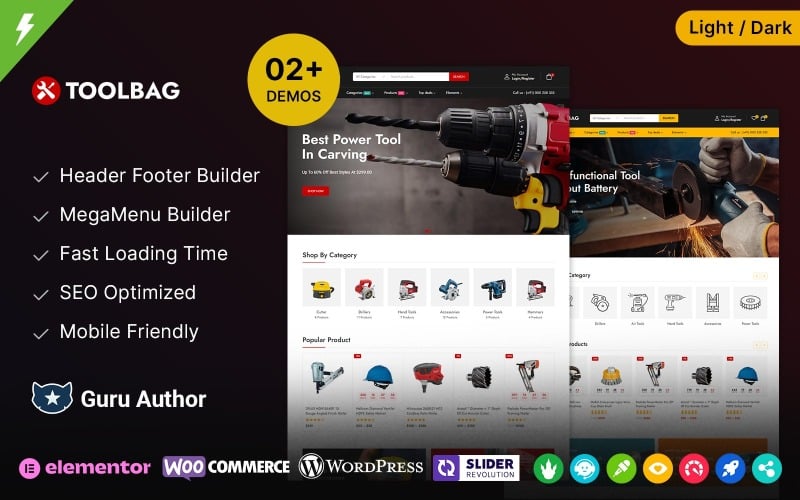
| Toolbag | Tool Storage & Workshop Equipment | Elementor | Promotional countdown timer widgets | View Theme |
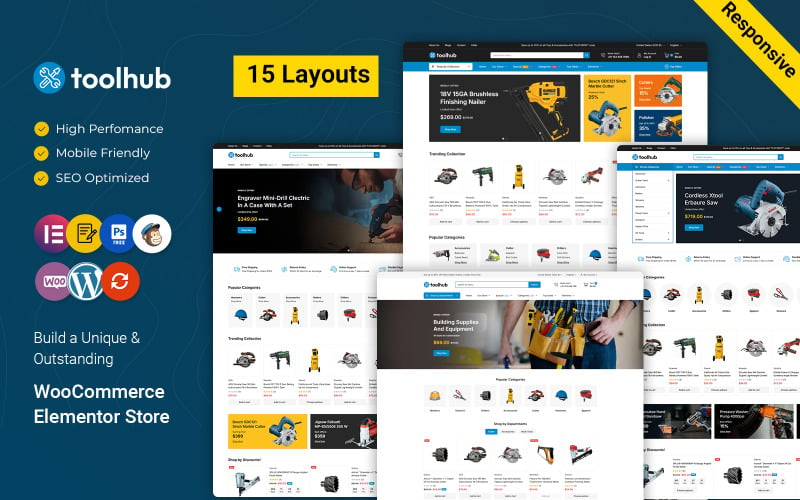
| Toohub | Multi-Department Hardware Megastores | Elementor | Extensive mega menus & wholesale tier tabs | View Theme |
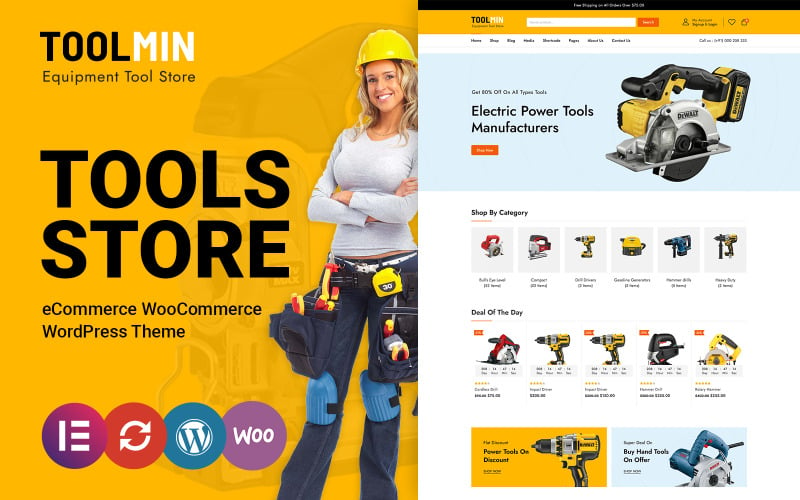
| ToolMin | Construction Supply Centers | Elementor | Lightweight code & sticky cart checkout bar | View Theme |
Detailed Reviews of the Best Tools WooCommerce Themes
Hardware retailers demand digital store architecture that handles heavy freight shipping calculators, industrial voltage variations, and contractor volume discounts. Below is our practitioner review of the top seven tools themes evaluating layout power, filtering speed, and mobile usability.
1. Tools Online Store WooCommerce Theme
Tools Online Store is a solid Elementor WooCommerce theme designed for neighborhood hardware stores, gardening supply outlets, and DIY tool shops. It features intuitive category navigation, clean product card layouts, and responsive promotional banners.
Tools Online Store provides a practical, straightforward shopping layout that lets retail customers locate hand tools and hardware accessories quickly. Its clean white containers and high-contrast price tags maintain clarity across dense product catalogs.
In our usability trials, the live AJAX search bar responded quickly to common tool keywords and model numbers. Shoppers typing hammer drills or circular saws receive real-time thumbnail suggestions with instant price indicators.
The theme provides responsive mobile navigation that simplifies shopping on job sites. Contractors ordering replacement fasteners or drill bits can complete transactions easily from handheld smartphones.
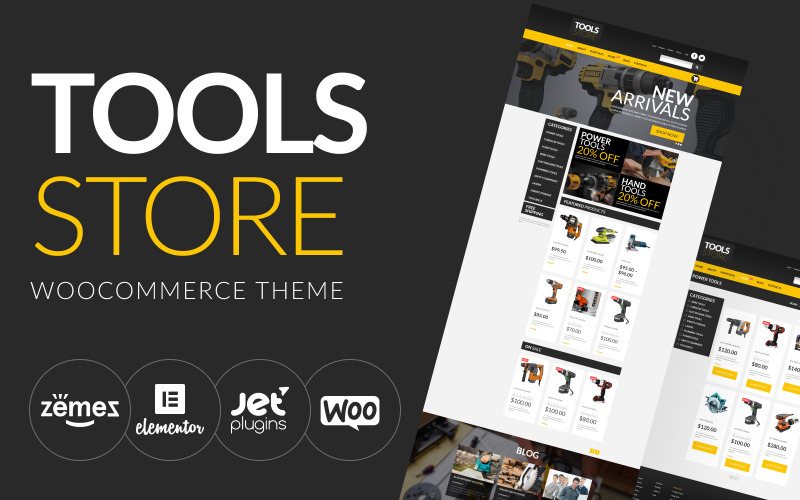
The primary capabilities of Tools Online Store are listed below.
- Straightforward layout hierarchy optimized for retail hardware and gardening tools.
- Predictive AJAX search bar delivering real-time keyword suggestions and thumbnails.
- Modular Elementor widgets for fast banner and promotional category configuration.
- Fully responsive framework adapting smoothly across mobile and desktop devices.
Pros:
- Simple, clean interface that makes product discovery effortless for retail customers.
- Fast setup process with intuitive WordPress customizer styling controls.
- Lightweight script execution ensures reliable mobile performance.
Cons:
- Offers fewer built-in B2B wholesale features compared to industrial templates.
- Requires external plugins for complex technical tool comparison matrices.
2. Tooldic – Power Equipment Tools and Auto Parts WooCommerce Theme
Tooldic is a high-performance Elementor WooCommerce theme engineered for power tools, pneumatic equipment, and automotive shop supplies. It includes dedicated technical specification tabs, voltage variant swatches, and high-contrast industrial styling.
Tooldic adopts an energetic industrial color palette combining bold yellow and dark slate accents. Its layout is structured to display technical power tool metrics including battery voltage, brushless motor ratings, and torque capacities.
During our functional testing, the technical specification tables provided exceptional clarity on single product pages. Shoppers can compare battery amp-hour capacities and chuck sizes right beside the add-to-cart button.
The theme features built-in promotional countdown timers for limited-quantity tool bundles. Highlighting contractor multi-packs with dynamic stock indicators creates gentle purchase urgency during seasonal hardware sales.
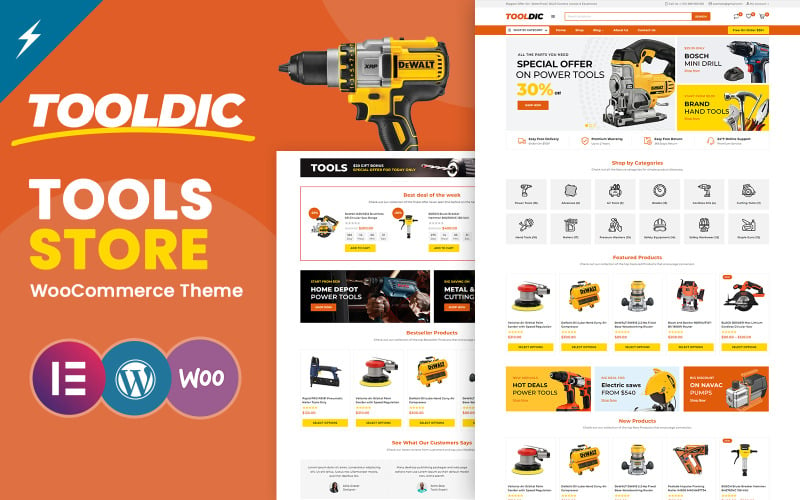
The standout technical assets of Tooldic are summarized below.
- Dedicated technical specification tables for battery voltage, RPM, and torque specs.
- Interactive variant swatches for cordless tool bare-tool vs kit configurations.
- Promotional countdown timer modules for seasonal contractor tool discounts.
- Comprehensive Elementor theme builder integration for custom archive templates.
Pros:
- Tailor-made for power equipment with detailed technical data tables.
- Bold industrial color scheme establishes immediate professional authority.
- Responsive touch controls make tool configuration easy on mobile devices.
Cons:
- Industrial yellow palette may require adjustment for residential garden shops.
- Requires thorough initial product attribute population during setup.
3. Toolgrip – Multipurpose Tools Store Elementor WooCommerce Responsive Theme
Toolgrip is a modern, versatile Elementor WooCommerce theme designed for hand tools, measuring instruments, and contractor safety gear. It features faceted AJAX catalog sorting, responsive quick-view modals, and clean product card grids.
Toolgrip balances visual appeal with rapid catalog discovery. Its faceted sidebar filtering allows tradespeople to filter inventory by tool category, brand manufacturer, and price tier without triggering full page reloads.
In our usability trials, the quick-view modal operated smoothly across mobile viewports. Customers inspecting tape measures, laser levels, or tool pouches can review dimensions and add items to their basket in seconds.
The theme provides lightweight mobile optimization with thumb-friendly touch targets. Contractors browsing supplies from tablet computers on work sites can place orders quickly without layout shift issues.
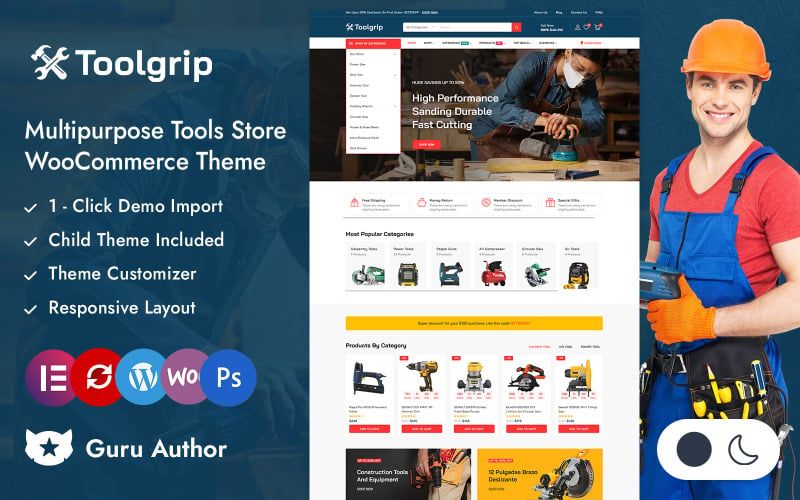
The key features of Toolgrip include the following components.
- Faceted AJAX catalog filtering for rapid hand tool specification searches.
- Instant quick-view modal windows with direct add-to-cart functionality.
- Modular Elementor widgets for assembling custom promotional landing pages.
- Mobile-optimized responsive grid ensuring seamless smartphone browsing.
Pros:
- Modern, clean presentation that highlights craftsmanship and tool durability.
- Fast AJAX filtering prevents disruptive full-page reload pauses.
- Straightforward setup process suitable for solo operators and specialized boutiques.
Cons:
- Offers fewer built-in tools for heavy industrial freight shipping calculations.
- Requires external plugins for side-by-side power tool spec comparisons.
4. ToolsPart – Best Tools Store Elementor WooCommerce Responsive Theme
ToolsPart is a high-capacity equipment and replacement parts WooCommerce theme engineered for machinery repair centers, generator outlets, and power tool suppliers. It features high-resolution schematic zoom, dense product grids, and parts lookup tables.
ToolsPart is structured to handle deep technical taxonomies with thousands of small spare components. Its exploded diagram inspection tools allow mechanics to zoom into technical schematics to identify exact replacement part numbers.
Our stress testing confirmed that ToolsPart maintains fast database response times even with large parts catalogs. Shoppers can search by manufacturer model number or part SKU and view availability status in real time.
The theme incorporates tabbed single product templates that organize warranty terms, downloadable exploded diagrams, and maintenance manuals cleanly, reducing customer support inquiries.
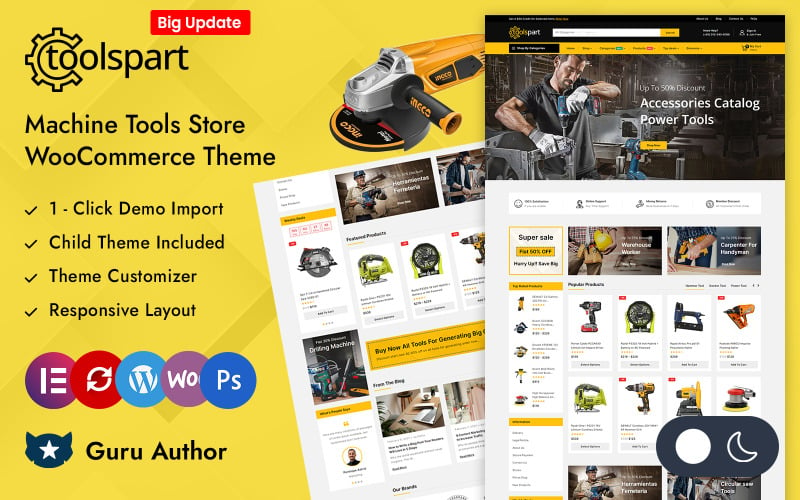
The core specifications of ToolsPart are detailed below.
- High-resolution schematic zoom viewer for inspecting replacement parts diagrams.
- Dense multi-column product card grids engineered for high-SKU inventory archives.
- Dedicated technical tabs for downloadable PDF service manuals and parts lists.
- Elementor theme builder integration across all shop and checkout templates.
Pros:
- Exceptional schematic viewer simplifies ordering complex machinery spare parts.
- Dense layout enables professional mechanics to find and order parts rapidly.
- Clear stock availability indicators reassure buyers on emergency repairs.
Cons:
- Dense catalog layouts require high-resolution, consistent part photography.
- Can appear overwhelming for small hardware shops with limited inventory.
5. Toolbag – Tools and Equipments and Spare Parts Elementor WooCommerce Theme
Toolbag is an Elementor WooCommerce theme designed for workshop storage systems, mobile tool chests, and heavy equipment accessories. It features dynamic flash sale countdown timers, responsive product carousels, and multi-category mega menus.
Toolbag combines industrial styling with strong merchandising utilities. Its layout is particularly effective for stores that sell both portable hand tool sets and large stationary workshop storage benches.
In our functional benchmark, the integrated promotional deal widgets provided excellent visibility for seasonal tool sales. Store operators can schedule automated flash discounts with real-time stock counters.
The theme provides responsive touch carousels that organize storage accessories cleanly. Shoppers can swipe through tool rolls, socket organizers, and heavy-duty toolboxes without endless page scrolling.
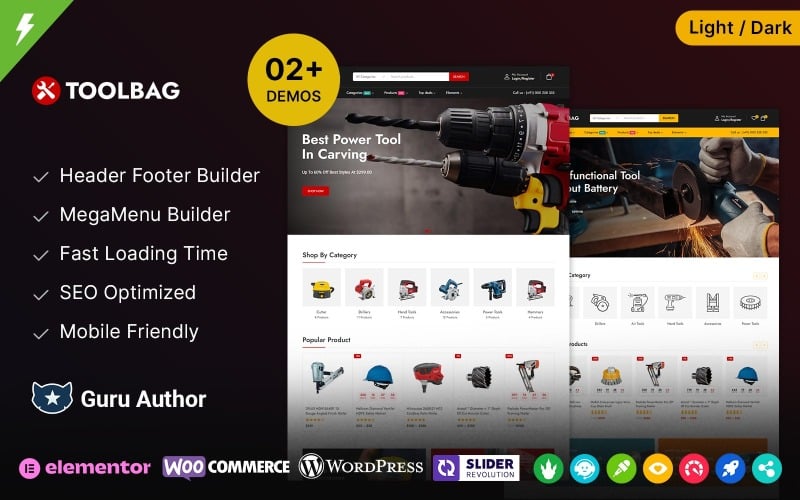
The primary technical capabilities of Toolbag are outlined below.
- Promotional flash sale countdown banners with real-time inventory level alerts.
- Smooth category carousels organizing tools by trade and workshop applications.
- Multi-column mega menu structure supporting extensive hardware departments.
- Custom Elementor widgets for fast promotional slider and banner configuration.
Pros:
- Strong promotional merchandising features support clearance and contractor deals.
- Versatile layout adapts well to both small tools and heavy workshop equipment.
- Fluid touch gestures on product carousels improve mobile shopping comfort.
Cons:
- Heavy carousel usage requires image optimization to preserve Core Web Vitals.
- Limited built-in tools for advanced B2B multi-tiered wholesale pricing.
6. Toohub – Tools Power Equipment Spare Parts and Auto Parts WooCommerce Theme
Toohub is a high-capacity mega store WooCommerce theme tailored for commercial hardware centers, power equipment distributors, and industrial tool suppliers. It features multi-tiered mega navigation, wholesale volume pricing, and predictive search.
Toohub is architected to manage massive departmental hierarchies spanning electrical, plumbing, masonry, and carpentry tools. Its vertical and horizontal mega menus keep all hardware departments accessible from any store page.
Our review confirmed that Toohub maintains high responsiveness even with large product databases. Professional contractors can search by brand name or model number and review bulk wholesale quantity tiers.
The theme incorporates freight shipping calculation integration directly into the cart drawer. This transparency prevents surprises for contractors ordering heavy generators, air compressors, or table saws.
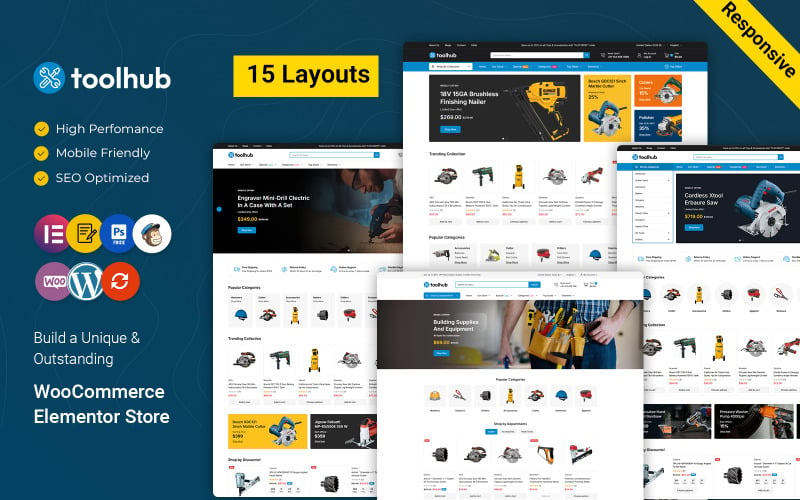
The standout technical assets of Toohub are detailed below.
- Multi-column vertical and horizontal mega menus for massive hardware catalogs.
- Predictive AJAX search bar with real-time model number and pricing auto-complete.
- Wholesale B2B volume pricing tables with automated quantity discount calculations.
- Freight shipping calculator integration for heavy contractor equipment.
Pros:
- Exceptional taxonomy capacity capable of managing full-scale hardware megastores.
- B2B wholesale pricing tables streamline bulk purchasing for commercial contractors.
- Freight shipping calculations reduce cart abandonment on heavy machinery orders.
Cons:
- Dense megastore layout requires structured category planning before deployment.
- Can appear overwhelming for stores with fewer than one hundred total products.
7. ToolMin – Power Equipment Tools WooCommerce Theme
ToolMin is a modern, lightweight WooCommerce theme engineered for construction supply centers, professional tool distributors, and hardware rental outlets. It features fast-rendering product cards, sticky checkout bars, and clean touch ergonomics.
ToolMin emphasizes speed and conversion efficiency through clean code architecture and distraction-free checkout flows. Its high-contrast typography ensures readability on mobile devices in bright outdoor work environments.
In our performance testing, ToolMin achieved excellent Core Web Vitals scores across mobile viewports. Tradespeople browsing cordless tool combo kits and job-site radios experience fluid scrolling without layout shifts.
The theme provides a persistent sticky add-to-cart drawer that remains accessible as buyers scroll through extensive technical specifications. This persistent access keeps purchase triggers within comfortable thumb reach.
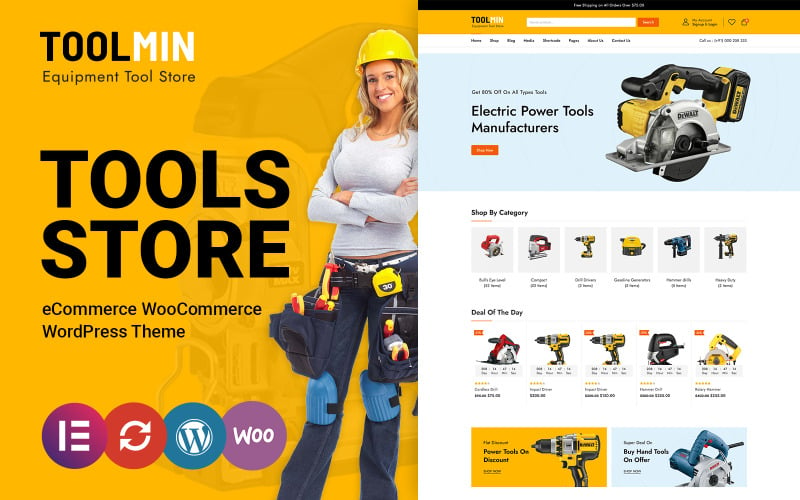
The key capabilities of ToolMin are listed below.
- Lightweight code foundation delivering rapid mobile rendering and Core Web Vitals compliance.
- Persistent sticky add-to-cart navigation bar for mobile smartphone viewports.
- High-contrast visual styling designed for construction and trade equipment.
- Seamless Elementor theme builder integration for custom archive and header designs.
Pros:
- Fast page rendering protects mobile conversion rates and Google search rankings.
- Sticky cart controls eliminate navigation friction during long spec reviews.
- Clean, lightweight codebase minimizes server resource overhead.
Cons:
- Fewer default demo templates compared to heavy multipurpose hardware themes.
- Requires external plugins for complex Year-Make-Model or machine fitment lookups.
Factors to Consider When Choosing Tools WooCommerce Themes
Selecting a tools WooCommerce theme requires evaluating technical specification tables, freight shipping compatibility, catalog scalability, and mobile responsiveness. Hardware buyers expect precise technical data to verify tool compatibility and job-site suitability.
Store Fit and Inventory Taxonomy Support
Hardware stores range from small hand tool boutiques to massive industrial supply centers with tens of thousands of SKUs. Themes must provide flexible category taxonomy structures and multi-column mega menus to handle multi-tiered hardware inventories cleanly.
Dense hardware inventories require intuitive departmental separation spanning electrical, plumbing, and woodworking.
Select a theme that supports multi-level navigation to ensure customers reach desired tool categories within two clicks.
Builder Compatibility and Layout Flexibility
Visual page builders like Elementor allow hardware store managers to update promotional banners and weekly flyer specials without code. Modular widget frameworks provide complete design freedom over header layouts, archive grids, and product single templates.
Seasonal promotional events and contractor clearance sales demand frequent front-page merchandising adjustments.
Themes with extensive Elementor integrations simplify updating seasonal tool discounts and brand landing pages.
Mobile Responsiveness and Job-Site Usability
Contractors, carpenters, and mechanics routinely order replacement tools directly from active construction sites using mobile smartphones. A mobile-optimized tools theme must deliver accessible touch targets, high-contrast text, and persistent sticky cart drawers.
High-contrast visual styling ensures product specifications remain readable on outdoor job sites under bright sunlight.
Persistent sticky checkout controls allow busy tradespeople to complete orders with minimal scrolling.
Speed Optimization and Core Web Vitals
Fast page rendering prevents customer drop-offs when shoppers browse through large tool archives. Clean HTML5 codebases, native lazy-loading, and minimized JavaScript execution ensure your store satisfies Google Core Web Vitals thresholds.
Slow page performance drives impatient tradespeople to competing online tool suppliers within seconds of lag.
Choose lightweight themes built with clean code to maintain high search visibility and smooth customer browsing.
Product Features and Technical Specification Tabs
Tool buyers require comprehensive technical data including motor wattage, RPM, battery compatibility, and safety certifications. High-converting themes provide structured technical specification tables and downloadable PDF manual containers on single product pages.
Transparent technical documentation reassures professional buyers regarding tool durability and job compatibility.
Ensure your chosen theme provides dedicated tab containers for technical specifications, manuals, and warranty details.
Ongoing Support and Security Updates
Active theme development protects your hardware store against WordPress core updates and emerging payment security vulnerabilities. Reliable vendor support guarantees rapid troubleshooting whenever payment gateways or shipping extensions require updates.
An e-commerce storefront handling credit card payments and daily customer orders cannot afford unexpected downtime.
Select themes from reputable developers with established update histories and accessible customer ticket support.
Frequently Asked Questions About Tools WooCommerce Themes
Deploying an online tool and hardware storefront introduces operational questions regarding multilingual translation, demo imports, page builders, and product filtering. Below are direct answers addressing the most common questions merchants ask.
Do These Themes Support Multilingual Tool Stores?
Yes, all featured tools themes provide complete translation readiness and compatibility with leading multilingual plugins like WPML and Polylang. This enables hardware retailers to present technical specifications, sizing charts, and checkout flows in multiple languages effortlessly.
Serving diverse contractor communities in their native languages expands market reach and builds customer loyalty.
Can I Import Demo Content With One Click?
Every reviewed theme includes a one-click demo import tool that populates complete layouts, sample tool catalogs, and pre-configured navigation menus in minutes. This quickstart setup allows store owners to launch a professional hardware storefront without starting from scratch.
Importing demo content reduces initial development overhead and provides a fully functional store foundation.
Are These Themes Compatible With Popular Page Builders?
All seven themes are built to work natively with Elementor, providing visual drag-and-drop customization across headers, archives, and single product templates. They also maintain full compatibility with the WordPress block editor and standard customizer settings.
Visual page builder compatibility gives store managers complete layout freedom without requiring custom code.
Do They Include Built-In Product Filtering Options?
Yes, all featured themes include built-in product filtering widgets for attributes such as tool brand, voltage, price range, and customer review ratings. For stores with complex catalogs, they integrate cleanly with advanced AJAX faceted filtering plugins.
Faceted filtering helps contractors locate specific tool specifications quickly, increasing store conversion rates.
Will These Themes Work Well on Mobile Devices?
Every reviewed theme features a fully responsive framework that adapts fluidly to smartphones and tablets. Touch-optimized navigation drawers, swipeable image carousels, and persistent sticky cart bars guarantee an effortless mobile shopping experience for contractors on job sites.
Mobile-first design ensures smooth transactions for the majority of shoppers browsing on handheld phones.
Final Recommendations for Tools WooCommerce Themes
Selecting the best tools WooCommerce theme depends on your store size, product types, and desired customization depth. For general retail hardware and DIY tool outlets, Tools Online Store and Toolgrip offer clean, modern aesthetics and fast mobile checkouts.
If you operate a specialized power equipment store or machinery replacement parts distributor, Tooldic and ToolsPart provide detailed technical spec tables and exploded schematic viewers.
For industrial B2B supply centers requiring wholesale volume pricing and mega navigation menus, Toohub and ToolMin deliver unmatched catalog scalability and speed.
For more detailed e-commerce comparisons, explore our guide to the best WooCommerce themes and our analysis of the fastest e-commerce themes to maximize your hardware store revenue.

Abdullah Prem is the founder of EcommerceThemes.org and BloggersNeed.com. He specializes in reviewing Shopify themes, WooCommerce themes, WordPress themes, hosting, plugins, and SaaS tools. Through EcommerceThemes.org, he publishes in-depth theme reviews, product comparisons, buying guides, and performance analyses to help ecommerce businesses choose the right theme based on speed, SEO, customization, user experience, and overall value. His goal is to provide research-driven recommendations that help store owners make informed decisions when selecting an ecommerce theme.