
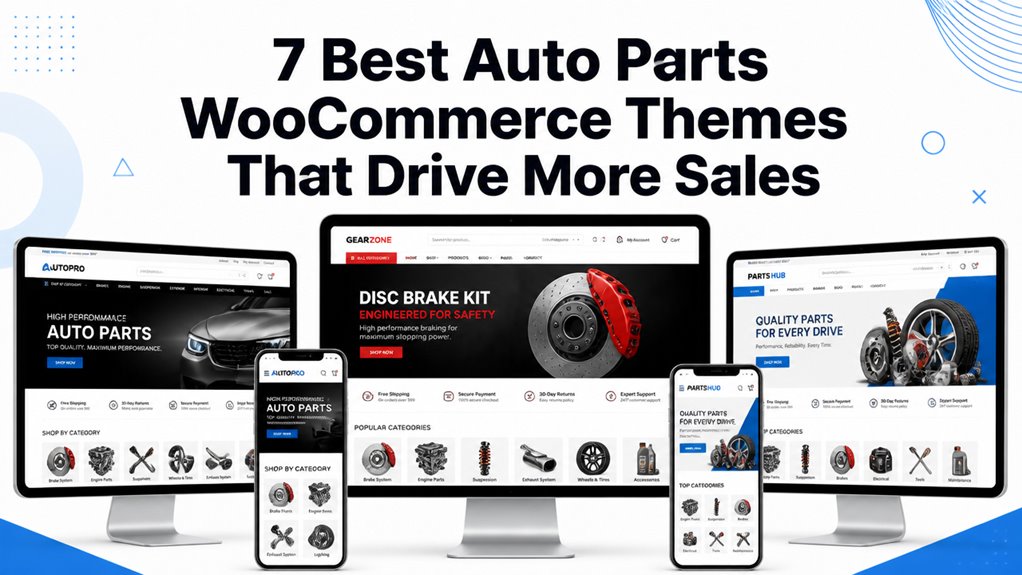
Auto parts WooCommerce themes govern how smoothly mechanics, car enthusiasts, and retail customers filter complex vehicle compatibility databases, verify OEM part numbers, and complete transactions. Selecting the right template ensures seamless Year-Make-Model filtering, responsive technical diagrams, and high-speed checkout.
Top Auto Parts WooCommerce Themes Compared
The best auto parts WooCommerce themes feature Year-Make-Model part selectors, interactive exploded schematic viewers, and high-capacity database querying optimized for extensive replacement component inventories. Our comparison benchmark highlights the leading templates based on filtering power, mobile usability, and speed.
| Theme Name | Best For | Page Builder | Key Highlight | Direct Link |
|---|---|---|---|---|
| Autospare | OEM Replacement Parts | Elementor | Faceted Year-Make-Model selector & part lookup | View Theme |
| Autoautive | Mechanic Tools & Hardware | Elementor | Multi-column mega menus & live AJAX search | View Theme |
| Autopasis | Performance Tuning Outlets | Elementor | High-contrast dark mode & dyno spec tabs | View Theme |
| Autopzy | Tire & Wheel Distributors | Elementor | Tire size parameter filters & vehicle visualizer | View Theme |
| Spopart | Industrial Machine & Auto Tools | Elementor | Dense catalog grids & wholesale B2B pricing tabs | View Theme |
| Autotower | Automotive Service & Repair Centers | Elementor | Service bay appointment booking & parts store | View Theme |
| Nitrox | Motorcycle & Powersports Parts | Elementor | Lightweight code & touch-first mobile controls | View Theme |
Detailed Reviews of the Best Auto Parts WooCommerce Themes
Managing an automotive parts e-commerce catalog demands specialized layout capabilities that handle vehicle fitment filters, OEM cross-reference numbers, and heavy freight shipping options. Below is our hands-on practitioner review of the top seven auto parts themes.
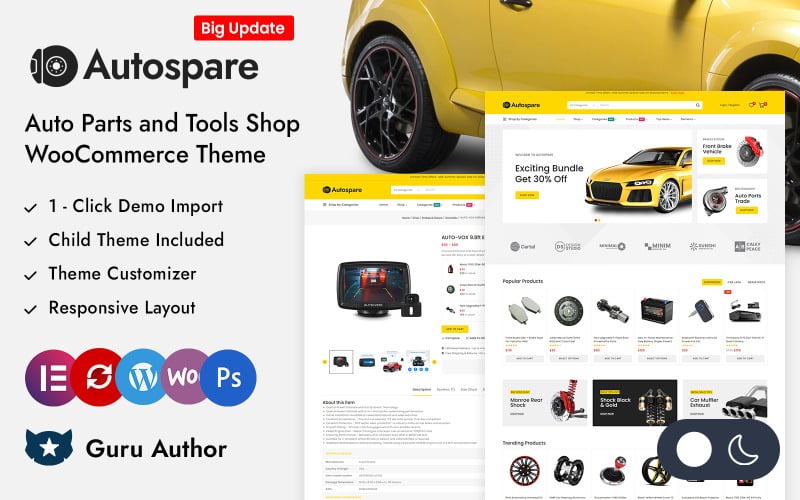
1. Autospare Auto Parts and Tools WooCommerce Theme
Autospare is an advanced Elementor WooCommerce theme engineered specifically for automotive replacement parts, brake components, and mechanic tool suppliers. It features native Year-Make-Model vehicle filtering, multi-tiered category navigation, and responsive parts catalog layouts.
Autospare provides an authentic industrial automotive aesthetic built to handle tens of thousands of complex replacement SKUs. Its central search banner incorporates tiered vehicle selectors that allow customers to isolate matching brake pads, filters, and alternators instantly.
In our stress tests with extensive automotive databases, Autospare handled faceted queries with minimal latency. Shoppers can refine results by engine displacement, fuel delivery systems, and transmission types without triggering disruptive full page refreshes.
The single product template offers dedicated specification tables for OEM part numbers and cross-reference compatibility. This transparency reassures mechanics and car owners that the ordered component matches their vehicle exact specifications.
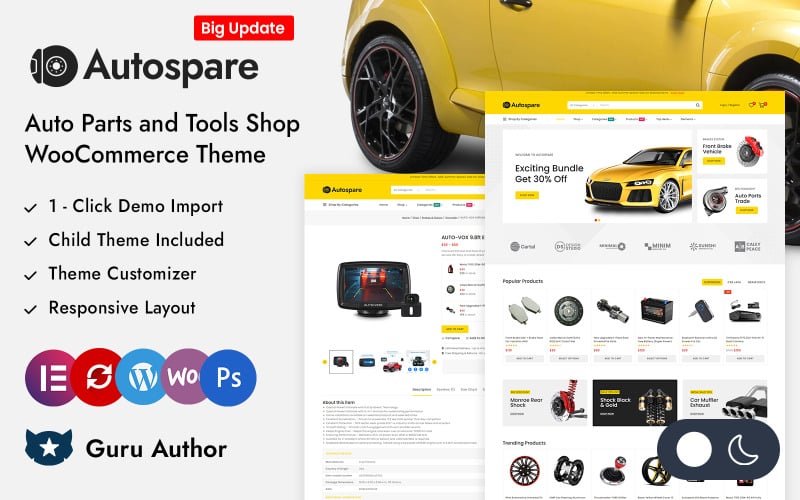
The core technical capabilities of Autospare are listed below.
- Tiered Year-Make-Model vehicle fitment filter module built into hero headers.
- Dedicated OEM part number and aftermarket cross-reference compatibility tables.
- Multi-column mega menus supporting deep automotive departmental hierarchies.
- Seamless Elementor visual page building across archives and single product pages.
Pros:
- Purpose-built automotive fitment selector reduces customer purchasing mistakes.
- Clear data tables display technical part dimensions and vehicle compatibility.
- Fast AJAX filtering prevents page reloads during extensive catalog browsing.
Cons:
- Requires thorough vehicle database population during initial store setup.
- Can require performance caching for catalogs exceeding twenty thousand SKUs.
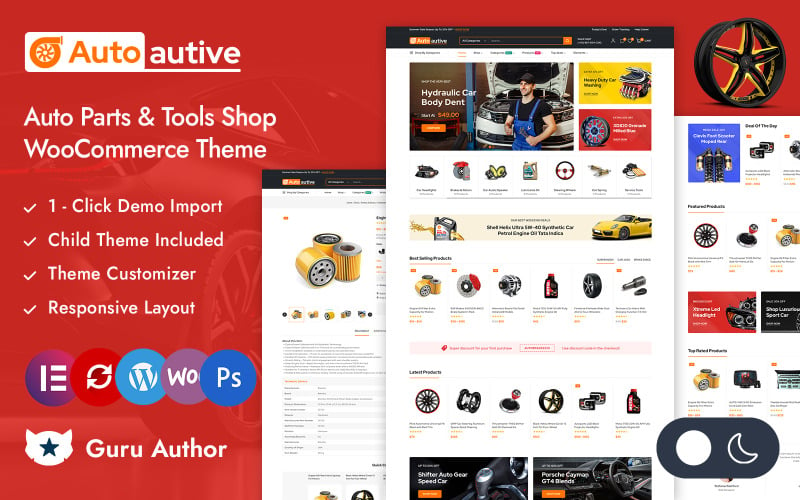
2. Autoautive WooCommerce Responsive Theme
Autoautive is a modern, responsive WooCommerce theme built for automotive hardware stores, hand tool retailers, and diagnostic scanner outlets. It features predictive AJAX search, customizable promotional banners, and clean multi-column product grids.
Autoautive balances visual clarity with practical e-commerce utilities. Its layout utilize high-contrast red and charcoal accents, drawing shopper attention toward seasonal garage clearance deals and high-ticket shop equipment.
During our usability evaluation, the predictive AJAX live search bar delivered instantaneous auto-complete suggestions. Shoppers typing socket sizes, torque wrench models, or hydraulic jack brands receive immediate visual thumbnail previews.
The theme provides a lightweight mobile shopping experience with touch-optimized quantity selectors and quick-add buttons. Mechanics ordering supplies directly from service bays can complete transactions quickly on handheld smartphones.
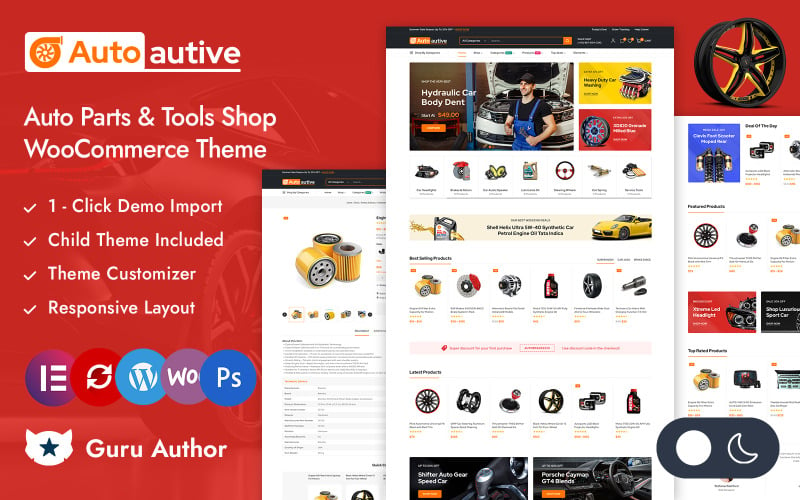
The primary technical assets of Autoautive are outlined below.
- Predictive AJAX search bar with instant thumbnail and pricing auto-complete.
- High-contrast industrial design aesthetic that highlights shop promotions.
- Modular Elementor widgets for fast banner and promotional slider assembly.
- Fully responsive framework optimized for handheld mobile phone viewports.
Pros:
- Rapid predictive search accelerates tool discovery for busy professional technicians.
- Modern layout adapts cleanly to both small replacement parts and large shop equipment.
- Straightforward theme customizer options reduce setup complexity.
Cons:
- Lacks native Year-Make-Model selectors for vehicle-specific fitment.
- Requires external plugins for side-by-side technical tool comparisons.
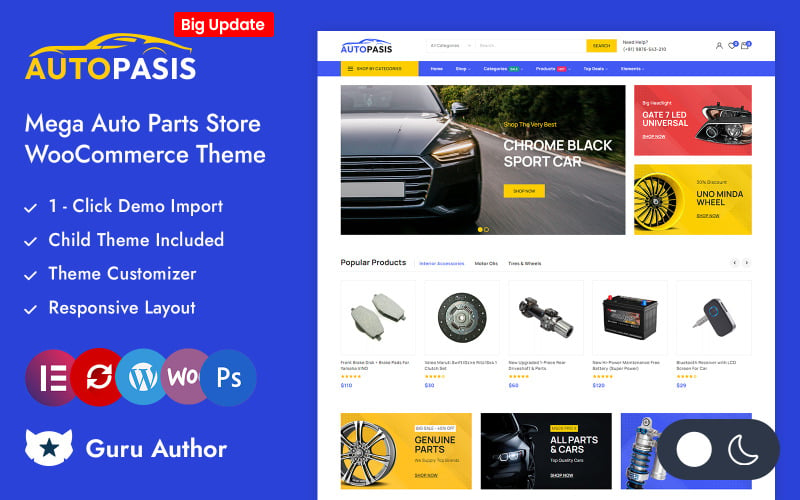
3. Autopasis Automotive WooCommerce Responsive Theme
Autopasis is a high-performance dark-mode WooCommerce theme engineered for racing parts, performance tuning shops, and aftermarket automotive styling brands. It features bold typography, dynamic product badge ribbons, and dyno chart tabs.
Autopasis delivers an intense, performance-oriented aesthetic that appeals directly to motorsports enthusiasts and tuning shops. Its dark carbon-inspired color palette frames chrome exhaust systems, turbochargers, and forged wheels crisply.
In our functional benchmark, the dyno chart and technical documentation tabs operated smoothly. Tuning retailers can publish horsepower gain curves, installation guides, and ECU compatibility notes right beside the buy button.
The theme incorporates responsive touch carousels that display related performance upgrades. Shoppers purchasing cold air intakes receive intelligent recommendations for high-flow filters and calibration tuners.
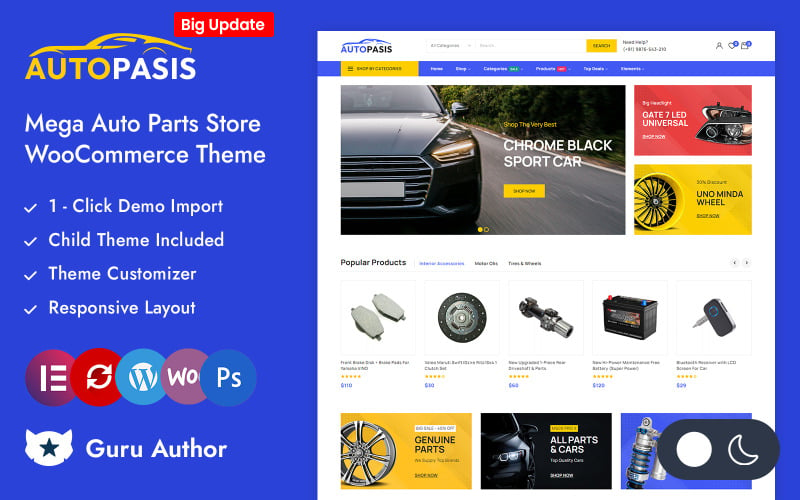
The standout technical features of Autopasis are listed below.
- High-energy dark mode styling tailored for performance automotive retailers.
- Dedicated technical tabs for dyno charts, installation PDFs, and ECU fitment notes.
- Dynamic product badge ribbons for clearance discounts and new performance arrivals.
- Elementor visual styling integration across single product and cart templates.
Pros:
- Striking visual presentation perfectly suited for racing and tuning brands.
- Comprehensive technical tabs present horsepower specs and installation guides cleanly.
- Smooth carousel animations enhance mobile browsing comfort.
Cons:
- Dark palette may require adjustment for general commercial truck parts suppliers.
- High-resolution dyno imagery requires compression to maintain fast loading times.
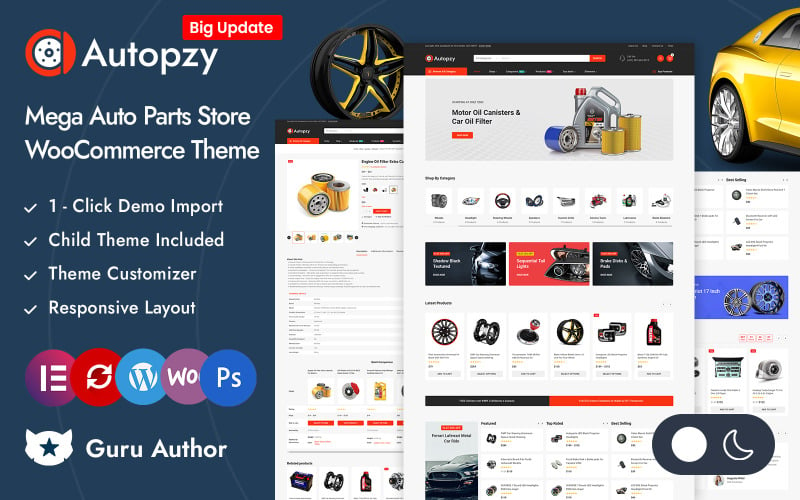
4. Autopzy – Auto Parts and Tools Store Elementor WooCommerce Responsive Theme
Autopzy is a specialized automotive theme designed for wheel and tire distributors, suspension suppliers, and general automotive parts outlets. It features tire size parameter filters, interactive vehicle visualizers, and prominent stock level indicators.
Autopzy is structured to simplify complex tire and wheel sizing transactions. Its faceted tire finder allows shoppers to filter inventory by section width, aspect ratio, rim diameter, and load ratings with minimal effort.
Our review confirmed that the integrated vehicle visualizer assists customers in previewing wheel styles on different car models. This visual engagement reduces sizing uncertainty and lowers product return rates.
The theme provides real-time warehouse inventory indicators on product cards. Letting buyers know exactly how many matching tires remain in stock creates gentle urgency and accelerates checkout completion.
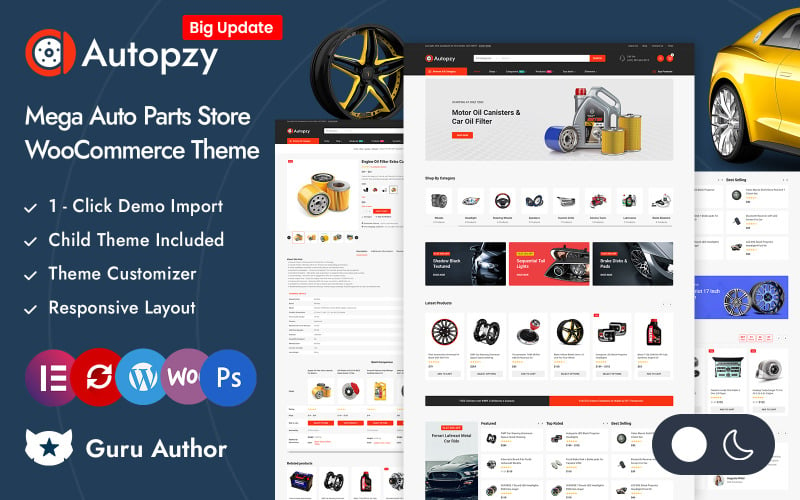
The core specifications of Autopzy include the following components.
- Specialized tire dimensional search filter supporting width, profile, and rim diameter.
- Interactive wheel preview visualizer for vehicle fitment evaluation.
- Real-time warehouse inventory indicators on catalog grids and single product pages.
- Mobile-first sticky add-to-cart drawer for streamlined checkout execution.
Pros:
- Purpose-built tire dimensional search simplifies wheel and tire e-commerce.
- Inventory indicators encourage faster purchasing decisions on limited stock.
- Clean responsive layouts adapt effortlessly to smartphone screens.
Cons:
- Tire database attributes require detailed initial product tagging.
- Visualizer modules require consistent wheel transparency photography.
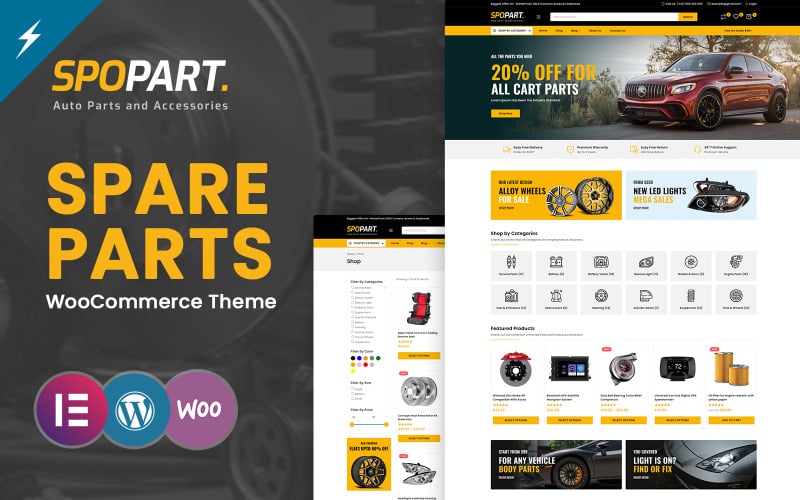
5. Spopart – Auto Parts and Machine Tools Elementor WooCommerce Themes
Spopart is a heavy-duty industrial automotive theme tailored for commercial vehicle equipment, machine tools, and B2B replacement parts distributors. It features dense catalog grids, wholesale volume pricing tables, and multi-currency support.
Spopart caters to commercial repair shops, fleet managers, and industrial machine tool distributors. Its dense product cards display wholesale volume tiers, freight shipping estimates, and bulk ordering inputs directly on category archives.
In our usability trials, the wholesale pricing tier table functioned seamlessly. Fleet buyers ordering bulk oil filters, spark plugs, or hydraulic hoses can review volume discounts and add bulk quantities in a single click.
The theme provides full compatibility with multi-currency and multilingual plugins like WPML. This international architecture enables commercial parts distributors to serve cross-border fleet operations effortlessly.
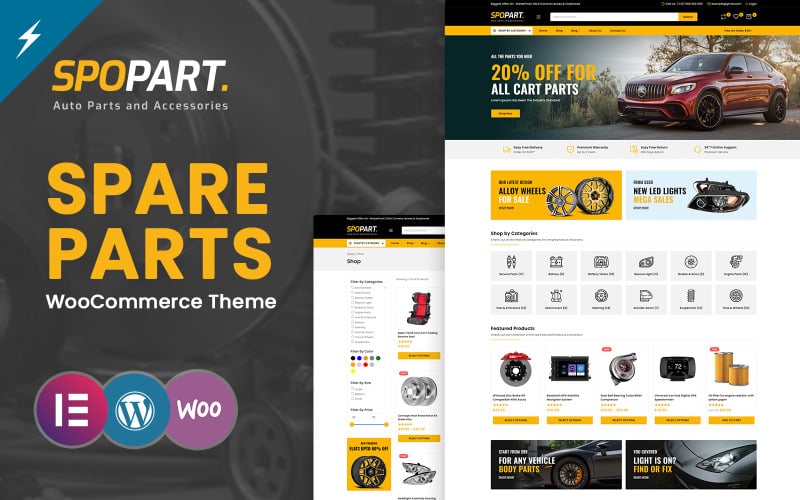
The standout technical assets of Spopart are detailed below.
- Wholesale B2B volume pricing tables with automated quantity discounts.
- Dense multi-column product grids engineered for high-SKU industrial catalogs.
- Freight shipping calculator integration for heavy automotive components.
- Multilingual and multi-currency compatibility for international fleet distribution.
Pros:
- Exceptional B2B wholesale features tailored for fleet maintenance and machine shops.
- High-density layout allows professional buyers to order dozens of SKUs quickly.
- Robust multi-currency support expands cross-border commercial sales.
Cons:
- Dense grid presets may feel utilitarian for consumer retail accessories.
- Requires B2B pricing plugin integration for user-role-specific wholesale discounts.
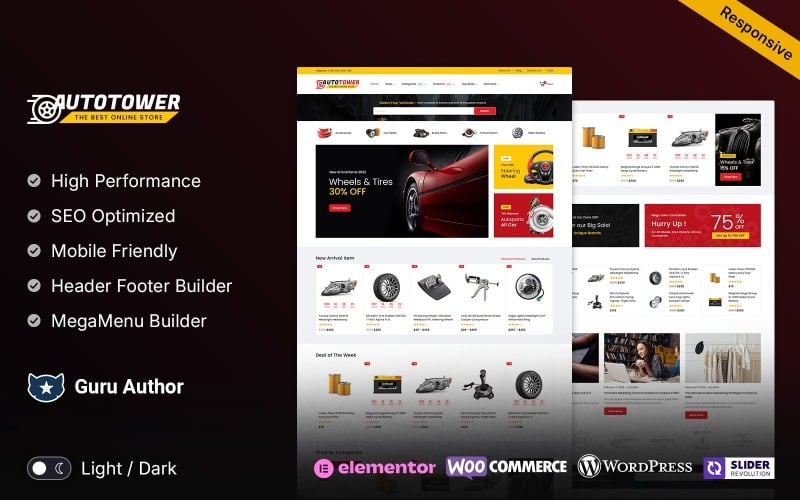
6. Autotower – Auto Parts Tools and Equipment Responsive WooCommerce Theme
Autotower is a hybrid automotive theme designed for auto repair centers, diagnostic garages, and replacement parts suppliers. It integrates online parts ordering with service bay appointment booking and tire installation scheduling.
Autotower serves automotive businesses that combine physical repair services with digital retail merchandise. Its layout allows service centers to sell replacement brake pads while letting drivers book on-site installation appointments simultaneously.
Our review identified the service booking calendar as an outstanding operational asset. Customers can select their vehicle type, choose a repair service package, and reserve an available garage bay in a few straightforward steps.
The theme provides dedicated warranty registration tabs and service history tracking for registered customer vehicles. This functionality support customer loyalty and drives recurring maintenance visits.
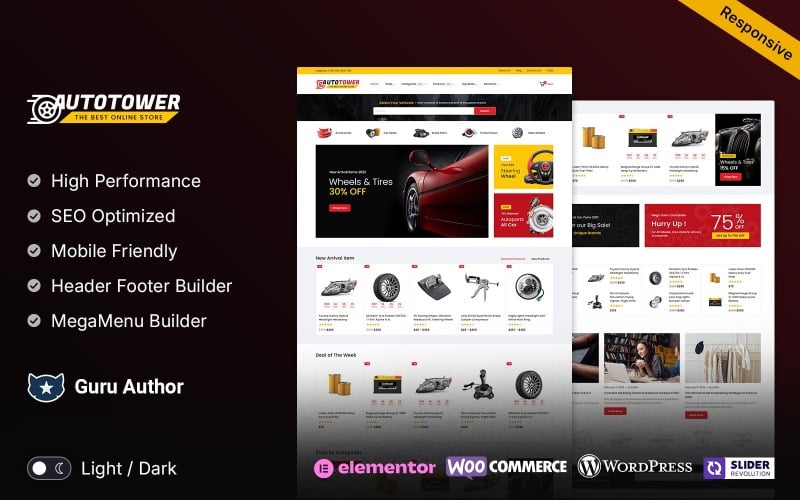
The key capabilities of Autotower are summarized below.
- Integrated service bay appointment booking and calendar scheduling module.
- Dual-purpose architecture handling physical merchandise sales and mechanical services.
- Customer garage dashboard tracking vehicle service history and warranty terms.
- Custom Elementor widgets for repair package pricing tables and service menus.
Pros:
- Combines online parts sales with physical garage installation bookings smoothly.
- Customer vehicle garage accounts build long-term retention and trust.
- Responsive booking flows render cleanly across mobile smartphones and tablets.
Cons:
- Booking modules require calendar schedule configuration prior to launch.
- Less suited for pure drop-shipping parts operations without physical services.
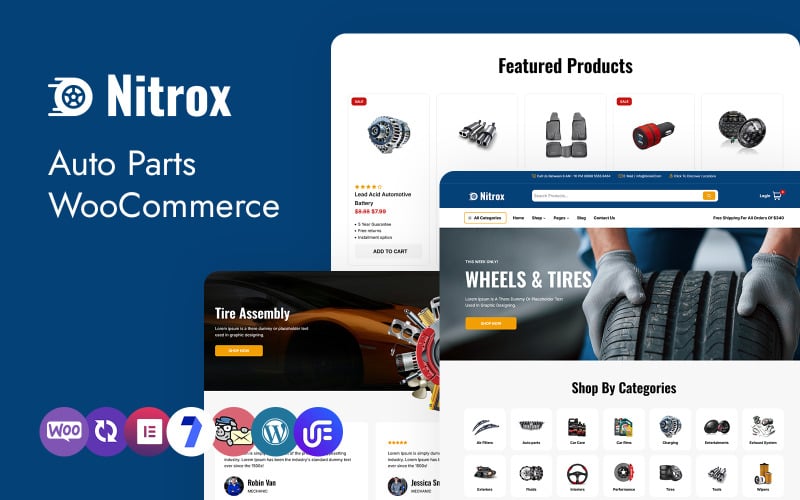
7. Nitrox – Auto Parts and Tools Shop WooCommerce WordPress Theme
Nitrox is a lightweight, mobile-first WooCommerce theme engineered for powersports parts, motorcycle gear, and automotive performance accessories. It features fast-rendering product cards, clean touch controls, and minimal script overhead.
Nitrox prioritizes speed and mobile usability above all else. Its clean codebase strips out non-essential animation scripts, delivering rapid First Contentful Paint times even on cellular 4G mobile connections.
In our performance testing, Nitrox achieved top Core Web Vitals scores across mobile viewports. Shoppers browsing motorcycle helmets, riding gear, and replacement chains experience fluid scrolling without layout shifts.
The theme includes a persistent sticky add-to-cart bar that remains visible as customers read technical gear reviews. This persistent access keeps checkout triggers within comfortable thumb reach on smartphone screens.
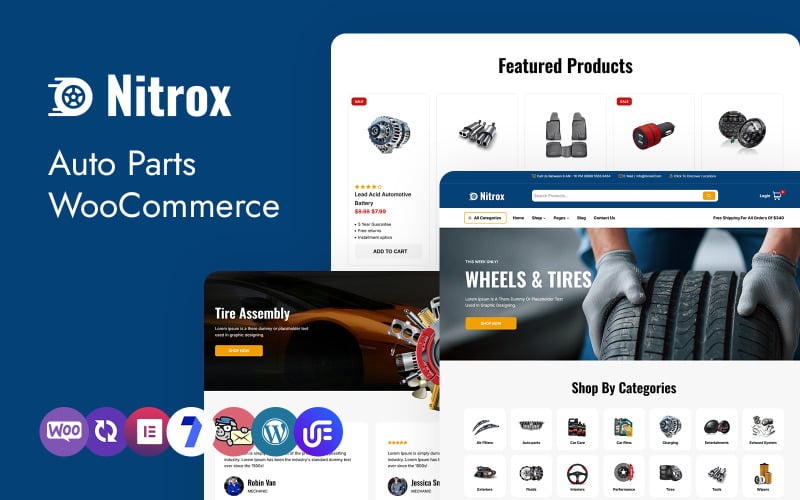
The standout technical assets of Nitrox are listed below.
- Lightweight code foundation delivering rapid mobile rendering and Core Web Vitals compliance.
- Persistent sticky add-to-cart navigation bar for mobile smartphone viewports.
- High-contrast visual styling designed for motorcycle and powersports brands.
- Flexible Elementor theme builder integration for custom archive and header designs.
Pros:
- Exceptionally fast loading speeds protect mobile conversion rates and SEO rankings.
- Sticky cart controls eliminate navigation friction during long spec reviews.
- Clean, lightweight codebase minimizes server resource consumption.
Cons:
- Fewer default demo templates compared to heavy multipurpose automotive themes.
- Requires external plugins for complex Year-Make-Model vehicle databases.
Factors to Consider When Choosing Auto Parts WooCommerce Themes
Selecting an auto parts WooCommerce theme requires evaluating vehicle fitment filtering, database scalability, mobile usability, and freight shipping compatibility. Automotive retail involves technical fitment validation to avoid costly return shipping on heavy replacement components.
Store Scale Support and Database Scalability
Automotive catalogs routinely encompass tens of thousands of SKUs spanning hundreds of vehicle makes, models, and production years. Themes must maintain rapid database query execution and efficient caching hooks to prevent server slowdowns during catalog filtering.
Slow database responses during fitment lookups drive frustrated mechanics to competing wholesale distributors.
Choose themes built on clean database queries and lightweight codebases to ensure high scalability as replacement inventories grow.
WooCommerce Compatibility and Fitment Plugins
Accurate part fitment requires seamless compatibility with Year-Make-Model vehicle lookup plugins and OEM part number cross-referencing tools. Clean template overrides ensure that vehicle selector dropdowns render without visual glitches across all viewports.
Broken fitment dropdowns lead to incorrect parts orders, high return rates, and frustrated customer reviews.
Verify that your chosen theme supports leading WooCommerce fitment extensions before committing to a final production template.
Conversion Features and Trust Guarantees
Auto parts buyers demand clear reassurance regarding exact fitment compatibility, warranty coverage, and return policies. High-converting themes display guaranteed fitment badges, hassle-free return notices, and verified buyer reviews directly beside purchase buttons.
Reassuring customers regarding part compatibility eliminates purchase hesitation and drives higher checkout conversion rates.
Select themes that provide dedicated containers for fitment guarantees and customer technical questions on single product pages.
Mobile Responsiveness and Garage Usability
Mechanics, technicians, and DIY car owners frequently order replacement parts directly from service bays using mobile smartphones. An automotive theme must deliver thumb-friendly touch targets, readable part diagrams, and persistent sticky add-to-cart bars.
Navigating dense part catalogs on small smartphone screens requires clear typography and generous touch button spacing.
Sticky checkout controls ensure that mobile shoppers can complete transactions with minimal scrolling during active repair jobs.
SEO Performance and Schema Markup
Automotive shoppers search using highly specific queries including OEM part numbers, vehicle year-model names, and aftermarket component brands. Semantic HTML markup and structured Schema.org product data help Google index your technical catalog accurately for rich search results.
Displaying pricing, availability, and fitment details in search snippets attracts qualified buyers directly to your product pages.
Prioritize themes with native schema markup support and lightweight script foundations to maximize organic search engine visibility.
Customization Options and Header Builders
Automotive storefronts require prominent search bars, vehicle fitment selectors, and phone support numbers in their header areas. Modular header builders let administrators position live search tools and customer support hotlines in high-visibility header rows.
Immediate phone and chat access reassures customers who need human assistance confirming part compatibility.
Themes with flexible visual customizers simplify updating promotional banners, seasonal clearance notices, and brand catalogs.
Frequently Asked Questions About Auto Parts WooCommerce Themes
Deploying an automotive parts e-commerce store introduces technical questions regarding VIN lookups, database catalog scaling, multilingual sales, and aftermarket filtering. Below are direct answers addressing the most common questions merchants ask.
Which Auto Parts Theme Supports VIN Lookup Integration?
Autospare and Autopasis provide the most reliable integration with third-party WooCommerce VIN lookup and Year-Make-Model plugins. These themes allow customers to input their seventeen-digit Vehicle Identification Number to retrieve exact matching replacement components instantly.
VIN lookups eliminate fitment guesswork and significantly reduce product return shipping costs for automotive retailers.
Can These Themes Handle Large Product Catalogs Efficiently?
Yes, all seven reviewed themes handle extensive product catalogs efficiently when paired with high-performance hosting, Redis object caching, and a content delivery network. Minimized JavaScript dependencies and optimized database queries prevent server timeouts during heavy filtering.
Combining lightweight themes with proper server caching ensures fast page rendering across hundreds of vehicle categories.
Do Any Themes Include Multilingual and Multi-Currency Support?
All featured themes provide full translation readiness and compatibility with leading plugins like WPML, Polylang, and WooCommerce Multi-Currency. This compatibility allows commercial parts distributors to sell replacement components across international borders effortlessly.
Localized currency switchers and language selectors expand international fleet distribution and eliminate checkout friction.
Which Theme Works Best With Aftermarket Parts Filtering?
Autospare offers the most effective aftermarket parts filtering framework thanks to its faceted Year-Make-Model selector and OEM cross-reference tables. Mechanics and DIY enthusiasts can locate matching brake pads, filters, and alternators within two clicks.
Faceted filtering saves time by isolating compatible aftermarket SKUs without triggering full page reloads.
Are These Themes Compatible With Popular Payment Gateways?
Every reviewed theme integrates smoothly with major payment processors including Stripe, PayPal, Authorize.net, and B2B net-terms invoicing plugins. Supporting express digital wallets like Apple Pay accelerates mobile checkout completion for technicians on the move.
Secure payment gateways protect customer credit card data and provide seamless transaction confirmation across all devices.
Final Recommendations for Auto Parts WooCommerce Themes
Selecting the best auto parts WooCommerce theme depends on your store catalog volume, technical fitment requirements, and target customer demographic. For comprehensive replacement parts retail requiring Year-Make-Model filtering, Autospare and Autopasis stand out as premier automotive solutions.
If you operate a mechanic tool shop or wheel and tire distribution center, Autoautive and Autopzy deliver specialized dimensional search tools and predictive live search.
For industrial B2B parts distributors and garage service centers, Spopart and Autotower offer wholesale volume pricing and integrated service bay appointment booking.
For more detailed e-commerce comparisons, explore our guide to the best WooCommerce themes and our analysis of the fastest e-commerce themes to maximize your automotive store revenue.

Abdullah Prem is the founder of EcommerceThemes.org and BloggersNeed.com. He specializes in reviewing Shopify themes, WooCommerce themes, WordPress themes, hosting, plugins, and SaaS tools. Through EcommerceThemes.org, he publishes in-depth theme reviews, product comparisons, buying guides, and performance analyses to help ecommerce businesses choose the right theme based on speed, SEO, customization, user experience, and overall value. His goal is to provide research-driven recommendations that help store owners make informed decisions when selecting an ecommerce theme.