
Sport WooCommerce themes define how effectively your online athletic store displays gear variations, navigates extensive apparel sizes, and processes high-volume sporting equipment orders. Selecting the right template ensures seamless sizing guides, sticky mobile cart controls, and high-speed catalog filtering.
Top Sport WooCommerce Themes Compared
The premier sport WooCommerce themes feature responsive product sliders, faceted size and weight filters, and lightweight codebases optimized for high-energy retail brands. Our comparison benchmark highlights the top options based on layout flexibility, mobile responsiveness, and checkout efficiency.
| Theme Name | Best For | Page Builder | Key Advantage | Direct Link |
|---|---|---|---|---|
| Strem Sports | Minimalist Running Gear | Elementor | Clean typography & AJAX cart drawer | View Theme |
| Godeex | Athletic Apparel & Footwear | Elementor | Dynamic size swatches & quick view | View Theme |
| Net Ninjas | Team Sports & Football Gear | Elementor | Equipment specification tables & video tabs | View Theme |
| Sports Central | Multi-Sport Megastores | Elementor | Extensive mega menus & multi-category layout | View Theme |
| BodyFlex | Gym Equipment & Fitness Clubs | Elementor | Class booking integration & supplement grids | View Theme |
| Fetagym | CrossFit & Personal Training | Elementor | High-impact dark mode styling & workout schedules | View Theme |
| Starspo | Outdoor & Cycling Accessories | Elementor | Promotional countdown timer widgets | View Theme |
Detailed Reviews of the Best Sport WooCommerce Themes
Operating an online sports store demands digital foundations that manage extensive size matrices, technical gear parameters, and rapid mobile transactions. Below is our practitioner review of the top seven sports themes, assessing design flexibility, performance, and conversion features.
1. Strem – Sports Store ECommerce Minimal Elementor WooCommerce Theme
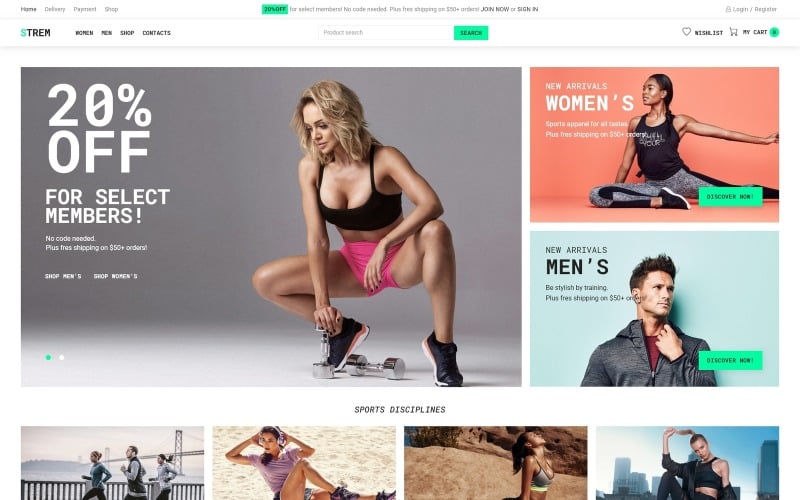
Strem is a clean, minimal Elementor WooCommerce theme engineered for modern running apparel, athletic footwear, and outdoor lifestyle storefronts. It features distraction-free product layouts, rapid AJAX cart slide-outs, and flexible typography controls that highlight athletic apparel.
Strem adopts a contemporary minimalist layout that emphasizes athletic photography and technical fabrics. Its spacious grids prevent catalog visual clutter, allowing shoppers to focus on product specifications and footwear cushioning technologies.
In our technical evaluation, Strem delivered rapid page paint speeds across mobile devices. Its lightweight script architecture ensures that high-resolution shoe galleries load smoothly without triggering layout shifts.
The integrated AJAX slide-out cart provides real-time basket updates without disrupting shopping sessions. Customers can inspect size selections and subtotal calculations effortlessly as they build their athletic wardrobe.
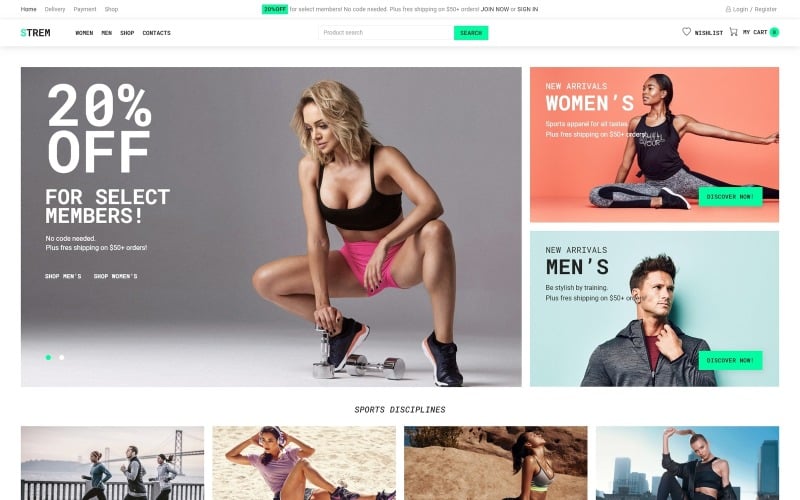
The primary capabilities of Strem are listed below.
- Minimalist design framework focusing customer attention on athletic apparel photography.
- Instant AJAX slide-out cart drawer preventing disruptive page reloads.
- Drag-and-drop archive and single product customization powered by Elementor.
- Fully responsive typography and layout grids tailored for handheld smartphone shoppers.
Pros:
- Clean, contemporary visual styling aligned with modern athletic fashion brands.
- Lightweight code foundation produces fast mobile page rendering times.
- Intuitive customizer options simplify store branding and color scheme management.
Cons:
- Lacks complex multi-vendor features for massive team sports marketplaces.
- Requires external plugins for side-by-side technical equipment comparisons.
2. Godeex – Sports Gear ECommerce Modern Elementor WooCommerce Theme
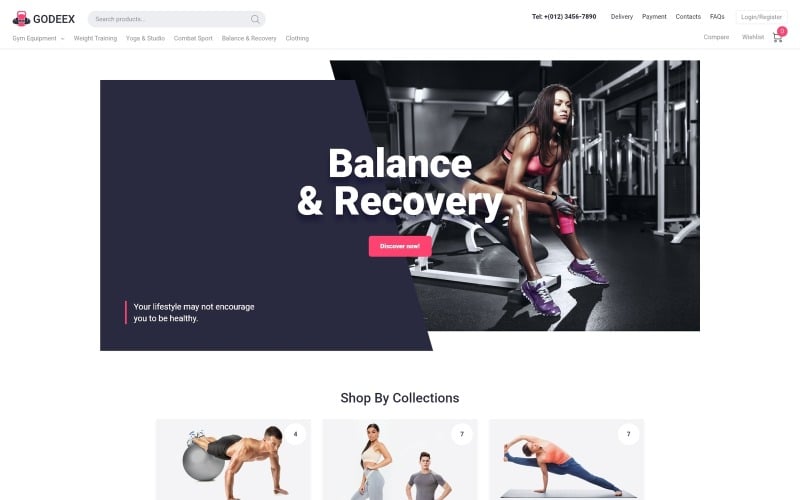
Godeex is a dynamic Elementor WooCommerce theme tailored for athletic footwear, gym apparel, and outdoor fitness gear retailers. It provides interactive variation swatches, responsive quick-view popups, and high-impact hero banners designed to drive conversions.
Godeex combines bold typography with energetic color accents that resonate with fitness enthusiasts. Its structured product cards display color swatches and sizing buttons directly on catalog archives, speeding up product discovery.
During our usability trials, the quick-view modal operated smoothly on mobile touchscreens. Shoppers can select shoe sizes and review material breathability ratings without leaving the primary category archive.
The theme features built-in promotional countdown timers for limited-edition sportswear drops. Displaying live inventory counters on clearance items creates gentle purchase urgency during seasonal athletic sales.
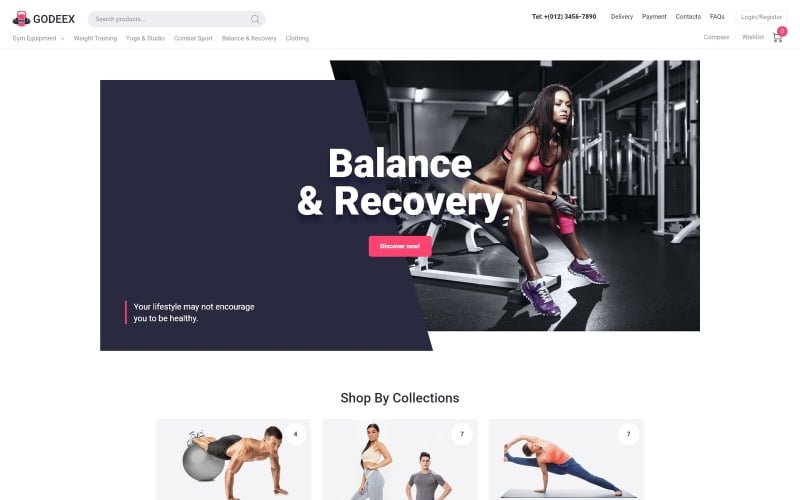
The standout technical assets of Godeex are summarized below.
- Interactive variation swatches for shoe sizes and apparel colorways.
- Fast quick-view modal windows with direct add-to-cart triggers.
- High-impact promotional countdown timers for athletic product launches.
- Seamless Elementor theme builder integration for custom headers and footers.
Pros:
- Vibrant visual design perfectly suited for fitness apparel and performance shoes.
- Direct-on-archive size swatches reduce navigation clicks for apparel shoppers.
- Responsive touch controls ensure comfortable browsing on mobile phones.
Cons:
- Heavy promotional styling may require toning down for boutique yoga stores.
- Multiple image hover animations require asset optimization to preserve site speed.
3. Net Ninjas – Football Sports Equipment WooCommerce Elementor Template
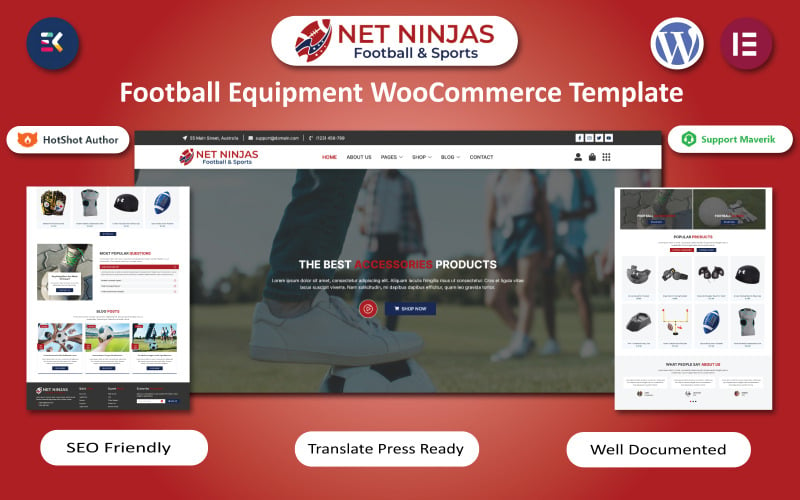
Net Ninjas is a specialized sports equipment WooCommerce theme built for football clubs, team sports distributors, and athletic training academies. It offers dedicated equipment specification tables, team kit builders, and embedded video presentation blocks.
Net Ninjas is engineered for merchants selling protective equipment, team uniforms, and coaching hardware. Its layout accommodates extensive technical specifications including impact ratings, certification standards, and sizing charts.
In our functional benchmark, the embedded video demonstration blocks added significant value to product pages. Store managers can showcase equipment durability tests and training tutorials directly beside the purchase button.
The theme provides robust multi-category catalog filtering. Customers can narrow down inventory by sport discipline, age division, and brand manufacturer without triggering full page reloads.
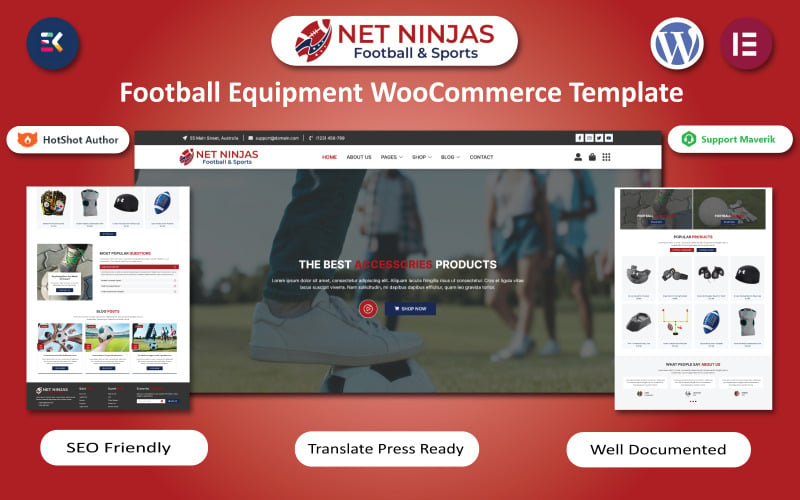
The primary technical features of Net Ninjas include the following components.
- Detailed technical equipment specification tables with certification badges.
- Embedded video containers for training drills and equipment durability reviews.
- Faceted catalog filtering for team sports, age brackets, and brand gear.
- Elementor block modules for assembling club sponsorship and training schedules.
Pros:
- Tailor-made for team sports, athletic clubs, and specialized training equipment.
- Clear data tables present equipment safety ratings and sizing standards cleanly.
- Video integration enhances shopper trust on high-ticket training gear.
Cons:
- Football-focused demo requires restyling for non-field sports categories.
- Video embeds require careful caching to avoid slowing initial page load times.
4. Sports Central WooCommerce Sports Equipment Template
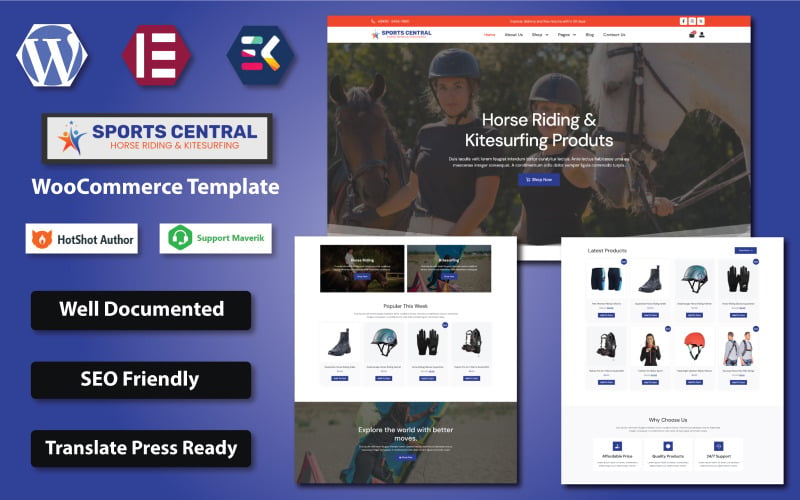
Sports Central is a high-capacity multi-sport WooCommerce theme designed for extensive athletic department stores, cycling shops, and outdoor adventure retailers. It features comprehensive multi-column mega menus, dense product card grids, and live AJAX search.
Sports Central is architected to handle deep product taxonomies spanning dozens of sporting disciplines. Its vertical and horizontal mega menus keep team sports, fitness machinery, and winter gear accessible from any store page.
Our stress testing confirmed that Sports Central maintains high responsiveness even with large product databases. Shoppers can search for specific gear models or brand names using the predictive auto-complete search bar.
The theme incorporates multi-tab product page sections that organize warranty terms, maintenance guides, and customer reviews cleanly. This structural clarity keeps buyers confident during high-ticket sporting gear transactions.
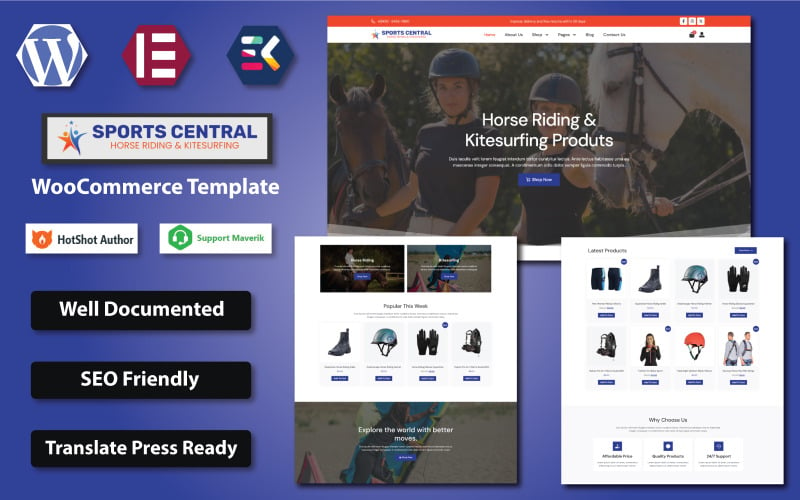
The core specifications of Sports Central are detailed below.
- Multi-column mega navigation menus supporting hundreds of sporting subcategories.
- Predictive AJAX search bar delivering real-time SKU and thumbnail suggestions.
- Multi-tabbed single product templates for technical manuals and warranty policies.
- Dense multi-column product grids engineered for high inventory count displays.
Pros:
- Exceptional taxonomy capacity capable of managing full-scale sports department stores.
- Fast predictive search accelerates product discovery for model-specific buyers.
- Structured product tabs present complex equipment specifications cleanly.
Cons:
- Dense layout presets can feel crowded on smaller screens without visual adjustments.
- Requires thorough category planning prior to initial store launch.
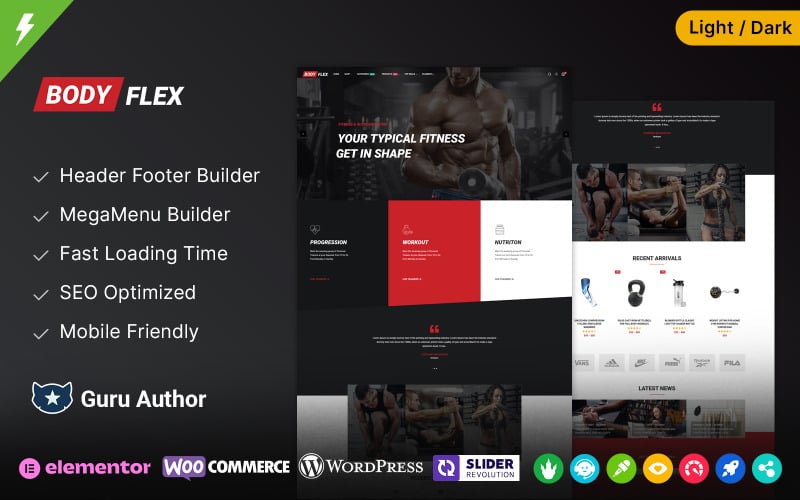
5. BodyFlex – Gym and Fitness and Sports Club WooCommerce Theme
BodyFlex is an integrated gym, fitness club, and sports supplement WooCommerce theme powered by Elementor. It combines online equipment sales with fitness class scheduling, personal trainer profile directories, and membership subscription tables.
BodyFlex addresses fitness businesses that combine physical gym services with digital e-commerce merchandise. Its layout allows facility operators to sell gym apparel, workout supplements, and monthly gym memberships simultaneously.
In our usability trials, the class timetable and booking modules operated flawlessly. Gym members can review daily workout schedules and reserve fitness slots directly from their smartphones.
The theme provides dedicated nutritional supplement product templates with ingredient highlight badges. This specialized styling reassures health-conscious shoppers looking for verified dietary supplements.
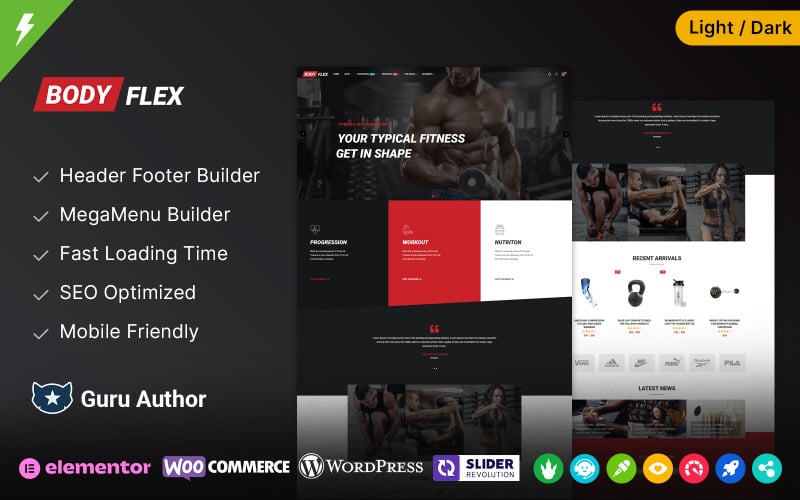
The standout technical assets of BodyFlex are summarized below.
- Integrated fitness class timetable and trainer booking schedule modules.
- Specialized product templates for sports nutrition and dietary supplements.
- Full compatibility with WooCommerce Subscriptions for recurring gym memberships.
- High-contrast visual styling designed for fitness clubs and cross-training boxes.
Pros:
- Versatile dual-purpose design handles both physical merchandise and club memberships.
- Interactive class schedules enhance community engagement for local gym operators.
- Dedicated supplement layouts highlight nutritional facts and certifications clearly.
Cons:
- Booking modules require initial scheduling configuration before store deployment.
- Less suited for pure e-commerce retailers with no gym or training services.
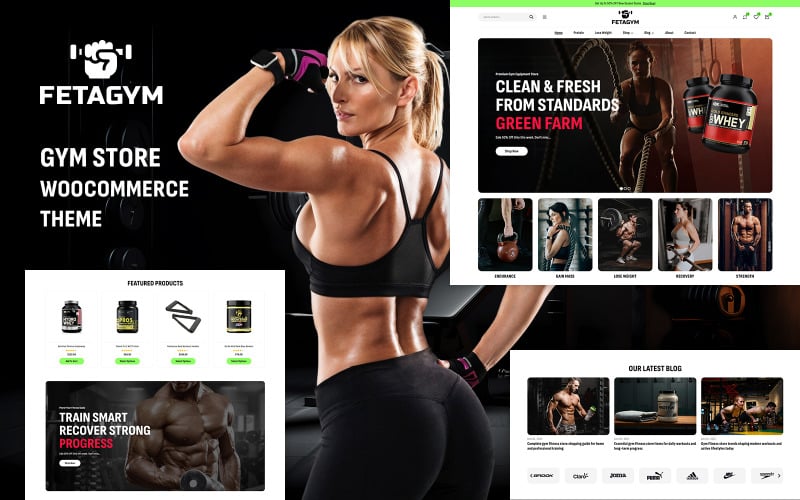
6. Fetagym – Gym & Sports Store WooCommerce WordPress Theme
Fetagym is a dark-mode, high-energy WooCommerce theme engineered for CrossFit gyms, martial arts academies, and athletic conditioning retailers. It features bold typography, video hero banners, and streamlined product showcase sliders.
Fetagym establishes an intense, motivating visual aesthetic using dark charcoal backgrounds paired with neon accent highlights. Its modern styling is especially popular with strength conditioning brands and athletic combat gear stores.
Our review identified Fetagym’s video hero sections as an excellent tool for athletic storytelling. Store owners can display high-energy training footage in header backgrounds to inspire shoppers and reinforce brand identity.
The theme includes responsive touch-friendly product sliders that showcase featured sports gear effortlessly. Customers can swipe through gym accessories and kettlebells with smooth mobile gesture responsiveness.
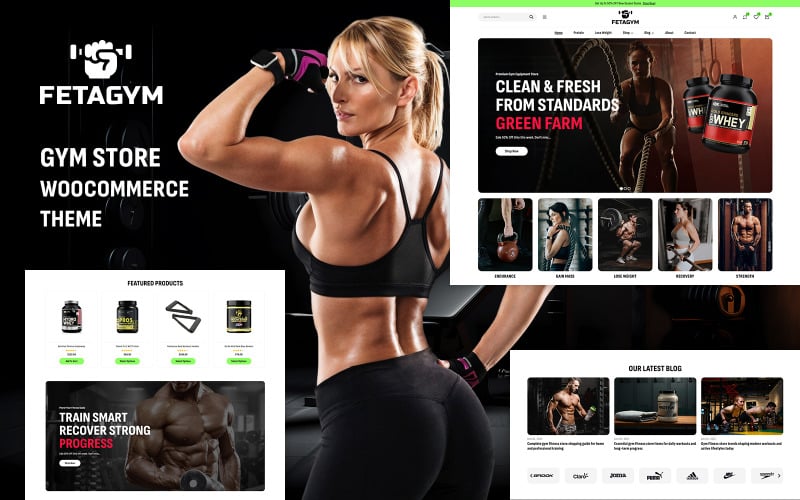
The key capabilities of Fetagym are listed below.
- High-energy dark mode aesthetic tailored for strength sports and fitness conditioning.
- Full-width video background headers for dynamic athletic brand storytelling.
- Smooth touch-gesture product carousels for easy mobile browsing.
- Custom Elementor widgets for training pricing tables and membership passes.
Pros:
- Distinctive dark styling creates an immediate premium athletic presence.
- Dynamic video headers engage visitors and increase on-site session duration.
- Clean responsive layouts adapt smoothly across tablets and smartphones.
Cons:
- Dark palette may not align with traditional country club or golf apparel stores.
- Video backgrounds require compression to prevent initial page load delays.
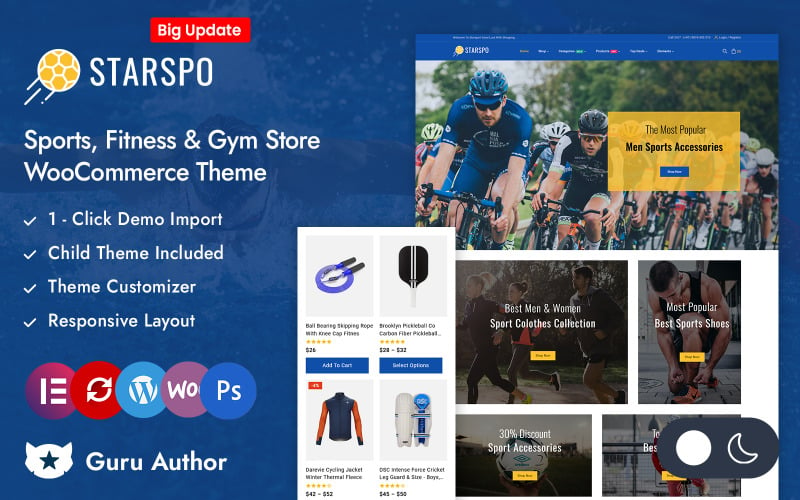
7. Starspo – Sports Accessories Store Elementor WooCommerce Responsive Theme
Starspo is a flexible sports accessories WooCommerce theme built for outdoor cycling, hiking gear, and athletic equipment retailers. It features promotional countdown timers, clean category carousels, and responsive product filtering.
Starspo balances clean white backgrounds with vibrant color accents, providing a versatile foundation for multi-sport retailers. Its layouts are optimized to display outdoor gear, protective helmets, and hydration accessories cleanly.
In our usability trials, the promotional countdown modules drove strong engagement on clearance items. Store operators can schedule automated flash sales on seasonal outdoor equipment with real-time stock counters.
The theme provides responsive category carousels that organize gear by activity or outdoor terrain. Shoppers can navigate through camping, running, and cycling collections without endless vertical scrolling.
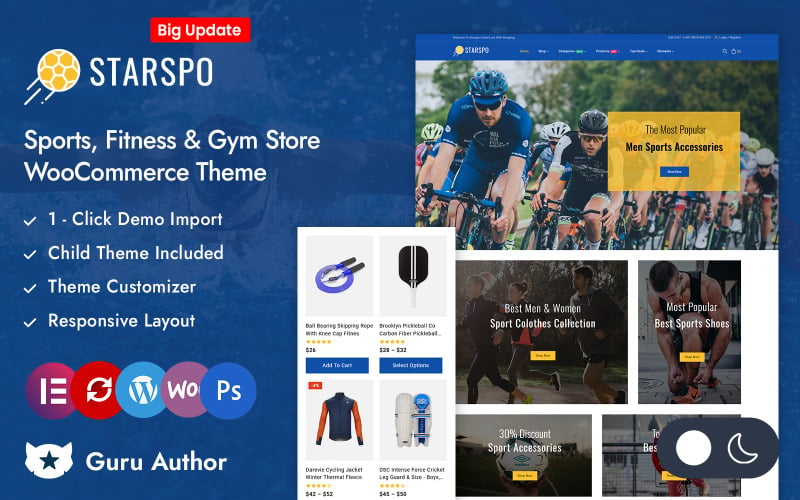
The standout technical assets of Starspo are detailed below.
- Promotional flash sale countdown banners with automatic inventory counters.
- Smooth category carousels organizing gear by outdoor sports disciplines.
- Faceted AJAX product sorting for rapid gear size and color discovery.
- Comprehensive Elementor theme builder integration for custom page design.
Pros:
- Highly versatile layout accommodates diverse outdoor sports accessories.
- Effective flash sale promotional tools accelerate clearance inventory turnover.
- Smooth mobile touch controls make handheld shopping comfortable.
Cons:
- Default templates require customized icon sets for specialized sport disciplines.
- Less suited for large multi-vendor marketplace architectures.
Factors to Consider When Choosing Sport WooCommerce Themes for WordPress Stores
Selecting an athletic WooCommerce theme requires evaluating sizing guide integration, technical gear specification tables, mobile responsiveness, and speed optimization. Sporting goods stores manage complex variant combinations spanning sizes, weights, and athletic disciplines.
Product Compatibility and Technical Sizing Guides
Sporting apparel and footwear require precise sizing matrices to prevent customer returns and sizing disputes. Themes must support interactive size recommendation charts, dimensional diagrams, and material flexibility guides directly on product pages.
Clear sizing tables help athletic shoppers select the right compression fit or footwear size with confidence.
Ensure your chosen theme provides dedicated tab containers for technical fabric specifications and manufacturer sizing charts.
Mobile Responsiveness and Touch Ergonomics
More than sixty-five percent of sporting goods purchases occur on smartphones during workouts, commutes, or weekend athletic events. A mobile-optimized sports theme must feature accessible touch targets, sticky cart controls, and fluid swipeable product carousels.
Athletic shoppers expect rapid visual feedback when inspecting apparel colorways on smaller screens.
Persistent sticky bottom checkout bars allow customers to complete purchases rapidly without endless upward scrolling.
WooCommerce Features and Variation Swatches
Athletic products often feature dozens of size and color variations that can clutter standard dropdown menus. Visual color swatches and button size pickers streamline product configuration, encouraging higher checkout conversion rates.
Replacing standard text dropdowns with clickable color thumbnails improves the overall shopping experience.
Verify that your theme supports variation swatches natively or integrates cleanly with leading swatch plugins.
Speed Optimization and Core Web Vitals
Fast page rendering prevents customer drop-offs when shoppers browse through large sporting gear archives. Clean HTML5 codebases, native lazy-loading, and minimized JavaScript execution ensure your store satisfies Google Core Web Vitals thresholds.
Slow page performance damages mobile user retention and lowers organic search engine rankings.
Select lightweight themes that avoid heavy script dependencies to maintain rapid mobile checkout transitions.
Design Customization and Brand Identity
Athletic branding relies on high-energy visual storytelling, vibrant accent palettes, and bold typography. Visual page builders like Elementor give store managers complete design control over hero sections, promotional banners, and category archives.
Frequent seasonal sales and new gear unveilings demand fast landing page construction without custom coding.
Themes with modular customizer settings let you update seasonal branding and promotional circulars in minutes.
Plugin Support for Bookings and Subscriptions
Modern sports retailers often offer gym training sessions alongside physical merchandise using booking tools. Compatibility with WooCommerce Subscriptions also enables recurring supplement delivery boxes and fitness club memberships.
Unified inventory and booking workflows simplify operations for hybrid fitness and retail businesses.
Confirm that your theme maintains flawless styling compatibility with booking and subscription extensions before store launch.
Frequently Asked Questions About Sport WooCommerce Themes
Launching an online sporting goods storefront introduces operational questions regarding theme migration, multilingual translation, payment gateways, and subscription memberships. Below are direct answers addressing the most common questions merchants ask.
How Do I Migrate My Existing Store to a New Sports Theme?
Migrate your store safely by deploying a staging environment, testing product archives, and verifying checkout workflows before updating your live site. Preserving established URL permalinks and metadata redirects ensures your Google organic search rankings remain stable throughout migration.
Conducting full database backups before activating a new sports theme protects customer order histories and inventory data.
Can These Themes Support Multilingual Sports Stores?
Yes, all featured sports themes provide complete translation readiness and compatibility with leading multilingual plugins like WPML and Polylang. This enables sports retailers to present product descriptions, sizing tables, and checkout flows in multiple regional languages effortlessly.
Serving international sports fans in their native language broadens market reach and strengthens brand loyalty.
Which Payment Gateways Work Best for Sport WooCommerce Themes?
Stripe, PayPal, Apple Pay, and Google Pay deliver the most reliable checkout performance for sports WooCommerce stores. Supporting one-tap digital wallets accelerates mobile checkout and significantly reduces cart abandonment among smartphone shoppers.
Integrating express mobile payment options lets customers complete gear orders with biometric authentication in seconds.
How Can I Improve Product Filtering for Large Sports Catalogs?
Improve catalog filtering by deploying faceted AJAX search plugins that allow shoppers to sort gear by size, sport discipline, price, and brand simultaneously. Real-time filtering eliminates full-page reloads and helps shoppers locate matching equipment rapidly.
Streamlined faceted navigation keeps customer drop-offs low across extensive multi-department sporting goods catalogs.
Do These Themes Support Subscription-Based Fitness Memberships?
Yes, all reviewed themes integrate cleanly with WooCommerce Subscriptions, enabling automated recurring billing for gym memberships, fitness classes, and monthly supplement deliveries. Clean template styling ensures subscription selection grids render without visual bugs across all viewports.
Recurring membership billing stabilizes monthly store revenue and support lasting customer relationships for fitness clubs.
Final Recommendations for Sport WooCommerce Themes
Selecting the best sport WooCommerce theme depends on your store size, athletic disciplines, and desired customization depth. For modern running apparel and lifestyle athletic gear, Strem and Godeex deliver exceptional minimalist aesthetics and fast mobile checkouts.
If you operate a multi-sport department megastore or team sports equipment business, Sports Central and Net Ninjas provide unmatched taxonomy depth and technical specification tables.
Merchants integrating major outdoor sporting distributors like Big Rock Sports with WooCommerce will appreciate Sports Central’s robust catalog hierarchy and automated SKU inventory handling.
Store owners specializing in performance activewear and athletic apparel can also explore our curated list of the best WooCommerce themes for clothing stores for dedicated fashion lookbook layouts.
For hybrid gyms, fitness studios, and supplement retailers, BodyFlex and Fetagym offer built-in timetable bookings and high-energy dark mode styling.
For more detailed e-commerce comparisons, explore our guide to the best WooCommerce themes and our analysis of the fastest e-commerce themes to maximize your athletic store sales.

Abdullah Prem is the founder of EcommerceThemes.org and BloggersNeed.com. He specializes in reviewing Shopify themes, WooCommerce themes, WordPress themes, hosting, plugins, and SaaS tools. Through EcommerceThemes.org, he publishes in-depth theme reviews, product comparisons, buying guides, and performance analyses to help ecommerce businesses choose the right theme based on speed, SEO, customization, user experience, and overall value. His goal is to provide research-driven recommendations that help store owners make informed decisions when selecting an ecommerce theme.