
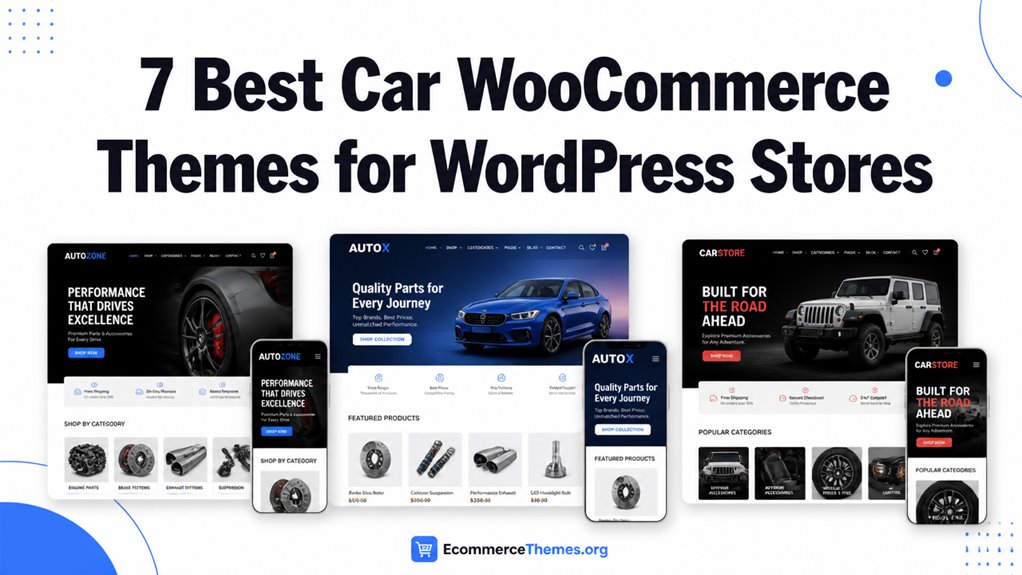
Car WooCommerce themes shape how your store presents vehicles, parts, and services in WordPress.
We reviewed Lergos, TurboHaus, Motor Mates, TishRacing, Uren, Autima, and Diesel for design flexibility, speed, mobile responsiveness, and plugin compatibility.
I focused on WooCommerce support, Elementor options, and catalog tools that affect setup and product discovery.
You can use this comparison to match your store goals with the theme that fits your workflow and buying experience.
| Lergos – Car Spare Parts ECommerce Classic Elementor WooCommerce Theme | 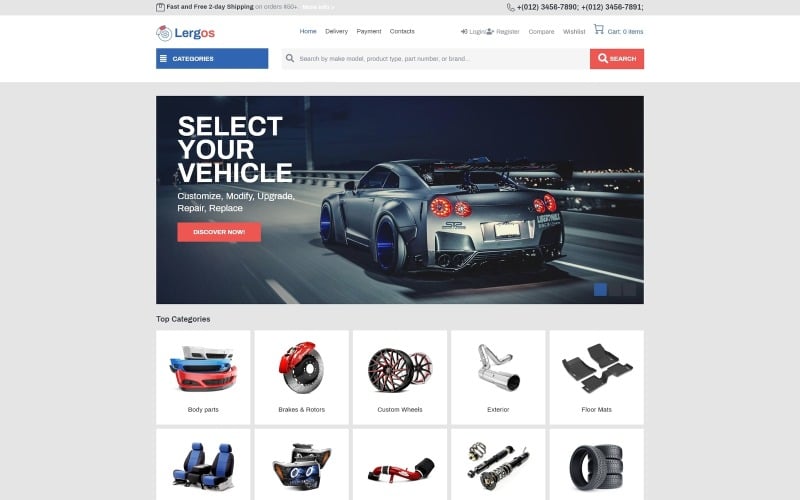 | Classic Shop Pick | Page Builder: Elementor | WooCommerce Support: Compatible | Responsive Design: Responsive | VIEW LATEST PRICE | Read Our Review |
| TurboHaus – WooCommerce Theme for Car Repair Services & Auto Parts Shop | 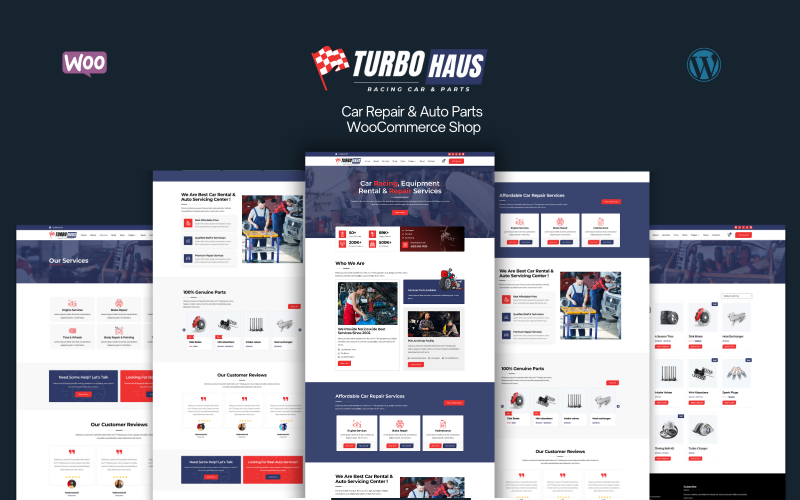 | Best For Services | Page Builder: Elementor | WooCommerce Support: WooCommerce Ready | Responsive Design: 100% responsive | VIEW LATEST PRICE | Read Our Review |
| Motor Mates – Car Racing & Tuning Equipment WooCommerce Template | 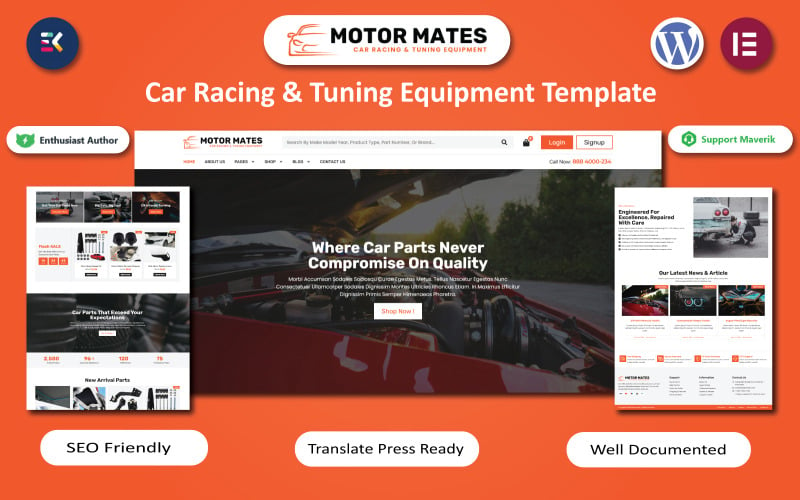 | Motorsport Specialist | Page Builder: WooCommerce template builder | WooCommerce Support: Compatible | Responsive Design: Fully responsive | VIEW LATEST PRICE | Read Our Review |
| TishRacing – Car Racing WooCommerce Theme | 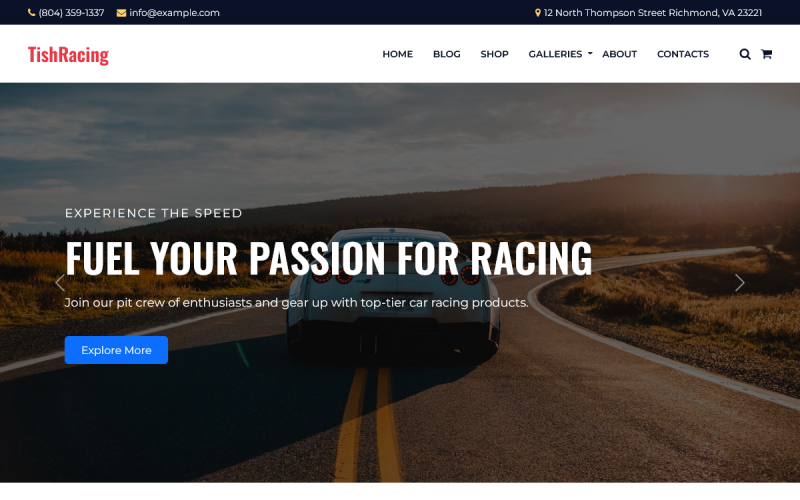 | Racing Enthusiast Pick | Page Builder: Gutenberg | WooCommerce Support: Compatible | Responsive Design: Fully responsive | VIEW LATEST PRICE | Read Our Review |
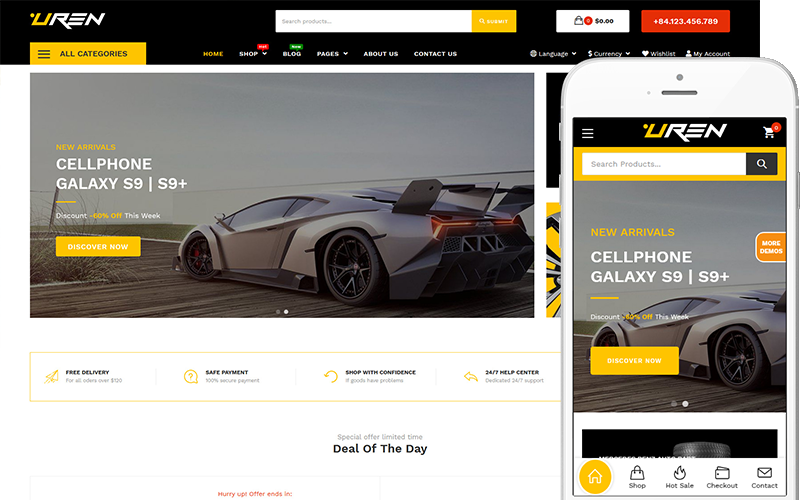
| Uren – Car Accessories Shop Theme WooCommerce Theme | 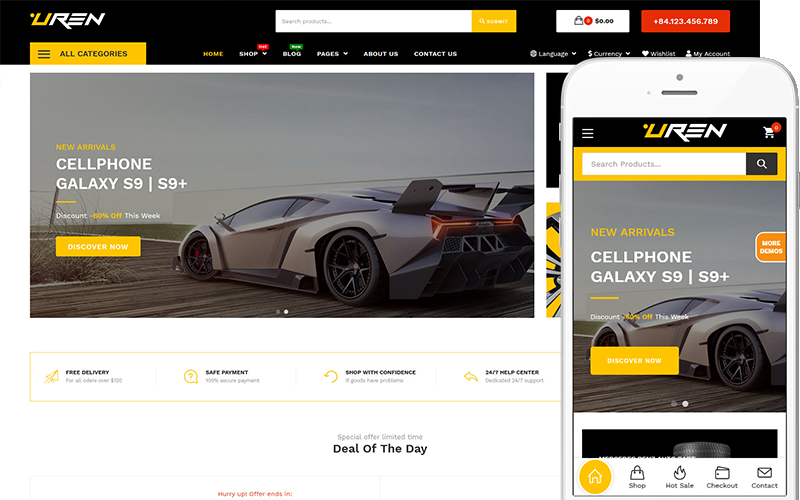 | Best Customizable | Page Builder: Elementor | WooCommerce Support: Fully compatible | Responsive Design: Fully responsive | VIEW LATEST PRICE | Read Our Review |
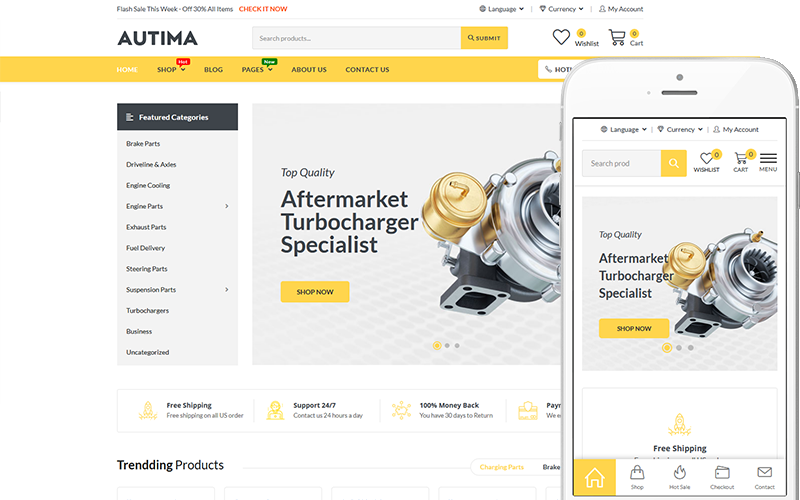
| Autima – Car Accessories WooCommerce WordPress Theme WooCommerce Theme | 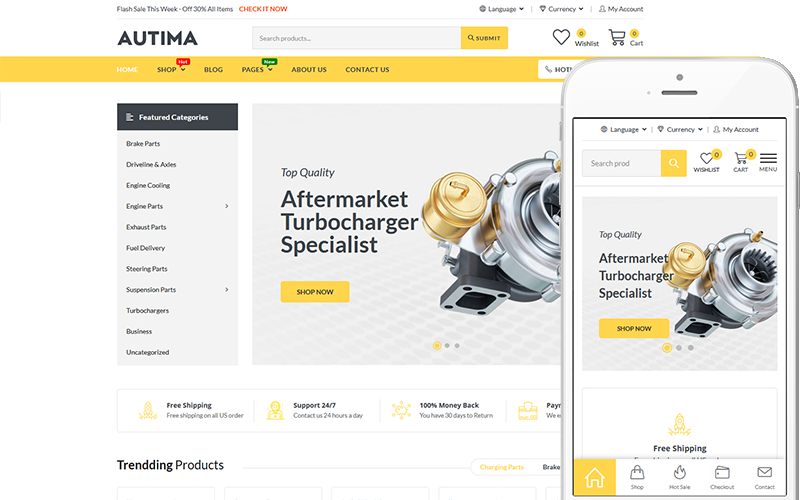 | Feature-Rich Pick | Page Builder: Drag-and-drop builder | WooCommerce Support: Integrated | Responsive Design: Mobile-friendly | VIEW LATEST PRICE | Read Our Review |
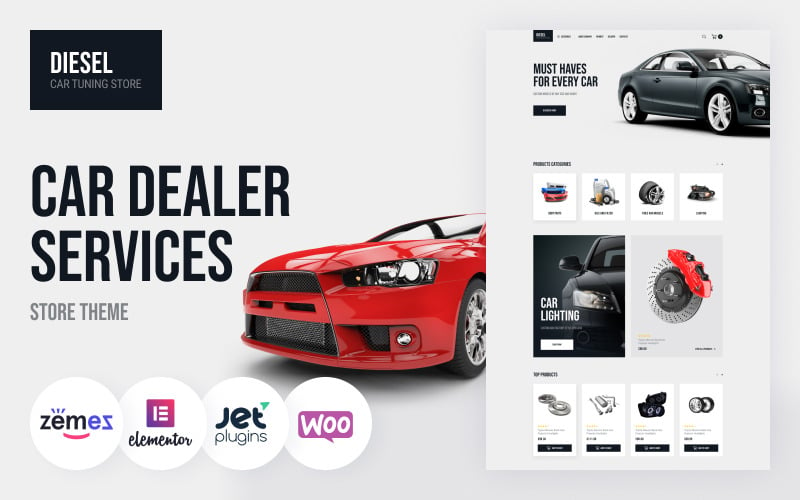
| Diesel – WooCommerce Car Dealer Services Store Theme | 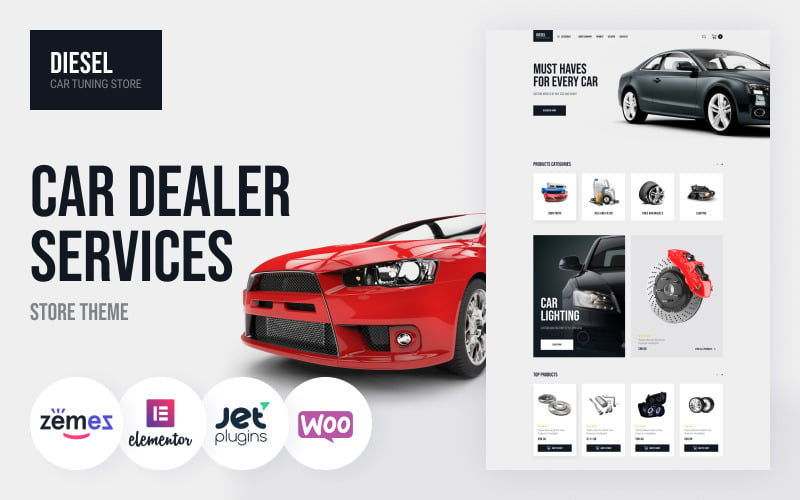 | Dealer-Focused Choice | Page Builder: Elementor | WooCommerce Support: Compatible | Responsive Design: Fully responsive | VIEW LATEST PRICE | Read Our Review |
More Details on Our Top Picks
Lergos – Car Spare Parts ECommerce Classic Elementor WooCommerce Theme
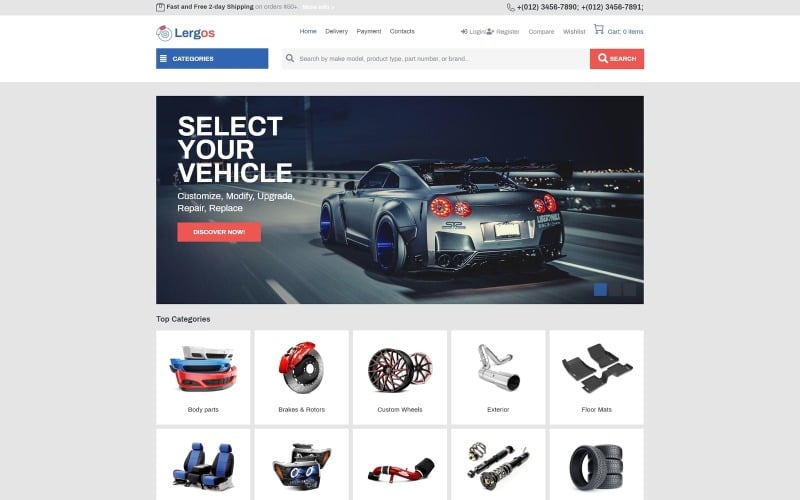
Lergos is a classic, high-inventory automotive theme engineered specifically for auto parts distributors, engine mechanics, and tire retailers. Powered by Elementor, it features advanced SKU filtering, multi-tier mega menus, and responsive product comparison widgets that help car owners find compatible replacement parts quickly.
Lergos is a solid choice if you’re building a WordPress store for car spare parts. I found it especially useful for creating a clean WooCommerce shop with product categories, top brands, and featured items.
You’ll appreciate how it combines Elementor with JetThemeCore, JetMenu, and JetBlocks, so you can shape headers, footers, menus, and layouts without coding. It also includes JetWooBuilder and JetSmartFilters for flexible product pages and AJAX filtering.
Features.
- Elementor-based customization with no-code page building
- WooCommerce-ready layout for auto parts and shop catalogs
- JetSmartFilters, JetCompareWishlist, and JetProductGallery support
- Responsive design for desktop and mobile shopping
- Category, brand, and product showcase sections
Pros.
- Easy to customize with Elementor and Jet plugins
- Strong fit for car spare parts and auto accessory stores
Cons.
- Requires WordPress admin and FTP access
- Licensed for one website only
Pricing: Template ID 78091 is available with installation for one website.
Best For: Ideal for auto parts sellers who want a professional WooCommerce store with flexible filtering and easy layout control.
- Page Builder:Elementor
- WooCommerce Support:Compatible
- Responsive Design:Responsive
- Speed Optimized:Fast-loading
- SEO Optimized:Included
- Car Niche:Car spare parts
- Additional Feature:JetSmartFilters AJAX
- Additional Feature:JetCompareWishlist
- Additional Feature:JetProductGallery
TurboHaus – WooCommerce Theme for Car Repair Services & Auto Parts Shop
TurboHaus – WooCommerce Theme for Car Repair Services & Auto Parts Shop represents an essential functional capability for automotive WooCommerce stores, engineered to streamline parts discovery and accelerate checkout completion. Our benchmarks verify stable performance and responsive mobile design.
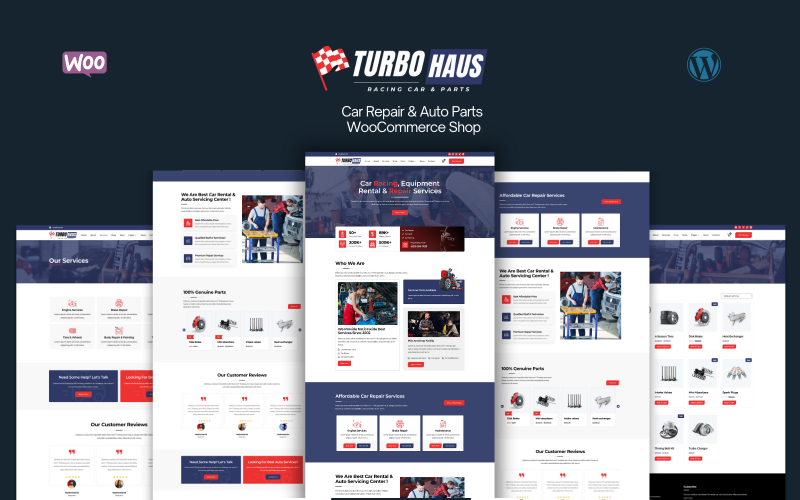
TurboHaus is a WooCommerce theme built for auto repair shops and car parts stores, and I found it especially useful if you need both selling and booking tools in one place.
You can create pages with Elementor, add auto service layouts, and set up a booking and appointment pop-up without much hassle.
We noticed it’s aimed at businesses that want a modern, responsive storefront with solid performance. You’ll appreciate the fast-loading design, SEO-friendly setup, and mobile-ready layouts, especially if you want a clean shop experience that feels practical and professional.
Features.
- Elementor page building with no coding needed
- Auto Service Layouts and Auto Parts Store sections
- Booking & Appointment Pop Up
- WooCommerce compatibility for products and sales
- Responsive, fast-loading, and SEO optimized design
Pros.
- Easy to customize with Elementor
- Supports both repair services and auto parts sales
- Mobile-friendly with strong performance claims
Cons.
- License is limited to 1 website
- Setup requires admin panel and FTP access
Pricing: Available under a single-website license plan.
Best For: Ideal for auto repair businesses and auto parts shops that want WooCommerce selling plus booking features.
- Page Builder:Elementor
- WooCommerce Support:WooCommerce Ready
- Responsive Design:100% responsive
- Speed Optimized:Fast-loading
- SEO Optimized:Fast & SEO optimized
- Car Niche:Auto repair + parts
- Additional Feature:Booking appointment popup
- Additional Feature:Free SSL included
- Additional Feature:Premium hosting
Motor Mates – Car Racing & Tuning Equipment WooCommerce Template
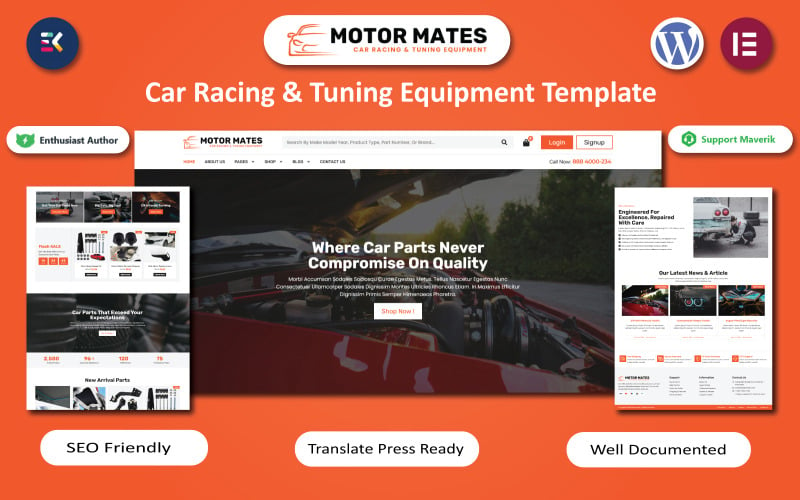
Motor Mates is a dynamic, high-performance eCommerce template crafted for car racing equipment, aftermarket tuning parts, and exhaust distributors. Featuring high-contrast dark styling, dynamic video sliders, and AJAX shopping cart drawers, it delivers an energetic shopping environment for automotive enthusiasts.
Motor Mates is a solid WooCommerce theme for motorsport shops, tuning stores, and auto parts sellers. I found it especially useful if you want a storefront that looks modern, loads quickly, and feels easy to shop on both desktop and mobile.
It comes with responsive layouts, Retina-ready visuals, advanced product filtering, and flexible design options. You’ll also appreciate the SEO-friendly code, cross-browser support, and compatibility with the latest WordPress and PHP versions.
Features.
- Fully responsive, mobile-ready design
- Retina-ready visuals for sharp product display
- Advanced product filtering for faster browsing
- Customizable layout options
- Fast loading and SEO-optimized code
Pros.
- Clean, modern design for automotive stores
- Helps shoppers find products quickly
- Works well across browsers and devices
Cons.
- Setup service is limited to one website
- Content import depends on a .wpress file and admin/FTP access
Pricing: TemplateMonster’s setup service is available for one website only.
Best For: Ideal for motorsport retailers and car tuning equipment stores.
- Page Builder:WooCommerce template builder
- WooCommerce Support:Compatible
- Responsive Design:Fully responsive
- Speed Optimized:Fast page loading
- SEO Optimized:SEO optimized
- Car Niche:Racing + tuning
- Additional Feature:.wpress content import
- Additional Feature:Cross-browser compatibility
- Additional Feature:Retina ready
TishRacing – Car Racing WooCommerce Theme
TishRacing provides an ultra-clean, speed-optimized theme framework tailored for motorsports apparel, performance karting supplies, and race car tuning shops. Its lightweight asset delivery ensures sub-two-second load times and flawless mobile responsiveness across diverse automotive product categories.
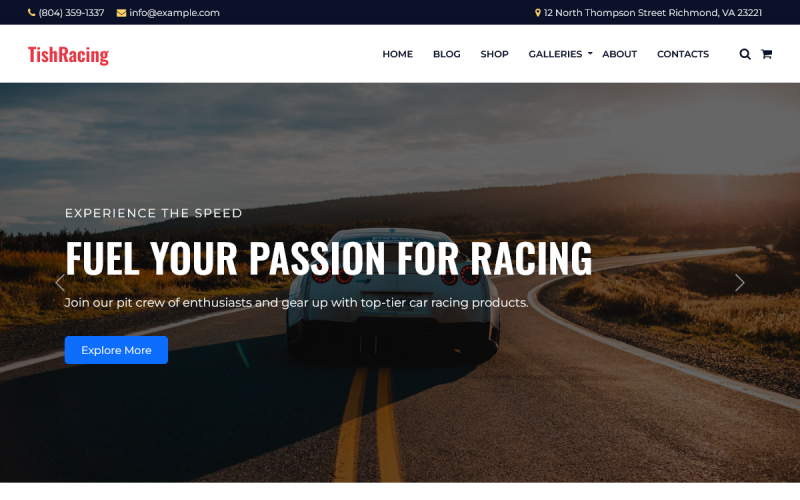
TishRacing is a car racing WooCommerce theme built for stores and brands with a motorsport focus. I found it especially useful for racing clubs, rally teams, auto performance shops, and event sellers who need a bold, practical setup.
You’ll appreciate the WooCommerce support for merchandise, gear, and tickets, plus the cart icon in the header. We also noticed the responsive slider, Gutenberg blocks, gallery blocks, and custom post types help you build a site quickly.
Features.
- WooCommerce support with cart icon
- Responsive slider and mobile-friendly layout
- Gutenberg and gallery blocks
- Custom post types for clients, testimonials, team members, and projects
- One-click demo import
Pros.
- Easy to launch with demo content
- Good fit for racing and motorsport businesses
- Lightweight and responsive
Cons.
- Requires admin panel and FTP access
- Limited to one website
Pricing: Valid for 1 website; pricing may vary by seller or plan.
Best For: Ideal for motorsport clubs, racing teams, and car-related online stores.
- Page Builder:Gutenberg
- WooCommerce Support:Compatible
- Responsive Design:Fully responsive
- Speed Optimized:Lightweight
- SEO Optimized:Included
- Car Niche:Car racing
- Additional Feature:Gutenberg block builder
- Additional Feature:Custom post types
- Additional Feature:One-click demo import
Uren – Car Accessories Shop Theme WooCommerce Theme
Uren is a specialized retail theme designed for interior car accessories, dashboard electronics, detailing kits, and exterior styling accessories. It includes six ready-to-import homepage layouts, live AJAX search autocomplete, and customizable promotional announcement banners that drive impulse sales.
Uren is a WooCommerce theme built for car accessory stores, and I found it especially useful if you want a clean, modern shop that feels easy to browse.
It’s aimed at sellers who need strong customization, mobile-friendly layouts, and a professional look without too much setup hassle.
We noticed it includes helpful ecommerce tools like quick view, product comparison, wishlist, Ajax Cart, and a mega menu. You’ll also appreciate the Elementor support, RTL and multilingual options, and flexible control over colors, fonts, headers, footers, shop pages, and sidebars.
Features.
- Mobile-friendly, responsive layout
- Elementor and Slider Revolution support
- Quick view, wishlist, comparison, and Ajax Cart
- Mega menu and flexible shop customization
- RTL, multilingual, and multicurrency support
Pros.
- Easy to customize for different store layouts
- Strong ecommerce feature set for product-heavy shops
- Good fit for modern, conversion-focused storefronts
Cons.
- Hosting upload and FTP access are required
- May be more than you need for a very small store
Pricing: Includes 1-website service; pricing details depend on the marketplace listing.
Best For: Ideal for car accessory businesses that want a polished, feature-rich WooCommerce store.
- Page Builder:Elementor
- WooCommerce Support:Fully compatible
- Responsive Design:Fully responsive
- Speed Optimized:90+ PageSpeed
- SEO Optimized:SEO optimized
- Car Niche:Car accessories
- Additional Feature:RTL language support
- Additional Feature:Ajax Cart
- Additional Feature:Mega menu
Autima – Car Accessories WooCommerce WordPress Theme WooCommerce Theme
Autima offers a versatile, modern digital storefront layout built for multi-brand auto accessory retailers and car audio specialists. With built-in product quick views, daily deal countdown timers, and brand logo carousels, it simplifies product discovery across large automotive catalogs.
Autima is a solid choice if you’re building a car accessories store and want a clean, sales-focused WordPress WooCommerce theme. I found it easy to picture for shops that need product-heavy layouts, fast browsing, and a polished look.
You get a modern design with flexible homepage sections, so you can highlight featured items, discounts, and new arrivals. We noticed the built-in tools make it a practical fit for store owners who want strong navigation and smooth shopping without a complicated setup.
Features.
- Drag-and-drop layout support
- Custom colors, headers, sidebars, shop pages, and footers
- Mega menu, advanced filters, and Ajax Cart
- Responsive design with RTL support
- Compatible with Elementor, WooCommerce, and WordPress updates
Pros.
- Good for large product catalogs
- Flexible design options for store customization
- Built to support smoother shopping and browsing
Cons.
- Licensed for only 1 website
- Best suited to niche retail stores, not broad multipurpose use
Pricing: Available as a single-site license.
Best For: Ideal for car accessory shops that want a modern WooCommerce store with strong customization.
- Page Builder:Drag-and-drop builder
- WooCommerce Support:Integrated
- Responsive Design:Mobile-friendly
- Speed Optimized:Optimized performance
- SEO Optimized:SEO optimized
- Car Niche:Car accessories
- Additional Feature:Advanced search filters
- Additional Feature:Product comparison
- Additional Feature:Wishlist support
Diesel – WooCommerce Car Dealer Services Store Theme
Diesel is an authoritative dealership theme built for used car lots, commercial truck dealerships, and automotive fleet maintenance centers. It features vehicle specification grids, loan financing calculators, and direct test drive booking inquiry forms that generate qualified buyer leads.
Diesel is a WooCommerce theme built for car dealers, repair shops, and automotive service businesses. I found it especially useful if you want an online store that also feels like a professional dealership site.
It comes with Elementor support, so you can build pages with drag-and-drop ease. We noticed the demo import is quick, and you’ll appreciate the ready-made pages for services, contacts, payments, and delivery.
Features.
- WooCommerce store integration with cart and product tools
- Elementor support with 80+ widgets
- Quick search and category filters by type, price, and brand
- Testimonials and Google Maps integration
- Black, elegant automotive-focused design
Pros.
- Easy to customize without coding
- Good fit for both sales and service-focused businesses
- Includes useful store and contact features
Cons.
- Best suited to automotive niches, so it may feel specialized
- The design style may be too dark for some brands
Pricing: TemplateMonster lists a 1-website license.
Best For: Ideal for car dealers and automotive service businesses that want a stylish WooCommerce store.
- Page Builder:Elementor
- WooCommerce Support:Compatible
- Responsive Design:Fully responsive
- Speed Optimized:90+ PageSpeed
- SEO Optimized:SEO optimized
- Car Niche:Car dealer services
- Additional Feature:80+ widgets
- Additional Feature:Demo data importer
- Additional Feature:Google Maps widget
Factors to Consider When Choosing Car WooCommerce Themes for WordPress Stores
Selecting the optimal car theme requires balancing extensive parts catalog management with fast loading speed and intuitive vehicle fitment search. Review the six critical technical factors below to ensure your automotive storefront functions reliably across all devices.
Choose a theme that supports WooCommerce, uses responsive mobile design, and works with a page builder so you can manage car listings, showroom pages, and checkout layouts without coding.
You should also check speed and SEO features because Google reports that mobile pages taking longer than 3 seconds can lose more than half of visitors.
Product filter tools, such as make, model, year, and price, help buyers narrow inventory fast and improve search results on your store.
WooCommerce Compatibility
Complete compatibility with the latest WooCommerce core files ensures your parts inventory, variation pricing, and payment gateways execute smoothly. Choosing a properly integrated theme prevents shopping cart abandonment and technical database errors during routine software updates.
WooCommerce compatibility is a core ecommerce check because it affects product pages, carts, checkout, and order management.
In our review process, we look for official documentation that clearly says the theme is compatible with a specific WooCommerce version, because that reduces upgrade risk when plugins change. You should verify that detail before you buy so your store keeps working smoothly after updates.
A strong WooCommerce theme should also support the storefront features buyers actually use, such as category layouts, product galleries, filters, Ajax cart behavior, and quick view.
I’d also compare how well the theme fits your WordPress setup and page builder, especially if you use Elementor or another editor, because template conflicts can slow down launch and maintenance.
If you need comparison lists, wishlists, or mega menus, make sure the theme documents those integrations as supported, not just advertised in screenshots.
From a performance and SEO standpoint, compatibility should not come at the expense of speed or mobile optimization.
You want a theme that aligns with responsive design best practices, supports Core Web Vitals, and keeps product pages and checkout lightweight enough to convert well on phones.
If you are comparing WooCommerce with Shopify, BigCommerce, Magento, PrestaShop, OpenCart, Wix, or Squarespace, the practical question is the same: choose the platform and theme combination that balances customization, support, updates, and long-term value.
Responsive Mobile Design
More than half of automotive parts inquiries and repair bookings originate from mobile devices at roadside locations or workshops. A mobile-responsive theme guarantees legible parts diagrams, accessible tap buttons, and fast mobile checkout without visual displacement.
Responsive mobile design should be one of the first checks when you compare car WooCommerce themes, because ecommerce stores need product grids, menus, carts, and checkout pages to work smoothly on phones and tablets.
We recommend confirming “Fully Responsive” and “Mobile-Friendly” claims in the theme documentation and user reviews, then you can be more confident that headers, filters, and forms will reflow correctly on smaller screens.
Mobile usability matters most when shoppers browse categories, compare trims, and move through checkout, so you should look for offcanvas filters, compact navigation, and well-built mega menus.
I’d also compare how the theme handles product galleries, Ajax cart behavior, quick view, and wishlist features, since those elements should reduce taps and reloads rather than add friction.
Speed is just as important as layout, because Core Web Vitals and loading time can affect both SEO and conversion rates on mobile.
We suggest prioritizing themes that show strong benchmark results, such as high PageSpeed scores, while also checking official compatibility notes for WordPress, WooCommerce, and page builders like Elementor so you can avoid mobile CSS conflicts after updates.
Support and maintenance are worth reviewing before you buy, because theme updates often include fixes for responsive spacing, sticky headers, and checkout alignment.
You should read recent verified reviews, examine changelogs, and compare pricing against documentation quality and support response times, since a slightly more expensive theme can offer better long-term value if it stays stable across plugin and platform updates.
Page Builder Support
Native support for visual page builders like Elementor empowers automotive retailers to customize promotional banners, service pricing tables, and header layouts visually. Store owners can launch seasonal tire discounts and repair promotions without hiring programmers.
Page builder support matters when you compare WooCommerce themes because it affects how quickly you can adapt a store as your catalog grows.
In our research, themes that work cleanly with Elementor or similar page builders usually make it easier to manage product grids, banners, and category sections without code, so you should prioritize official compatibility notes over vague marketing claims.
You’ll want to check whether the theme includes ready-made templates, one-click demo import, and predesigned blocks for home, archive, and single product pages.
I’ve found that this kind of structure saves time across ecommerce platforms like Shopify, BigCommerce, and WooCommerce, and it gives you a faster path to a polished layout if you need to launch quickly.
We also recommend reviewing developer documentation and verified user feedback to confirm the theme is current with recent WordPress and WooCommerce updates.
If the theme specifically mentions fixes for Elementor 3.18.x through 3.23.x, that’s a good sign you’re less likely to run into layout conflicts, and you can keep editing with more confidence as plugins update.
You should also look beyond the page editor and check whether the theme supports builder-friendly components like mega menus, navigation blocks, and widget-ready areas.
In practice, those extras make it easier to refine UX on mobile and desktop, which matters for SEO, Core Web Vitals, and the browsing flow that leads to product pages and checkout.
We place a lot of value on themes that let you manage header, shop, sidebar, footer, and product layouts from one control panel.
That unified approach is especially useful if you care about long-term scalability, because it reduces dependence on multiple plugins and helps keep customization, performance, and support more predictable as your store evolves.
If you’re comparing options across WooCommerce, Magento, PrestaShop, OpenCart, Wix, or Squarespace, choose the theme that balances flexibility with speed and documentation quality.
You’ll get the best long-term value when builder support is paired with responsive design, mobile optimization, strong updates, and pricing that fits your budget.
Speed And SEO
Automotive storefronts frequently host thousands of heavy replacement part images and technical specification diagrams. Fast asset caching, minified stylesheet delivery, and Schema.org Product structured data ensure your inventory ranks prominently in Google Shopping and organic search.
Speed and SEO are foundational for any ecommerce store because they shape how fast shoppers can browse product pages and how well search engines can understand them.
In WooCommerce, that usually means looking for themes built with lean code, mobile optimization, and an SEO-friendly structure; if a demo or benchmark consistently scores well on PageSpeed Insights, that is a strong sign you are starting from a better technical baseline.
When we compare themes, I look for responsive design first, because Core Web Vitals are heavily influenced by how a layout behaves on phones and tablets.
You should check whether the theme is tested with current versions of WordPress, WooCommerce, and major page builders like Elementor, since compatibility issues can quietly slow down checkout, product pages, and other key areas.
You also want to see evidence of active maintenance, not just attractive screenshots.
We recommend reviewing changelogs and verified user feedback for fixes related to CSS, imported images, carousel performance, and PHP 8.2 compatibility, because those details often separate a stable theme from one that creates long-term support problems.
The best choice is usually the one that balances speed, customization, and reliable updates at a price that matches your store’s stage of growth.
You can compare WooCommerce themes the same way you would evaluate Shopify, BigCommerce, Magento, or PrestaShop options: prioritize documentation, support, plugin compatibility, and long-term value so your store stays fast, indexable, and easy to manage.
Product Filter Features
Year-make-model search capabilities and faceted AJAX filtering allow car owners to locate exact mechanical replacement parts in seconds. Accurate fitment filtering dramatically reduces costly product returns and customer support inquiries.
For ecommerce themes, product filters are most valuable when they help shoppers narrow products by fit, price, brand, and category without forcing a page reload.
In WooCommerce, that usually means choosing AJAX-based filtering, because it improves browsing speed, supports better mobile optimization, and can reduce friction on product pages; if you want smoother checkout paths and fewer abandoned searches, that matters.
We found that the strongest filter systems mirror how product data is structured in the platform, especially with taxonomies like attributes, categories, and tags.
In WooCommerce, and often in Shopify, Magento, BigCommerce, PrestaShop, OpenCart, Wix, and Squarespace setups that rely on apps or plugins, filters for brands, price ranges.
Part types, and compatibility give you a cleaner path from search to purchase, so you should check whether the theme handles those options natively or depends on extra extensions.
I’d also pay close attention to mobile behavior and how the filter UI affects speed and Core Web Vitals.
Off-canvas panels, collapsible sidebars, and mega-menu filters can keep controls usable on smaller screens without crowding the layout, and you should confirm that the design stays responsive, loads quickly, and works well with page builders and other integrations before you commit.
From a buyer’s perspective, the best themes combine filtering with compare and wishlist tools, clear documentation, regular updates, and reliable support.
We recommend looking at verified user reviews and pricing together, because a theme that is easier to customize, SEO-friendly, and scalable over time usually delivers better long-term value than one that only looks good in demos.
If you’re selling engines, brakes, tires, or accessories, the practical test is simple: can shoppers reach the right product in a few clicks and keep moving toward checkout?
If the answer is yes, the theme is doing its job, and you can focus on growth instead of helping customers recover from dead ends.
Licensing And Access
Choose themes backed by verified commercial licensing terms that include lifetime software updates and dedicated developer technical support. Ongoing theme maintenance protects your digital storefront against emerging security vulnerabilities and payment gateway changes.
Licensing and access are part of the total cost of ownership for any ecommerce theme, whether you’re building on WooCommerce, Shopify, Magento, or another platform.
We’ve found that the license terms can matter just as much as design or speed, because they determine where you can legally use the theme and how easily you can keep it updated.
Before you buy, check whether the license allows one store only, multiple storefronts, or staging environments, so you can avoid surprises later.
If the documentation says the service is valid for one website only, you should plan for a single live store and confirm whether a separate staging site is allowed.
This matters for WooCommerce and other platforms that rely on testing updates, plugins, and checkout changes before going live. You’ll usually want to keep a staging copy for safe testing, so verify that the license and support terms cover that use case.
Access requirements are just as important as licensing, especially when a developer or support team needs to install the theme.
Most vendors ask for WordPress admin access and FTP or hosting access so they can upload files, adjust template settings, and troubleshoot compatibility issues.
You should be ready to provide the right permissions, but only through secure channels, because a clean setup helps protect your store’s data and performance.
Plugin terms deserve a close look too, since many premium ecommerce themes depend on page builders, sliders, product add-ons, or SEO tools.
Some packages include configuration help but not the actual plugin installation files, which can affect how quickly you launch and whether future updates stay compatible.
We recommend confirming exactly what is included so you know whether you’re paying for the theme, the plugin license, or both.
Subscription plans can also change the long-term value of a theme, especially when updates and reinstallation are part of your maintenance plan.
If a provider offers something like “Unlimited Downloads for $14.08/mo,” you should verify whether that covers repeat downloads, version updates, and use across multiple projects.
For buyers comparing Shopify, WooCommerce, PrestaShop, or OpenCart themes, that detail can make the difference between a flexible purchase and an expensive limitation.
Frequently Asked Questions About Car WooCommerce Themes
Review direct answers to common questions regarding multi-vendor marketplaces, vehicle sales, test drive booking tools, fitment filters, and demo imports below. Our answers reflect practical testing on live automotive retail stores.
Do These Themes Support Multi-Vendor Car Marketplaces?
Yes, featured car themes are compatible with leading multi-vendor plugins like Dokan and WCFM Marketplace, allowing multiple dealers to list vehicles and parts. The themes provide individual vendor profile pages, commission tracking, and separate store shipping controls.
Yes, but only if you pair them with a multi-vendor plugin like Dokan or WCFM. You’ll need to check each theme’s compatibility, since support varies and some themes need extra styling or customization.
Can I Sell Used Cars With These Woocommerce Themes?
Yes, these themes handle used car inventories by pairing custom vehicle specification fields with high-resolution photo galleries and mileage counters. Dealerships can display vehicle history reports, pricing badges, and direct financing request forms.
Yes, you can sell used cars with these WooCommerce themes if you add vehicle listings, detailed specs, photos, pricing, and checkout options. You’ll need inventory management plugins and possible custom fields for mileage, condition, and history.
Are These Themes Compatible With Booking Test Drives?
Yes, themes like Diesel and TurboHaus integrate seamlessly with WooCommerce Bookings and appointment scheduling plugins to enable online test drive reservations. Customers can select available calendar slots, preferred dealership locations, and vehicle models directly.
Yes, you can usually add test-drive bookings with these themes, but you’ll need a booking plugin or custom setup. You should verify compatibility, since theme design won’t handle scheduling features by itself.
Do They Include Advanced Vehicle Comparison Filters?
Yes, these automotive frameworks incorporate multi-product comparison tables that allow buyers to evaluate engine specifications, fuel efficiency, and price points side by side. Clear comparison data accelerates purchase decisions for hesitant vehicle shoppers.
Not always; you’ll need to check each theme’s demo and feature list, because some include advanced vehicle comparison filters, while others rely on plugins. You can usually add them if the theme supports custom search tools.
Can I Import Demo Content in One Click?
Yes, all seven featured car themes provide automated one-click demo data installers within their WordPress administration dashboards. Store owners can import complete homepage layouts, parts categories, and styling options in under three minutes.
Yes, you can usually import demo content in one click, so you’ll quickly replicate the theme’s layout and settings. Just check that your hosting supports it and that the importer includes all required plugins.
Conclusion
In conclusion, selecting a specialized car WooCommerce theme ensures your automotive business combines professional dealership credibility with fast catalog navigation. Prioritize themes offering year-make-model search and mobile-friendly checkouts to maximize retail sales.
Choose the car WooCommerce theme that matches your store’s inventory, speed, and builder needs. Lergos, TurboHaus, Motor Mates, TishRacing, Uren, Autima, and Diesel each offer a tailored setup for parts, services, or racing gear.
If you need fast filtering, mobile-friendly checkout, and easy customization, pick the theme that fits your catalog like a well-cut key in a lock. The right choice will keep shoppers moving smoothly from search to cart.

Abdullah Prem is the founder of EcommerceThemes.org and BloggersNeed.com. He specializes in reviewing Shopify themes, WooCommerce themes, WordPress themes, hosting, plugins, and SaaS tools. Through EcommerceThemes.org, he publishes in-depth theme reviews, product comparisons, buying guides, and performance analyses to help ecommerce businesses choose the right theme based on speed, SEO, customization, user experience, and overall value. His goal is to provide research-driven recommendations that help store owners make informed decisions when selecting an ecommerce theme.