
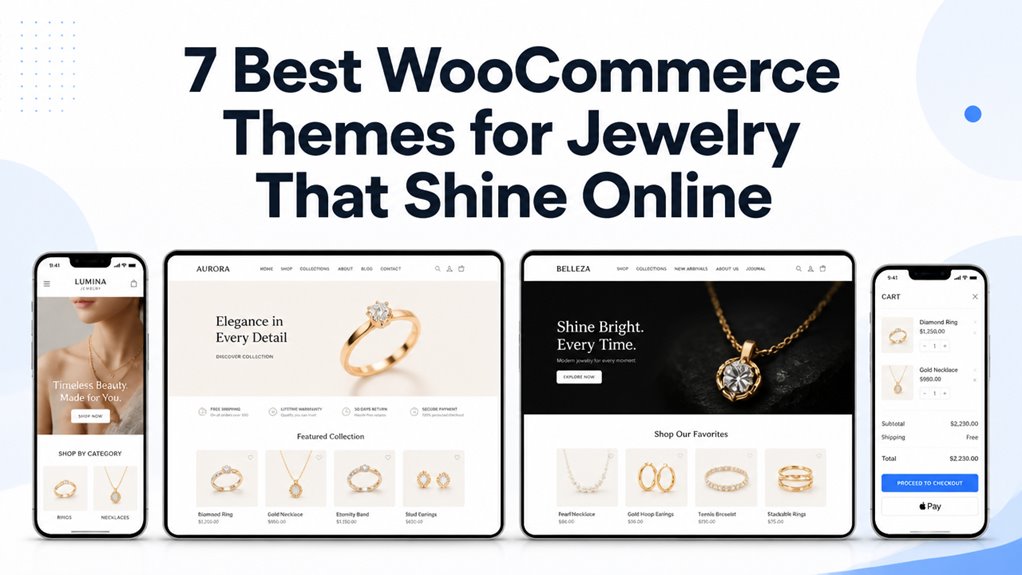
Selling fine jewelry, certified diamonds, and bespoke precious metal accessories online requires luxury visual presentation and unwavering customer trust. Shoppers evaluate diamond cut grading, metal purity hallmarks, and custom ring sizing before completing high-value luxury orders.
Best WooCommerce Themes for Jewelry Picks
The best WooCommerce themes for jewelry feature high-definition product zoom, metal purity selectors, diamond grading certificate displays, and streamlined mobile checkout workflows. Our curated comparison highlights the leading templates based on luxury aesthetics, image loading speeds, and jewelry configurator compatibility.
| Theme Name | Best Jewelry Category | Page Builder | Standout Feature | Direct Link |
|---|---|---|---|---|
| Jewels | Certified Diamonds & Gems | Elementor | High-resolution loupe zoom & carat tables | View Theme |
| Jewelsium | Luxury Boutiques & Gold | Elementor | Gold purity swatches & lookbook galleries | View Theme |
| Jeweelish | Diamond Engagement Rings | Elementor | Band metal switchers & ring size guides | View Theme |
| Monsta | Modern Fashion Jewelry | WPBakery / Elementor | AJAX infinite scroll & quick view modals | View Theme |
| Jwelez | Bridal & Wedding Collections | Elementor | Couple ring sets & bespoke engraving fields | View Theme |
| Jewereld | Artisan & Handcrafted Pieces | Elementor | Storytelling layout blocks & video showcases | View Theme |
| Cartnov | High-Volume Diamond Outlets | Elementor | Sticky cart bars & insured shipping badges | View Theme |
Luxury stores must provide fast loading times to prevent high-net-worth shoppers from abandoning items. Explore core optimization strategies in our theme speed optimization guide for responsive eCommerce.
Jewels Jewelry and Diamond Gem Store Theme
Jewels provides a premier luxury eCommerce theme crafted specifically for diamond houses, colored gemstone dealers, and bespoke jewelers. It features advanced image magnification tools, gemstone clarity grading charts, and elegant serif typography that projects timeless prestige to discerning jewelry buyers.
Examine the desktop jewelry showcase of Jewels displaying diamond necklace collections below.
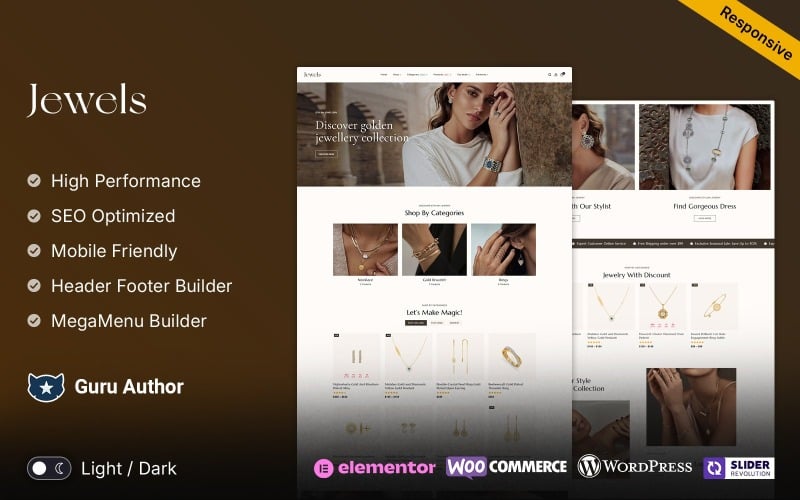
The visual composition utilizes refined dark accents and spacious layout margins to accentuate high-carat diamond brilliance.
Jewels integrates a high-resolution magnification tool that lets customers inspect gemstone facets, inclusions, and prong settings in microscopic detail. Discerning buyers can review diamond cut grades, clarity scales, and color scores directly on the product page.
The template provides built-in tabs for official gemological grading reports such as GIA, IGI, and AGS certificates. Providing downloadable PDF authentication documents instills buyer confidence during high-ticket diamond transactions.
Review the responsive product detail layout of Jewels featuring metal swatches below.
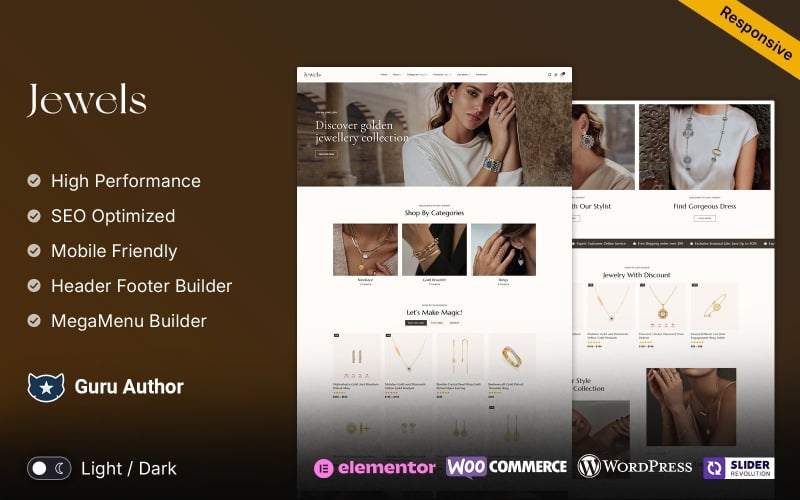
The layout features intuitive metal option selectors for 14K yellow gold, 18K white gold, and solid platinum.
The theme maintains clean semantic code, ensuring rapid Core Web Vitals performance across all modern mobile browsers. Similar aesthetic principles can also be found in our collection of cosmetics WooCommerce themes.
Jewelsium – Jewelry & Boutique Store Elementor WooCommerce Responsive Theme
Jewelsium is a sophisticated boutique jewelry theme built on Elementor, engineered for artisanal goldsmiths, watchmakers, and luxury pearl retailers. It delivers responsive lookbook sliders, gold purity variation swatches, and interactive ring sizing modals that simplify luxury gift shopping.
Check the boutique storefront demo for Jewelsium featuring gold jewelry collections below.
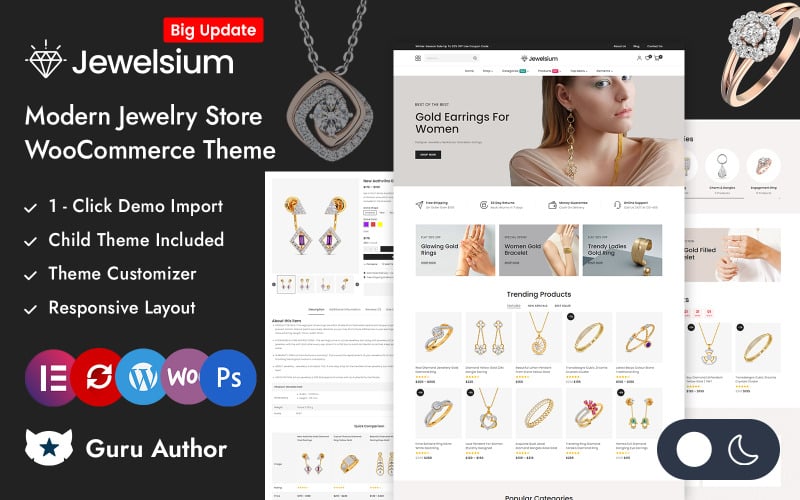
The layout demonstrates how gold bracelets and diamond earrings are showcased with warm, high-end editorial lighting.
Jewelsium offers specialized WooCommerce product attributes for precious metals, enabling shoppers to toggle between rose gold, yellow gold, and sterling silver with instant price updates. Each variation dynamically swaps high-resolution gallery images.
The theme includes an interactive ring size selector with international size conversion charts for US, UK, and EU standards. This helpful feature significantly reduces sizing mistakes and costly return shipments.
Inspect the product grid and quick view module within Jewelsium displayed below.
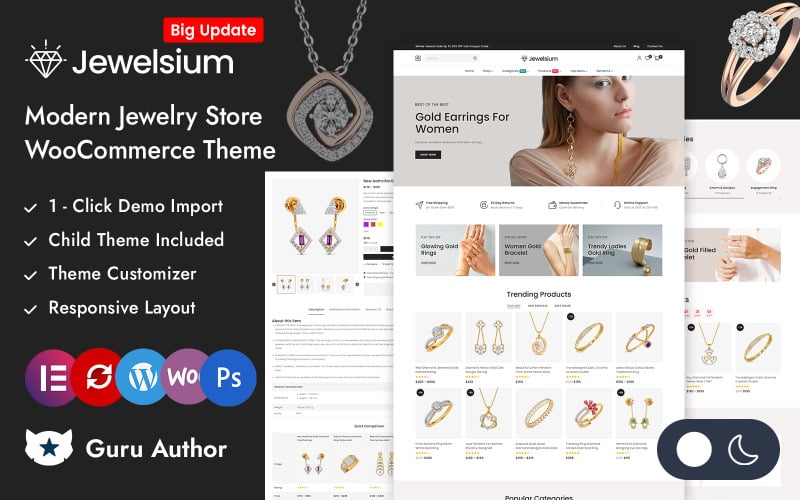
The quick-view popup provides instant access to hallmark certifications, customer reviews, and direct add-to-cart buttons.
Jewelsium provides deep Elementor integration, allowing jewelry store owners to adjust banner layouts and typography pairings without touching stylesheet code. Learn how layout adjustments drive completed purchases in our conversion optimization guide.
Jeweelish Jewelry and Diamond Store WooCommerce Theme
Jeweelish delivers an elegant bridal and engagement jewelry storefront layout tailored for fine jewelers, bespoke diamond ring designers, and luxury watch stockists. It features intuitive diamond filter criteria, appointment booking forms for boutique showrooms, and secure payment integrations.
Examine the bridal jewelry aesthetic of Jeweelish showcasing diamond rings below.
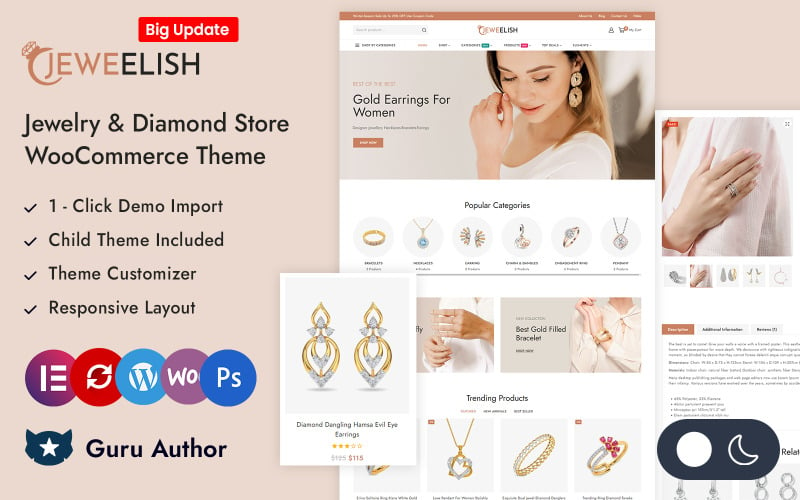
The interface highlights romantic typography, engagement ring collections, and complimentary insured delivery notices.
Jeweelish includes a dedicated showroom appointment scheduling form that allows local clientele to book private ring consultation sessions. This hybrid retail feature bridges the gap between online catalog discovery and high-value in-store sales.
The template incorporates faceted attribute filters that let shoppers sort jewelry by stone shape, such as round brilliant, princess, emerald, or oval cuts. Clear sorting accelerates product discovery for prospective bridal couples.
View the product showcase interface for Jeweelish with custom engraving options below.
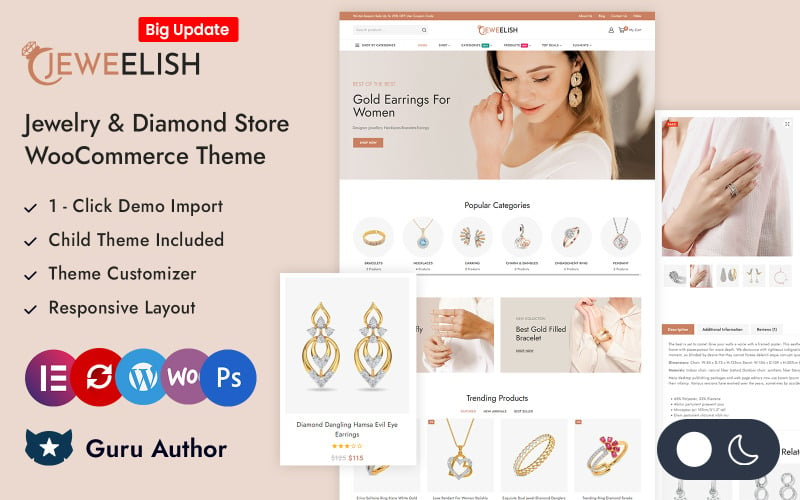
The interface allows shoppers to enter custom ring engravings and preview font styles before proceeding to checkout.
The theme follows WordPress mobile-first standards, providing responsive touch controls for all image carousels and metal swatches. Explore mobile browsing benchmarks in our mobile UX responsiveness guide.
Monsta – Jewellery Theme WooCommerce Theme
Monsta is a modern, high-volume fashion jewelry theme featuring AJAX live product filters, infinite scroll product grids, and multi-currency support. It provides contemporary jewelry retailers with high-speed browsing interfaces optimized for fashion accessories and daily wear jewelry.
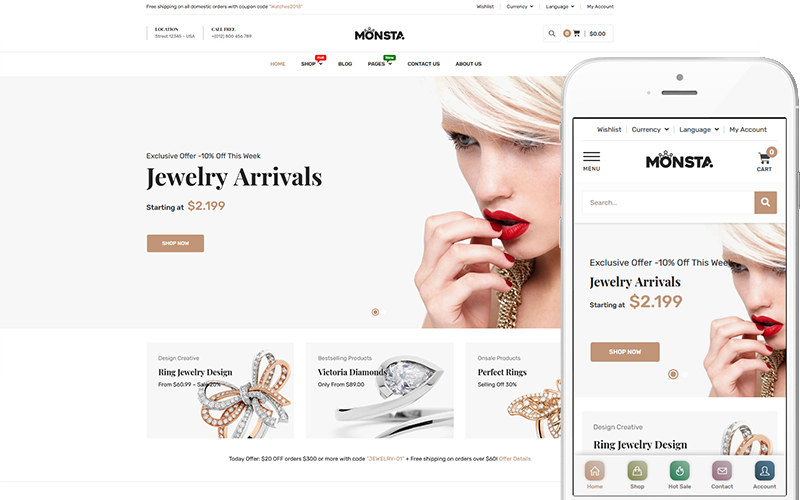
Inspect the contemporary storefront layout of Monsta configured for fashion jewelry below.
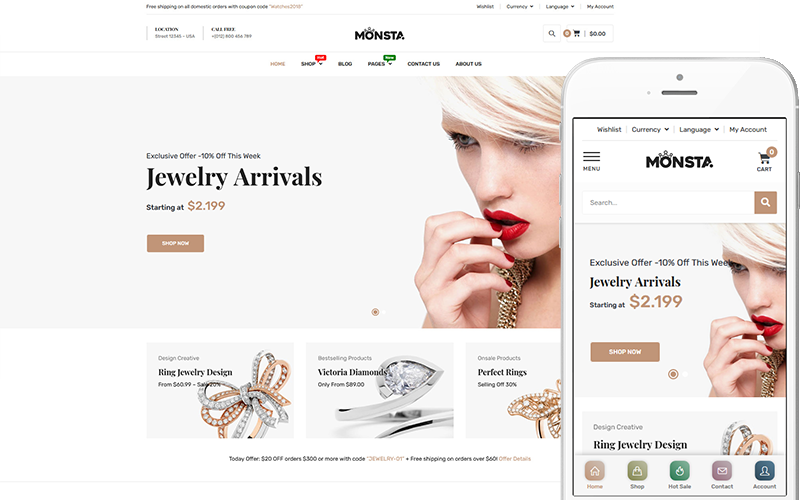
The screenshot shows how clean grid structures and hover zoom effects highlight fashion necklaces and statement rings.
Monsta stands out for its AJAX-powered catalog browsing that loads new product rows seamlessly as shoppers scroll. This frictionless exploration encourages customers to discover extensive jewelry collections without encountering pagination delays.
The theme includes built-in product countdown timers and low-stock indicators that build authentic urgency for limited-run artisan drops. Store managers can also highlight matching accessories through native WooCommerce cross-sell modules.
Check the product archive filter sidebar of Monsta shown below.
The sidebar provides price sliders, gemstone color filters, and metal purity checkboxes for swift filtering.
Monsta maintains compact stylesheet assets to ensure fast initial page loads on cellular connections. Discover additional foundational options in our guide to the best WooCommerce themes.
Jwelez – Jewelry and Wedding Multipurpose Responsive WooCommerce Theme
Jwelez is a specialized bridal and ceremonial jewelry theme engineered for wedding ring sets, tiaras, anniversary bands, and heritage jewelry heirlooms. It features couple ring bundle selectors, custom gift wrapping options, and romantic typography that resonates with wedding shoppers.
Review the wedding and ceremonial jewelry homepage design of Jwelez below.
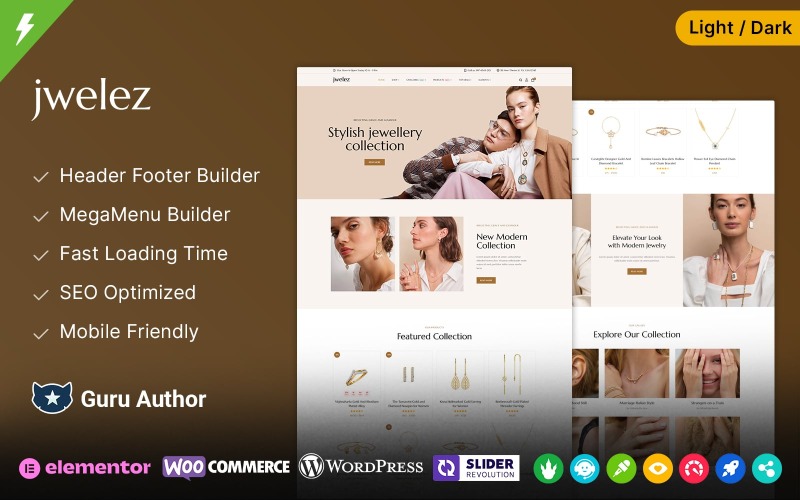
The layout pairs soft pastels with gold typography accents to create an enchanting bridal shopping atmosphere.
Jwelez provides grouped product functionality designed for matching wedding band sets. Couples can select their respective ring sizes and metal choices on a single page, adding both customized rings to the cart simultaneously.
The template includes checkout options for luxury presentation boxes, embossed gift cards, and signature-required insured shipping. These thoughtful additions improve the unboxing experience for wedding gifts.
Inspect the single product bridal presentation of Jwelez displayed below.
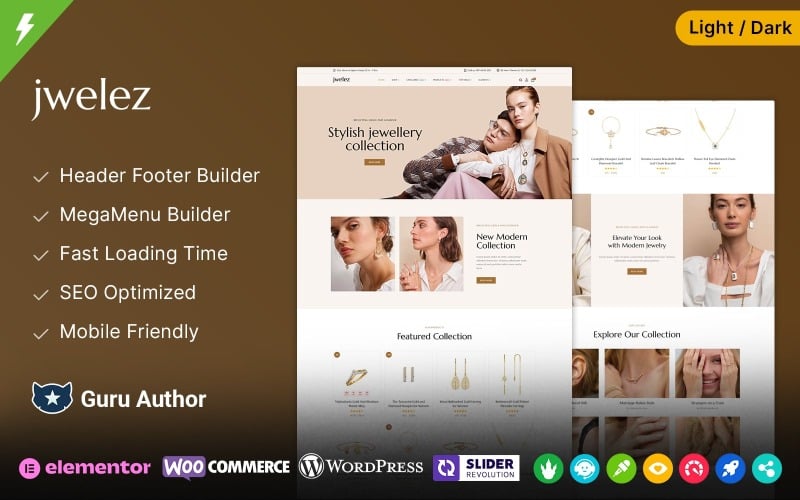
The page layout showcases diamond grading summaries, metal hallmarks, and customer testimonial quotes cleanly.
With Elementor page builder support and responsive design architecture, Jwelez performs reliably across all device viewports. Wedding shoppers can easily browse ring catalogs from mobile smartphones or tablets.
Jewereld – Jewelry Fashion Store Elementor WooCommerce Responsive Theme
Jewereld provides an artistic, lifestyle-driven jewelry theme designed for handcrafted silver pieces, bohemian gemstone jewelry, and independent artisan designers. It offers narrative storytelling blocks, integrated Instagram lookbook feeds, and responsive product hover animations that highlight craftsmanship.
Examine the artisan jewelry aesthetic and collection showcase of Jewereld below.
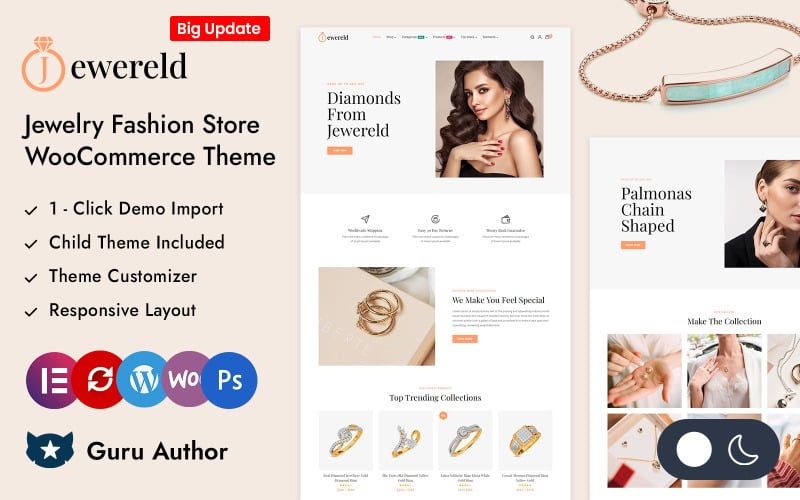
The visual arrangement uses editorial grid structures and creative imagery to highlight artisan gemstone jewelry.
Jewereld excels at communicating maker provenance and artisan technique. Designers can incorporate workshop studio videos, gemstone sourcing stories, and sustainability statements directly into the product discovery journey.
The theme features sticky mini-cart sidebars and responsive hover preview cards that reveal alternate lifestyle imagery when visitors mouse over product listings. This visual dynamism increases customer engagement.
Check the product detail view and artisan story block within Jewereld shown below.
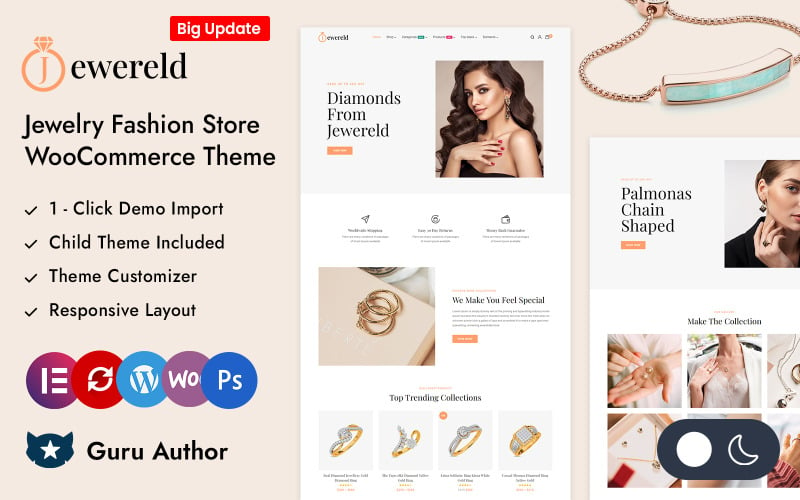
The interface highlights gemstone origin certifications, handcrafting techniques, and secure payment icons.
Jewereld utilizes clean, semantic code that optimizes mobile rendering and search engine crawling. Its lightweight assets ensure fast Largest Contentful Paint times on smartphone screens.
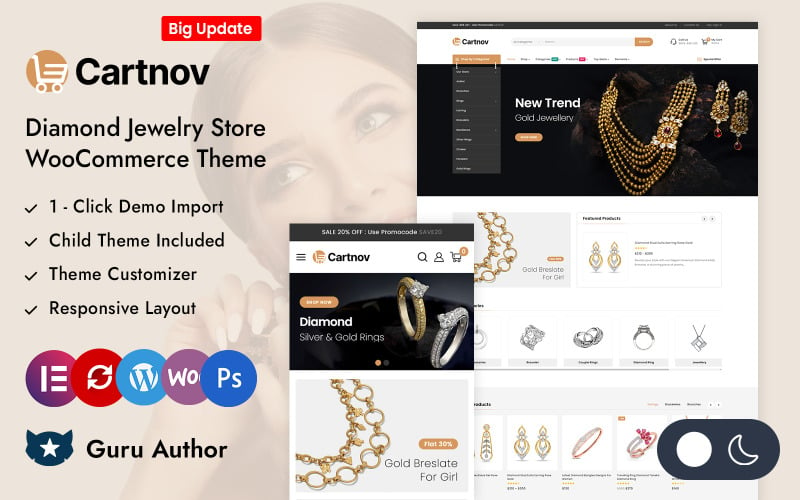
Cartnov – Diamond Jewelry Store Elementor WooCommerce Responsive Theme
Cartnov is an enterprise-grade diamond jewelry storefront template designed for high-inventory diamond traders, retail jewelry chains, and luxury watch stockists. It features high-capacity mega menus, sticky purchase bars, and multi-currency payment integrations that drive high-ticket sales.
Inspect the diamond luxury storefront layout of Cartnov featuring high-volume collections below.
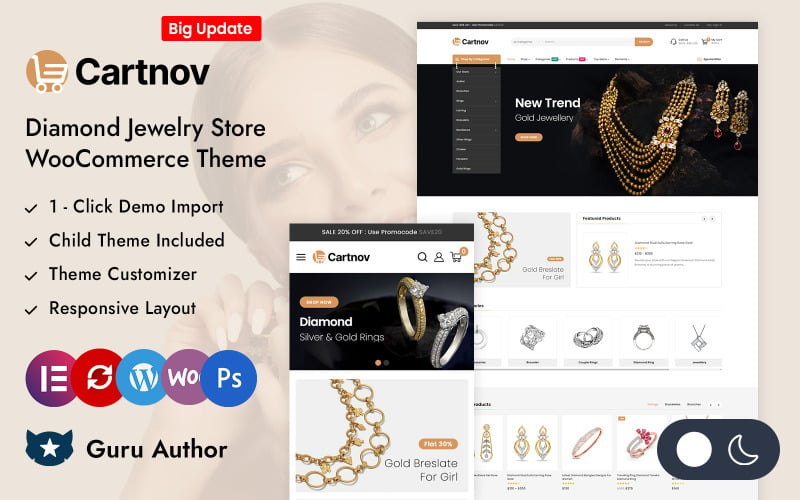
The screenshot captures promotional diamond showcase banners, certified authentic tags, and fast search pathways.
Cartnov is designed to handle expansive product catalogs spanning thousands of diamond ring styles, tennis bracelets, and luxury pendants. Its multi-column mega menu organizes jewelry categories by metal type, gemstone carat, and price range effortlessly.
The theme incorporates a persistent sticky add-to-cart bar that remains visible as visitors scroll through extensive specification tabs. This convenience ensures customers can complete purchases immediately once their buying decision is made.
Review the diamond specification table and certificate download section within Cartnov below.
The table displays precise gemstone carat weights, clarity ratings, table percentages, and GIA report numbers.
Cartnov supports major WooCommerce security plugins and fraud prevention gateways, ensuring safe processing of high-value transactions. Its optimized code delivers smooth mobile checkouts across all screen resolutions.
Factors to Consider When Choosing WooCommerce Themes for Jewelry
Selecting the right WooCommerce theme for a jewelry store requires balancing luxurious visual elegance with high-speed performance and security. Prioritize templates that feature high-definition zoom tools, metal variation swatches, certificate display modules, and streamlined mobile checkout pathways.
Luxury Visual Design
Jewelry purchases are deeply emotional and visually driven, requiring a storefront design that exudes luxury, craftsmanship, and exclusivity. Themes with generous white space, refined serif typography, and elegant gold or muted color accents improve perceived product value significantly.
Choose templates that support high-resolution product imagery without distortion. Clean image presentation ensures precious gemstones and intricate settings capture customer attention immediately.
Mobile Responsiveness
Over sixty percent of modern jewelry gift discovery occurs on mobile smartphones, making responsive design vital for store revenue. A responsive jewelry theme resizes image galleries smoothly, simplifies multi-level menus, and preserves accessible touch targets across all device screens.
Verify that metal variation swatches and ring sizing selectors operate smoothly on touchscreens. Frictionless mobile browsing encourages spontaneous gift purchases.
WooCommerce Integration
Deep compatibility with the latest WooCommerce core releases ensures reliable transaction processing, accurate tax calculation, and secure gateway connections. Premium jewelry themes receive regular updates that protect against vulnerabilities during high-value payment workflows.
Ensure your chosen theme supports standard WooCommerce hooks and overrides. Clean integration enables smooth implementation of custom engraving fields, insured shipping tiers, and warranty extensions.
Elementor Flexibility
Elementor page builder integration allows jewelry store owners to customize seasonal collections, design landing pages for holiday campaigns, and adjust product detail structures visually. Drag-and-drop flexibility eliminates the need to hire specialized developers for layout tweaks.
Select templates offering dedicated Elementor widgets for jewelry carousels, certificate modals, and banner grids. These tools speed up promotional campaign deployment.
Fast Loading Speed
High-resolution jewelry photography can easily slow down page load times if a theme lacks optimized script and asset delivery. Lightweight themes with deferred JavaScript loading, native WebP support, and minimal CSS bloat ensure passing Core Web Vitals scores.
Test demo loading speeds using Google PageSpeed Insights before purchasing. Fast baseline performance ensures smooth browsing even when hosting extensive gemstone catalogs.
Advanced Product Filters
Jewelry shoppers frequently search by specific attributes such as metal type, diamond shape, gemstone color, or price bracket. An AJAX-powered product filter enables visitors to refine large inventories instantly without waiting for tedious page reloads.
Look for themes that offer multi-attribute filtering on shop archive pages. Rapid filtering streamlines catalog navigation and keeps potential buyers engaged.
SEO Optimization
Clean semantic HTML markup, structured breadcrumb hierarchies, and native schema readiness are essential for ranking on competitive luxury jewelry queries. An SEO-ready jewelry theme ensures search engines index product specifications and customer reviews accurately.
Verify that the theme includes valid Product schema and Open Graph social tags. Proper markup enables Google to surface rich snippet star ratings and pricing in search results.
Trust-Building Features
Selling high-ticket diamonds and gold online requires substantial consumer trust before a transaction completes. Themes featuring prominent security badges, GIA certificate download links, verified customer reviews, and clear return policy banners minimize buyer hesitation.
Incorporate visible trust markers directly beside add-to-cart buttons. Highlighting insured shipping and 30-day money-back guarantees reassures first-time luxury shoppers.
Frequently Asked Questions
Common questions regarding jewelry WooCommerce themes address image optimization strategies, multilingual expansion, essential security plugins, trust badges for diamond sales, and custom ring configurator integrations. Review our expert answers to guide your digital jewelry store launch.
How Do I Optimize Jewelry Product Images for Faster Loading?
Optimize jewelry imagery by converting PNG and JPEG files into next-generation WebP formats, compressing image files below 150KB, and serving them via a global CDN. Utilizing WordPress plugins like ShortPixel or Imagify ensures razor-sharp gemstone clarity while maintaining rapid page speeds.
Can These Themes Support Multilingual Jewelry Stores?
Yes, themes like Jewels, Jewelsium, and Monsta offer complete WPML, Polylang, and TranslatePress compatibility out of the box. They include standard translation PO/MO files and support RTL layouts, allowing luxury jewelers to cater to international clientele with localized currencies.
Which Plugins Work Best With Jewelry Woocommerce Themes?
Jewelry stores benefit greatly from pairing themes with YITH WooCommerce Product Add-Ons for custom engravings, Variation Swatches for metal selections, and Advanced AJAX Product Filters for faceted diamond searches. These plugins expand functionality without causing code conflicts.
How Can I Improve Trust for High-Value Jewelry Purchases?
Improve buyer trust by integrating downloadable GIA and IGI gemological certificates, displaying verified customer photo reviews, and placing secure SSL payment badges near checkout buttons. Offering insured delivery and straightforward 30-day return policies further reassures high-value luxury shoppers.
Are These Themes Suitable for Custom Jewelry Configuration?
Yes, all featured jewelry themes integrate smoothly with custom product builder plugins such as Visual Products Configurator and WooCommerce Extra Product Options. Merchants can build multi-step workflows where shoppers choose ring settings, select center diamonds, and specify ring sizes.
Conclusion
Selecting the right WooCommerce theme for your online jewelry store bridges the divide between visual prestige and seamless eCommerce checkout conversion. Jewels and Jewelsium represent premier choices for high-end diamond and gold boutiques, while Monsta and Cartnov provide exceptional power for high-volume catalogs.
Assess your primary jewelry niche, required customization attributes, and brand aesthetic before finalizing your template selection. Equipping your boutique with a high-performance theme establishes the luxury foundation needed to drive sales throughout 2026.

Abdullah Prem is the founder of EcommerceThemes.org and BloggersNeed.com. He specializes in reviewing Shopify themes, WooCommerce themes, WordPress themes, hosting, plugins, and SaaS tools. Through EcommerceThemes.org, he publishes in-depth theme reviews, product comparisons, buying guides, and performance analyses to help ecommerce businesses choose the right theme based on speed, SEO, customization, user experience, and overall value. His goal is to provide research-driven recommendations that help store owners make informed decisions when selecting an ecommerce theme.