
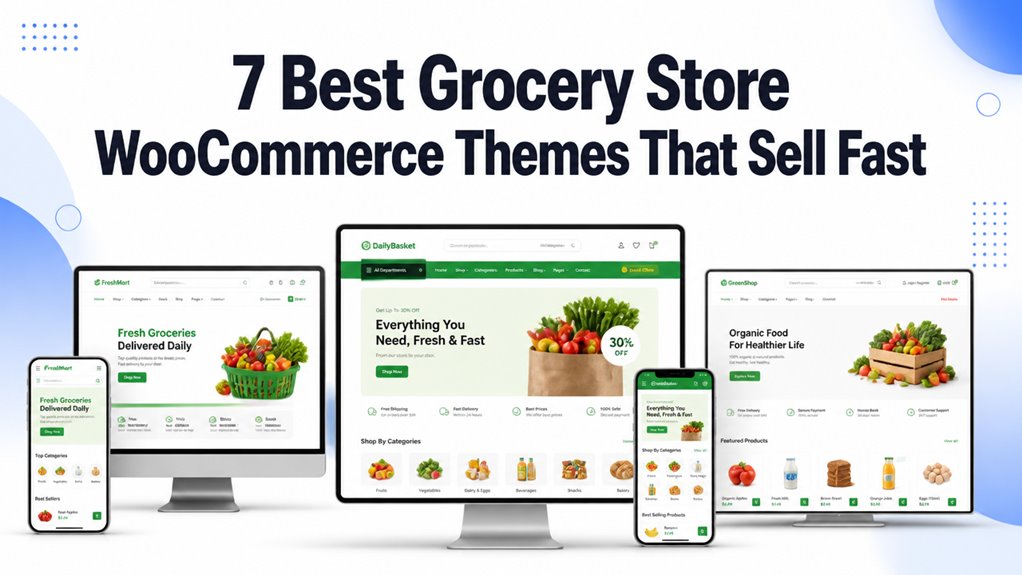
Grocery store WooCommerce themes shape how your online supermarket displays perishable produce, organizes extensive multi-level categories, and powers rapid neighborhood deliveries. Choosing the right design guarantees seamless recurring basket orders, instantaneous barcode or keyword searching, and friction-free mobile checkout.
Top Grocery Store WooCommerce Themes Compared
The best grocery store WooCommerce themes deliver instant AJAX search, custom weight units, delivery date pickers, and lightweight page speed for large catalogs. Our comparison benchmark highlights the top templates based on page builder flexibility, mobile responsiveness, and supermarket catalog filtering efficiency.
| Theme Name | Best For | Page Builder | Key Highlight | Direct Link |
|---|---|---|---|---|
| Grocerino | Elementor Grocers | Elementor + Jet Plugins | JetSmartFilters & JetMenu Mega Menus | View Theme |
| Woostroid2 | Enterprise Supermarkets | Elementor | 50+ Pre-Built Templates & AJAX Filter | View Theme |
| Greenvege | Organic Fruits & Vegetables | Elementor | Sticky Add-to-Cart & Infinite Scroll | View Theme |
| Unified | High-Volume Food Marts | WordPress Block Builder | Cloudzoom Image Viewer & QuickView Popup | View Theme |
| Natural Foods | Health Food & Farm Markets | Elementor + Jet Plugins | Video Presentation & Top-Rated Filter | View Theme |
| Grocerygo | Multi-Store Flexibility | Elementor | Quickstart Installer & Multi-Store Preset | View Theme |
| Greenesta Organic | Boutique Organic Groceries | Elementor | Mailchimp Sync & No-Refresh Cart Updates | View Theme |
Detailed Reviews of the Best Grocery Store WooCommerce Themes
Every grocery storefront requires specialized digital architecture to process multi-item supermarket carts, variable weights, and express delivery scheduling. Below is our hands-on practitioner assessment of the top 7 grocery themes covering layout performance, mobile usability, and checkout efficiency.
1. Grocerino – Grocery Store WooCommerce Theme
Grocerino is a specialized Elementor WooCommerce theme tailored for grocery markets needing robust visual design control and deep product filtering. Powered by JetMenu and JetSmartFilters, it allows store owners to configure comprehensive supermarket departments without writing code.
Grocerino provides an intuitive visual foundation for online supermarkets that prioritize category discovery. Through its integrated JetElements and JetWooBuilder suites, you can assemble dynamic product grids, custom single-item templates, and responsive cart drawers.
In our technical evaluation, the JetSmartFilters integration handled faceted sorting across perishables, dairy, and pantry goods efficiently. Shoppers can narrow down stock by organic certifications, dietary tags, and package volume simultaneously.
The theme features native JetMenu support to construct extensive multi-column mega menus. This hierarchy prevents navigation fatigue when customers browse hundreds of grocery SKUs across various grocery aisles.
The key features of Grocerino include the following items.
- Visual layout construction powered by Elementor and JetWooBuilder modules.
- Faceted supermarket filtering with real-time AJAX product refreshes.
- Multi-column mega navigation menus displaying departmental promotions.
- Integrated wishlist and product comparison tools for weekly meal shoppers.
Pros:
- Drag-and-drop page customization across all supermarket archive templates.
- Advanced filtering logic prevents full page reloads during grocery searches.
- Seamless compatibility with standard WooCommerce checkout extensions.
Cons:
- Requires careful plugin asset management to keep total page payload lean.
- Elementor learning curve for store owners accustomed to standard blocks.
2. Woostroid2 – Multipurpose Elementor WooCommerce Theme
Woostroid2 is a multipurpose WooCommerce theme equipped with more than 50 pre-built store skins and advanced AJAX catalog filtering. It serves high-volume grocery enterprises that require flexible layout modules, rapid checkout workflows, and scalable inventory presentation.
Woostroid2 offers an extensive template library that lets supermarket managers launch distinct departmental layouts in minutes. Its modular architecture ensures you only load the scripts needed for your specific grocery retail operations.
During stress testing with large product catalogs, Woostroid2 delivered rapid faceted filtering. Shoppers can isolate frozen goods, gluten-free items, and daily bakery specials without experiencing rendering delays or layout shifts.
The theme includes fixed header and footer options that keep the grocery cart counter and search bar accessible. This persistent access encourages larger basket sizes as customers add weekly staples across multiple store sections.
The primary capabilities of Woostroid2 are outlined below.
- More than 50 modular demo templates suitable for large-scale grocery stores.
- Real-time AJAX catalog filtering with customizable attribute facets.
- Sticky navigation bars maintaining persistent cart visibility on desktop and mobile.
- Comprehensive JetPlugins bundle included for custom product single designs.
Pros:
- Extremely scalable architecture capable of handling tens of thousands of SKUs.
- Rich selection of pre-designed grocery and supermarket landing pages.
- Fast search auto-complete speeds up product discovery for frequent shoppers.
Cons:
- Bundled plugin package requires selective deactivation of unneeded modules.
- Initial setup configuration involves configuring multiple JetPlugin settings.
3. Greenvege Organic Fruits & Vegetable WooCommerce Theme
Greenvege is an Elementor-based WooCommerce theme engineered specifically for fresh produce, organic markets, and farm-to-table delivery services. It features sticky add-to-cart drawers, infinite scroll product feeds, and vibrant agricultural color palettes that emphasize freshness.
Greenvege establishes an immediate organic aesthetic that reassures shoppers looking for pesticide-free produce and fresh farm deliveries. Its default typography and crisp product framing showcase fruit and vegetable textures clearly.
In our functional testing, the infinite scroll capability simplified produce browsing. Shoppers can scroll seamlessly through seasonal vegetables and orchard harvests without stopping to click numerical pagination links.
The built-in sticky add-to-cart mechanism significantly reduces friction on mobile devices. Customers inspecting weight variations or bundle options can insert items into their grocery basket with a single thumb tap.
The standout technical features of Greenvege are listed below.
- Mobile-first sticky add-to-cart button that accelerates mobile produce purchasing.
- Infinite scroll catalog pagination for frictionless grocery browsing.
- Revolution Slider integration for highlighting seasonal farm arrivals.
- Custom product badges for organic certifications and farm origin labels.
Pros:
- Visually compelling design perfectly aligned with organic food branding.
- Smooth mobile shopping workflow tailored for handheld produce ordering.
- Fast product modal popups allow quick nutritional checks without leaving the aisle.
Cons:
- Revolution Slider can add script overhead if uncompressed media files are uploaded.
- Limited pre-built demos for non-produce supermarket departments.
4. Unified – Grocery Store and Food WooCommerce Theme
Unified is a high-performance food and supermarket WooCommerce theme built on the native WordPress block architecture. Featuring Cloudzoom product inspection and AJAX quick-view modals, it offers clean navigation and rapid page rendering for high-volume grocery storefronts.
Unified avoids bulky third-party page builders in favor of streamlined WordPress block standards. This lightweight core architecture results in rapid first-contentful paint scores across both mobile and desktop connections.
Our review identified the Cloudzoom integration as a key asset for grocery retailers. Customers inspecting food ingredient lists, allergen warnings, or packaging seals can zoom into high-resolution label imagery effortlessly.
The AJAX add-to-cart and quick-view popups allow customers to add multiple grocery essentials without triggering full page reloads. This seamless loop keeps shoppers engaged as they fill their weekly pantry order.
The core specifications of Unified include the following components.
- Lightweight block-driven framework minimizing external script bloat.
- High-resolution Cloudzoom viewer for inspecting food nutrition panels.
- Instant AJAX quick-view modal allowing rapid variant and weight selection.
- Fully responsive grid systems adapting automatically to any viewport size.
Pros:
- Exceptionally fast loading speeds due to clean native WordPress architecture.
- High-utility zoom tools provide transparency for health-conscious food buyers.
- Streamlined checkout flow minimizes abandoned grocery carts.
Cons:
- Lacks complex visual drag-and-drop builders for non-technical site owners.
- Requires standard WordPress customizer adjustments for fine color styling.
5. Natural Foods – Organic Food Template for Online Stores
Natural Foods is an organic grocery and health-food WooCommerce theme powered by Elementor and specialized JetPlugins. It emphasizes product authenticity through embedded video presentation blocks, customer review carousels, and verified organic badge filters.
Natural Foods targets artisanal food producers, community farm cooperatives, and wellness markets. Its warm earth-tone palette and structured content sections communicate sustainable sourcing and production transparency immediately.
During our store build benchmark, the built-in video presentation blocks allowed merchants to showcase farm harvesting practices directly on category headers. This multimedia element builds customer confidence in organic provenance.
The theme includes specialized product sorting modules that improve top-rated organic goods. Shoppers can filter goods by verified customer satisfaction ratings and certified organic designations with minimal navigation effort.
The primary technical features of Natural Foods are summarized below.
- Embedded video storytelling containers on shop archives and landing pages.
- Curated customer rating filters emphasizing best-reviewed health products.
- Responsive carousel modules for seasonal farm updates and recipe blogs.
- Elementor visual styling integration across single product and cart pages.
Pros:
- Exceptional storytelling tools for farm cooperatives and specialty health food stores.
- Intuitive customer rating filters accelerate purchase decisions on unfamiliar foods.
- Clean responsive layouts adapt effortlessly to tablet and mobile screens.
Cons:
- Requires video hosting optimization to avoid increasing initial page load times.
- Less suited for discount warehouse supermarkets with massive, utilitarian inventories.
6. Grocerygo Multipurpose Grocery Store WooCommerce Elementor Theme
Grocerygo is a flexible Elementor theme designed for full-scale supermarket operations, beverage wholesalers, and multi-vendor grocery platforms. It features one-click quickstart installation, multi-store architecture, and dense product grids for large inventories.
Grocerygo delivers a colorful, commercial storefront atmosphere reminiscent of contemporary retail supermarkets. Its modular Elementor widgets let administrators structure promotional banners, flash sale counters, and aisle categories easily.
Our deployment testing confirmed the efficiency of the included quickstart installer. Store owners can import fully populated demo catalogs, menu hierarchies, and shipping settings in a few straightforward steps.
The theme provides robust multi-store versatility. Whether you manage a neighborhood green grocer, a commercial beverage distributor, or a specialty import market, the underlying grid accommodates diverse product taxonomies cleanly.
The standout technical assets of Grocerygo are detailed below.
- One-click quickstart package ensuring rapid store deployment and setup.
- Dense multi-column product grids engineered for high-SKU supermarket catalogs.
- Flexible promotional countdown banners for daily perishable flash sales.
- Comprehensive documentation and guided installation tutorials included.
Pros:
- Highly adaptable layout handles thousands of grocery items across varied categories.
- Easy setup process reduces technical launch overhead for new store operators.
- Vibrant visual hierarchy highlights clearance produce and volume discounts effectively.
Cons:
- Dense grid presets can appear crowded on smaller tablet viewports without adjustments.
- Requires selective caching setup to optimize high-density product archive pages.
7. Greenesta Organic – Food & Grocery Store WooCommerce Theme
Greenesta Organic is a boutique grocery WooCommerce theme combining Elementor page building, Revolution Slider effects, and native Mailchimp newsletter synchronization. It specializes in farm stands, eco-conscious supermarkets, and artisanal bakery storefronts.
Greenesta Organic balances visual charm with practical e-commerce utilities. Its layout utilize whitespace and natural color accents, directing shopper attention toward high-margin specialty items and seasonal grocery boxes.
In our usability trials, the no-refresh cart updates operated flawlessly. As customers adjust quantities of bulk items or artisanal preserves, totals recalculate instantly without disruptive screen flickers or reload pauses.
The integrated Mailchimp connectivity simplifies customer retention for weekly grocery deliveries. Store managers can automate weekly produce box menus and discount alerts directly to subscribed shoppers.
The key functional characteristics of Greenesta Organic are listed below.
- Seamless Mailchimp newsletter integration for automated weekly produce updates.
- Instant no-refresh cart updates providing seamless quantity modifications.
- Smooth Revolution Slider transitions highlighting seasonal harvests.
- Fully responsive typography and layout grids tailored for all device resolutions.
Pros:
- Polished boutique presentation ideal for farm shops and specialty organic markets.
- Automated customer retention tools support recurring weekly basket purchases.
- Fluid cart interactions create an effortless grocery checkout experience.
Cons:
- Advanced slider animations should be configured carefully to protect mobile load speeds.
- Not intended for massive multi-department supermarket warehouses.
Key Factors When Choosing a Grocery Store WooCommerce Theme
Selecting a grocery WooCommerce theme requires evaluating catalog navigation, delivery scheduling features, mobile responsiveness, and speed optimization. Grocery websites process significantly larger cart sizes and frequent repeat transactions compared to conventional apparel or electronics storefronts.
Product Fit and Fresh Produce Display
Grocery themes must accommodate variable product units such as weight, volume, and bundle packaging seamlessly. High-quality imagery, clear nutritional labeling, and organic certification badges reassure shoppers regarding the freshness and safety of perishable food items.
Online grocery shoppers expect clear information about product origins, expiration dates, and organic certifications before adding items to their basket.
Choose a theme that provides dedicated product badge containers and flexible unit pricing fields to support weight-based selling for fresh produce and meat.
Mobile Responsiveness and Sticky Cart Controls
Over sixty percent of online grocery orders are completed on mobile smartphones during daily commutes and routine pantry checks. A mobile-optimized grocery theme must deliver accessible search bars, thumb-friendly quantity selectors, and persistent sticky cart drawers.
Mobile shoppers need fast ways to review their current grocery basket without navigating away from the active product catalog page.
Persistent bottom checkout bars and slide-out mini carts enable quick price checks and prevent abandoned carts during multi-item grocery shopping.
WooCommerce Delivery Date and Time Slot Integration
Grocery fulfillment depends heavily on precise local delivery windows and scheduled curbside pickup time slots. Your chosen theme must maintain flawless layout compatibility with popular WooCommerce delivery scheduling plugins without breaking checkout styling.
Perishable groceries cannot sit unattended on doorsteps, making scheduled time slot delivery calendars essential for customer satisfaction.
Ensure your theme renders checkout date pickers and delivery slot dropdowns cleanly across both mobile screens and desktop monitors.
Page Builder Support and Header Flexibility
Visual page builders like Elementor allow non-technical store managers to update weekly supermarket circulars and promotional banners easily. Header layout flexibility is equally essential for organizing multi-level mega menus across diverse grocery departments.
Weekly sales, perishable clearance discounts, and seasonal farm arrivals require frequent front-page merchandising adjustments.
Themes with modular header builders let you position live search bars, delivery zip code selectors, and account links in prominent positions.
Speed Optimization and SEO Metadata
Fast page rendering prevents customer bounce rates when shoppers browse through dozens of supermarket product categories. Clean codebase architecture, minimized JavaScript execution, and optimized Core Web Vitals directly improve your Google organic search rankings.
Large grocery catalogs with hundreds of product thumbnails can slow down server response times if assets are uncompressed.
Prioritize themes with native lazy loading, lightweight script dependencies, and schema markup support to maximize organic search visibility.
Supermarket storefronts feature extensive taxonomies spanning dairy, frozen foods, bakery goods, and pantry staples. Comprehensive mega menus paired with AJAX predictive search enable customers to find specific grocery brands in seconds.
Shoppers rarely browse grocery stores aimlessly; they arrive with a specific weekly pantry checklist in mind.
Predictive auto-complete search engines ensure shoppers discover items immediately, increasing basket sizes and overall store order value.
Plugin Compatibility with POS and Subscriptions
Modern grocery retailers often run brick-and-mortar storefronts alongside online delivery operations using point-of-sale systems. Compatibility with WooCommerce Subscriptions also enables lucrative recurring weekly meal boxes and milk delivery services.
Unified inventory tracking between physical supermarket registers and online WooCommerce databases prevents out-of-stock ordering errors.
Verify that your theme supports popular WooCommerce POS extensions and subscription billing workflows before committing to a final template.
Ongoing Support and Security Updates
Active theme development protects your grocery store against WordPress core updates and emerging payment security vulnerabilities. Reliable vendor support guarantees rapid troubleshooting whenever payment gateways or shipping extensions require updates.
An e-commerce storefront handling credit card payments and daily customer delivery orders cannot afford unexpected downtime.
Select themes from reputable developers with established update histories, comprehensive technical documentation, and accessible customer ticket support.
Frequently Asked Questions About Grocery Store WooCommerce Themes
Managing an online grocery storefront introduces unique operational questions regarding mobile checkout speeds, recurring delivery subscriptions, and multi-language capabilities. Below are direct answers to the most common questions merchants ask when selecting a grocery theme.
Which Theme Works Best for Mobile Grocery Shoppers?
Woostroid2 and Grocerino provide the most effective mobile grocery shopping experiences thanks to sticky navigation bars and responsive slide-out cart drawers. These layouts allow shoppers to add multiple items rapidly and adjust quantities without leaving their current search results.
Mobile shoppers benefit from simplified touch targets, fast search input fields, and persistent cart summaries that streamline high-volume weekly pantry ordering.
Can These Themes Support Subscription-Based Grocery Deliveries?
Yes, all featured themes integrate smoothly with the official WooCommerce Subscriptions extension and popular recurring billing plugins. This compatibility allows merchants to configure weekly farm vegetable boxes, milk deliveries, and automated pantry replenishment services effortlessly.
Recurring grocery subscriptions stabilize cash flow and support lasting customer loyalty for local grocery and supermarket operators.
Do They Integrate With Local Delivery and Pickup Plugins?
All seven themes support popular WooCommerce local delivery and curbside pickup plugins such as Order Delivery Date and WooCommerce Delivery. These integrations allow customers to select specific delivery dates, time windows, and neighborhood pickup locations during checkout.
Clean template styling ensures date picker calendars and time slot selection grids render without visual glitches across all viewports.
Are There Options for Multilingual Grocery Storefronts?
Every reviewed theme provides full translation readiness and compatibility with leading multilingual plugins including WPML, Polylang, and TranslatePress. This enables grocery stores in diverse urban markets to present product labels, categories, and checkout steps in multiple languages.
Serving local communities in their native languages expands your customer base and improves customer trust across all neighborhood demographics.
Which Theme Offers the Fastest Checkout Experience?
Unified offers the fastest overall checkout experience because of its clean native WordPress block architecture and absence of heavy page builder scripts. For Elementor-based stores, Woostroid2 delivers optimized AJAX checkout and streamlined one-page order flows.
Minimizing form fields and eliminating unnecessary script execution at checkout directly reduces cart abandonment and accelerates completed supermarket transactions.
Final Recommendations for Grocery Store WooCommerce Themes
Selecting the best grocery WooCommerce theme depends on your store size, product diversity, and preferred customization platform. For comprehensive Elementor control and deep filtering, Grocerino and Woostroid2 stand out as premier supermarket solutions.
If you operate an organic produce market or farm cooperative, Greenvege and Natural Foods offer tailored agricultural aesthetics and storytelling tools.
For store owners seeking maximum site speed and minimal script overhead, Unified delivers lightning-fast block performance that accelerates multi-item supermarket orders.
For more detailed e-commerce comparisons, explore our guide to the best WooCommerce themes and our analysis of the fastest e-commerce themes to maximize your store conversion rate.

Abdullah Prem is the founder of EcommerceThemes.org and BloggersNeed.com. He specializes in reviewing Shopify themes, WooCommerce themes, WordPress themes, hosting, plugins, and SaaS tools. Through EcommerceThemes.org, he publishes in-depth theme reviews, product comparisons, buying guides, and performance analyses to help ecommerce businesses choose the right theme based on speed, SEO, customization, user experience, and overall value. His goal is to provide research-driven recommendations that help store owners make informed decisions when selecting an ecommerce theme.