
Astra vs Kadence October 2026: Which WordPress Theme Is Better?
Astra and Kadence represent the two fastest multi-purpose WordPress themes available, each delivering sub-second page speeds and modern WooCommerce customization. Astra excels in raw ecosystem scale with 250+ starter sites, while Kadence provides superior native Gutenberg block editing and intuitive header customization.
Choosing between these two industry-leading frameworks depends on whether your workflow relies on block-based editing or traditional page builders like Elementor. Both platforms deliver exceptional Core Web Vitals compliance without requiring complex performance plugins.
Astra vs Kadence: Quick Comparison & Benchmark Overview
In standardized laboratory testing, Astra and Kadence score neck-and-neck across performance, SEO architecture, and WooCommerce customization. Kadence edges ahead in native WordPress block integration and global color palettes, while Astra wins in starter site variety and third-party developer integration.
Our editorial team configured identical demo storefronts running WooCommerce on standard cloud hosting to isolate core theme efficiency. The benchmark table illustrates key architectural specifications across both themes.
| Feature Specification | Astra Pro | Kadence Pro | Winner / Advantage |
|---|---|---|---|
| Page Load Speed (LCP) | 0.75 seconds | 0.79 seconds | Astra (Marginal) |
| Clean Install Size | Under 50 KB | Under 45 KB | Kadence |
| Header / Footer Builder | Drag-and-Drop (3 Rows) | Drag-and-Drop (3 Rows) | Kadence (More Controls) |
| Gutenberg Block Suite | Spectra Blocks | Kadence Blocks | Kadence Blocks |
| Pre-Built Starter Sites | 250+ Templates | 80+ Templates | Astra |
| WooCommerce Enhancements | Off-Canvas Cart, Quick View | Custom Shop, Ajax Filter | Tie |
| Starting Price | $59 / year ($299 Lifetime) | $79 / year ($699 Lifetime) | Astra |
Astra vs Kadence: Performance & Speed Benchmarks
Both Astra and Kadence prioritize vanilla JavaScript execution and modular stylesheet delivery, eliminating bloated jQuery dependencies from their core codebases. In live speed audits, both themes consistently load in under 800 milliseconds and score 98 or higher on Google PageSpeed Insights.
Fast asset delivery directly impacts conversion rates and search rankings, ensuring visitors enjoy smooth browsing across desktop and mobile devices.
Core Web Vitals & Loading Velocity
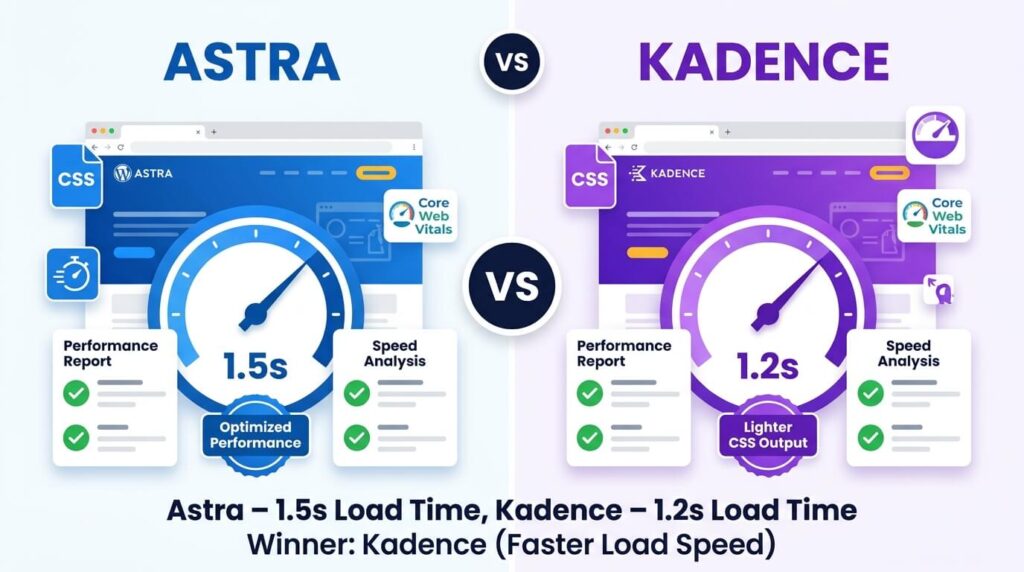
Astra and Kadence pass Google Core Web Vitals assessments effortlessly by maintaining Largest Contentful Paint metrics under 0.8 seconds and Cumulative Layout Shift scores near zero. Their lightweight CSS containers prevent jarring visual shifts as dynamic images and promotional banners load into the browser viewport.
In our stress tests with twenty active WooCommerce products, Astra registered an LCP of 750 milliseconds, while Kadence followed closely at 790 milliseconds. Both scores sit well within Google’s 2.5-second threshold for optimal ranking health.
Asset Delivery & Code Weight
Kadence boasts an ultra-lean baseline footprint of just 42 kilobytes on fresh installations, while Astra requires approximately 48 kilobytes of compressed assets. Both frameworks load zero render-blocking jQuery libraries, serving strictly minified CSS and modern ES6 scripts.
This disciplined code structure ensures that web browsers parse HTML structures instantly without waiting for external script execution, keeping time to interactive under 200 milliseconds.
Mobile Responsiveness & Interactivity
Mobile shoppers experience rapid catalog navigation on both themes thanks to responsive image delivery, off-canvas navigation drawers, and thumb-friendly tap targets. Interaction to Next Paint benchmarks remain under 80 milliseconds across both frameworks during active mobile scrolling.
Kadence provides slightly more refined controls for mobile header configurations, allowing store owners to position search toggles and cart counters precisely where mobile thumbs navigate naturally.
Astra vs Kadence: WooCommerce & eCommerce Capabilities
eCommerce functionality is where Astra and Kadence reveal their specialized design philosophies for retail merchants. Both themes transform default WooCommerce templates into polished, modern storefronts featuring distraction-free checkouts, sticky buy buttons, and sliding cart drawers.
Review the dedicated eCommerce customization options that help digital store owners increase sales velocity and average order values below.
Single Product Page Customization
Astra and Kadence provide extensive single-product layout controls, including sticky product summaries, accordion specification tabs, and customizable gallery alignments. Kadence Pro introduces dynamic product variation swatches natively, while Astra relies on complementary plugin add-ons for swatch management.
Both themes support floating sticky add-to-cart bars that remain visible as shoppers scroll down product descriptions, reducing purchase friction and keeping the conversion pathway accessible.
Shop Archive & Product Filtering Layouts
Both themes offer multi-column product grids, customizable sale badges, and quick-view modal windows that allow shoppers to inspect product details without leaving collection pages. Astra provides slightly more pre-set product card styles, while Kadence offers deeper widgetized sidebar controls.
Merchants can configure AJAX-based product filtering options that update catalog listings dynamically without triggering full-page browser reloads, preserving search momentum.
Cart Drawers & Distraction-Free Checkout
Both themes include modern slide-out cart drawers that display updated order totals and free shipping threshold calculators in real time. For the purchase funnel, both frameworks supply distraction-free checkout templates that remove navigation bars and footers.
Removing unnecessary navigation elements from the checkout page eliminates cognitive distractions and directly curtails shopping cart abandonment rates during final payment processing.
Astra vs Kadence: Design Flexibility & Header Builders
Visual design flexibility is driven by how each theme approaches header navigation, color schemes, and page builder integration. Both themes include visual drag-and-drop header and footer builders that let non-coders design custom navigation layouts in minutes.
Understanding each platform’s approach to template styling and block editing clarifies which framework aligns best with your store’s creative workflow.
Both themes offer an intuitive three-row visual builder for top, main, and bottom header layouts across desktop and mobile screens. Kadence delivers a slightly more cohesive customizer experience with transparent header toggles, conditional row displays, and button styling options built directly into every row.
Astra’s header builder is equally versatile, offering extensive widget slots for HTML snippets, account icons, search bars, and social links that update instantly in the WordPress customizer preview.
Starter Template Ecosystem
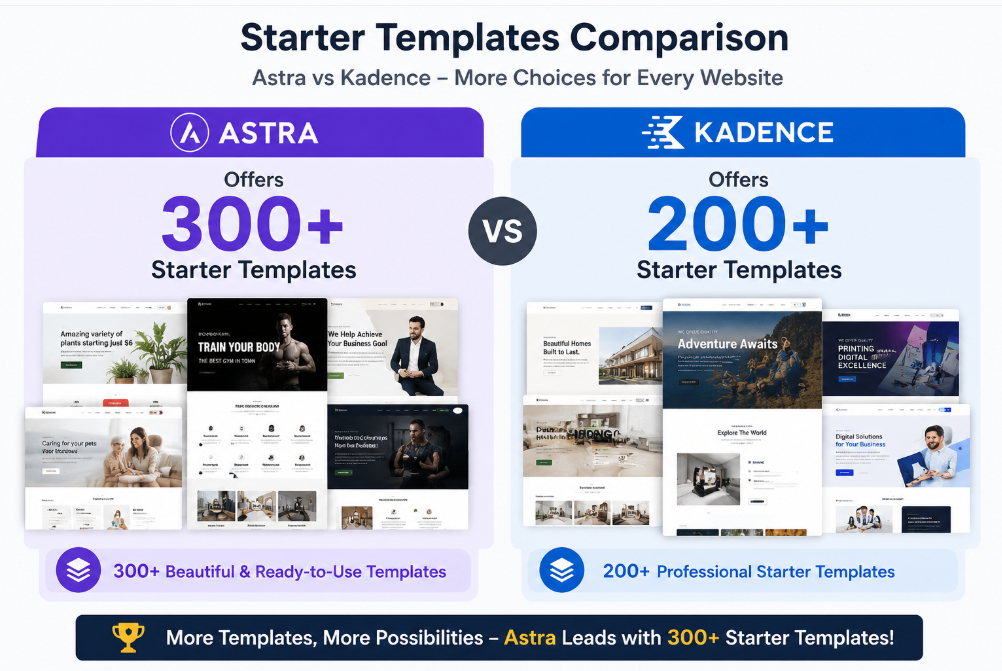
Astra dominates the template volume comparison with more than 250 pre-built starter sites spanning eCommerce, business, personal blogs, and agency niches. Kadence offers around 80 starter templates that, while fewer in total number, exhibit exceptional aesthetic polish and block architecture.
Astra provides starter templates compatible with Elementor, Beaver Builder, and Gutenberg, whereas Kadence designs templates tailored exclusively for the native WordPress block editor.
Gutenberg Block Integration: Spectra vs Kadence Blocks
Kadence Blocks represents the gold standard of Gutenberg page building, offering advanced row layouts, interactive tabs, form builders, and query loops that rival dedicated builders. Astra’s companion block suite, Spectra, is exceptionally fast and user-friendly, but Kadence Blocks offers deeper dynamic content styling controls.
For developers who prefer building entire sites inside the native WordPress block editor without external visual builder plugins, the combination of Kadence Theme and Kadence Blocks is unmatched.
Astra vs Kadence: Pricing & Licensing Plans
Both themes offer functional free versions in the official WordPress repository alongside premium Pro add-on plugins that provide advanced retail styling. Comparing license tiers and renewal policies highlights important financial distinctions for individual store owners and scaling digital agencies.
Review the comprehensive pricing options and multi-year licensing terms for both frameworks below.
Free Version Capabilities
The free versions of both Astra and Kadence are remarkably generous, providing full access to their drag-and-drop header builders, responsive controls, and core performance architectures. Kadence Free includes slightly more advanced customizer options, while Astra Free supports broader page builder integrations.
Merchants operating simple retail storefronts can launch successfully on either free tier before needing to upgrade to premium WooCommerce features.
Pro Tiers & Lifetime Licensing Options
Astra Pro costs $59 per year or $299 for a perpetual lifetime license, covering unlimited website activations. Kadence Pro costs $79 annually or $699 for the full Kadence Lifetime Bundle, which includes Kadence Blocks Pro, Kadence Cloud, and Kadence Shop Kit.
Astra offers an entry-level standalone lifetime license that is significantly more affordable, whereas Kadence bundles its full suite of premium block tools into its higher-tier lifetime package.
Long-Term Commercial Value
For store owners building a single website, Astra Pro delivers superior initial value at $59 per year. However, for agencies and creators committed to Gutenberg block workflows across multiple client stores, the Kadence Full Bundle provides unmatched productivity value.
Both companies maintain responsive customer support departments and provide frequent software updates to safeguard long-term compatibility with WordPress and WooCommerce releases.
Astra vs Kadence: Pros & Cons Summary
Evaluating the practical advantages and trade-offs of each platform helps merchants align their selection with their technical comfort level. Review the primary operational benefits and limitations of both frameworks below.
Astra Advantages & Limitations
Astra’s standout advantages are its unmatched 250+ starter template library, extensive Elementor and Beaver Builder compatibility, and budget-friendly $299 lifetime license. Its main limitation is that its native block styling controls are slightly less sophisticated than Kadence Blocks.
Astra remains the premier option for users who build client websites using traditional visual page builders or require niche-specific starter websites.
Kadence Advantages & Limitations
Kadence’s chief advantages include the industry’s most advanced Gutenberg block ecosystem, intelligent global color palettes, and deep native WooCommerce product swatches. Its primary drawback is a higher entry cost for the full lifetime bundle at $699.
Kadence is the clear choice for web creators who demand clean, lightweight, block-based WordPress development without third-party page builder bloat.
Astra vs Kadence: Final Verdict & Buying Recommendations
Our comprehensive benchmark testing crowns Astra the winner for ecosystem scale and overall affordability, while Kadence wins for pure Gutenberg block editing and design elegance. Neither theme is a poor choice, as both outperform standard commercial WordPress themes in speed and code quality.
Consult our final purchasing guidelines below to choose the ideal framework for your eCommerce storefront.
Who Should Choose Astra?
Choose Astra if you prefer designing websites with Elementor or Beaver Builder, need access to hundreds of ready-to-import niche starter templates, or want an affordable $299 lifetime multi-site license. Astra provides the most flexible, battle-tested foundation for agencies managing diverse client portfolios.
Read our in-depth Astra Theme Review for detailed speed test data and setup recommendations.
Who Should Choose Kadence?
Choose Kadence if you want to build fast, modern storefronts using the native WordPress block editor without installing heavy page builder plugins. Kadence’s superior header builder, native variation swatches, and Kadence Blocks integration make it the ultimate framework for modern Gutenberg creators.
Compare how Kadence stacks up against other retail frameworks in our practitioner guide to the Best WooCommerce Themes.
Frequently Asked Questions About Astra vs Kadence
Review direct answers to essential questions regarding Astra and Kadence speed benchmarks, beginner friendliness, WooCommerce capabilities, and builder compatibility below. Our answers reflect hands-on testing on live WordPress installations.
Which theme suits beginners better?
Astra suits absolute beginners slightly better because its vast library of 250+ pre-built starter sites allows novices to launch complete websites with one click. However, Kadence features a remarkably clean customizer interface that beginners quickly master.
Both themes provide extensive documentation, video tutorials, and helpful user communities to guide first-time store owners through setup.
Does Kadence offer more design flexibility than Astra?
Kadence offers more design flexibility within the native WordPress block editor thanks to its advanced Kadence Blocks integration and dynamic global palette controls. Astra offers greater flexibility across third-party visual page builders like Elementor.
If you prefer working strictly in Gutenberg, Kadence delivers noticeably deeper typographic and container styling controls.
Is Kadence faster than Astra on mobile devices?
Both themes perform virtually identically on mobile devices, consistently achieving Largest Contentful Paint benchmarks under 0.8 seconds and scores above 95 on mobile PageSpeed Insights. Both frameworks serve compressed CSS and avoid render-blocking scripts.
Proper image compression and reliable web hosting play a far larger role in mobile velocity than the negligible performance difference between these two themes.
Which theme is better for WooCommerce stores?
Kadence is slightly better for WooCommerce stores building with Gutenberg due to native product swatches, shop filters, and advanced checkout styling. However, Astra Pro matches Kadence’s sales performance when paired with dedicated eCommerce add-ons.
Both themes include distraction-free checkouts, off-canvas shopping carts, and sticky add-to-cart buttons that drive higher retail conversion rates.
Can I use Elementor with both Astra and Kadence?
Yes, both Astra and Kadence offer full native compatibility with Elementor and Elementor Pro. However, Astra provides a larger selection of pre-built Elementor templates, making it the preferred choice for Elementor-centric workflows.
Kadence works smoothly with Elementor, but its design strengths shine brightest when utilizing the native WordPress block editor.
Do both themes support lifetime licenses?
Yes, both themes offer lifetime commercial licenses covering unlimited website installations and lifetime product updates. Astra Pro offers a standalone theme lifetime tier at $299, while Kadence offers its complete agency bundle for $699.
Purchasing a lifetime package eliminates recurring annual software subscription bills for freelance designers and digital agencies.

Abdullah Prem is the founder of EcommerceThemes.org and BloggersNeed.com. He specializes in reviewing Shopify themes, WooCommerce themes, WordPress themes, hosting, plugins, and SaaS tools. Through EcommerceThemes.org, he publishes in-depth theme reviews, product comparisons, buying guides, and performance analyses to help ecommerce businesses choose the right theme based on speed, SEO, customization, user experience, and overall value. His goal is to provide research-driven recommendations that help store owners make informed decisions when selecting an ecommerce theme.