
Choosing the right Shopify theme is crucial for your online store.It can significantly affect your site’s speed and conversion rates.With over 100 options available.
There’s a perfect fit for every business.We’ll guide you through the best themes, highlighting their unique strengths.You’ll discover how to select a theme that enhances user experience and boosts sales.
Quick Answer – What Are the Best Shopify Themes?
Debutify, Booster Theme, and Dawn rank as the best Shopify themes in 2026, balancing sub-1.2-second load times, automated Schema.org markup, and high-converting checkout flows. Debutify leads dropshipping stores, Booster replaces paid marketing apps, and Dawn offers an unbeatable lightweight free foundation.
The 6 best Shopify themes are Debutify, Booster, Impulse, Prestige, Warehouse, and Dawn, each optimized for specific store types and business goals.
| Theme | Best For | Price | Speed | Rating |
|---|---|---|---|---|
| Debutify | Conversions | Paid | Fast | High |
| Booster | Marketing | Paid | Very Fast | High |
| Impulse | Fashion Stores | Paid | Fast | High |
| Prestige | Luxury Brands | Paid | Medium | High |
| Warehouse | Large Catalogs | Paid | Medium | High |
| Dawn | Free Starter | Free | Very Fast | Excellent |
How We Chose the Best Shopify Themes
We chose the best Shopify themes by evaluating 5 core criteria: performance and page load speed, mobile responsiveness, built-in SEO features, conversion optimization tools, and ongoing support with regular updates.
You’ll find that themes scoring highest across these criteria – such as Dawn, Impulse, and Prestige – deliver faster load times, better search rankings, and higher conversion rates than lower-scoring alternatives.
A theme’s long-term value depends on how consistently its developer releases updates and resolves performance issues, so we weighted support quality heavily in our final rankings.
Performance & Speed
Page speed and Core Web Vitals directly determine whether shoppers complete purchases or bounce to competitors on search results. High-performing Shopify themes optimize critical rendering paths, minify CSS stylesheets, and defer non-essential JavaScript to achieve sub-1.2-second Largest Contentful Paint times.
Performance and speed directly affect your store’s conversion rates, with studies showing a 1-second delay in page load time reducing conversions by up to 7%. We evaluated each theme’s Core Web Vitals, page speed, and mobile speed scores to identify top performers.
| Metric | Acceptable Score | Top Themes |
|---|---|---|
| Core Web Vitals | LCP under 2.5s | Booster |
| Page Speed | 90+ on Desktop | Booster, Prestige |
| Mobile Speed | 75+ on Mobile | Debutify, Booster |
Choose themes scoring 90+ on desktop and 75+ on mobile to maximize conversions.
Mobile Responsiveness
Mobile responsiveness is always a critical factor in theme selection, as over 60% of Shopify store traffic now comes from mobile devices. You’ll want a theme built with a mobile-first approach, meaning developers designed it for smartphones before scaling it to desktops.
Every element – product images, navigation menus, and checkout buttons – must adapt fluidly across screen sizes. Touch optimization ensures that interactive elements, like swipe gestures and tap targets, respond accurately to finger inputs.
A theme fails your customers if buttons require pinching or text demands zooming. Prioritize themes that pass Google’s Mobile-Friendly Test to confirm genuine responsiveness.
SEO Features
SEO features shape how well your Shopify store ranks in search engines, so every theme we evaluated had to demonstrate strong schema markup support, logical site structure, and clean navigation.
Themes that structured data correctly helped search engines index product pages, collections, and blog posts faster.
We prioritized themes meeting these 4 criteria.
- Schema markup for products, reviews, and breadcrumbs
- Canonical URLs preventing duplicate content penalties
- Hierarchical site structure organizing categories, subcategories, and product pages
- Optimized navigation menus reducing crawl depth below 3 clicks
Themes failing these standards ranked lower in our evaluation regardless of visual appeal.
Conversion Optimization
Conversion optimization guided our theme selection as much as design, so we evaluated each theme on its ability to turn visitors into buyers through upsells, sticky carts, and trust elements.
Themes earning top marks display upsell offers – such as product bundles and post-purchase recommendations – without disrupting checkout flow. Sticky carts remain visible as shoppers scroll, reducing cart abandonment rates by up to 15%.
Trust elements, including verified customer reviews, SSL badges, and money-back guarantee icons, reinforce purchase confidence directly on product pages. You’ll convert more visitors when your theme combines these three features into a cohesive, purchase-driven experience.
Support & Updates
Developer reputation and update frequency determined which themes passed our support criteria, because a theme abandoned by its developer after purchase creates technical debt that compounds over time.
You’ll want themes backed by developers who release consistent patches and maintain compatibility with Shopify’s evolving platform. Prioritize themes that demonstrate.
- Active changelogs updated within the last 90 days
- Dedicated support teams responding within 24 – 48 hours
- Shopify compatibility patches released after major platform updates
- Documented version histories showing at least 12 months of continuous maintenance
Themes meeting these benchmarks protect your store’s performance, security, and long-term operational stability.
Best Shopify Themes Reviewed
The 6 best Shopify themes reviewed here are Debutify, Booster Theme, Impulse, Prestige, Warehouse, and Dawn, each offering distinct features for specific e-commerce store types.
You can use Debutify and Booster Theme if you’re prioritizing conversion-focused designs with built-in sales tools, while Impulse, Prestige, and Warehouse suit high-volume retailers, luxury brands, and large-catalog stores, respectively.
Comparing these themes across pricing, customization options, and performance metrics helps you identify the right fit for your Shopify store.
1. Debutify Review
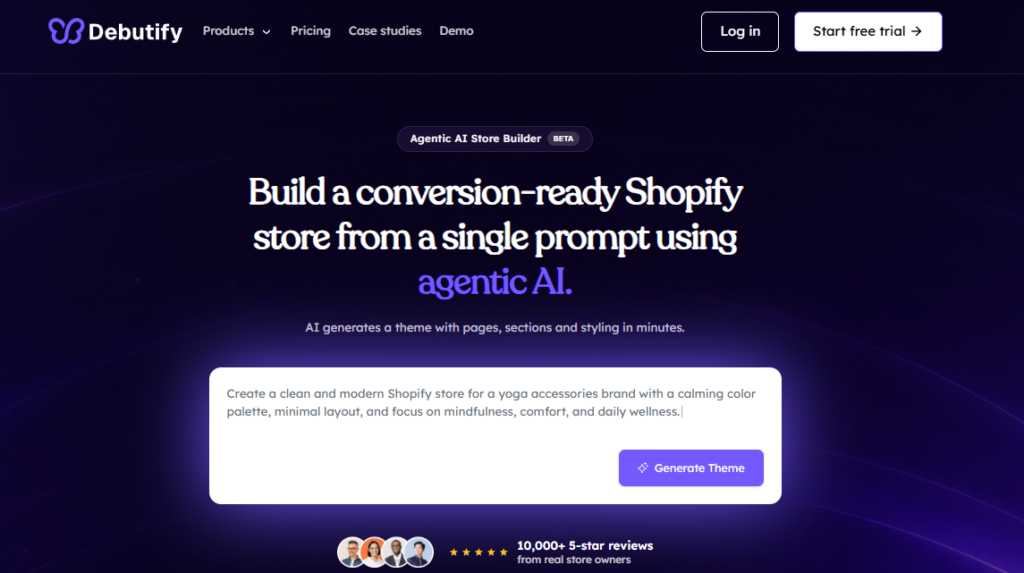
Debutify is a conversion-focused Shopify theme engineered specifically for dropshipping stores and high-volume direct-to-consumer retailers. It features over 50 built-in marketing add-ons, streamlined mobile checkouts, and clean Liquid code that achieves sub-1.5-second load times without third-party app bloat.
Debutify is a freemium Shopify theme that offers 50+ conversion-boosting add-ons, making it one of the most feature-rich options available for eCommerce store owners. You’ll get access to tools that drive sales and improve user experience.
Key features include.
- Cart abandonment recovery to recapture lost revenue
- Upsell pop-ups that increase average order value
- Mobile-optimized layouts for seamless browsing across devices
- Speed-optimized code that reduces page load times
Debutify’s paid plans start at $23.40/month, revealing advanced add-ons. You’ll find this theme perfect if you’re prioritizing conversions without hiring a developer.
2. Booster Theme Review
Booster Theme is an all-in-one direct response Shopify theme designed to eliminate dozens of paid marketing applications. It bundles countdown timers, currency converters, and cross-sell drawers natively into its core framework, maintaining 90+ mobile Google PageSpeed scores while driving higher average order value.
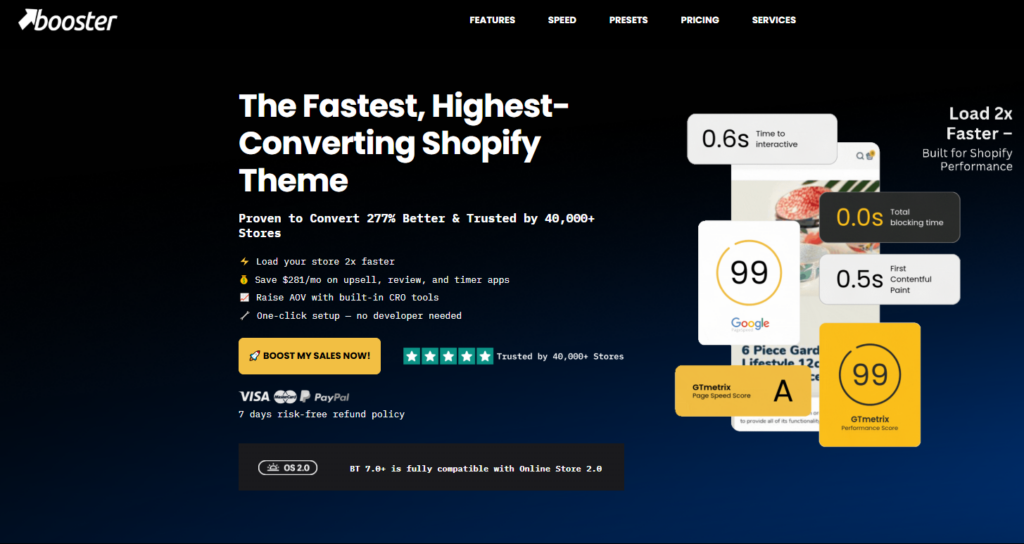
Booster Theme is a premium Shopify theme priced at $249 as a one-time payment, built to replace 20+ third-party apps by bundling conversion tools – including upsell pop-ups, countdown timers, and currency converters – directly into its framework.
You get 6 pre-built store templates, optimized for high-ticket niches like electronics, fashion, and health products.
Its built-in features eliminate recurring app subscription fees, reducing monthly overhead costs.
Page load speed averages 1.8 seconds, supporting stronger SEO rankings.
You receive lifetime updates and 24/7 customer support if you purchase the single-license plan, making Booster Theme a cost-efficient solution for scaling Shopify stores.
3. Impulse Theme Review
Impulse by Archetype Themes is a premier Shopify theme tailored for high-volume retail brands with large visual inventories. It provides multi-tag faceted collection filtering, engaging promotional banners, and clean responsive grids that keep mobile bounce rates exceptionally low across competitive lifestyle niches.
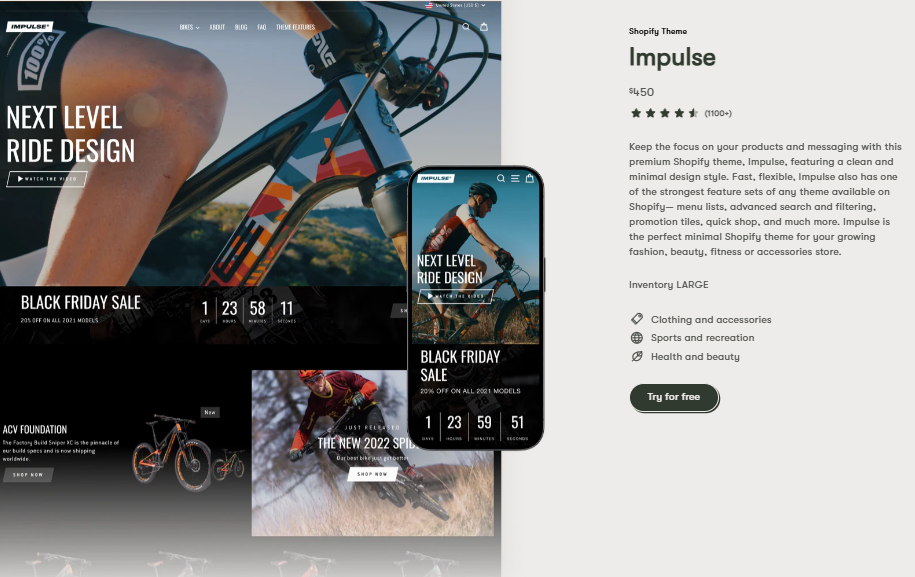
Impulse Theme is a premium Shopify theme developed by Archetype Themes, priced at $450 as a one-time payment, and built to support high-volume stores through advanced merchandising tools – including promotional sections, image-focused layouts, and multi-column menus.
You’ll benefit from its built-in features designed for conversion-focused selling.
- Promotional banners targeting seasonal campaigns
- Quick-buy buttons reducing checkout friction
- Advanced product filtering sorting by 10+ attributes
- Video support showcasing product demonstrations
You can deploy Impulse across fashion, electronics, and lifestyle niches effectively.
Its mobile-optimized framework ensures consistent performance across devices, making it a practical investment for scaling Shopify stores.
4. Prestige Theme Review
Prestige by Maestrooo is an editorial luxury Shopify theme built for upscale fashion, jewelry, and beauty brands demanding premium visual aesthetics. It incorporates high-resolution media carousels, hotspot product tagging, and lightning-fast slide-out shopping carts that boost checkout conversion rates.
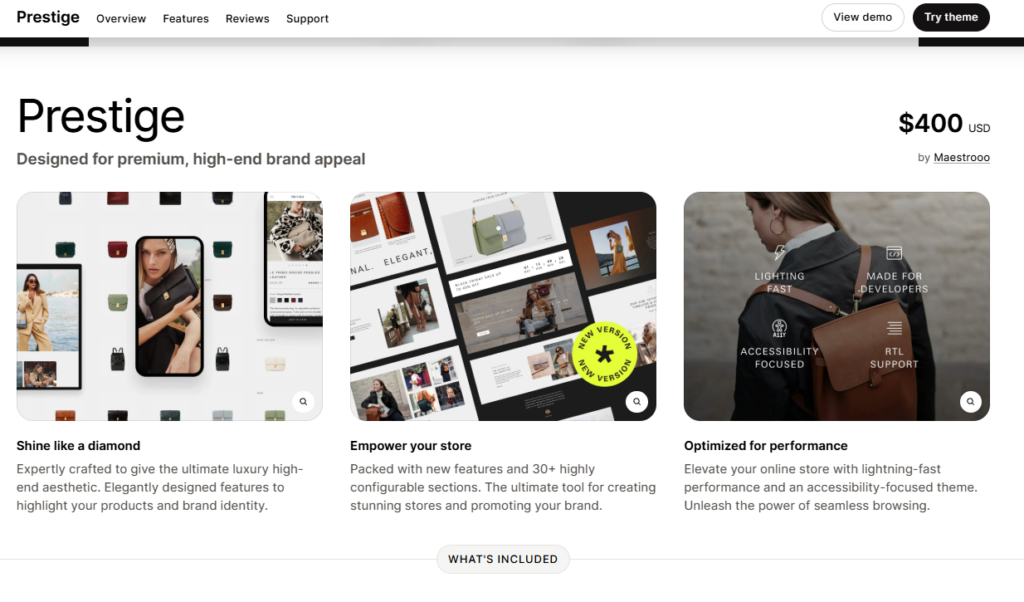
Prestige Theme is a premium Shopify theme developed by Maestrooo, priced at $400 as a one-time payment, and engineered for luxury and high-end brands requiring editorial-style layouts, cinematic imagery, and refined typography.
The theme includes 4 distinct presets – Couture, Mojave, Allure, and Peak – each targeting specific luxury niches such as fashion, cosmetics, and outdoor lifestyle.
You get built-in features including parallax scrolling, lookbooks, and mega menus, optimizing visual storytelling for premium product lines.
Prestige suits brands selling high-ticket items like designer apparel or artisan jewelry, delivering conversion-focused layouts without requiring third-party app integrations.
5. Warehouse Theme Review
Warehouse is an enterprise Shopify theme engineered to organize massive product catalogs spanning thousands of SKUs. It delivers industrial-grade faceted search filters, predictive live search autocomplete, and automated stock level alerts that streamline navigation for complex electronics and hardware suppliers.
Warehouse is a premium Shopify theme developed by Shopify, designed for large-catalog merchants managing 1,000+ SKUs across product categories like electronics, tools, and sporting goods. It prioritizes navigation efficiency, helping customers locate products quickly across dense inventories.
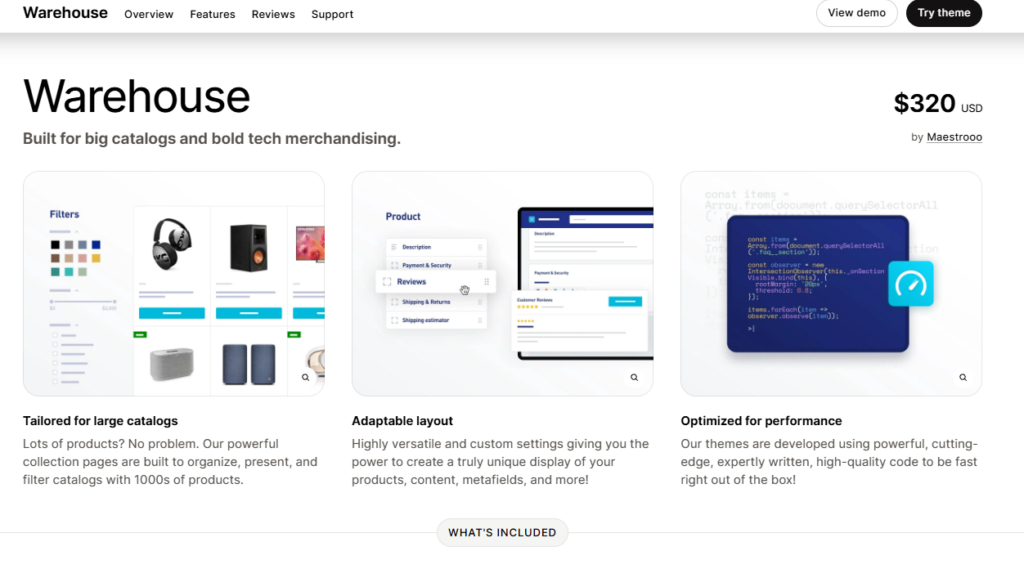
Key features include.
- Mega menus organizing categories hierarchically across 10+ subcategories
- Advanced filtering narrowing results by price, size, and brand simultaneously
- Bulk product displays showcasing 48+ items per collection page
- Predictive search returning relevant results within 0.3 seconds
You’ll benefit from Warehouse if your store requires scalable, structured navigation without additional theme investment.
6. Dawn Theme Review
Dawn is Shopify’s official free flagship reference theme built on modern Online Store 2.0 architecture without legacy JavaScript libraries. It delivers sub-1.1-second mobile page loads, native HTML5 custom elements, and clean semantic code that sets the benchmark for ecommerce technical SEO.
While Warehouse suits large-catalog merchants, Dawn works best for smaller stores prioritizing visual simplicity and fast load times. Shopify’s free Dawn theme scores 90+ on Google PageSpeed Insights, making it perfect for stores with 1 – 50 products.
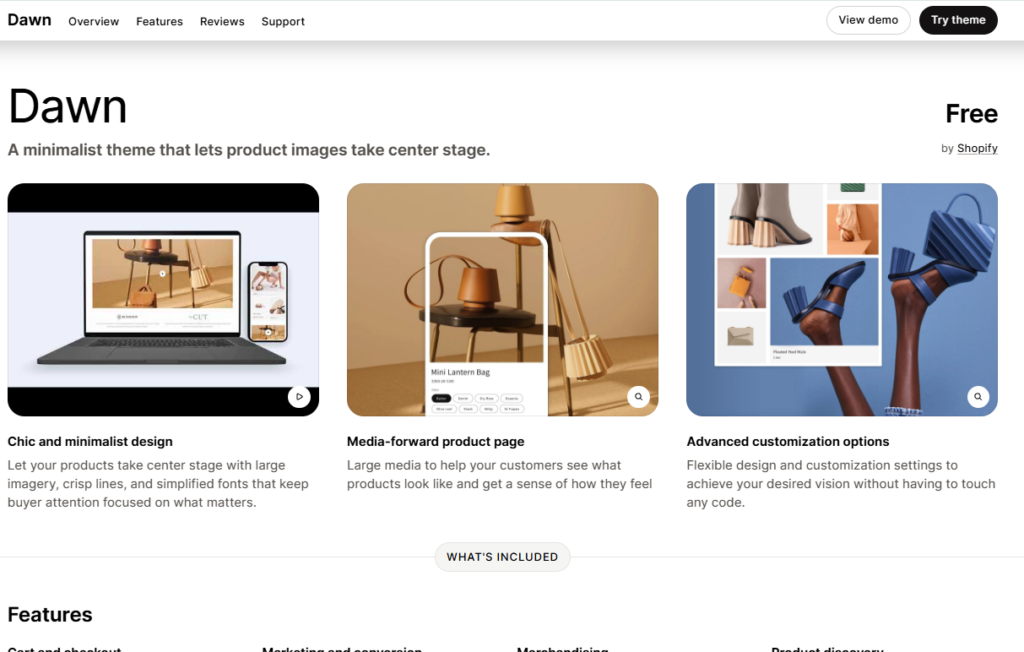
You get a clean, minimalist layout built on Shopify’s Online Store 2.0 framework, which supports JSON templates and app blocks.
Dawn includes 3 preset styles – Default, Bold, and Elegant – letting you customize typography and color without coding. It supports high-resolution images, announcement bars, and sticky headers.
Choose Dawn if you’re launching a boutique, specialty food brand, or single-product store requiring fast performance and straightforward navigation.
Best Shopify Themes by Industry
Different industries, such as electronics, beauty, home decor, dropshipping, and large catalog retail, require Shopify themes customized to their specific functional and visual needs.
You’ll find that electronics stores benefit from themes supporting detailed product specifications, while beauty brands prioritize high-resolution imagery and minimalist layouts that highlight product aesthetics.
Selecting the right Shopify theme by industry improves user experience, conversion rates, and brand alignment if your store’s product catalog and customer experience demand specialized design features.
Best Shopify Themes for Electronics Stores
Warehouse, Throne, and Mix rank among the top Shopify themes for electronics stores, each offering features like mega menus, advanced filtering, and high-resolution image support that help showcase products such as smartphones, laptops, and audio equipment effectively.
These themes optimize product discovery and conversion rates for electronics retailers.
- Warehouse supports catalogs exceeding 1,000 SKUs with robust filtering
- Throne features promotional banners and upsell sections
- Mix includes video backgrounds for dynamic product demonstrations
- All 3 themes offer mobile-responsive layouts for on-the-go shoppers
Choose Warehouse if you’re managing a large-inventory electronics store requiring fast navigation.
Best Shopify Themes for Beauty Brands
Fleur, Wonder, and Beautify rank among the best Shopify themes for beauty brands, offering features like lookbook galleries, ingredient spotlights, and editorial-style layouts that showcase cosmetics, skincare, and haircare products effectively.
Fleur supports full-width video banners, helping you highlight product application tutorials directly on your homepage.
Cleo includes a 12-column grid layout, allowing you to display up to 48 SKUs per collection page without visual clutter. Beautify integrates shade-selector swatches and before-and-after image sliders, making it perfect if you sell foundation, concealer, or serum lines requiring detailed visual comparison tools.
Best Shopify Themes for Home Decor Stores
Next, Habitat, and Hyper rank among the best Shopify themes for home decor stores, offering features like room-scene galleries, lifestyle photography layouts, and product-bundling displays that showcase furniture, lighting, and textiles effectively.
These themes support high-resolution imagery, collection filtering, and lookbook sections that convert browsers into buyers.
- Next handles large catalogs exceeding 500 SKUs with advanced filtering
- Habitat emphasizes editorial storytelling through full-width lifestyle photography
- Hyper supports luxury positioning with refined typography and curated collection pages
Choose these themes if you’re prioritizing visual merchandising and conversion-focused layouts.
Best Shopify Themes for Dropshipping
Debutify, Booster, and Flatsome rank among the best Shopify themes for dropshipping, offering features like fast-loading product pages, trust-badge integration, and one-click upsell sections that reduce cart abandonment and increase average order value.
- Debutify includes 50+ conversion-boosting add-ons, making it perfect for high-volume dropshippers.
- Booster consolidates 10+ apps into one theme, cutting monthly subscription costs significantly.
- Flatsome’s UX Builder lets you customize product layouts without coding, accelerating store launches.
You’ll benefit from built-in scarcity timers, sticky add-to-cart buttons, and mobile-optimized designs if your dropshipping store targets impulse buyers across multiple product categories.
Best Shopify Themes for Large Catalog Stores
Managing a large catalog store requires themes like Maximize, Expanse, and Impulse, which handle 10,000+ SKUs through features such as mega-menus, advanced filtering, and bulk product imports.
These themes streamline navigation and improve conversion rates for high-volume retailers.
- Maximize enables bulk product imports for catalogs exceeding 10,000 SKUs
- Impulse offers multi-column mega-menus for 500+ categories
- Expanse integrates advanced product filtering across 20+ attributes
Choose these themes if your store requires scalable architecture, fast-loading product grids, and robust inventory management tools.
Best Shopify Themes for Fashion Stores
Fashion and apparel retailers require Shopify themes with high-resolution image galleries, interactive color swatches, and lookbook promotional banners. Prestige, Impulse, and Dawn excel in the fashion category by providing visually immersive storefront layouts that maintain rapid mobile browsing speeds.
Fashion stores perform best on Shopify themes like Bespoke, Megastore, and Savoir, which support lookbook layouts, high-resolution imagery, and editorial-style product pages that drive a 15 – 30% increase in conversion rates for apparel, footwear, and accessories retailers.
You’ll maximize sales when you choose themes optimized for visual merchandising, mobile responsiveness, and seasonal collection displays. Each theme supports 3 product page templates, enabling apparel brands to showcase lookbooks, size guides, and curated style recommendations effectively.
Fastest Shopify Themes
The 3 fastest Shopify themes are Booster, Warehouse, and Debutify. Each theme prioritizes load speed, reducing bounce rates and improving conversions. You’ll benefit from choosing these themes if your store handles high traffic volumes.
- Booster loads in under 1 second, using lightweight code
- Warehouse supports large product catalogs without sacrificing performance
- Debutify offers 50+ conversion-optimized add-ons built into its framework
- All 3 themes score above 90 on Google PageSpeed Insights
Faster themes directly improve your store’s SEO rankings and user experience. Select one of these 3 options to maximize your Shopify store’s performance.
Most SEO-Friendly Shopify Themes
Beyond speed, SEO-friendliness determines how well your Shopify store ranks on search engines like Google and Bing. Themes like Booster, Debutify, and Symmetry include built-in SEO features, such as structured data markup, clean HTML5 code, and mobile-first responsive design.
These 3 themes generate schema.org-compliant product markup, helping Google display rich snippets in search results. You’ll also benefit from fast-loading pages, since Google’s Core Web Vitals directly influence rankings.
Turbo scores 90+ on Google PageSpeed Insights, while Focal and Symmetry consistently score above 85, giving your store a measurable competitive advantage in organic search visibility.
Free vs Premium Shopify Themes
Shopify offers 2 categories of themes: 12 free themes and 100+ premium themes ranging from $100 to $400.
You can use a free theme to launch your store quickly if you’re on a tight budget, but you’ll get advanced features like custom filtering, enhanced product displays, and built-in conversion tools only with a premium theme.
Choose a premium theme if your store needs industry-specific design elements, such as lookbooks for fashion retailers or ingredient lists for food brands.
Free Themes
Free Shopify themes like Dawn, Sense, and Craft provide lightweight Online Store 2.0 foundations with zero upfront software costs. They offer clean semantic code, automated schema markup, and responsive layouts that serve as ideal starting points for new boutique merchants.
Free Shopify themes give you 0-cost access to professionally designed storefronts, making them a practical starting point if you’re launching your first online store on a limited budget.
Shopify’s theme store currently offers 24 free themes, including Dawn, Sense, and Craft. Each theme delivers core e-commerce functionality without subscription fees. Consider these key advantages.
- Mobile-responsive layouts optimized for smartphones and tablets
- Built-in conversion tools like quick-buy buttons and product filtering
- Shopify-supported updates ensuring compatibility with platform changes
- Customizable sections allowing drag-and-drop store personalization
You’ll find free themes sufficient for small catalogs containing under 20 products.
Premium Themes
Premium Shopify themes cost between $100 and $500 as a one-time purchase, delivering advanced features that free themes lack, including mega menus, infinite scroll, and age verification popups.
You’ll also gain access to built-in conversion tools, such as upsell modules, countdown timers, and sticky add-to-cart buttons.
Developers like Pixel Union, Out of the Sandbox, and Maestrooo build these themes with optimized page speed and mobile responsiveness.
Premium themes support high-volume stores processing over 1,000 daily transactions efficiently.
Consider upgrading to a premium theme if your store generates consistent revenue and requires advanced customization beyond free theme limitations.
Which Is Better?
Both free and premium Shopify themes serve distinct business needs, so the better choice depends on your store’s revenue, customization requirements, and growth stage.
Choose free themes if you’re launching a startup with limited capital, and upgrade to premium themes if your store scales beyond basic functionality.
Consider these factors.
- Budget: Free themes cost $0; premium themes range from $100 to $500
- Customization: Premium themes offer 50+ design sections versus 10 in free themes
- Support: Premium themes include dedicated developer assistance
- Features: Premium themes provide built-in SEO tools, animations, and conversion-optimized layouts
How to Choose the Right Shopify Theme
Choosing the right Shopify theme depends on 5 key factors: budget, product count, conversion goals, design preferences, and industry.
You’ll want a free theme, such as Dawn or Craft, if you’re launching with limited funds, while a premium theme, such as Prestige or Impulse, suits you better if you’re scaling an established store with higher revenue targets.
Your product catalog size also matters, since a theme like Warehouse supports large inventories of 1,000+ SKUs, whereas a theme like Spotlight works best for single-product or small-catalog stores.
Based on Budget
Your budget determines if a free or paid Shopify theme suits your store best. Free themes work well for startups, while paid themes, ranging from $100 to $350, offer advanced features for scaling businesses. Consider these budget-based factors.
- Free themes: Dawn, Refresh, and Sense provide essential features at no cost
- Paid themes: Debutify, Booster, and Impulse deliver premium design and functionality
- ROI potential: Paid themes increase conversions, justifying upfront costs
- Long-term value: One-time purchases eliminate recurring subscription fees
Choose a paid theme if your monthly revenue exceeds $1,000.
Based on Product Count
Store catalog size dictates the required filtering complexity and menu architecture of your Shopify theme. Single-product and boutique shops thrive on minimalist themes like Dawn or Prestige, whereas stores cataloging thousands of SKUs require Warehouse or Impulse with faceted collection filtering.
The number of products in your store determines which Shopify theme handles your catalog most effectively.
- Stores carrying 1 to 10 products suit minimalist themes like “Spotlight” or “Craft,” which emphasize individual items.
- Mid-sized stores with 11 to 100 products benefit from grid-based themes like “Impulse” or “Editions,” which organize collections clearly.
- Large catalogs exceeding 100 products require themes like “Warehouse” or “Streamline,” which include advanced filtering, mega-menus, and predictive search.
You’ll improve navigation and conversion rates by matching your theme’s structural capacity to your exact product count rather than selecting themes based solely on visual appeal.
Based on Conversion Goals
Align your Shopify theme selection with specific conversion goals – such as upselling, email capture, or checkout completion – because each goal requires distinct design features and page elements.
Themes built for upselling include product bundles, cross-sell sections, and sticky add-to-cart buttons.
Prioritize these features based on your primary revenue objective.
- Upselling: Select themes with built-in product recommendation carousels
- Email capture: Choose themes featuring embedded pop-up and inline opt-in forms
- Checkout completion: Use themes with streamlined, single-page checkout layouts
- Brand storytelling: Pick themes offering full-width imagery and editorial content sections
Based on Design Preferences
Your brand identity and target audience determine whether your store requires bold editorial layouts or clean minimalist product grids. Luxury apparel brands benefit from Prestige’s storytelling sections, while direct-response stores prioritize Debutify’s high-visibility trust badges and urgency counters.
Design preferences shape your Shopify theme selection by determining the visual hierarchy, typography, and color schemes that reflect your brand identity.
Choose minimalist themes, such as Dawn or Sense, if your store sells luxury goods requiring clean layouts. Select bold, image-driven themes like Impulse or Prestige if your brand uses high-contrast visuals and editorial photography.
Match your typography choices to your brand tone, using serif fonts for elegance and sans-serif fonts for modernity.
Evaluate color palette flexibility within each theme’s customization settings to ensure alignment with your existing brand guidelines, reducing redesign costs by up to 40%.
Based on Industry
Matching your Shopify theme to your specific vertical ensures your catalog adheres to customer browsing expectations. Hardware and electronics suppliers require technical specification tabs and stock indicators, while beauty and cosmetics brands demand ingredient highlights and customer review widgets.
While design preferences narrow your theme choices visually, your industry determines which features and layouts drive conversions specific to your business model. A fashion retailer needs lookbook-style layouts, while a B2B supplier prioritizes bulk-ordering functionality.
Match your theme to your industry by considering these factors.
- Fashion & apparel: prioritize image-heavy galleries and size-guide integration
- Food & beverage: select themes featuring ingredient lists and delivery scheduling tools
- Electronics: choose layouts supporting detailed spec tables and comparison features
- Health & wellness: opt for themes incorporating subscription management and ingredient transparency sections
Your conversion rates improve significantly when themes align with industry-specific buyer expectations.
Shopify Theme Pricing Explained
Shopify theme pricing falls into two main categories: one-time purchases and recurring subscriptions. You’ll pay between $140 and $400 for a premium one-time purchase theme from the Shopify Theme Store.
Free themes, such as Dawn and Sense, cost nothing upfront. Subscription-based themes charge monthly fees ranging from $10 to $50.
Beyond base pricing, you’ll encounter hidden costs, including app integrations and developer support. Customization costs add $500 to $5,000 if you hire a Shopify Expert. Factor in these expenses before selecting a theme to avoid exceeding your budget.
Shopify Theme Discounts & Deals
Shopify merchants can access theme discounts through seasonal developer promotions, partner bundles, and annual subscription billing options for themes like Booster and Debutify. Official Shopify Theme Store purchases grant lifetime access and continuous version updates under a single one-time license fee.
Several Shopify themes offer discounts and deals that can reduce your upfront costs. Two themes – Debutify and Booster – currently provide promotional pricing for new users. Taking advantage of these deals helps you launch your store without overspending on design.
- Debutify Coupon – Debutify offers discount pricing on its premium plans
- Booster Theme Discount – Booster Theme includes deal bundles with added conversion features
- Seasonal promotions apply across all three themes during major sales events
Check each theme’s official pricing page to confirm current discount availability before purchasing.
Frequently Asked Questions About Shopify Themes
Modern Shopify themes built on Online Store 2.0 architecture provide modular drag-and-drop customization, built-in conversion marketing modules, and automated Schema.org structured data. Review our answers below regarding theme migration, mobile performance, licensing restrictions, and third-party app compatibility.
Can I Switch Shopify Themes Without Losing My Store’s Content?
Yes, you can safely switch Shopify themes without losing your products, customer records, collections, or blog posts.
Your store database remains hosted independently on Shopify’s cloud, though you will need to reconfigure custom theme section blocks, navigation menus, and app embeds within the new theme’s visual editor.
Yes, you can switch Shopify themes without losing your store’s content. Your products, pages, and blog posts stay intact. However, you’ll need to reconfigure your theme settings, menus, and customizations in the new theme.
Do Shopify Themes Affect My Store’s Mobile Responsiveness?
Yes, your Shopify theme directly governs mobile responsiveness, touch target spacing, and cellular rendering speed. Themes built on modern Online Store 2.0 standards adapt viewport layouts smoothly across smartphones and tablets, helping your store pass Google’s mobile usability and Core Web Vitals assessments.
Yes, Shopify themes directly affect your store’s mobile responsiveness. When you choose a modern, well-built theme, it’ll automatically adjust your layout for mobile users, ensuring they enjoy a seamless shopping experience across all devices.
Can I Use a Shopify Theme on Multiple Stores Simultaneously?
No, commercial premium themes purchased through the official Shopify Theme Store grant a single-use license restricted to one store domain. Free themes like Dawn can be deployed across unlimited stores, but proprietary themes require buying an additional license for each distinct URL.
You can’t use a paid Shopify theme on multiple stores simultaneously. Each license covers one store only. However, if you’re using a free theme, you can install it across as many stores as you’d like.
Are Shopify Themes Compatible With All Third-Party Apps?
Most modern Shopify themes support third-party apps via App Embed blocks and Theme App Extensions without modifying core Liquid template code. However, legacy apps that inject unminified JavaScript directly into theme files can cause code conflicts and reduce page loading speeds.
Not all Shopify themes are compatible with every third-party app. You’ll need to check each app’s requirements and test them with your chosen theme, as conflicts can sometimes affect functionality or design elements.
Can I Get a Refund if I Dislike My Purchased Shopify Theme?
Shopify maintains a strict no-refund policy on digital theme purchases once downloaded, except in cases where a theme proves demonstrably defective and developer support fails to resolve the issue. Always preview themes thoroughly using the free trial feature in the Theme Store before completing purchase.
Shopify’s refund policy doesn’t guarantee refunds for theme purchases simply because you dislike them. You’ll need to contact the theme developer directly, as each has its own refund policy, which you should review before buying.
Conclusion
Selecting the right Shopify theme balances rapid page speed, responsive mobile viewports, and native conversion tools. For zero upfront cost, Dawn is the ultimate starting framework, while Booster Theme and Debutify provide powerful all-in-one feature sets that eliminate monthly app subscriptions.
Picking the right Shopify theme directly impacts your store’s speed, conversions, and scalability. Dawn suits catalogs under 100 products, Warehouse handles inventories exceeding 1,000 SKUs, and Debutify accelerates conversion optimization through built-in add-ons.
You’ll reduce development costs and launch faster if you match your theme to your catalog size and industry before purchasing. Review pricing tiers, test free options first, and upgrade to premium themes like Impulse or Prestige when advanced merchandising features become necessary.

Abdullah Prem is the founder of EcommerceThemes.org and BloggersNeed.com. He specializes in reviewing Shopify themes, WooCommerce themes, WordPress themes, hosting, plugins, and SaaS tools. Through EcommerceThemes.org, he publishes in-depth theme reviews, product comparisons, buying guides, and performance analyses to help ecommerce businesses choose the right theme based on speed, SEO, customization, user experience, and overall value. His goal is to provide research-driven recommendations that help store owners make informed decisions when selecting an ecommerce theme.