| Developer / Brand | DigiFist |
| Sold On | Shopify Theme Store |
| Page Builder | Shopify Online Store 2.0 theme editor |
| Rating | ⭐ 4.3/5 (our review score) |
| Mobile Responsive | ✅ 100% Mobile & Tablet Ready |
🛠️ Theme Specifications
Olympus is a $300 DigiFist theme released in October 2026 with four presets: Olympus, Dahlia, Juniper and Cashmere. We reviewed version 1.0.0 with a focus on product comparison, cart upsells and how different each preset storefront really is.
Think of it for merchants who sell across categories like plants, supplements, foodware, mattresses or sports gear and want each preset to work as a complete storefront.
Olympus Shopify Theme: Key Facts
For $300, the Olympus Shopify theme (1.0.0) ships 4 presets, Olympus, Dahlia, Juniper and Cashmere, plus shop-the-look hotspots, image-rich mega menus, product comparison, cart upsells and a free-shipping goal. It costs $300 one-time and suits stores that sell across several very different product types.
| Item | Olympus |
|---|---|
| Price | $300 once, free updates |
| Developer | DigiFist |
| Presets | 4: Olympus, Dahlia, Juniper, Cashmere |
| Shopify rating | no merchant reviews yet |
| Best fit | Multi-category and garden stores |
| Docs | Olympus help docs |
| Latest version | 1.0.0, October 26, 2026 |
| Demo | Open the Olympus demo |
Olympus Features Worth Paying For
Olympus is all about range. DigiFist built each preset as a full storefront rather than a recolor, and the selling sections work for plants, supplements or bedding alike. The compromise is age: it is a brand-new release, so there are no merchant reviews yet.
Presets That Work as Full Storefronts
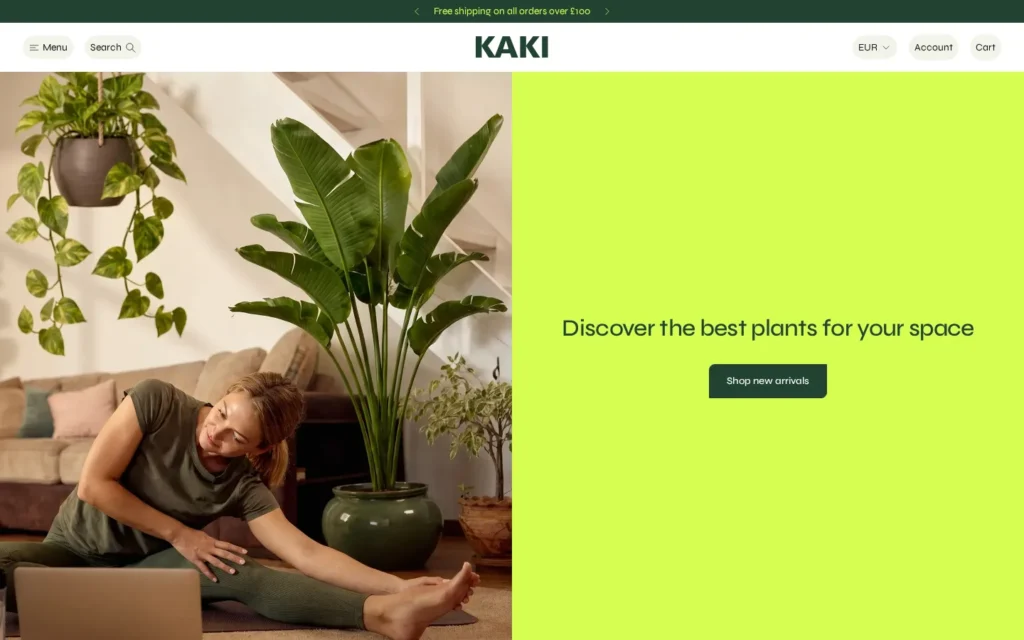
Olympus presets are complete storefront designs, not recolors of one homepage. DigiFist targets plants, supplements, foodware, mattresses and sports gear, so a garden shop and a sleep brand can both start from a layout that already fits their products and imagery.
That makes Olympus a practical choice for agencies or merchants who run several niche stores and want one familiar editor.
Shop the Look and Product Comparison
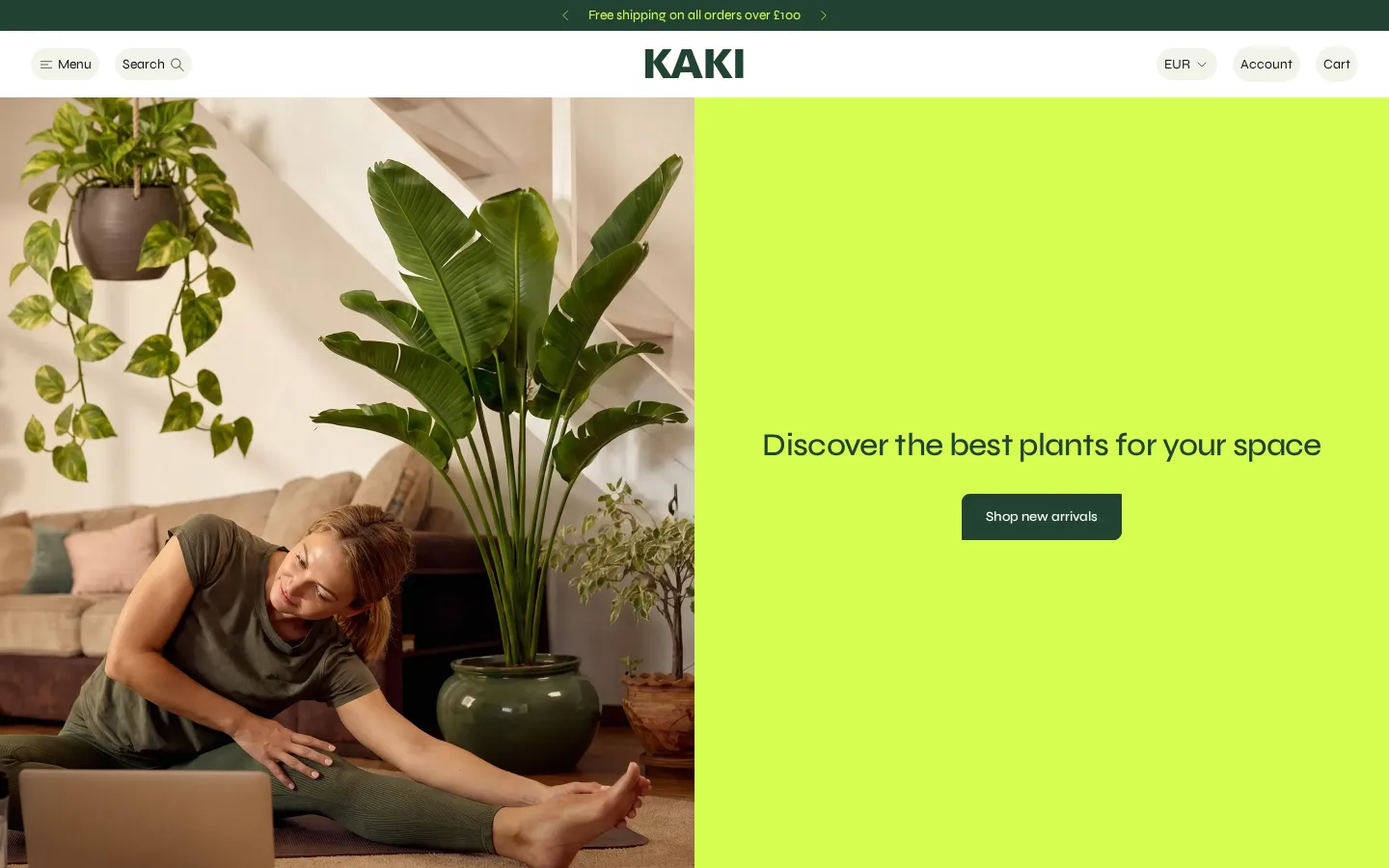
Olympus includes shop-the-look image hotspots, image-rich mega menus and a product comparison section. Comparison matters for mattresses, supplements and gear, where buyers weigh specs side by side, and hotspots let garden or home stores sell complete arrangements straight from a lifestyle photo.
Cart Upsells and Free-Shipping Goal
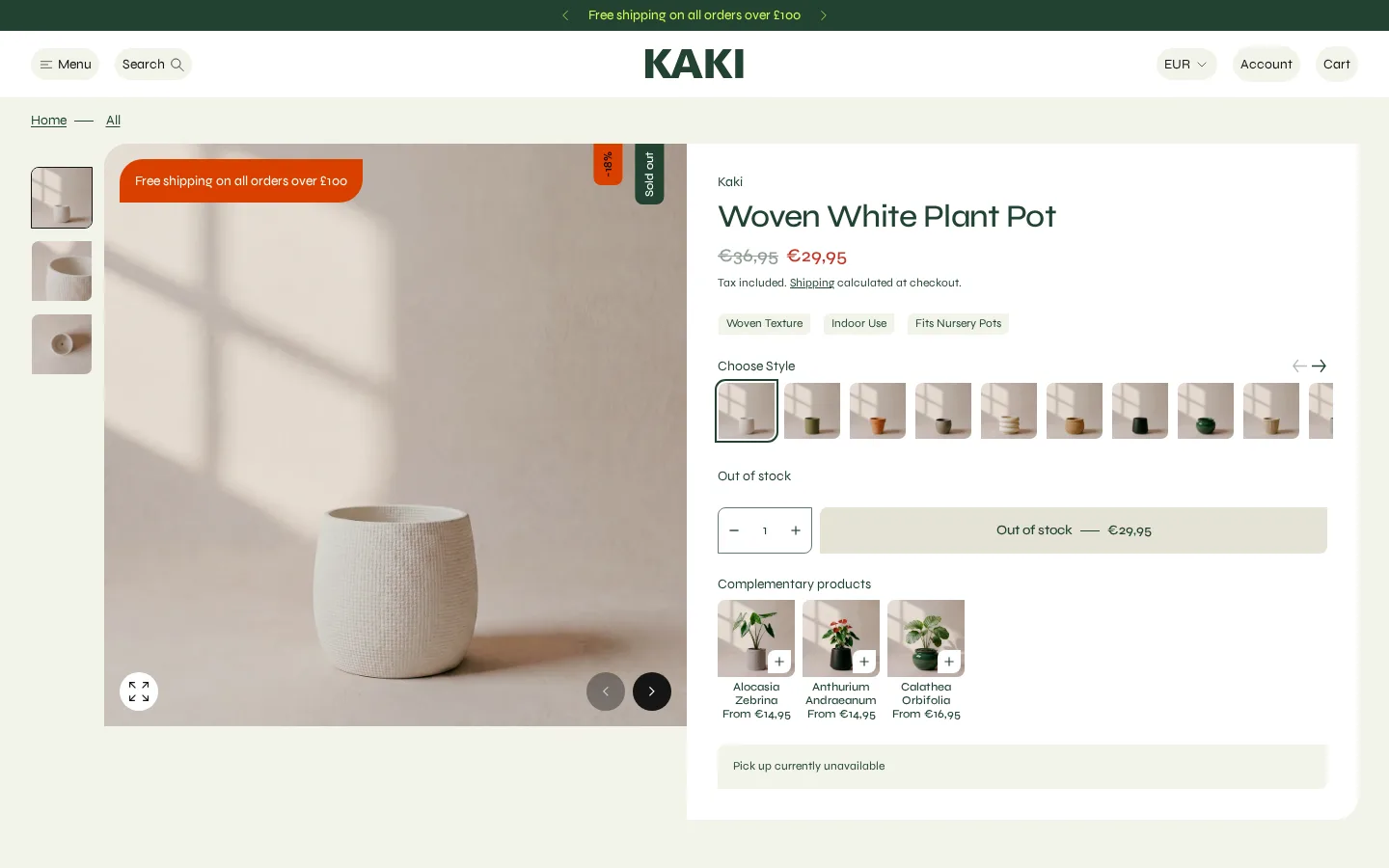
Olympus adds cart upsells, frequently bought together blocks and a free-shipping goal bar to the cart. These tools raise average order value without extra apps, and the filters adapt to whatever you sell, from pot sizes to supplement flavors or mattress firmness.
How Olympus Handles Phones
Olympus still offers slide-out cart, quick buy and sticky cart on mobile, with filters in a drawer. Multi-category stores depend on fast filtering on phones, so these patterns matter. In our live demo check, the hero and menu scaled cleanly to a small screen.

Olympus Pros
- 4 presets that act as distinct storefronts
- Product comparison built in
- Shop-the-look hotspots and image mega menus
- Cart upsells and free-shipping goal
- Fair $300 price for the feature depth
Olympus Drawbacks
- No merchant reviews yet (2026 release)
- Broad focus means less niche polish
- Many sections to configure at first
Olympus Theme Price and Value
Olympus asks $300 a single time; across a year that is $25 a month and across two it is $12.50. For stores selling across several categories, that is cheaper than paying monthly for separate product comparison and cart upsell apps, which Olympus includes.
| Shopify theme | Price | Developer |
|---|---|---|
| Olympus | $300 | DigiFist |
| Concept | $400 | RoarTheme |
| Gumdrop | $170 | Boostify |
| Enterprise | $420 | Clean Canvas |
Version 1.0.0 shipped on October 26, 2026, and updates are free. Each extra store needs its own $300 license.
Best Stores for Olympus
Olympus fits stores that sell across several categories, or merchants launching more than one niche shop, who need comparison, hotspots and cart upsells built in. Single-niche brands with a strong visual identity may find a focused theme fits their story better than Olympus.
Olympus for Garden and Home Stores
Garden, plant and home stores get strong value from Olympus. Shop-the-look hotspots sell full planter or room setups from one photo, and adaptive filters handle pot size, light needs or material, which keeps shoppers moving through large, mixed catalogs without frustration.
Olympus for Supplements and Sleep Brands
Supplement and mattress brands benefit from the product comparison section and frequently bought together blocks. Buyers compare formulas, sizes and firmness before spending, so side-by-side specs and bundles answer those questions and lift average order value right inside the theme itself.
Food-only brands on a tight budget should read our Gumdrop food theme review, because that $170 theme adds nutrition blocks and playful design, while Olympus spends its budget on multi-category tools a single snack brand rarely needs.
Testing the Olympus Demo Before You Buy
Open all four preset demos and pick the storefront closest to your category, since DigiFist designed each for a different kind of product. Then fill the product comparison section with real specs, set a free-shipping goal in the cart and test filters on a phone. You owe $300 at publish.
- Preview Olympus on Shopify.
- Start a trial from the preset that matches your category.
- Set up product comparison and test filters with your categories.
- Set a free-shipping goal and one cart upsell.
- Check phones, then pay $300 and publish.
Common Mistakes With Olympus
Olympus setups fail when the preset and data do not match the products. Owners pick a storefront built for another category, leave comparison specs empty, and stack several upsells in the cart. Each one weakens the buying flow, and all can be fixed during the free trial.
- Wrong preset: start from the preset closest to your product type.
- Empty comparison: fill matching specs on every compared product.
- Upsell overload: show one or two cart recommendations at most.
- Ignoring mobile: test the filter drawer on a real phone.
Olympus vs Concept, Gumdrop and Enterprise
Concept, Gumdrop and Enterprise are the themes we compared with Olympus. Concept costs $400 with an app-like mobile feel, Gumdrop costs $170 for playful food brands, and Enterprise costs $420 for large catalogs. For a store mixing several product categories, Olympus is the best fit.
| Theme | Best for | Price | Rating |
|---|---|---|---|
| Olympus | Multi-category and garden stores | $300 | New |
| Concept | App-like mobile shopping | $400 | 99% |
| Gumdrop | Playful food and drink brands | $170 | New |
| Enterprise | Large, high-SKU catalogs | $420 | 90% |
Olympus vs Concept
Concept costs $400 from RoarTheme, with 673 Shopify reviews averaging 99% positive. Its carousel swipes and popup closing create a native app feel on mobile. Concept is a better buy than Olympus if most of your sales come from phones and you want proven reviews.
Our Concept mobile-first theme review explains how its swipe carousels and built-in sections compare with Olympus, which matters if your multi-category store sees the majority of its traffic and checkouts on mobile devices.
Olympus vs Gumdrop
Gumdrop by Boostify costs $170 and targets food and drink shoppers with nutrition blocks, an age verifier and playful layouts. Gumdrop beats Olympus when you sell only food or treats and would rather save $130 on the theme and spend it on product photography instead.
See our full Gumdrop theme breakdown for its two presets and conversion tools, a good reference if your foodware or snack line is the main business and the extra Olympus niches would go unused.
Olympus vs Enterprise
Clean Canvas built Enterprise, a $420 theme whose 113 listing reviews come in 90% favorable. Think of it for speed and very large catalogs, with mega menus and strong filtering. Choose Enterprise if your catalog runs into thousands of products across departments.
Our Enterprise large catalog theme guide covers its speed focus and navigation, which suits department-style stores that have outgrown Olympus and need deeper merchandising for thousands of SKUs across many collections.
Should You Buy Olympus?
Olympus gets 4.3 out of 5 from our review, a strong Shopify theme for multi-category stores, with presets that act as real storefronts, product comparison and cart upsells for $300. Reviews are still missing, so test your own categories in the free preview first.
✅ Pros
- 4 presets that act as distinct storefronts
- Product comparison built in
- Shop-the-look hotspots and image mega menus
- Cart upsells and free-shipping goal
- Fair $300 price for the feature depth
❌ Cons
- No merchant reviews yet (2026 release)
- Broad focus means less niche polish
- Many sections to configure at first
📦 Theme Resources & Setup Information
Frequently Asked Questions
What is the Olympus theme price?
It is $300 per store, and future versions come free.
When was Olympus last updated?
DigiFist released version 1.0.0 on October 26, 2026.
How many Olympus presets are there?
Four: Olympus, Dahlia, Juniper and Cashmere. Each is a complete storefront design, not a recolor.
Does Olympus include shipping and delivery blocks?
Yes. Shipping and delivery blocks are built in, along with quick view and a size chart.
How do I preview Olympus?
Browse the Dahlia, Juniper and Cashmere demos, then install Olympus unpublished to test it with your own catalog.
Where is the Olympus theme documentation?
At docs.digifist.com, linked from the listing.
Should I pick Olympus or Concept?
Olympus is better for multi-category stores that need product comparison and storefront presets at $300. Concept costs $400 and is better for mobile-heavy stores that want an app-like feel and proven reviews.
Is Olympus a good Shopify theme for plant stores?
Yes. Olympus lists plants among its target niches and offers shop-the-look hotspots, adaptive filters and image mega menus that suit garden catalogs. As a fresh release it still lacks merchant feedback.

Abdullah Prem is the founder of EcommerceThemes.org and BloggersNeed.com. He specializes in reviewing Shopify themes, WooCommerce themes, WordPress themes, hosting, plugins, and SaaS tools. Through EcommerceThemes.org, he publishes in-depth theme reviews, product comparisons, buying guides, and performance analyses to help ecommerce businesses choose the right theme based on speed, SEO, customization, user experience, and overall value. His goal is to provide research-driven recommendations that help store owners make informed decisions when selecting an ecommerce theme.