| Developer / Brand | Presidio |
| Sold On | Shopify Theme Store |
| Page Builder | Shopify Online Store 2.0 theme editor |
| Rating | ⭐ 4.5/5 (our review score) |
| Mobile Responsive | ✅ 100% Mobile & Tablet Ready |
🛠️ Theme Specifications
Broadcast is Presidio’s $420 promotion-focused theme, now on version 8.1.1, with five presets and 285 merchant reviews. We looked at its sections, sales tools, mobile behavior and demo to judge who should pay for it.
It suits jewelry, accessories and lifestyle stores that run frequent promotions and want 1-click add to cart, product upsells and mobile speed.
Broadcast Shopify Theme Facts and Figures
Version 8.1.1 of the Broadcast Shopify theme ships 5 presets, Broadcast, Relay, Airwave, Motif and Stellar, with 30+ customizable sections, 1-click add to cart, product upsells, back-in-stock alerts, image hotspots and pre-order. It sells for $420; 94% of 285 store owners rate it well.
| Detail | Broadcast |
|---|---|
| Price | $420, single payment |
| Developer | Presidio |
| Preset designs | 5: Broadcast, Relay, Airwave, Motif, Stellar |
| Shopify rating | 94% positive from 285 reviews |
| Built for | Promotion-driven jewelry and accessories stores |
| Docs | Broadcast help docs |
| Latest version | 8.1.1, April 10, 2026 |
| Demo | See Broadcast on Shopify |
How Broadcast Performs: Features and Trade-offs
Where Broadcast earns its $420 is sales features. Presidio designed it to incentivize sales, with 1-click add to cart, upsells and promotion tools across 30+ sections. Its weak point is a $420 price and an update gap since April 2026.
30+ Customizable Sections
Broadcast includes more than 30 fully customizable sections to help you launch a unique, high-performing site and start selling quickly. That breadth lets jewelry and accessory brands build campaign pages, lookbooks and collection stories without installing extra page builder apps.
Broadcast, Relay, Airwave, Motif and Stellar apply those sections in five different visual styles.
1-Click Add to Cart and Upsells
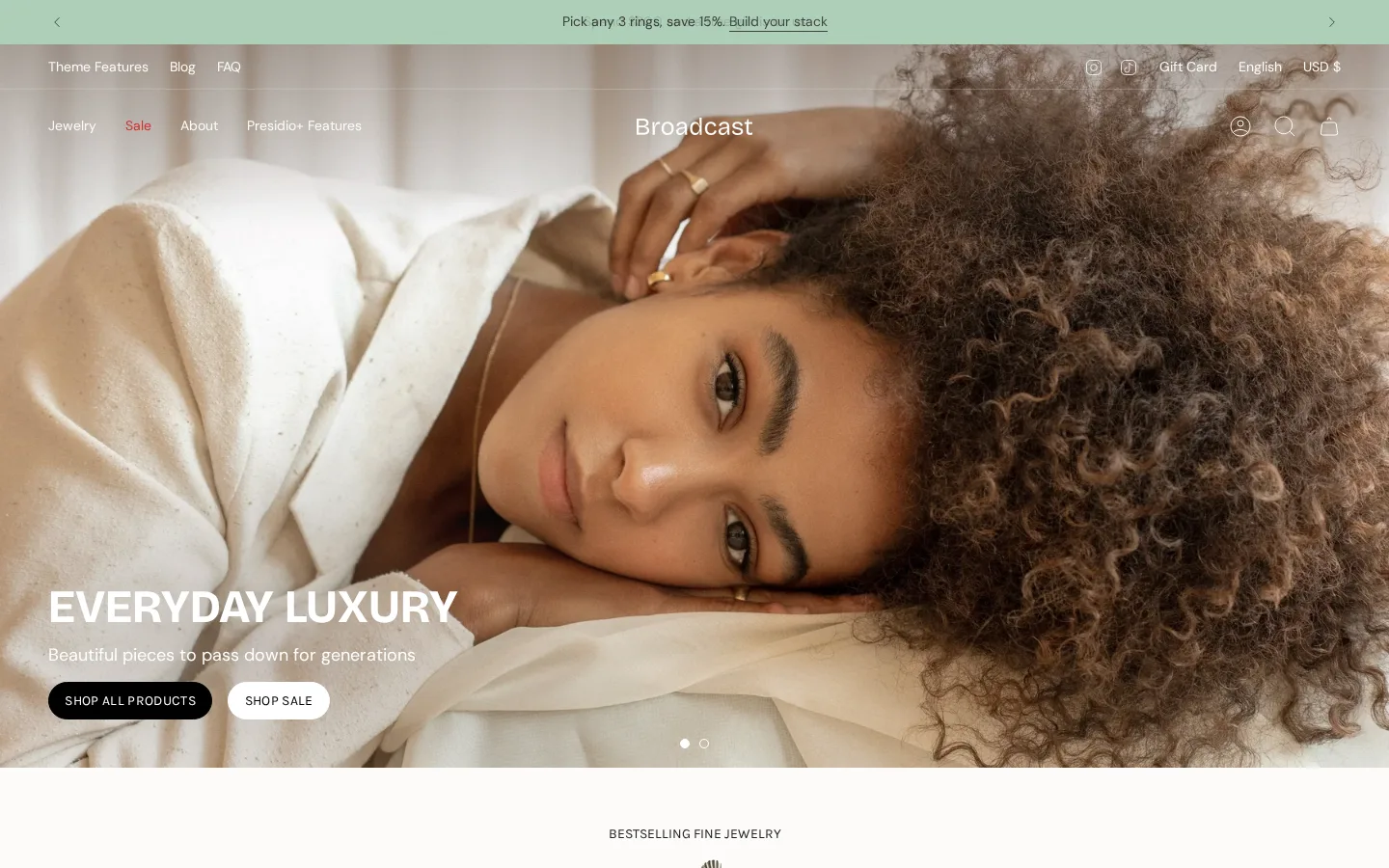
Presidio highlights 1-click add to cart, product upsells and promotion features in Broadcast. Fast adding and timely upsells raise order value, which matters for accessories where shoppers often buy a second item, such as matching earrings or a gift box.
Mobile Speed and Accessibility
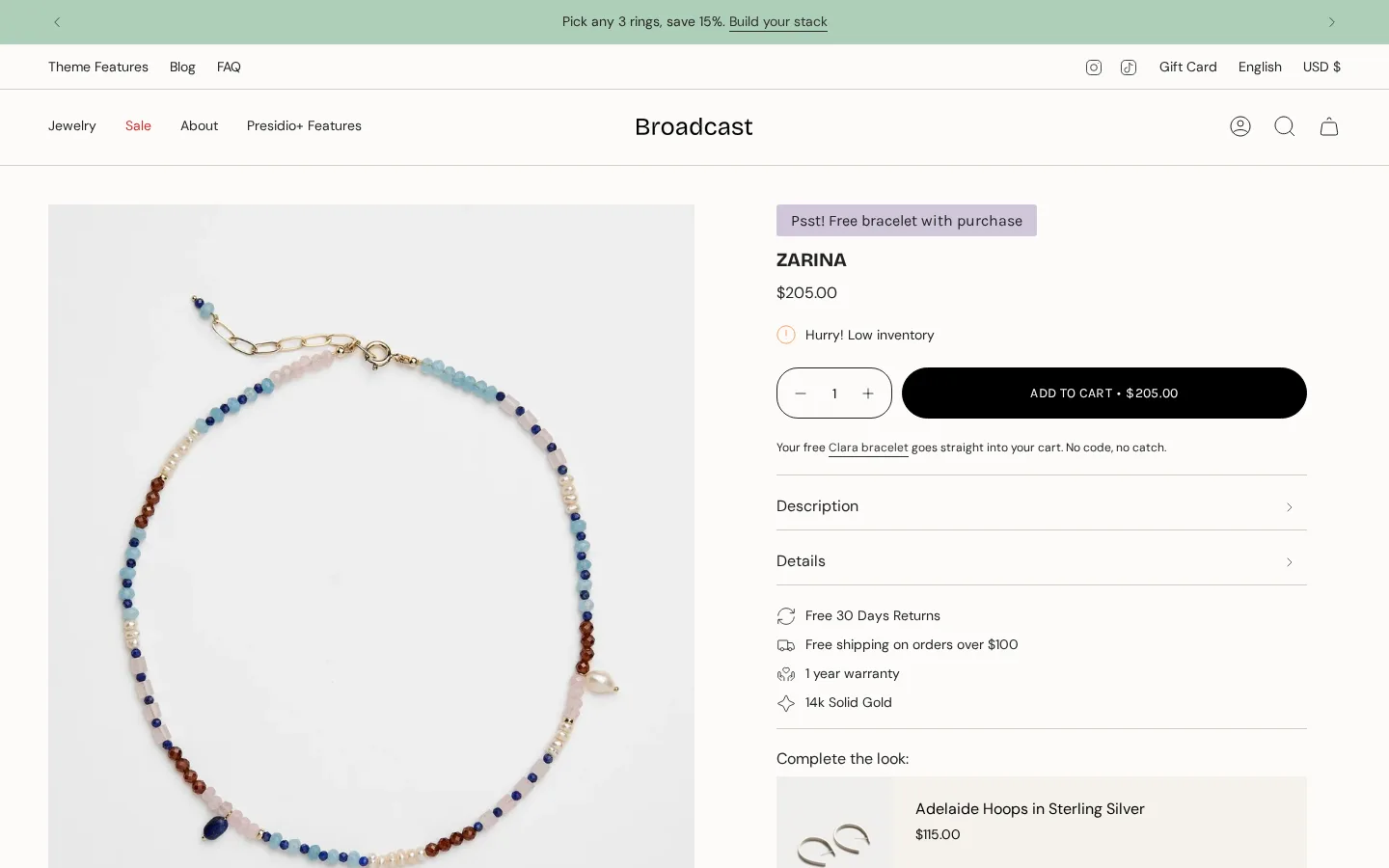
Broadcast is designed to convert mobile-first traffic with optimizations aimed at fast loading that meets accessibility standards. Jewelry and accessories shoppers often come from social media on phones, so quick, accessible mobile pages help more of that paid traffic convert into orders.
Mobile Performance of Broadcast
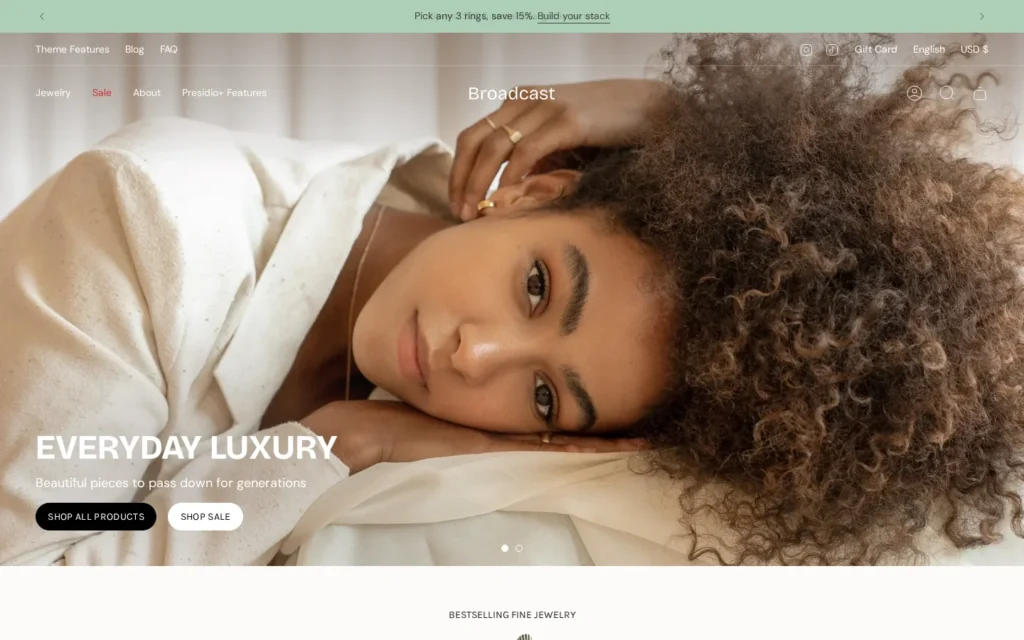
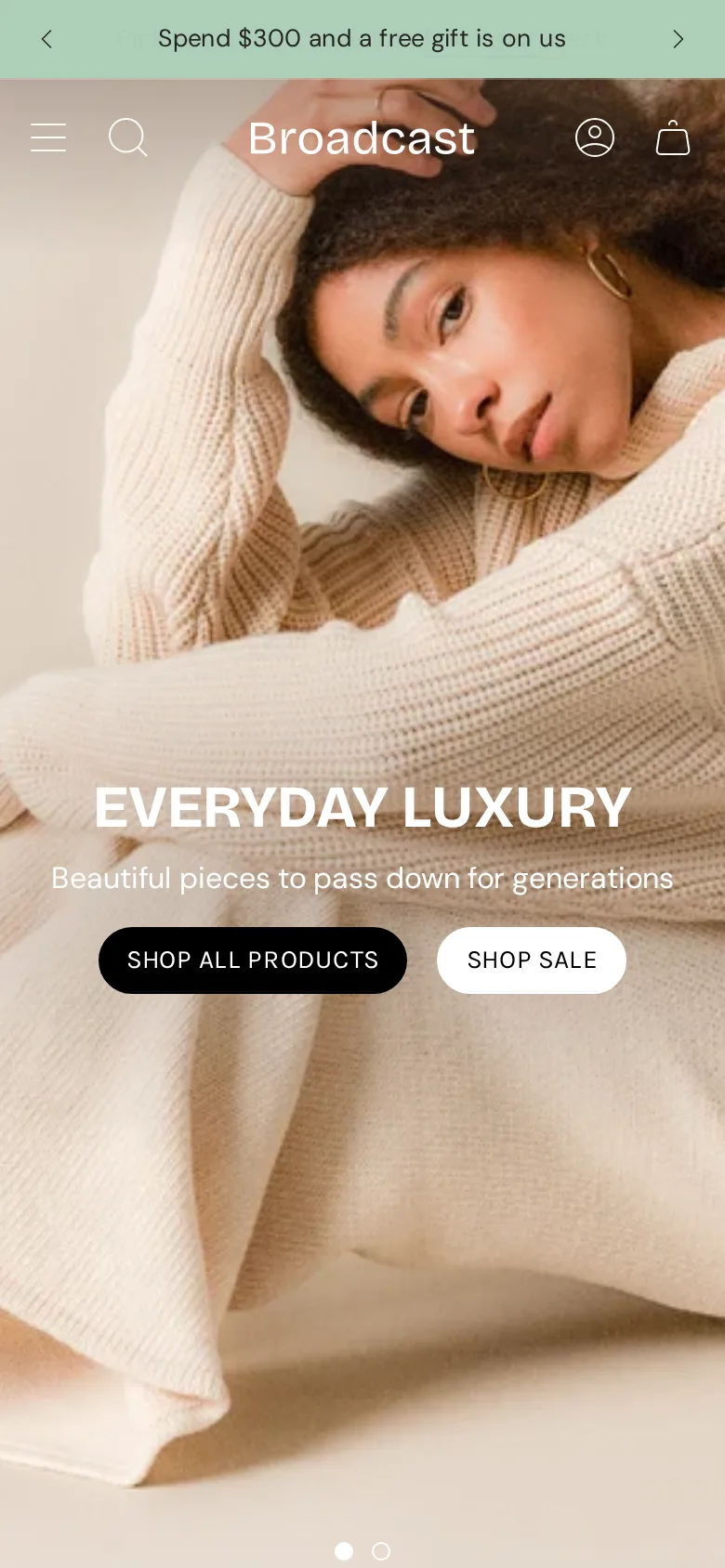
Broadcast is designed for mobile-first traffic, with a sticky cart, slide-out cart, quick buy and 1-click add to cart on phones. Promotion-heavy stores need fast mobile checkout paths. At phone width the header stayed clean, with a bold, readable hero.
Where Broadcast Wins
- 94% positive from 285 reviews
- 30+ customizable sections
- 1-click add to cart and upsells
- Back-in-stock alerts and pre-order
- Pairs with the Presidio+ app
Broadcast Cons
- At $420, it is not a budget pick
- Last update was April 2026
- Many features can overwhelm small stores
Broadcast Theme Price: Is $420 Worth It?
Broadcast costs $420 once, or about $35 a month over one year and $17.50 a month over two. Palo Alto and Release cost the same, but Broadcast packs in more selling tools, including upsells, back-in-stock alerts and 1-click add to cart, without extra app fees.
| Option | Price | Developer |
|---|---|---|
| Broadcast | $420 | Presidio |
| Palo Alto | $420 | Presidio |
| Vivid | $300 | Slash Themes |
| Prestige | $400 | Maestrooo |
Updates are free after purchase, including 8.1.1 from April 10, 2026. Running a second store means buying a second $420 license.
Who Gets the Most From Broadcast?
Broadcast fits jewelry, accessories and lifestyle stores that run frequent promotions and want upsells, 1-click add to cart and 30+ sections. Small stores on tight budgets, or brands wanting a quiet, minimal design, may find Broadcast more than they need at $420.
Broadcast for Jewelry Brands
Jewelry brands get strong results from Broadcast. Image hotspots highlight details, upsells suggest matching pieces, and back-in-stock alerts capture demand for sold-out designs, which helps small-batch jewelers recover sales they would otherwise lose between small production runs of popular pieces.
Broadcast for Promotion-Led Stores
Stores that run frequent sales benefit from Broadcast’s promotion tools. Countdown timers, promo banners and popups support flash sales, while 1-click add to cart shortens checkout during busy campaigns when shoppers decide quickly and every extra click risks losing them.
Presidio fans who want an image-led design should read our Palo Alto Shopify theme review, since Palo Alto comes from the same developer at the same $420 price and focuses on bold visuals rather than Broadcast’s sales-feature depth.
Testing the Broadcast Demo Before You Buy
Open Stellar and Motif first if you sell jewelry or accessories, then add a real product with variants and test image hotspots and the upsell block. Presidio also offers the Presidio+ app for extra bundles and promotions, which has a free plan. The $420 charge only applies when you publish.
- Open the Broadcast listing and compare its five preset demos.
- Install the nearest Broadcast preset, unpublished.
- Set up product upsells and a back-in-stock alert on a bestseller.
- Build one promo banner and countdown, then check it on a phone.
- Publish when the promotion flow feels right, paying $420 at that point.
Avoid These Broadcast Errors
Broadcast gives you so many sales tools that the usual mistake is using them all at once. Owners switch on every popup, banner and timer together, leave the upsell block pointing at random products, and skip back-in-stock alerts. Pick one promotion at a time and test it in the trial.
- Promo overload: run one main promotion at a time.
- Empty upsells: set related products for top sellers.
- No stock alerts: enable back-in-stock for sold-out items.
- Too many sections: keep the homepage focused.
Broadcast vs Palo Alto, Vivid and Prestige
Palo Alto, Vivid and Prestige are the closest alternatives to Broadcast. Palo Alto costs $420 for image-led brands, Vivid costs $300 for design-led jewelry, and Prestige costs $400 for luxury stores. For jewelry and accessory shops that run frequent promotions, Broadcast remains our pick.
| Theme | Price | Best for | Rating |
|---|---|---|---|
| Broadcast | $420 | Promotion-driven jewelry and accessories stores | 94% |
| Palo Alto | $420 | Image-led brands | 94% |
| Vivid | $300 | Design-led jewelry on a budget | 96% |
| Prestige | $400 | Luxury, high-end brands | 91% |
Broadcast vs Palo Alto
At $420, Palo Alto by Presidio carries a 94% approval score across 313 store owner reviews. It focuses on bold, image-led design and was updated in October 2026. Palo Alto makes more sense than Broadcast if bold visuals matter more to you than promotion tools.
Our Palo Alto theme analysis compares both Presidio themes side by side, useful for brands deciding between visual storytelling and Broadcast’s sales-focused feature set at the same price.
Broadcast vs Vivid
Vivid from Slash Themes sells for $300, and 96% of its 90 merchant reviews are positive. It focuses on standout design for jewelry and accessories. Go with Vivid instead of Broadcast if you want to save $120 and need fewer built-in promotion features.
Read our Vivid Shopify theme review to see its four presets, a cheaper option for small jewelry brands that do not run constant sales campaigns like Broadcast is built for.
Broadcast vs Prestige
Prestige from Maestrooo sells for $400, and 91% of its 874 merchant reviews are positive. It is designed for premium, high-end brand appeal. Prestige beats Broadcast when you sell fine jewelry or luxury goods where frequent discounting hurts your brand image.
Our Prestige luxury theme guide covers its elegant presets, a better fit for fine jewelers that avoid heavy promotions and want a refined, premium feel instead of Broadcast’s sales tools.
Our Broadcast Verdict
Broadcast earns 4.5 out of 5 from us. It is a feature-rich Shopify theme for promotion-led jewelry and accessories stores, with 30+ sections, upsells, 1-click add to cart and a 94% positive rating for $420. Note the gap since its April 2026 update before buying.
✅ Pros
- 94% positive from 285 reviews
- 30+ customizable sections
- 1-click add to cart and upsells
- Back-in-stock alerts and pre-order
- Pairs with the Presidio+ app
❌ Cons
- At $420, it is not a budget pick
- Last update was April 2026
- Many features can overwhelm small stores
📦 Theme Resources & Setup Information
Frequently Asked Questions
What is the Broadcast theme price?
Broadcast costs $420, paid once when you publish. Previewing it with your own products is free.
Who makes the Broadcast theme?
Presidio, the studio behind Palo Alto. The current version is 8.1.1, released April 10, 2026.
Which styles come with Broadcast?
Five: Broadcast, Relay, Airwave, Motif and Stellar. Every preset includes the full set of 30+ sections.
Does Broadcast include image rollover?
Yes. Image rollover shows a second product photo on hover, and Broadcast also supports image hotspots and zoom.
How do I preview Broadcast?
Open the Theme Store listing, choose a preset demo, then click Try theme to test it unpublished in your store.
Where is the Broadcast theme documentation?
Presidio hosts it at broadcast.presidiocreative.com, linked from the Theme Store listing.
Broadcast or Palo Alto: which suits you?
Broadcast is better for promotion-heavy stores that need upsells and 1-click add to cart. Palo Alto suits image-led brands. Both cost $420 and come from Presidio.
Is Broadcast a good Shopify theme for jewelry?
Yes. Broadcast lists jewelry and accessories as a target, with image hotspots, upsells and back-in-stock alerts. Merchants rate it 94% positive from 285 reviews.

Abdullah Prem is the founder of EcommerceThemes.org and BloggersNeed.com. He specializes in reviewing Shopify themes, WooCommerce themes, WordPress themes, hosting, plugins, and SaaS tools. Through EcommerceThemes.org, he publishes in-depth theme reviews, product comparisons, buying guides, and performance analyses to help ecommerce businesses choose the right theme based on speed, SEO, customization, user experience, and overall value. His goal is to provide research-driven recommendations that help store owners make informed decisions when selecting an ecommerce theme.