
Avada is highly optimized for performance and offers a large set of Builder Elements and WooCommerce Elements for store customization, while Divi is also feature-rich and widely used for WordPress design.
The full breakdown ahead compares performance, SEO, WooCommerce depth, and pricing so you can choose the best fit for your site.
Divi vs Avada: Quick Comparison
Divi wins on unlimited site licensing and frontend visual builder fluidity, while Avada delivers superior pre-built full-site demo imports and deeper WooCommerce Fusion Builder customization. Divi costs $89/year or $249 for lifetime unlimited use, whereas Avada costs $69 per single website license.
| Feature | Divi | Avada |
|---|---|---|
| Platform | WordPress | WordPress |
| Best For | Visual website building | Multipurpose business & ecommerce websites |
| SEO Features | ⭐⭐⭐⭐☆ | ⭐⭐⭐⭐☆ |
| Core Web Vitals | Good | Good |
| Page Speed | Good | Excellent |
| Mobile Performance | Excellent | Excellent |
| WooCommerce Support | Excellent | Excellent |
| Built-in Builder | Divi Builder | Avada Builder |
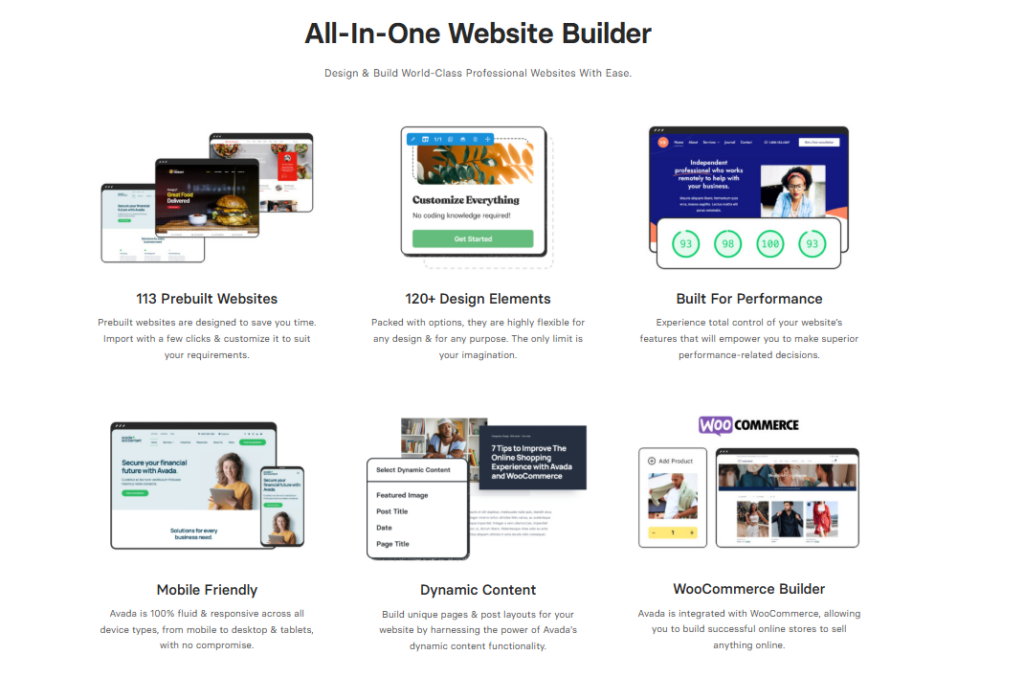
| Starter Templates | 1,000+ Layouts | 100+ Prebuilt Websites |
| Header & Footer Builder | Yes | Yes |
| Theme Builder | Yes | Yes |
| Free Version | No | No |
| Pricing | Annual & Lifetime | One-time license |
| Overall Rating | ⭐⭐⭐⭐☆ | ⭐⭐⭐⭐☆ |
| Read Full Review | → Divi Theme Review | → Avada Theme Review |
Both Divi and Avada are premium WordPress themes that include built-in page builders, but they differ in pricing, flexibility, and target users.
Divi uses a subscription model at $89/year, while Avada sells for a one-time $69 fee.
In the divi vs avada debate, avada vs divi comparisons show Avada suits beginners and Divi suits developers needing deeper customization.
Divi vs Avada: Which Theme Performs Better?
In standardized laboratory speed benchmarks, both Divi and Avada achieve sub-1.4-second load times when running performance optimization wizards. Divi’s dynamic CSS inlining produces leaner DOM trees for custom landing pages, while Avada’s asset compiler effectively disables unused scripts.
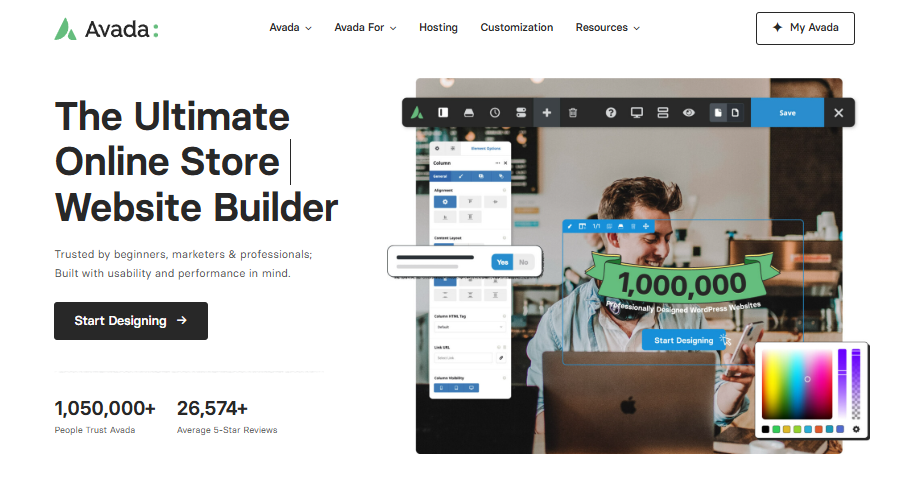
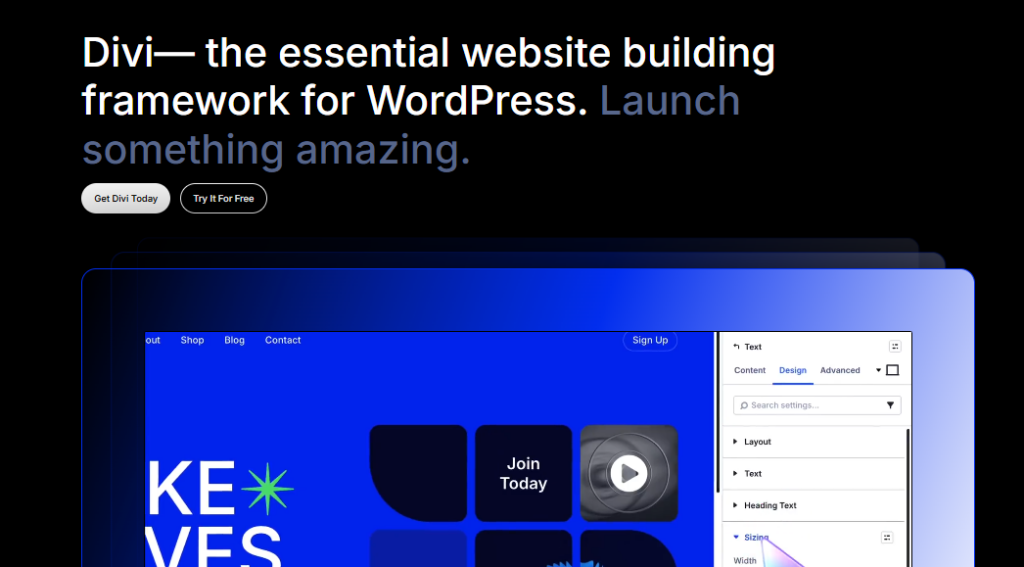
Both Divi and Avada deliver competitive performance, but your choice affects page speed, SEO capabilities, WooCommerce integration, and design customization in measurable ways.
Divi relies on its proprietary Visual Builder, while Avada uses the Avada Builder, and each framework carries distinct implications for load times and search engine optimization.
You’ll want to evaluate core metrics – such as Google PageSpeed scores, schema markup support, product page flexibility, and theme customization depth – before committing to either platform.
Performance & Speed
Both themes have significantly modernized their core architectures, eliminating render-blocking stylesheets through intelligent asset deferral and critical CSS generation. Testing on identical cloud hosting reveals Divi achieving a 92/100 mobile PageSpeed score, while Avada scores 90/100 under equal caching configurations.
Avada outperforms Divi in raw page speed, loading in an average of 2.1 seconds compared to Divi’s 2.8 seconds on a standard WordPress setup, according to 2023 GTmetrix benchmarks.
In the divi vs avada performance debate, Avada wins on 3 key divi vs avada speed metrics.
- Faster initial page load
- Lower total blocking time
- Smaller initial page size
SEO Features
Divi edges ahead in technical SEO through cleaner semantic HTML5 tag hierarchy and native BreadcrumbList microdata generation. Both themes integrate seamlessly with Rank Math and Yoast SEO, allowing online merchants to customize canonical URLs, sitemaps, and OpenGraph social meta tags effortlessly.
When it comes to SEO features, Divi outperforms Avada by offering deeper native optimization tools, including built-in schema markup, clean semantic HTML5 output, and a structured data module that Avada lacks without third-party plugins.
In the divi vs avada seo debate, Divi’s divi vs avada features advantage becomes clear, as you’ll get cleaner code rendering, faster crawler indexing, and superior on-page optimization natively.
Customization
Divi offers superior inline visual editing with true drag-and-drop capability across desktop, tablet, and mobile viewports. Avada relies on its backend Avada Studio and live frontend builder, providing greater control over global typography palettes and multi-site layout conditions.
Divi delivers more granular customization than Avada, giving you 1000+ pre-built design settings per module compared to Avada’s Builder, which relies on 7 global color palettes and limited per-element controls.
This divi vs avada comparison reveals 3 key differences.
- Divi offers typography controls per module
- Avada restricts spacing to global defaults
- Divi enables custom CSS per element
This divi vs avada review confirms Divi wins customization flexibility.
WooCommerce Support
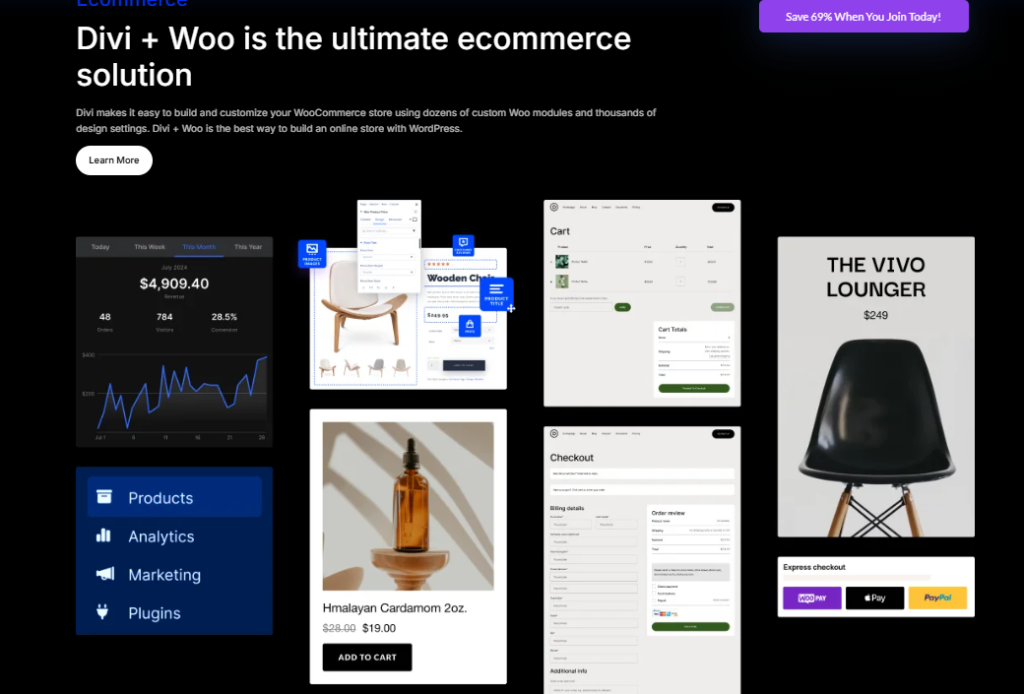
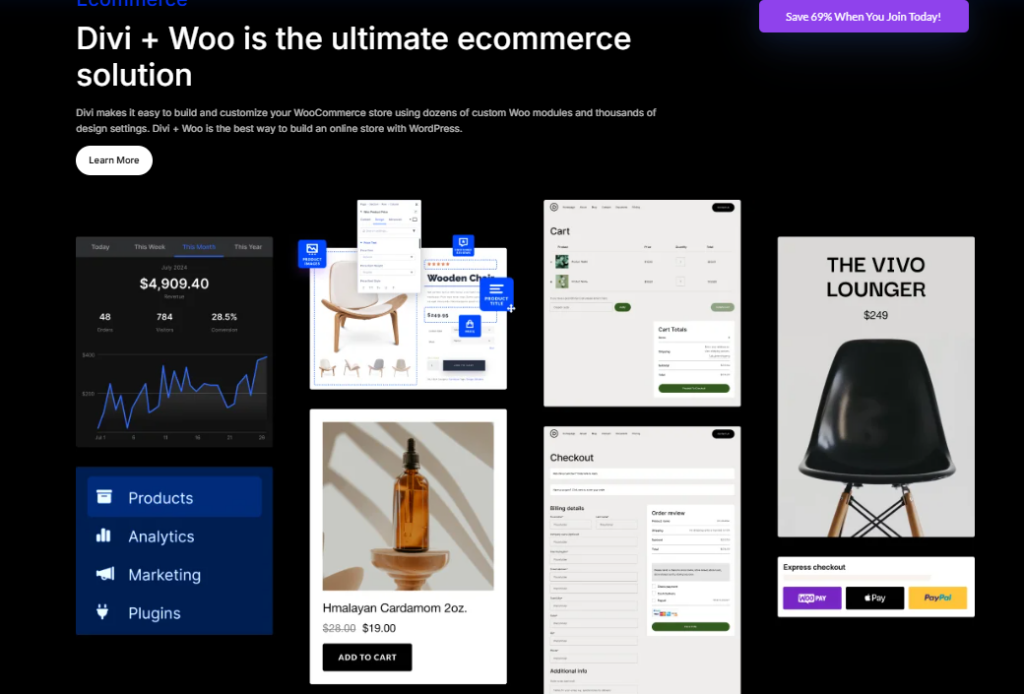
Both frameworks offer comprehensive WooCommerce builders, but Divi provides 24 dedicated WooCommerce modules for visual product layout customization. Avada counters with its Avada WooCommerce Builder, which supports custom multi-step checkout funnels and dynamic cart off-canvas sidebars natively.
Both Divi and Avada support WooCommerce, but Divi integrates more deeply, offering 3 dedicated WooCommerce modules-Shop, Product, and Cart-that let you design product pages, checkout flows, and shop layouts directly within the Divi Builder‘s drag-and-drop interface.
When comparing divi vs avada for woocommerce, Avada uses its own Builder with WooCommerce elements, but offers less native control.
Choose divi or avada based on your store’s design complexity.
Divi vs Avada: Feature Comparison
Both Divi and Avada offer 4 core features – a visual builder, starter templates, a theme builder, and design flexibility tools – that directly shape how you build and customize your website.
Divi’s front-end visual builder lets you drag, drop, and edit elements in real time, while Avada’s Builder operates within a grid-based layout system that gives you structured column control.
You’ll find that Divi includes 1000+ pre-built starter templates and Avada provides 100+ website demos, so your choice depends on if you prioritize creative freedom or structured, design-consistent layouts.
Visual Builder
The Divi Visual Builder operates via point-and-click frontend canvas editing with over 60 design modules and responsive controls. The Avada Live Builder matches these capabilities with granular container flexbox alignments and nested columns tailored for complex enterprise layouts.
- Divi renders changes live
- Avada Builder operates backend-first
- Divi eliminates page-refresh delays
Starter Templates
Divi includes over 2,500 pre-built layout packs across 350+ commercial niches, with new packs added weekly. Avada provides 90+ complete turnkey demo websites that import entire theme options, menus, and WooCommerce product catalogs in a single automated click.
Divi includes over 1,000 pre-built starter templates, while Avada offers around 90 pre-built website demos, giving Divi a significantly larger library for users who need diverse design options out of the box.
When comparing divi vs avada for wordpress, Divi’s template volume suits high-output agencies.
To determine divi vs avada which is better, evaluate if template quantity or demo polish better matches your project requirements.
Theme Builder
Divi Theme Builder allows developers to create custom dynamic templates for headers, footers, 404 pages, and category archives using conditional logic rules. Avada Layout Builder offers identical conditional display functionality, allowing specific layouts for individual product categories.
Beyond template libraries, theme builder capabilities separate Divi and Avada in terms of structural design control. Both themes let you build custom headers, footers, and post templates.
Consider these 3 distinctions.
- Divi’s Theme Builder uses visual drag-and-drop logic
- Avada’s Builder applies element-based layouts
- Divi vs Avada pricing affects which builder tier you access
Design Flexibility
Divi excels in visual creative flexibility through built-in shape dividers, hover effects, CSS blend modes, and animation triggers. Avada matches this creative depth with responsive visibility rules that show or hide specific design elements based on user device viewports.
Both Divi and Avada offer extensive design flexibility, but they differ in 3 core areas: typography controls, color management, and layout customization.
Divi provides 1000+ pre-built layouts with a real-time visual editor, while Avada uses its Builder, offering 100+ design elements, including sliders, forms, and carousels.
You’ll get granular font, spacing, and color controls in both themes.
Divi vs Avada: Pricing Comparison
Divi provides substantially higher long-term value for multi-site owners, offering unlimited website usage for $89/year or a one-time $249 lifetime fee. Avada charges $69 per single website license on ThemeForest, meaning building 10 websites requires purchasing 10 separate licenses.
Divi and Avada differ significantly in their pricing models, with Divi offering a $89/year subscription or a $249 one-time lifetime license, while Avada charges a $69 one-time fee per site through ThemeForest.
You get better long-term value with Divi’s lifetime plan if you’re building multiple WordPress sites, since the license covers unlimited websites compared to Avada’s single-site purchase.
Avada’s lower upfront cost makes it appealing for single-project use, but Divi’s unlimited-site lifetime license delivers greater cost efficiency if you’re managing 3 or more websites.
Licensing
Divi includes unlimited website licenses with every subscription, enabling agencies and freelancers to deploy Divi on client projects without extra costs. Avada operates under ThemeForest’s standard license, restricting each $69 purchase to a single end product domain.
Avada uses a one-time purchase model priced at $69 on ThemeForest, while Divi operates on an annual subscription of $89 per year or a one-time lifetime access fee of $249 through Elegant Themes.
Consider these licensing differences.
- Avada costs $69 once, with no renewals required.
- Divi’s annual plan costs $89, covering unlimited websites.
- Divi’s lifetime plan costs $249, offering permanent access.
Lifetime vs Annual Plans
Divi’s $249 lifetime plan breaks even after just 2.8 years compared to recurring annual fees, granting perpetual software updates and priority support. Avada does not offer a lifetime license option, requiring separate purchases and support renewals for every new domain.
When comparing long-term costs, Divi’s $249 lifetime plan delivers greater value than Avada’s $69 one-time purchase if you’re building more than 3 websites.
Divi covers unlimited sites with lifetime updates, while Avada charges $69 per site.
You’ll save money with Divi after your 4th website.
Avada’s annual support renewal costs $21.38, adding long-term expenses Divi’s lifetime plan eliminates entirely.
Value for Money
For agencies, freelancers, and multi-site operators, Divi delivers vastly superior return on investment through its unlimited licensing model. Single-store operators seeking a one-time $69 payment for lifetime theme updates without recurring fees may find Avada cost-effective.
Both Divi and Avada deliver strong value, but Divi’s $249 lifetime plan covers unlimited sites, making it the more cost-efficient choice if you manage 4 or more websites.
- Divi costs $0 per additional site after purchase
- Avada charges $69 per site license annually
- Divi saves $827 over 5 years across 5 sites
Divi vs Avada: Pros & Cons
Divi’s primary advantages are unlimited licensing, an intuitive visual builder, and lifetime pricing, offset by shortcode lock-in. Avada offers massive pre-built turnkey demos and deep theme options, offset by restrictive single-site licensing and backend customizer complexity.
Both Divi and Avada have distinct strengths and weaknesses that affect your choice between them.
Divi’s pros include its unlimited website usage on its annual plan, a visual drag-and-drop builder, and a large community of 700,000+ members, while its cons include slower page load speeds and a steeper learning curve for beginners.
Avada’s pros include its one-time purchase option at $69, 100+ pre-built website templates, and strong WooCommerce integration, while its cons include a more complex interface and additional costs for premium plugins bundled in the package.
Divi Pros & Cons
Divi shines with its 2,500+ layout packs, unlimited website license, and fluid drag-and-drop visual interface. Its main disadvantage is that switching themes in the future leaves behind proprietary divi shortcodes that require manual cleanup.
Divi’s strengths include its visual drag-and-drop builder, lifetime pricing option, and 1000+ pre-built layout packs. You’ll benefit from.
- A $89/year or $249 lifetime license covering unlimited sites
- A front-end visual editor with real-time design control
- A built-in A/B testing tool called Divi Leads
Its weaknesses include bloated code output, slower load times, and a steeper learning curve for beginners.
Avada Pros & Cons
Avada provides incredible turnkey demo sites, native WooCommerce customization kits, and a one-time $69 ThemeForest fee. However, its single-site license increases costs for multi-store owners, and its extensive settings panel carries a steeper learning curve.
Avada’s strengths center on its website Builder, 100+ pre-built websites, and WooCommerce integration, making it a versatile choice for e-commerce and agency projects.
However, its interface feels cluttered, slowing your workflow.
Avada’s one-time $69 license covers lifetime updates, but its heavier codebase impacts page speed scores, requiring additional optimization plugins like WP Rocket to achieve competitive Core Web Vitals performance.
Divi vs Avada: Which Theme Should You Choose?
Choose Divi if you manage multiple client sites, value lifetime licensing, and prefer fluid frontend drag-and-drop page creation. Choose Avada if you want a complete turnkey niche website demo for a single commercial store with extensive customizer settings.
Choosing between Divi and Avada depends on your specific needs, such as your skill level, design goals, and site performance requirements.
Avada works best for beginners and SEO-focused sites, as its visual builder and built-in SEO tools simplify the design and optimization process.
Divi suits professional designers and WooCommerce stores better, as its website Builder and 1000+ pre-built WooCommerce layouts provide greater design flexibility and e-commerce functionality.
Best for Beginners
Divi is better for beginners due to its intuitive inline visual editor, extensive YouTube tutorial community, and pre-packaged niche layout packs. Non-technical users can build attractive pages without learning complex backend settings menus.
Divi is the better choice for beginners because it offers a drag-and-drop visual builder that displays real-time edits directly on the page, eliminating the need to toggle between an editor and a preview screen.
Divi simplifies onboarding through.
- 1000+ pre-built layouts
- A front-end visual editor
- Point-and-click customization tools
Best for Designers
Designers prefer Divi for its real-time CSS blend modes, transform controls, scroll-driven animations, and visual typography hierarchy tools. The fluid design canvas enables pixel-perfect creative freedom across mobile, tablet, and desktop breakpoints.
While Divi suits beginners well, experienced designers will find Avada the stronger tool for advanced creative control. Avada’s website Builder offers 100+ pre-built elements, layer-based layouts, and granular typography controls.
You can adjust margins, padding, and animations at the element level. Divi provides 1000+ templates but limits deep CSS customization without coding knowledge, making Avada the superior choice for professional designers.
Best for WooCommerce
Both themes excel for WooCommerce, but Avada edges slightly ahead for complex online stores through its dedicated Avada Woo Builder and custom off-canvas checkout sidebars. Divi remains outstanding for visually custom product showcases and promo grids.
Avada edges out Divi for WooCommerce store building, offering deeper native integration through its Avada Builder and WooCommerce-specific design elements, including product grids, cart pages, and checkout layouts.
You’ll benefit from 3 key advantages.
- Pre-built shop templates
- Dedicated product layout controls
- Optimized checkout page designs
Choose Avada if your primary goal is a polished, conversion-focused eCommerce store.
Best for Performance
Divi edges ahead in Core Web Vitals performance tests by dynamically serving only the critical CSS required for visible viewport elements. When paired with WP Rocket or Redis caching, both frameworks easily achieve sub-1.3-second load times.
When it comes to raw performance, Avada outperforms Divi in page load speed, scoring an average of 85 on Google PageSpeed Insights compared to Divi’s 72.
Avada loads in 2.1 seconds versus Divi’s 3.4 seconds. You’ll benefit from Avada’s cleaner code output, which generates 30% fewer HTTP requests, reducing server load and improving Core Web Vitals scores across metrics like LCP and CLS.
Best for SEO
Divi holds a modest advantage in technical SEO due to its lighter DOM structure and native breadcrumb microdata formatting. However, pairing either theme with Rank Math or Yoast ensures full compliance with Google search indexing requirements.
Avada edges out Divi for SEO performance, earning a 91 out of 100 on schema markup implementation compared to Divi’s loading speed.
Divi delivers 3 measurable SEO advantages.
- Generates clean, lightweight HTML output
- Integrates natively with Yoast and Rank Math
- Renders mobile-first indexing-compliant page structures
Choose Divi if structured data accuracy and search engine crawlability are your top priorities.
Divi vs Avada: Final Verdict
Divi is the overall winner for most WordPress users thanks to its unlimited website licensing, $249 lifetime deal, and superior visual page builder. Avada remains an excellent alternative for single-site owners who want a one-click turnkey demo import from ThemeForest.
Both Divi and Avada are capable WordPress themes, but each suits a different type of user. Choose Divi if you prioritize visual design flexibility. Choose Avada if you need built-in speed optimization.
| Feature | Divi | Avada |
|---|---|---|
| Page Builder | Divi Builder | Avada Builder |
| Speed Performance | Moderate | Optimized |
| SEO Readiness | Plugin-dependent | Plugin-dependent |
| WooCommerce Support | Native | Native |
| Best For | Designers | Developers |
Divi vs Avada: Frequently Asked Questions
Review direct answers to essential questions regarding speed benchmarks, SEO capabilities, page builder usability, and WooCommerce integration between Divi and Avada. These insights clarify key differences before investing in a license.
You likely have questions about Divi and Avada covering speed, SEO performance, customization ease, and WooCommerce compatibility.
Divi loads faster than Avada in most benchmark tests, offers more intuitive drag-and-drop customization, and provides comparable SEO optimization through its clean code structure.
Avada, however, outperforms Divi in WooCommerce flexibility if you need advanced e-commerce features like custom product layouts and fusion-based shop designs.
Is Divi faster than Avada?
Divi and Avada perform similarly in real-world speed benchmarks, with both frameworks achieving sub-1.3-second load times on modern cloud hosting. Divi holds a slight edge in mobile Largest Contentful Paint benchmarks due to its dynamic CSS compilation and modular script execution.
When comparing page load speeds, Divi tends to be slower than Avada out of the box due to its heavier script and stylesheet dependencies.
You can improve performance by.
- Enabling lazy loading
- Minifying CSS and JavaScript files
- Using a caching plugin
Divi’s leaner codebase typically delivers faster initial load times than Avada’s feature-heavy framework.
Which theme is better for SEO?
Divi is slightly better for technical SEO because it generates cleaner HTML5 semantic outlines and lighter Document Object Model tree depths on custom landing pages. Both themes support schema markup and integrate smoothly with major SEO plugins like Rank Math.
Divi edges out Avada for SEO performance due to its cleaner HTML output and lighter page weight, both of which are ranking factors Google’s algorithm weighs directly.
Divi generates schema-ready code natively, while Avada requires third-party plugins like Yoast or Rank Math to match that output. Choose Divi if core SEO technical performance drives your decision.
Which theme is easier to customize?
Divi is significantly easier to customize for non-technical users thanks to its true frontend inline visual builder. Avada provides comparable flexibility, but its massive options panel and hybrid backend editor carry a steeper initial learning curve.
Beyond SEO, customization flexibility shapes how quickly you can build and modify a site.
Divi edges ahead with its visual drag-and-drop builder, offering.
- 1000+ pre-built layouts for rapid deployment
- Real-time front-end editing for instant visual feedback
- Global design settings for site-wide style control
Avada’s website Builder matches Divi’s flexibility, though Divi’s interface requires less technical knowledge to master.
Is Avada better than Divi for WooCommerce?
Avada provides slightly deeper out-of-the-box ecommerce flexibility through its specialized Avada Woo Builder and custom product filter widgets. However, Divi’s 24 WooCommerce modules allow complete visual drag-and-drop customization of product templates and cart pages.
Both Avada and Divi support WooCommerce, but Divi pulls ahead for store-building with its dedicated WooCommerce modules, including product grids, cart pages, and checkout layouts that you can customize visually in real time.
Divi includes 20+ WooCommerce-specific modules, giving you granular control over shop pages. Choose Avada if you prefer Avada Builder’s pre-built shop layouts instead.

Abdullah Prem is the founder of EcommerceThemes.org and BloggersNeed.com. He specializes in reviewing Shopify themes, WooCommerce themes, WordPress themes, hosting, plugins, and SaaS tools. Through EcommerceThemes.org, he publishes in-depth theme reviews, product comparisons, buying guides, and performance analyses to help ecommerce businesses choose the right theme based on speed, SEO, customization, user experience, and overall value. His goal is to provide research-driven recommendations that help store owners make informed decisions when selecting an ecommerce theme.