| Developer / Brand | Slash Themes |
| Sold On | Shopify Theme Store |
| Page Builder | Shopify Online Store 2.0 theme editor |
| Rating | ⭐ 4.3/5 (our review score) |
| Mobile Responsive | ✅ 100% Mobile & Tablet Ready |
🛠️ Theme Specifications
Monk is a $300 Slash Themes design for multi-vendor stores, with three presets, Monk, Sea and Restore, and 27 merchant reviews. We looked at its vendor tools, shoppable video and the promo mega menu in version 2.0.1.
Best matched to multi-vendor and multi-brand stores, especially electronics and gadget retailers, that want shoppable video and a promo-ready mega menu.
Monk Shopify Theme Facts and Figures
At $300, Monk bundles three presets, Monk, Sea and Restore, with multi-vendor features, shoppable video, a promo mega menu, quick buy, cross-selling and swatch filters. All 27 merchants who reviewed it rated it positively, and the current version is 2.0.1 from September 2025.
| Detail | Monk |
|---|---|
| Price | $300 (pay on publish) |
| Developer | Slash Themes |
| Presets | 3: Monk, Sea, Restore |
| Shopify rating | 100% positive from 27 reviews |
| Best fit | Multi-vendor and electronics stores |
| Docs | Monk help docs |
| Latest version | 2.0.1, September 17, 2025 |
| Demo | Open the Monk demo |
Monk Features Worth Paying For
Monk is worth $300 for its vendor and video features, which are rare at this price, and every one of its 27 reviews is positive. The downsides are a small review base, no promo tiles or product tabs, and no update since September 2025.
Multi-Vendor Support
Monk includes a multi-vendor feature that helps you build an inclusive store with many brands. Slash Themes positions it for vendor partnerships and wide product variety, which suits electronics, gadget and accessory retailers that resell several manufacturers under one storefront.
Vendor names help shoppers browse by brand, a common habit in electronics and gear stores.
Shoppable Video
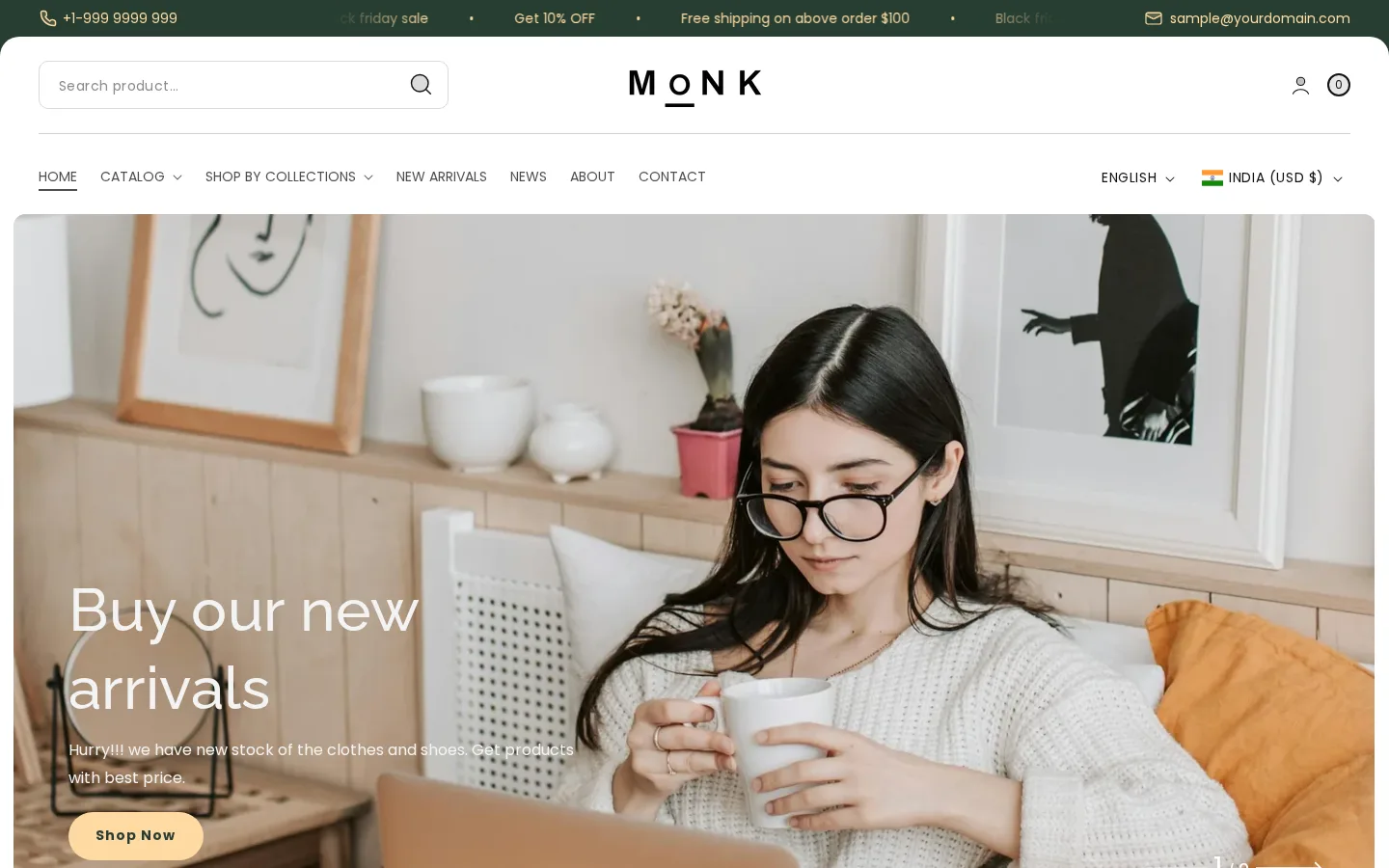
Monk adds interactive, shoppable video content that links directly to products. Video converts well for gadgets and tech accessories, where buyers want to see a product in use, so shoppable clips shorten the path from watching a demo to adding the item to cart.
Promo Mega Menu
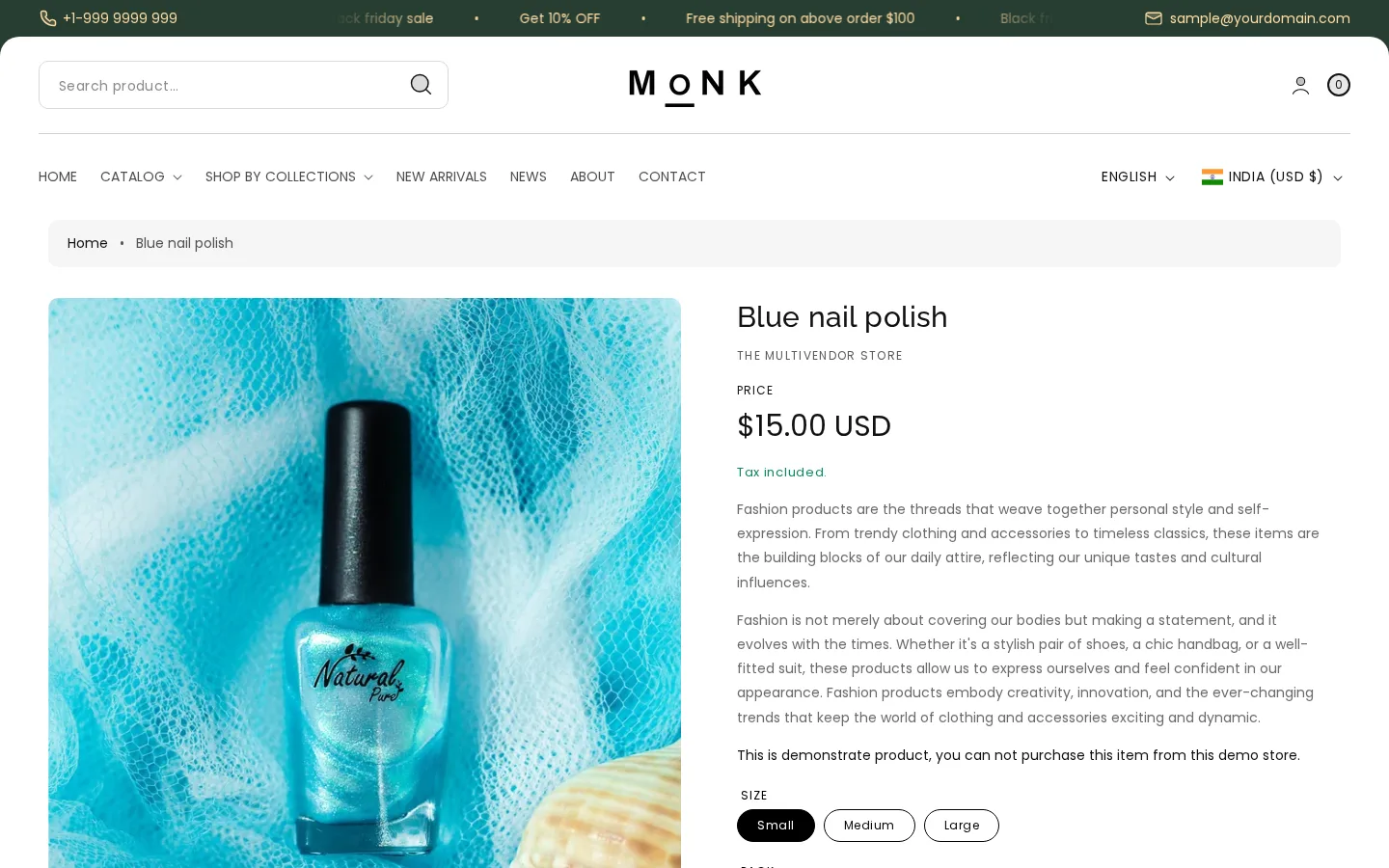
Monk features a distinctive mega menu that shows exclusive promotions inside navigation. In-menu promos catch shoppers at the moment they choose a category, which works well for multi-brand stores pushing a featured vendor, a product bundle or a seasonal discount code.
How Monk Handles Phones
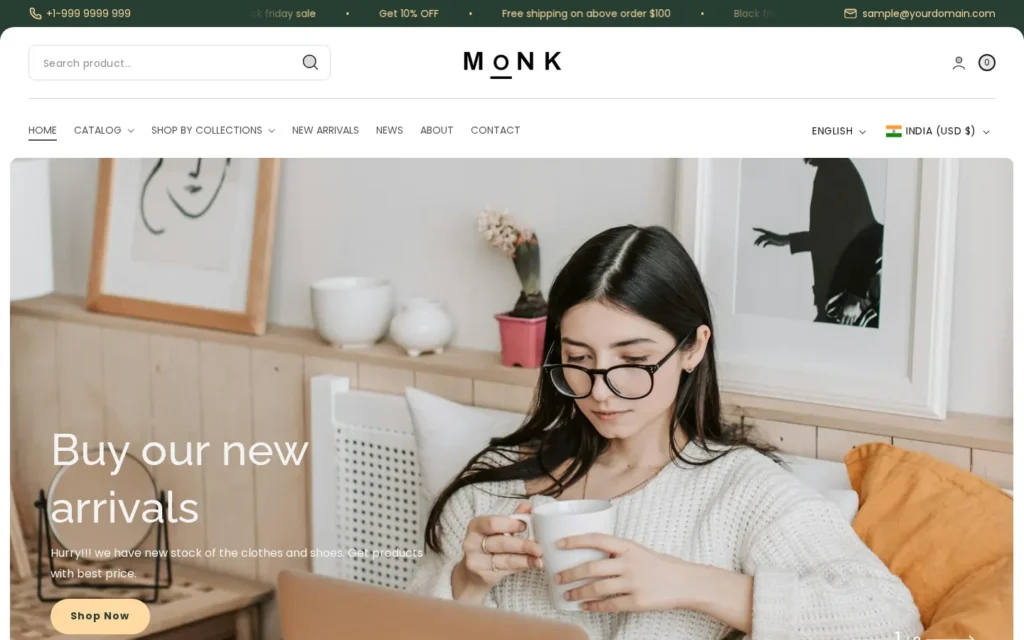
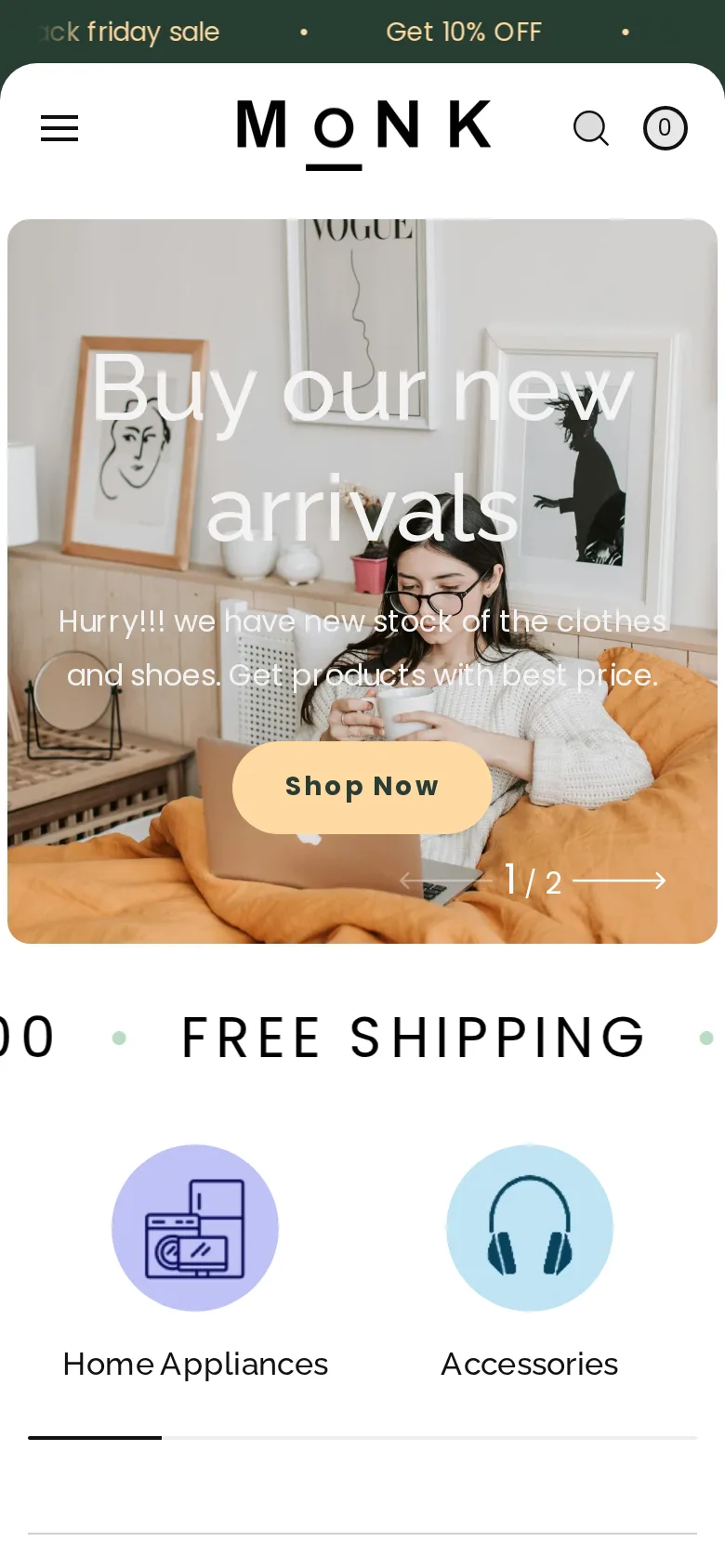
Monk retains its slide-out cart, quick buy and sticky cart on mobile, and video sections scale to phone screens. Gadget shoppers often compare products on mobile, so quick buy and clear video matter. Our demo capture showed a tidy mobile header.
Where Monk Wins
- 100% positive from 27 reviews
- Multi-vendor support built in
- Shoppable video sections
- Promo mega menu
- Affordable $300 price
What to Watch With Monk
- Small review base
- No promo tiles or product tabs
- Latest update dates to September 2025
Monk Theme Price and Value
One $300 payment covers Monk: $25 a month if you count one year, $12.50 if you count two. Mono and Vivid from the same developer cost the same, so you get multi-vendor and shoppable video tools at no premium over Slash Themes’ simpler designs.
| Theme | Cost | Developer |
|---|---|---|
| Monk | $300 | Slash Themes |
| Enterprise | $420 | Clean Canvas |
| Concept | $400 | RoarTheme |
| Mono | $300 | Slash Themes |
Release 2.0.1, dated September 17, 2025, came free to existing stores. A second store means another $300.
Who Monk Is For
Monk fits multi-brand electronics, gadget and accessory stores that sell many vendors and want video-led discovery for $300. Single-brand fashion labels, B2B wholesalers and stores needing product tabs or promo tiles may get more from other themes than from Monk.
Monk for Electronics Retailers
Electronics retailers get the most from Monk. Shoppable video shows gadgets in use, the promo mega menu pushes featured brands, and quick buy speeds repeat orders for accessories like cables, chargers or cases that buyers rarely spend long researching before checkout.
Monk for Multi-Brand Boutiques
Multi-brand boutiques benefit from Monk’s vendor features. Shoppers often browse by brand, so vendor-aware layouts and cross-selling help them find related items from labels they already trust, which raises order value across a varied, multi-label product mix and every seasonal collection.
Tech stores with very large catalogs should also read our Enterprise high-SKU theme review, because Enterprise focuses on speed and deep navigation for thousands of products, while Monk’s strengths are vendor features and video rather than sheer catalog scale.
Monk Demo and Setup Steps
Open the Monk, Sea and Restore demos and pick the one closest to your brand mix. Import products from at least two vendors with consistent vendor names, then add a short shoppable video linked to one product and check it on a phone. Going live triggers the $300 charge.
- Open the Monk listing on Shopify.
- Compare the three preset demos with your catalog.
- Install Monk 2.0.1 without going live.
- Clean up vendor names and set up the promo mega menu.
- Add a short shoppable video section and test vendor browsing.
- Publish when video and vendor pages work, paying $300.
Monk Setup Mistakes to Avoid
Monk’s media and menu features are where setups go wrong. Owners upload long, heavy videos, fill the mega menu with too many promos, and leave vendor names spelled three different ways. Each slows pages or confuses shoppers, so trim videos and standardize vendors before you publish.
- Heavy video: keep shoppable clips short and compressed.
- Menu clutter: feature one promo per mega menu column.
- Messy vendors: standardize vendor names across products.
- No cross-sells: set related products for accessories.
Monk vs Enterprise, Concept and Mono
Enterprise, Concept and Mono are the closest alternatives to Monk. Enterprise costs $420 for large catalogs, Concept costs $400 for app-like mobile shopping, and Mono costs $300 for clean fashion stores. For multi-vendor stores that sell with video, Monk is still the one we would pick.
| Theme | Price | Best for | Rating |
|---|---|---|---|
| Monk | $300 | Multi-vendor and electronics stores | 100% |
| Enterprise | $420 | Large, fast electronics catalogs | 90% |
| Concept | $400 | App-like mobile shopping | 99% |
| Mono | $300 | Clean single-brand fashion | 98% |
Monk vs Enterprise
Enterprise costs $420 from Clean Canvas, with 113 Shopify reviews averaging 90% positive. It targets speed and conversion for big catalogs with mega menus and filters. Go with Enterprise instead of Monk if you carry thousands of SKUs and need faster browsing.
Our Enterprise theme analysis covers its three presets and speed focus, which suits electronics stores that have outgrown Monk’s mid-size layout and need deeper navigation.
Monk vs Concept
RoarTheme prices Concept at $400; merchants have left 673 reviews, 99% of them positive. Carousel swipes and popup closing give mobile shoppers a native app feel. Concept is a better buy than Monk if mobile sales dominate and you want a larger review base.
Read our Concept Shopify theme review to see how its mobile-first design compares, especially for gadget stores where most traffic arrives from social ads on phones.
Monk vs Mono
Mono from Slash Themes sells for $300, and 98% of its 119 merchant reviews are positive. It offers a clean, feature-packed layout for fashion. Go with Mono instead of Monk if you sell one brand and do not need vendor or shoppable video features.
Our Mono theme breakdown explains its four presets and clean design, the better sibling for single-brand stores that would never use Monk’s multi-vendor tools.
Monk: Final Thoughts
Monk rates 4.3 out of 5 with us, a smart Shopify theme for multi-vendor electronics and gadget stores, with shoppable video, a promo mega menu and a 100% positive rating for $300. Weigh the update gap and the small review base before you buy it.
✅ Pros
- 100% positive from 27 reviews
- Multi-vendor support built in
- Shoppable video sections
- Promo mega menu
- Affordable $300 price
❌ Cons
- Small review base
- No promo tiles or product tabs
- Latest update dates to September 2025
📦 Theme Resources & Setup Information
Frequently Asked Questions
How much is Monk on the Theme Store?
Monk costs $300 per store, paid once. Later updates are free.
Is Monk still updated?
Its latest release is 2.0.1 from September 17, 2025, so check the changelog for newer activity before buying.
What presets does Monk include?
Three: Monk, Sea and Restore. All include the multi-vendor and shoppable video features.
Does Monk support a quick order list?
It has one, which helps repeat buyers reorder accessories like cables and cases.
How do I preview Monk?
Monk, Sea and Restore all have demos. The free trial lets you add your own vendors and video clips.
Where is the Monk theme documentation?
Slash Themes publishes the Monk guide at slashthemes.com/pages/monk-guide.
Is Monk better than Mono?
Monk is better for multi-vendor and electronics stores that need shoppable video. Mono suits clean, single-brand fashion stores. Both cost $300 from Slash Themes.
Does the Monk Shopify theme support multiple vendors?
Yes. Monk includes a multi-vendor feature for stores that sell many brands, plus shoppable video and a promo mega menu for featuring partner products.

Abdullah Prem is the founder of EcommerceThemes.org and BloggersNeed.com. He specializes in reviewing Shopify themes, WooCommerce themes, WordPress themes, hosting, plugins, and SaaS tools. Through EcommerceThemes.org, he publishes in-depth theme reviews, product comparisons, buying guides, and performance analyses to help ecommerce businesses choose the right theme based on speed, SEO, customization, user experience, and overall value. His goal is to provide research-driven recommendations that help store owners make informed decisions when selecting an ecommerce theme.