| Developer / Brand | Shopify |
| Sold On | Shopify Theme Store |
| Page Builder | Shopify Online Store 2.0 theme editor |
| Rating | ⭐ 4.3/5 (our review score) |
| Mobile Responsive | ✅ 100% Mobile & Tablet Ready |
🛠️ Theme Specifications
The Dawn Shopify theme is the free reference theme Shopify builds and maintains, and it is the default many new stores start on. This review covers what the current release includes, how merchants rate it, and when a paid alternative makes more sense.
We give Dawn 4.3 out of 5. It costs nothing, it follows Shopify’s newest features first, and its layout keeps product photos large. The trade-off is a plain feature set and a split reputation on the Theme Store.
Dawn Quick Facts
Dawn is free, offers one preset and focuses on a minimalist layout with large product media. Its latest build, 16.2.0, arrived on November 16, 2026. Merchant sentiment is mixed: 35% of 293 Theme Store reviews are positive, 25% neutral and 40% negative.
| Item | Dawn |
|---|---|
| Price | Free |
| Live demo | Open the Dawn demo |
| Docs | Dawn help docs |
| Merchant reviews | 35% positive across 293 reviews |
| Developer | Shopify |
| Presets | 1: Dawn |
| Current version | 16.2.0 (November 16, 2026) |
| Best for | Free start for photo-led brands |
What Dawn Includes
The Theme Store lists 27 features for Dawn. They cover the basics most launches need: cart notes, quick buy, in-store pickup, color swatches, a size chart, a mega menu, filtering with swatch filters and a sticky header.
Large Imagery and Simple Type
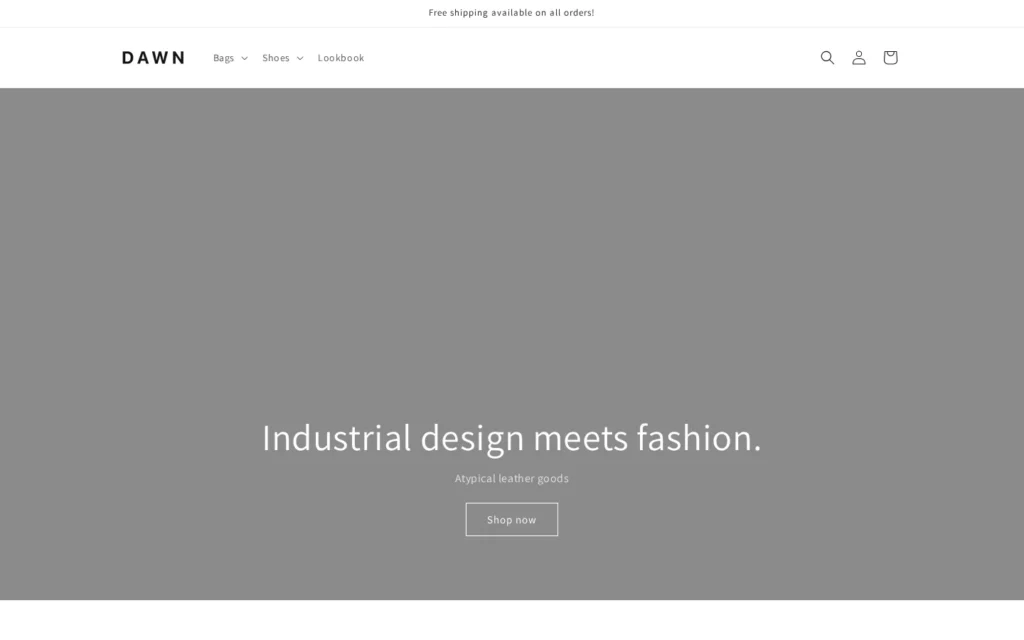
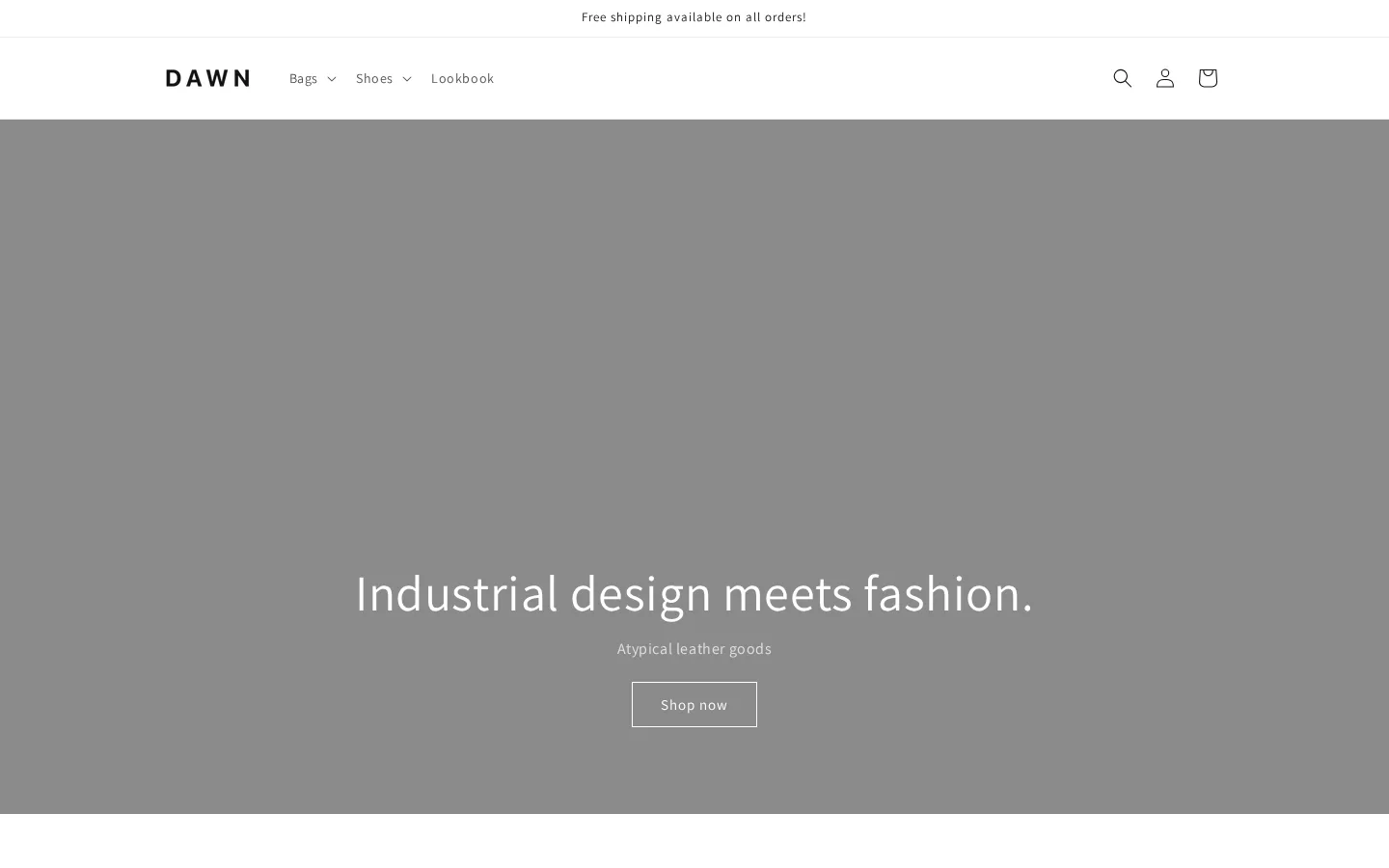
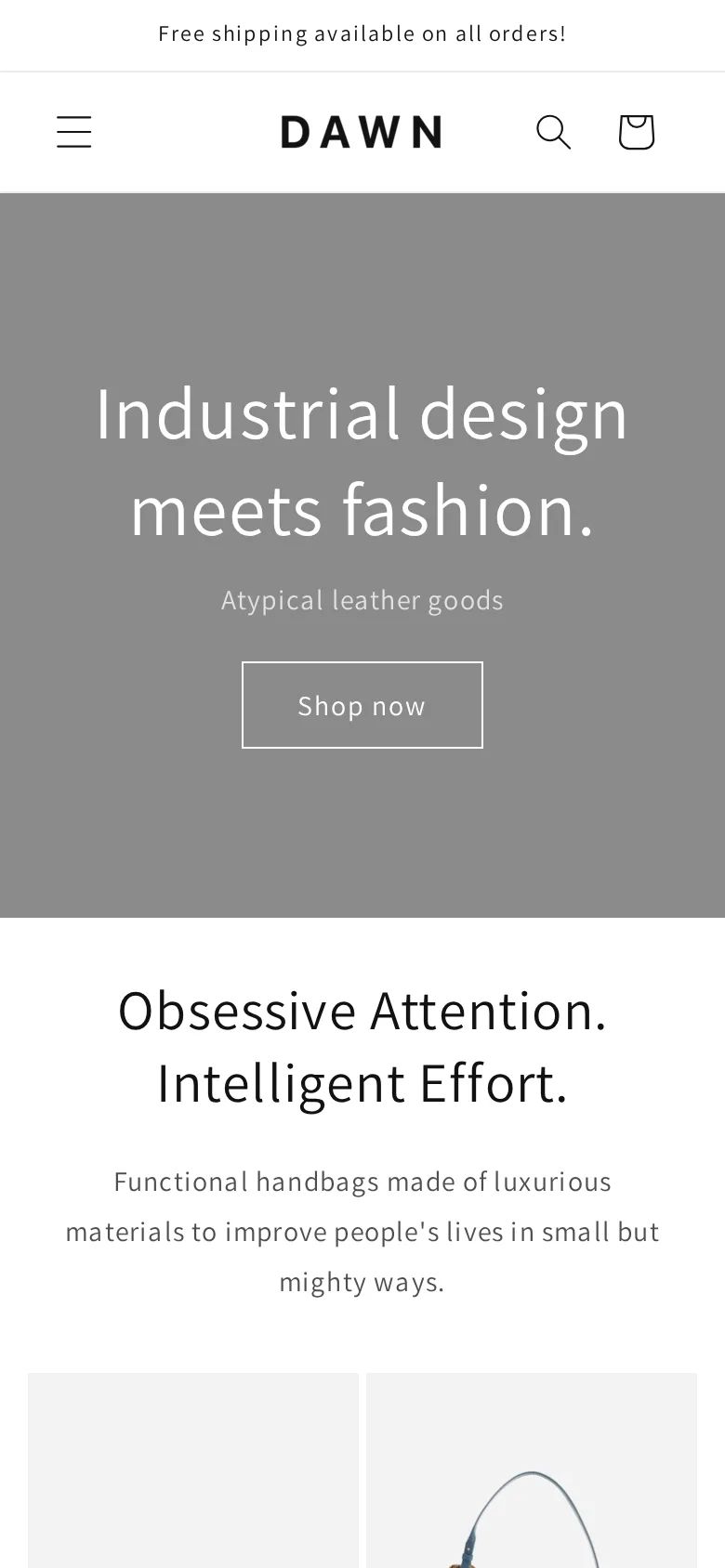
Shopify describes Dawn as a minimalist design built on large imagery, crisp lines and simplified fonts. In practice, the home page gives photos most of the width, so the store looks only as strong as the product photography you upload to it.
Brands with a strong photo library get a clean, modern storefront quickly. Stores that rely on text, badges or dense promotions will find the default sections sparse.
Media-Forward Product Pages
The product template puts large media first so shoppers can see what an item looks like before they read the details. Image zoom, product videos, image galleries and a size chart are all included, which covers most apparel and accessory listings without extra apps.
Product tabs, stock counters and trust badges are not on the feature list. Merchants who want them usually add an app or a custom section.
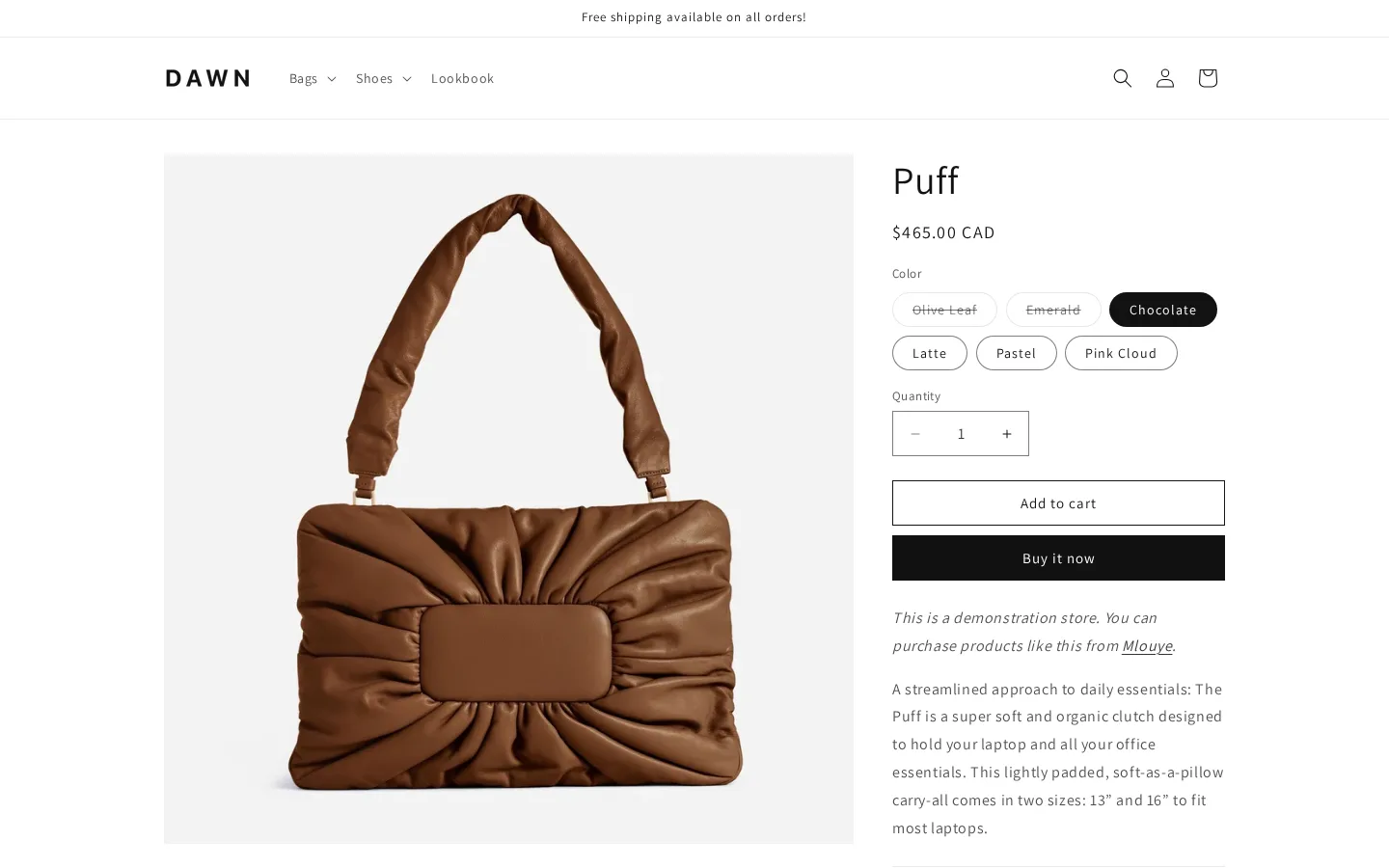
Dawn ships with a mega menu, product filtering and sorting, swatch filters and a sticky header. The cart supports notes and quick buy, and in-store pickup is built in, so a single-location shop can offer local collection without code.
Enhanced search is listed too, though one long-time jewelry merchant says shoppers still struggle to sort by ring or bracelet size.
What Changed in Dawn 16.2.0
Dawn 16.2.0, released November 16, 2026, extends the pickup availability drawer on product pages. It can now list physical stores that hold the item in stock, including locations that do not offer in-store pickup, so shoppers can see where to buy it in person.
How Merchants Rate Dawn
Dawn holds a 35% positive rating from 293 reviews, one of the lower shares among Shopify’s free themes. Of those reviews, 104 are positive, 73 neutral and 116 negative. Recent negative reviews mention update problems and missing features more than the layout.
A jewelry merchant using Dawn since 2018 says it has improved a great deal and praises the zero cost, but wants better size sorting. Another reviewer says an update broke their storefront, so keep a backup copy before updating.
Dawn Pros and Cons
Dawn’s appeal is cost and clean design; its weak spots are features and sentiment.
Pros
- Free, with updates maintained by Shopify
- Updated alongside Shopify’s other free themes, most recently with 16.2.0
- Large media layout suits photo-led brands
- In-store pickup, cart notes and swatch filters included
Cons
- Only one preset, so many stores look alike
- 40% of Theme Store reviews are negative
- No product tabs, stock counter or trust badges
- Support comes from Shopify help docs rather than a theme developer
Dawn Price and Costs
Dawn costs nothing to install or publish, and Shopify ships its updates for free. Your real costs are the Shopify plan, any apps you add to fill feature gaps, and design time if you want the store to look different from the many other Dawn shops.
Because the theme is free, you can keep Dawn live while you test paid themes in the background and switch only when a paid feature clearly pays for itself.
Preview Dawn on the Theme Store
Who Should Use Dawn
Dawn fits new and early-stage stores, especially fashion, bags and accessory brands with good product photos and a modest catalog. It is also a sensible base for developers who plan to customize code, since Shopify publishes Dawn’s code as its open-source reference theme.
Skip Dawn if you need promotional tools such as countdown timers, popups or product tabs out of the box, or if a distinctive look matters more than speed to launch.
Setting Up Dawn
A short checklist keeps a Dawn launch tidy and reversible.
- Add Dawn from the Theme Store to your theme library without publishing it
- Upload your logo, colors and a set of full-width hero images
- Build one collection page and turn on filtering and swatch filters
- Enable in-store pickup if you sell from a physical location
- Duplicate the theme before each update so you can roll back
Dawn vs Spotlight, Pipeline and Impulse
Spotlight, Pipeline and Impulse are the most common next steps from Dawn. Spotlight stays free with a simpler setup, while Pipeline and Impulse cost money but add promotional and merchandising features Dawn leaves out.
| Theme | Price | Positive reviews | Best for |
|---|---|---|---|
| Dawn | Free | 35% | Free start for photo-led brands |
| Spotlight | Free | 38% | Fastest free launch |
| Pipeline | $360 | 97% | Paid fashion toolkit |
| Impulse | $500 | 94% | Promotion-heavy fashion |
Dawn vs Spotlight
Spotlight is also free from Shopify and adds a slide-out cart and stock counter, though it drops promo banners. Choose it if you want a lighter launch page with a short brand description. Read our Spotlight theme review for details.
Dawn vs Pipeline
Pipeline costs $360 and holds 97% positive reviews. It adds countdowns, hotspots, popups and nested-block sections that Dawn lacks. Choose it when your fashion brand needs merchandising tools. See our full Pipeline review.
Dawn vs Impulse
Impulse costs $500 and has 94% positive reviews from a much larger sample. It suits stores that run frequent sales and promotions. Our Impulse review covers its promo features in depth.
Is Dawn Worth Using in 2026?
Yes, for most new stores. Dawn is free, current and stable enough to launch on, and we rate it 4.3 out of 5. Plan to upgrade to a paid theme when you need promotional features, a unique look or direct developer support.
Start with the official demo, then copy it into your library and test it with your own products before you publish.
✅ Pros
- Free, with updates maintained by Shopify
- Updated alongside Shopify's other free themes, most recently with 16.2.0
- Large media layout suits photo-led brands
- In-store pickup, cart notes and swatch filters included
❌ Cons
- Only one preset, so many stores look alike
- 40% of Theme Store reviews are negative
- No product tabs, stock counter or trust badges
- Support comes from Shopify help docs rather than a theme developer
📦 Theme Resources & Setup Information
Frequently Asked Questions
Is there a fee for Dawn?
Dawn costs nothing to install or publish, and Shopify ships its updates for free. Your real costs are the Shopify plan, any apps you add to fill feature gaps, and design time if you want the store to look different from the many other Dawn shops.
Which feature defines Dawn?
Shopify describes Dawn as a minimalist design built on large imagery, crisp lines and simplified fonts. In practice, the home page gives photos most of the width, so the store looks only as strong as the product photography you upload to it.
Which merchants get the most from Dawn?
Dawn fits new and early-stage stores, especially fashion, bags and accessory brands with good product photos and a modest catalog. It is also a sensible base for developers who plan to customize code, since Shopify publishes Dawn's code as its open-source reference theme.
What is new in Dawn 16.2.0?
Dawn 16.2.0, released November 16, 2026, extends the pickup availability drawer on product pages. It can now list physical stores that hold the item in stock, including locations that do not offer in-store pickup, so shoppers can see where to buy it in person.
How is Dawn rated on the Theme Store?
Dawn holds a 35% positive rating from 293 reviews, one of the lower shares among Shopify's free themes. Of those reviews, 104 are positive, 73 neutral and 116 negative.
What are the limits of Dawn?
Skip Dawn if you need promotional tools such as countdown timers, popups or product tabs out of the box, or if a distinctive look matters more than speed to launch. Spotlight is also free from Shopify and adds a slide-out cart and stock counter, though it drops promo banners.

Abdullah Prem is the founder of EcommerceThemes.org and BloggersNeed.com. He specializes in reviewing Shopify themes, WooCommerce themes, WordPress themes, hosting, plugins, and SaaS tools. Through EcommerceThemes.org, he publishes in-depth theme reviews, product comparisons, buying guides, and performance analyses to help ecommerce businesses choose the right theme based on speed, SEO, customization, user experience, and overall value. His goal is to provide research-driven recommendations that help store owners make informed decisions when selecting an ecommerce theme.